1
Tritech International Ltd
SeaKing System Options OM
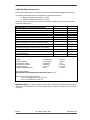
Handling of Electrostatic-Sensitive Devices ................................................................................5
Warranty Statement ........................................................................................................................6
Technical Support ..........................................................................................................................7
Option 1:..........................................................................................................................................8
A) SeaKing SCU 3 Auxiliary I/O Card ............................................................................................8
Installing Quatech AUX I/O Serial Adapter ....................................................................................8
Section 1: Installing Quatech DS-100 Card using Win 3.11...........................................................9
Section 2: Installing Quatech DS-100 Card using Win 9x (with driver disk) ...................................9
Section 3: Installing Quatech DS-100 Card using Win 9x (without driver disk) ............................11
B) SeaNet SCU Auxiliary I/O Card ...............................................................................................12
Installing Lava PCI RS232 AUXilliary ports to SeaNet SCU under Win 98. .................................12
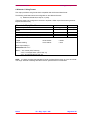
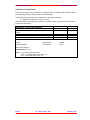
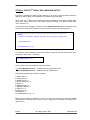
Option 2: PipeTracker Surface Interface.....................................................................................17
Option 3: ProfileR Serial Data Output with Ping Times .............................................................19
Option 4: Additional Bathy Serial Message Outputs .................................................................22
Option 5: Bathy 2nd Serial Data Message Output .......................................................................28
Option 6: Profiler Serial Output of Mean Altitude.......................................................................29
Option 7: "NMEA 0183" GPS MESSAGE INPUTS .......................................................................33
Option 8: Setting SCU clock via Serial NMEA Message ............................................................35
Option 9: Connecting Serial device to Sonar AUX Port.............................................................36
Option 10: Auto-Setting Bathy MANUAL values with Auto calc'S ............................................41
Option 11: Sidescan Alden Plotter Interface ..............................................................................42
Issue 3
TIL – Eng – Spec – 040
Page 4 of 44