1
(Continued)
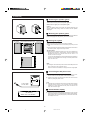
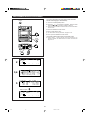
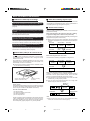
H Recording desired tracks from a CD
onto a MiniDisc (Track Editing)
REC
CD
TRACK
MD
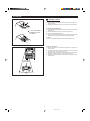
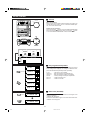
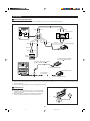
You can record one track or a series of several tracks from
a CD onto an MD.You can select one track and record it. (If
the track numbers are not in succession, you cannot select
a series of tracks.)
MD
MULTI CONTROL
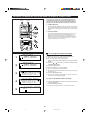
1
2
3
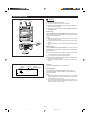
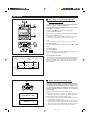
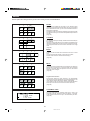
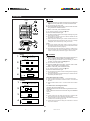
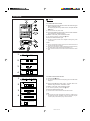
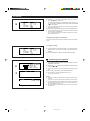
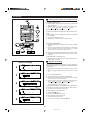
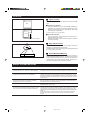
Press the CD H button, and load compact discs.
Load a recordable MiniDisc.
Press the or on the MULTI CONTROL button to select
the track number you want to start recording from.
I The selected track number appears.
ENTER
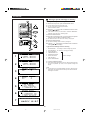
4
CD
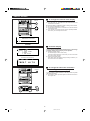
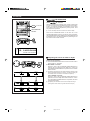
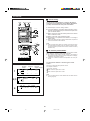
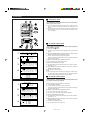
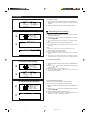
Press the TRACK button.
I To record a single track, skip to step 6.
5
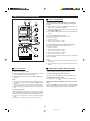
Select the last track to be recorded recording by pressing the
TRACK button.
6
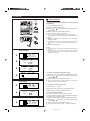
Press the CD 0 MD button.
I When all tracks are recorded, recording automatically stops.
MD
REC
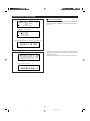
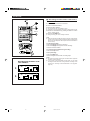
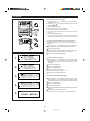
If recording does not begin:
If an MD does not have enough space to record all of the tracks
from a CD, "EDIT OVER" will appear and the unit will enter the
recording stand-by mode. When the CD 0 MD button is
pressed, a recording will be made. However, some tracks may
not be recorded.
CD
To cancel operation:
Before pressing the CD 0 MD button, press the CD H or MD H
button.
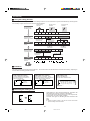
Track editing
CD
3
4
5
4
W
W
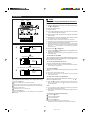
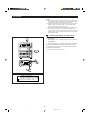
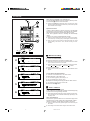
To stop recording:
Press the CD H button.
After recording the track number, playback and recording will
stop. It is not possible to pause recording.
5 : 09
D I SC1
S TOP
CD
MD T R A C K E D I T
S TART TRACK No . 4
END TRACK No . 4
E D I T T I ME
4
5 : 09
TOTAL
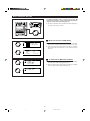
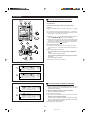
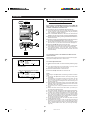
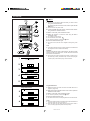
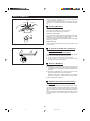
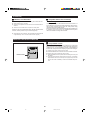
To rerecord:
If you wish to rerecord, you can erase a track that is already
recorded, starting from any point in the old track, to begin a new
recording.
Be aware that when you do this, all of the tracks and track names
that had been previously recorded after the newly recorded track
will be erased.
CD
MD T R A C K E D I T
S TART TRACK No . 4
END TRACK No . 7
E D I T T I ME
7
21 : 48
TOTAL
CD
4
6
1
0 : 02
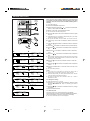
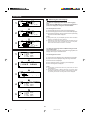
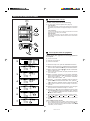
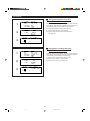
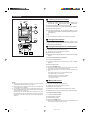
During playback, press the MD 06 button at the point where
you wish to begin rerecording.
I The unit will pause.
MD
2
Press the REC I button.
I "RECORD & ERASE OK? "will appear.
3
Press the ENTER button.
I The unit will enter the record stand-by mode.
4
Select the recording source and start recording.
28
*27-37
28
98.6.23, 10:32 AM