1
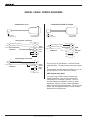
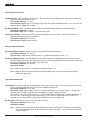
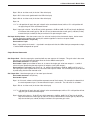
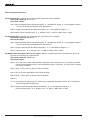
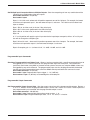
8 Channel Automatic Matrix Mixer SERIAL PORT COMMANDS AVAILABLE All LecNet devices use a modification of the typical one-to-one connection between two RS-232 compatible devices. LecNet devices have both an RS-232 transmitter and receiver section. The transmitter section is “tri-stated”, or placed in a high impedance mode, until the particular device is addressed. To facilitate the simple parallel connec tion of multiple devices on a single RS-232 port, an addressing scheme is employed to route commands from the host to the proper LecNet device. When a device receives its address from the host computer, it temporarily turns on its RS-232 transmitter long enough to send whatever data is requested by the host. In this way, multiple devices may drive a single transmit signal back to the host, because only the addressed device will turn on its transmitter. Valid address values are 128-254 (80 hex-FE hex). 255 (FF hex) is an invalid address and must not be used. Be cause a LecNet device will interpret any single data byte whose value is greater than 127 as an address, single byte data (as opposed to addresses) sent from the host must be in the range of 0-127. If a data value needs to be sent from the host that exceeds 127, the host must format two bytes of output such that the first byte is the lower 7 bits of the 8 bit value, and the second byte is 1 if the MSB of the data byte is 1, or 0 if the MSB of the data byte is 0. All interchange of commands and data with any LecNet device should be done in hex rather than ASCII. The only exception to this is the return data on the Get Device Name command (see command description below). Each LecNet command must be preceded by the address of the device to be controlled. If a device with the re quested address exists on the system, it will respond by sending a 0 (0 hex, not ASCII) back to the host. Some serial controller devices may simply send commands and data to a LecNet device and have no need to receive data. In this case, step 2 below is replaced by a minimum 25 millisecond wait. This wait is necessary to insure that the addressed LecNet device is “listening” and can respond to the command. Thus, each interchange with a LecNet device follows this pattern: 1) 2) 3) 4) Host sends device address in hex (1 byte); Host receives byte of 0 hex from the LecNet device as acknowledgment; Host sends command (1 byte, hex) to the LecNet device; Host and LecNet device exchange data based on particular command sent. Note that some LecNet commands cause LecNet devices to return an additional acknowledgment byte of data to confirm the end of a transaction. This is most typical of commands that cause the LecNet device to be busy for more than a few milliseconds processing the command. The additional acknowledgment byte lets the host know that the LecNet device is no longer busy and can receive more commands. If a command does return an additional acknowl edgment byte, this will be explicitly stated in the command description. As an example of a specific interchange between a host and an AM8/4 the following general procedure would be used to get a name string back from an AM8/4: Set up the communications parameters of the device which will be the host. The correct parameters for all LecNet devices are 9600 baud, no parity, 8 data bits, 1 stop bit. This must only be done once when the host is initialized. 1) Host sends device address. For a factory default AM8/4, this would be 139, or 8B hex (1 byte); 2) Host receives byte of 0 hex from the AM8/4 as acknowledgment; 3) Host sends command 1 hex (1 byte) to the AM8/4 to get the name data; 4) The LecNet device sends to the host 5 bytes. The first byte is 4 hex, which is the number of bytes in the AM8/4’s name string. The AM8/4 will then send the ASCII characters “A”, “M”, “8”, and “4” to the host. The following section is a listing of available commands grouped based on the AM8/4 function to which the com mands are related. The word “Host” in the command descriptions means the IBM PC or compatible, AMX controller, or Crestron controller to which the AM8/4 is connected. For AMX control of LecNet equipment, use the Lectrosonics PT3 Protocol Translator. For Crestron control, you’ll find macros for LecNet equipment on the Crestron web site, http://www.crestron.com. The following commands are described from the perspective of the host. A “Get” command allows the host to receive information from the AM8/4. A “Set” command allows the host to send information to set some parameter in the AM8/4. All commands and data have both the decimal values and hex values noted in the command description. Rio Rancho, NM – USA 21