1
1. INSTALLATION AND USE
1.5 SIXLOAD
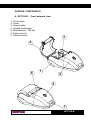
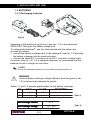
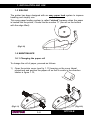
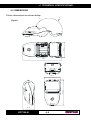
The printer has been designed with an easy paper load system to improve
handling and simplify use.
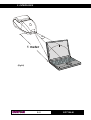
This easy paper loading system is called “sixload” because when the paper
is loaded into the printer, it looks like the number “6” (the roll on the bottom
with the edge lifted).
(Fig.1.10)
1.6 MAINTENANCE
1.6.1 Changing the paper roll
To change the roll of paper, proceed as follows:
1)
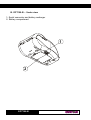
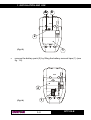
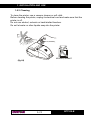
Open the printer cover (see fig. 1.11) levering on the cover lateral
projections and position the paper roll so that it unrolls in the direction
shown in figure 1.12;
(Fig.1.11)
(Fig.1.12)
1- 9
DPT100-B