1
Maintenance and Troubleshooting
5. Maintenance and Troubleshooting
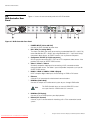
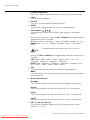
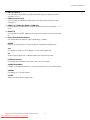
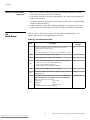
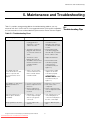
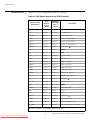
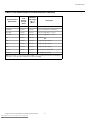
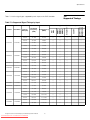
Table 5-1 provides some general guidelines for troubleshooting problems you may
encounter with the V-50HD/V-63HD. If the suggested solutions fail to resolve the problem
or if you encounter an issue not described here, please contact Runco Technical Support.
The system does not turn on.
Possible Cause(s)
Solution
EL
IM
IN
A
R
Symptom
Y
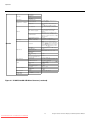
Table 5-1. Troubleshooting Chart
• The V-50HD/V-63HD is
not plugged in and
switched on, or the AC
outlet is not active.
• The DHD Controller is not
plugged in and switched
on, or the AC outlet is not
active.
PR
• The remote control
batteries have run out.
• The HDMI connection from
the DHD Controller to the
V-50HD/V-63HD is
incorrect.
• Ensure that the
V-50HD/V-63HD is
plugged in and switched
on, and that the AC outlet
is active.
• Ensure that the DHD
Controller is plugged in
and switched on, and that
the AC outlet is active.
• Replace the batteries.
• Ensure that the DHD
Controller is properly
connected to the
V-50HD/V-63HD (see
Figure 3-2).
The display and DHD
Controller are both on, but
there is no picture and
on-screen menus do not
appear.
• Faulty or incorrect video
connection between the
DHD Controller and the
V-50HD/V-63HD.
• Ensure that the HDMI
output from the DHD
Controller is properly
connected to the
PRIMARY INPUT on the
V-50HD/V-63HD (see
Figure 3-2).
The display is on and menus
appear, but there is no
picture.
• Incorrect source selection.
• Source component is not
turned on.
• Source component is
connected incorrectly or
not at all.
• Select the correct source.
• Turn on the source
component.
• Check connections from
source component to DHD
Controller.
A projected image from a
DVD is split or otherwise
scrambled.
• DVD player is connected
to the Component input
and set to progressive
scan mode.
• Turn off progressive scan
on the DVD player. Or,
connect the DVD player to
the HD1 or HD2 input.
Image geometry is incorrect.
• Incorrect aspect ratio
selection.
• Select a different aspect
ratio.
Vistage™ Series Flat-Panel Display Installation/Operation Manual
Downloaded From TV-Manual.com Manuals
57
5.1
Troubleshooting Tips