1
ST210_EN.BK Page 2 Thursday, May 11, 2000 2:56 PM
Understanding this Manual
Many of your phone options are accessed by a simple menu
system. A full description of the menus and how to move around
them is covered in the next section, Menu Navigation. When
the manual describes the use of each menu item, it will be
assumed that you are familiar with the menu system.
Key Presses
Entering Information
When you are requested to enter information, such as the
number of the phone you wish to call, this is represented in bold
type. For example:
C - enter the required telephone number.
A - enter your Personal Identification Number.
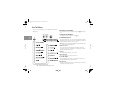
Key presses are represented in this manual using symbols so that
you may locate and use the required sequence quickly. A
sequence of key presses may be shown as follows:
B - enter your unlock code.
G - enter the Phone Book location number.
Prompts and Messages
$OC
This means that you should press the $ key followed by the
O key and then the C key, in sequence, not
simultaneously.
Your phone responds to key presses by displaying either easy to
understand prompts that guide you to the next action, or simple
messages confirming that your action is complete. Prompts and
messages are represented in this manual in LCD style, for
example:
Enter PIN
or Completed.
Other Symbols
You will find the following symbols used throughout this manual:
AA Note contains additional information which is relevant to
the feature/item.
! A Caution contains important additional information
which is relevant to the efficient and/or safe usage of
your phone.
j This symbol indicates that the feature is a Personality™
feature that can be customized to meet your requirements.
iThis symbol indicates a short key sequence for the feature.
2
Introduction