1
2012
Autodesk, Backburner, FBX, Maya, MotionBuilder, Mudbox, Softimage, and 3ds Max are registered trademarks or trademarks of Autodesk, Inc.,
and/or its subsidiaries and/or affiliates in the USA and/or other countries. All other brand names, product names, or trademarks belong to their
respective holders. Autodesk reserves the right to alter product and services offerings, and specifications and pricing at any time without notice,
and is not responsible for typographical or graphical errors that may appear in this document. © 2011 Autodesk, Inc. All rights reserved.
Contents
Chapter 1
Introduction . . . . . . . . . . . . . . . . . . . . . . . . . . . . 1
Introduction . . .
License Types
Activation . .
Registration .
Chapter 2
. . . . . . . . .
and Behaviors .
. . . . . . . . .
. . . . . . . . .
.
.
.
.
.
.
.
.
.
.
.
.
.
.
.
.
.
.
.
.
.
.
.
.
.
.
.
.
.
.
.
.
.
.
.
.
.
.
.
.
.
.
.
.
.
.
.
.
.
.
.
.
.
.
.
.
.
.
.
.
.
.
.
.
.
.
.
.
.
.
.
.
.
.
.
.
.1
.1
.2
.3
Stand-Alone Licensing . . . . . . . . . . . . . . . . . . . . . . . 5
Stand-Alone Licensing . . . . . . . . . . . . . . . . . . . . . . . . . . . 5
Introduction to Stand-Alone Licenses . . . . . . . . . . . . . . . . 5
Multi-Seat Stand-Alone License . . . . . . . . . . . . . . . . . . . 5
Manage Your Stand-Alone License . . . . . . . . . . . . . . . . . . 6
View Product License Information . . . . . . . . . . . . . . . 6
Save License Information as a Text File . . . . . . . . . . . . 6
Update Your Serial Number . . . . . . . . . . . . . . . . . . 7
Transfer Your Stand-Alone License . . . . . . . . . . . . . . . . . . 8
About the License Transfer Utility . . . . . . . . . . . . . . . 8
Export a License . . . . . . . . . . . . . . . . . . . . . . . . 9
Import a License . . . . . . . . . . . . . . . . . . . . . . . . 10
Troubleshoot a Stand-Alone License Error . . . . . . . . . . . . . 10
Preserving a License When Hardware Changes . . . . . . . 10
Reinstalling an Operating System . . . . . . . . . . . . . . . 11
Changing the System Date and Time . . . . . . . . . . . . . 11
iii
Distributing a Software Image to Multiple
Computers . . . . . . . . . . . . . . . . . . . . . . . . . . 12
Preserving a License on a Re-imaged Computer . . . . . . . 12
Chapter 3
Network
Licensing . . . . . . . . . . . . . . . . . . . . . . . . 13
Network Licensing . . . . . . . . . . . . . . . . . . . . . . . . . . .
Planning Your Network Licensing . . . . . . . . . . . . . . .
Understanding License Server Models . . . . . . . . . .
Windows System Requirements for the Network License
Manager . . . . . . . . . . . . . . . . . . . . . . . . .
Linux System Requirements for the Network License
Manager . . . . . . . . . . . . . . . . . . . . . . . . .
Mac OS X System Requirements for the Network License
Manager . . . . . . . . . . . . . . . . . . . . . . . . .
Understanding Your Network License . . . . . . . . . . . . .
How Your License Works . . . . . . . . . . . . . . . . .
Interpreting Your License File . . . . . . . . . . . . . . .
License File Examples . . . . . . . . . . . . . . . . . . .
Package License File Types and Examples . . . . . . . .
Losing Your Connection to the License Server . . . . . .
Running the Network License Manager . . . . . . . . . . . .
Install the Network License Manager . . . . . . . . . . .
Obtain the Server Host Name and Host ID . . . . . . . .
Configure a License Server . . . . . . . . . . . . . . . .
Uninstall a Windows Network License Manager . . . . .
Using Other Features of Network Licensing . . . . . . . . . .
License Borrowing . . . . . . . . . . . . . . . . . . . . .
FLEXnet Configuration Tools . . . . . . . . . . . . . . .
Frequently Asked Questions about Network Licensing . . . . .
What is the difference between a stand-alone license and
a network license? . . . . . . . . . . . . . . . . . . . .
What is the benefit of using a network licensed version
of the software? . . . . . . . . . . . . . . . . . . . . .
How does the licensing process use the Internet? . . . .
. . 13
. . 13
. . 13
. . 15
. . 17
.
.
.
.
.
.
.
.
.
.
.
.
.
.
.
.
. 18
. 19
. 19
. 19
. 22
. 25
. 29
. 30
. 30
. 30
. 32
. 37
. 38
. 38
. 42
. 53
. . 54
. . 54
. . 54
Chapter 4
Appendix: Autodesk 3ds Max Licensing . . . . . . . . . . . . . 57
Chapter 5
Appendix: Autodesk Maya Licensing . . . . . . . . . . . . . . . 59
Maya Stand-Alone Licensing . . . . . . . . . . . . . . . . . .
Transfer your stand-alone license (Mac OS X or Linux) .
Maya Network Licensing . . . . . . . . . . . . . . . . . . . .
Install the IPv4 or IPv6 versions of Network License
Manager . . . . . . . . . . . . . . . . . . . . . . . . .
Install the Network License Manager (Mac OS X) . . . .
iv | Contents
. . . . . 59
. . . . . 59
. . . . . 60
. . . . . 60
. . . . . 60
Configure a Mac OS X License Server for Maya or Mudbox . .
Install the Network License Manager (Linux) . . . . . . . . .
Uninstall the Network License Manager (Mac OS X) . . . . . .
Uninstall the Network License Manager (Linux) . . . . . . . .
License Operation and Availability . . . . . . . . . . . . . . .
Borrow a Maya license with sub-features . . . . . . . . . . . .
Return a license . . . . . . . . . . . . . . . . . . . . . . . . .
Example options file for Maya . . . . . . . . . . . . . . . . .
FLEXnet Configuration Tools . . . . . . . . . . . . . . . . . .
How do I switch my license from stand-alone to network or
network to stand-alone? . . . . . . . . . . . . . . . . . . . .
How do I change the license server information I entered during
the installation? . . . . . . . . . . . . . . . . . . . . . . . .
.
.
.
.
.
.
.
.
.
. 61
. 61
. 62
. 62
. 62
. 63
. 66
. 67
. 67
. . 68
. . 69
Chapter 6
Appendix: Autodesk MotionBuilder Licensing . . . . . . . . . . 71
Chapter 7
Appendix: Autodesk Mudbox Licensing . . . . . . . . . . . . . 73
Mudbox Stand-Alone Licensing . . . . . . . . . . . . . . . . . . .
Transfer your stand-alone license (Mac OS X or Linux) . . .
Mudbox Network Licensing . . . . . . . . . . . . . . . . . . . . .
Install the IPv4 or IPv6 versions of Network License
Manager . . . . . . . . . . . . . . . . . . . . . . . . . . .
Install the Network License Manager (Mac OS X) . . . . . .
Install the Network License Manager (Linux) . . . . . . . .
Configure a Mac OS X License Server for Maya or Mudbox .
Uninstall the Network License Manager (Mac OS X) . . . . .
Uninstall the Network License Manager (Linux) . . . . . . .
FLEXnet Configuration Tools . . . . . . . . . . . . . . . . .
. . . 73
. . . 73
. . . 74
.
.
.
.
.
.
.
.
.
.
.
.
.
.
. 74
. 74
. 75
. 75
. 76
. 76
. 76
Chapter 8
Appendix: Autodesk Showcase Licensing . . . . . . . . . . . . . 79
Chapter 9
Appendix: Autodesk Softimage Licensing . . . . . . . . . . . . 81
Index . . . . . . . . . . . . . . . . . . . . . . . . . . . . . . . . 87
Contents | v
vi
Introduction
1
Introduction
License Types and Behaviors
Autodesk provides two main types of licenses:
■ A stand-alone license supports one or more Autodesk products for an
individual user. Similarly, a multi-seat stand-alone license supports a specific
number of users. While the software can be installed on additional computers
in your facility, the licensed number of users cannot be exceeded.
■
A network license supports a specific maximum number of users who are
connected to a network. A software utility known as the Network License
Manager (NLM) issues licenses to users, up to the number of licenses
purchased. At this point, no more computers can run the Autodesk product
until a license is returned to the NLM.
Autodesk supports dynamic product usage and license behaviors. You can
purchase a specific type of behavior with a specific license and change that
license at a later date without having to uninstall and reinstall the Autodesk
product.
License usage types
NOTE All license types are available as stand-alone and network except for the
Student Portfolio license, which is available as stand-alone only.
Commercial A license for a product that was purchased commercially.
Not for Resale A license for a product that is not sold commercially.
1
Educational (EDU)/Institution A license designed specifically for educational
institutions.
Student Portfolio A license for students who are using an Autodesk product
as part of their curriculum.
License behaviors
Trial A license that allows individuals to run a product or suite in trial mode
for a specified time period, usually 30 days. The trial period starts the first
time you launch the product, or one of the products in the suite. You can
activate and register the license at any time, before or after the trial period
expires.
Permanent Allows permanent use of an Autodesk product.
Term Extendable Allows access to an Autodesk product for a limited time.
The term can be extended at any time.
Term Non-Extendable Allows access to an Autodesk product for a limited
time. The term cannot be extended.
Activation
You can activate your Autodesk product either on startup or while you are
running the product.
When you activate your product, you receive an activation code. If you activate
through an Internet connection, your activation code is automatically retrieved
from Autodesk and the product starts. If you do not have an active Internet
connection, some products provide instructions for offline registration.
Otherwise, you need to connect to the Internet to activate the product.
If you upgrade your product from an earlier version, you may need to provide
your old serial number. For more information on activation, go to Autodesk
Licensing and select the FAQ link.
NOTE If you are installing and using an Autodesk product on both operating
systems of a dual-boot operating system, you must obtain a separate activation
code for each operating system.
2 | Chapter 1 Introduction
Registration
Depending on your product, registration is optional or required. If required,
you are prompted to create an Autodesk User ID associated with an individual
or company account. If registration is optional, you can choose to postpone
it, and you will be reminded periodically to register. The Autodesk website
where you register products is https://registeronce.autodesk.com.
Introduction | 3
4
Stand-Alone Licensing
2
Stand-Alone Licensing
Introduction to Stand-Alone Licenses
A stand-alone license authorizes a single user to use the specified Autodesk
product. The product can be installed on more than one computer, but multiple
instances of the same product cannot be running concurrently on different
computers.
Stand-alone licensing allows you to use your Autodesk product in trial mode
for a specified period, usually 30 days, from the first time you start the product.
For a product suite, the trial period countdown begins when the first product
is started, and it applies to all Autodesk products in the suite. You can activate
your license at any time before or after the trial period expires.
The licensing process creates a license file and a minor change to the computer's
file system. These changes remain on your computer when you uninstall your
product. If you reinstall your Autodesk product on the same computer, the
license remains valid. You do not have to reactivate the product.
Multi-Seat Stand-Alone License
A multi-seat stand-alone license allows you to install, register, and activate an
Autodesk product on several computers using a single serial number. If an
Internet connection is available, the software activates automatically when it
is started for the first time.
5
A multi-seat stand-alone license can be deployed efficiently to multiple
computers on a network from an image created by the Create Deployment
option in the installer.
For more information about multi-seat stand-alone installation and
deployments, see the Network Administrator's Guide for your product, which
is accessible from the Installation Help link in the installer.
Manage Your Stand-Alone License
View Product License Information
You can view detailed information about your Autodesk product license, such
as the license usage type and the license behavior.
To view product license information
1 Start your Autodesk product.
2 Click Help ➤ About, or About [Product Name].
3 In the About window, click Product License Information.
Save License Information as a Text File
You can view detailed information about your Autodesk product and your
product license (such as the license usage type and the license behavior), and
then save this information as a text file for future reference.
To save license information as a text file
1 Start your Autodesk product.
2 Click Help ➤ About or About [Product Name].
3 In the About window, click Product License Information.
4 In the Product License Information dialog box, click Save As.
5 In the Save As dialog box, name the file, choose a location where you
want to save the file, and then click Save.
6 In the Product License Information dialog box, click Close.
6 | Chapter 2 Stand-Alone Licensing
Update Your Serial Number
You typically update your serial number for a stand-alone license when you
purchase a new license in order to change the license type or behavior. For
example, you would do this if you want to convert an educational license to
a commercial license, or if you want to extend the term of a term extendable
license. When you update a license, you do not need to uninstall and reinstall
the product. The new license includes a new serial number that you enter into
the Product License Information field.
Your serial number is located on the outside of the product packaging or in
the Autodesk Upgrade and Licensing Information email you received when you
downloaded your product.
When you register and activate your product, your serial number is submitted
to Autodesk over the Internet, if a connection is available.
If you have a suite of products that use a single serial number, only the first
product you register and activate displays the updated serial number. For other
products to display the serial number, you must update them from the Help
menu.
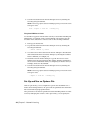
To update your serial number
1 Start your Autodesk product.
2 Click Help ➤ About, or About [Product Name].
3 In the About window, click Product License Information.
4 In the Product License Information dialog box, click Update.
5 In the Update the Serial Number dialog box, enter your product serial
number.
NOTE If you have lost your serial number, go to www.autodesk.com/contactus
for assistance.
6 Click OK. The updated serial number is displayed.
NOTE In some cases, you must restart the product to display the updated
serial number.
7 In the Product License Information dialog box, click Close.
Stand-Alone Licensing | 7
Transfer Your Stand-Alone License
About the License Transfer Utility
The License Transfer Utility is used only with stand-alone licenses. It transfers
a product license online from one computer to another, and ensures that the
product works only on the computer that contains the license. A single license
applies to all products in a product suite. When you transfer the license, any
installed products of the suite are disabled on the exporting computer, and
enabled on the importing computer.
For Windows-based products, you can install the License Transfer Utility from
the Install Tools & Utilities tab of the installer.
IMPORTANT To transfer a license, the Autodesk product must be installed on
both computers. In addition, you need an Internet connection, and an Autodesk
user ID and password, available from the Autodesk Register Once
website(https://registeronce.autodesk.com).
IMPORTANT If you are using Autodesk products on Mac OS X or Linux platforms,
see your product appendix for more information on how to install and start the
License Transfer Utility. After the utility is started, the procedures for exporting
and importing licenses are the same on all platforms.
The License Transfer Utility is a custom stand-alone installation option. During
installation, a shortcut is created. A shortcut is installed once per product, per
computer.
You can transfer a license to another computer temporarily or permanently.
For example, a temporary transfer enables you to use the Autodesk product
on a mobile computer while your main computer is being repaired or replaced.
License transfers rely on the product serial number. Before an Autodesk license
can be exported, it must be activated with the serial number and product key.
During license import, a previously activated and exported license is imported
to a product or suite installed with the same serial number. The activation is
transferred to the importing computer, completing the license transfer.
The number of concurrent license exports allowed is equal to the number of
seats you own. For example, if you own five seats you can have one export in
progress at a time.
When you upgrade your Autodesk product, you can no longer perform online
license transfers of the previous license.
8 | Chapter 2 Stand-Alone Licensing
Although the License Transfer Utility allows you to transfer your product
license between computers, your license agreement may not allow the
installation of an Autodesk product on more than one computer. Read your
license agreement to find out whether your product license permits the use
of the License Transfer Utility.
Export a License
A license is exported when the License Transfer Utility moves a product license
from a computer to the online Autodesk server.
The license can be exported as public or private:
■ Public means that anyone using the same serial number and their own
user ID and password can import that license.
■
Private means that you are reserving that license for yourself and the
license can only be imported with the same serial number, user ID, and
password that were used when it was exported.
If it has not been imported, a private license becomes public after 14 days.
To export a license
1 On the computer where you want to export the license, start the License
Transfer Utility.
■ On a Windows computer, click Start menu and navigate to Autodesk
➤ [Product Name] ➤ License Transfer Utility.
■
For a Mac OS X or Linux computer, see the appendix for your product
for information on how to start the License Transfer Utility.
The Export the License dialog box displays the Autodesk product name
and serial number.
2 Click Sign In.
3 On the Log In page, enter your Autodesk user ID and password and click
Log In.
4 On the License Export page, confirm the export information.
5 If you want to make the license available as a public import, click Make
the license available as a public import.
6 Click Export.
7 On the License Export Confirmation page, click Finish.
Stand-Alone Licensing | 9
Import a License
A license is imported when the License Transfer Utility moves a previously
exported product license from the online Autodesk server to a computer. The
import action completes the license transfer process, and transfers the product
activation to the importing computer. The presence of an active license allows
your Autodesk product to run on that computer.
To import a license
1 On the computer where you want to import the license, start the License
Transfer Utility.
■ On a Windows computer, click Start menu and navigate to Autodesk
➤ [Product Name] ➤ License Transfer Utility.
■
For a Mac OS X or Linux computer, see the appendix for your product
for information on how to start the License Transfer Utility.
The Import the License dialog box displays the Autodesk product name
and serial number.
NOTE If you are importing a license to replace a trial license, you will see
the Update the Serial Number and Product Key dialog box. In this case, enter
the required data, and then click Update.
2 In the Import the License dialog box, click Sign In.
3 On the Log In page, enter your Autodesk user ID and password and click
Log In.
4 On the License Import Confirmation page, click Finish.
The license is now imported to the computer and you can run your
Autodesk product on this computer. If you want to transfer the license
to another computer, repeat the export and import procedures.
Troubleshoot a Stand-Alone License Error
Preserving a License When Hardware Changes
If you replace or reconfigure hardware on the computer where your Autodesk
product license resides, the stand-alone license might fail, with the result that
you will not be able to use your product.
10 | Chapter 2 Stand-Alone Licensing
To prevent damage to your product license, use the License Transfer Utility
to export your license file before changing the hardware. After the hardware
change, you can import the license file back. For information about using the
License Transfer Utility, see About the License Transfer Utility (page 8).
NOTE If you get a license error when you change your hardware, you may have
to reactivate your license. See Activation (page 2).
Reinstalling an Operating System
If you reinstall your operating system on the computer where your Autodesk
license resides, the license might fail. You will not be able to use your product.
To resolve a license error in this case, you must reactivate your product. See
Activation (page 2).
NOTE The following procedure is for the Windows operating system. If you are
running Autodesk products on Mac OS X or Linux platforms, see your product
appendix for more information.
To prevent a license error when you reinstall an operating system
NOTE If using Norton Ghost or another image utility, do not include the Master
Boot Record.
1 Locate one of the following folders and make a backup copy:
■ (Windows XP) C:\Documents And Settings\All Users\Application
Data\FLEXnet
■
(Windows 7/Windows Vista) C:\ProgramData\FLEXnet
2 Reinstall the operating system and reinstall the Autodesk product.
3 Paste the license folder to the same location from which you originally
copied the folder in step 1.
You can now run your Autodesk product.
Changing the System Date and Time
Your product license allows for time changes to the system clock within two
days of the current time. If you set your system clock back more than two
days, the next time you start your product, you will receive a message that
Stand-Alone Licensing | 11
gives you the option of correcting the system clock. If you do not correct the
system clock, you receive a license error.
To prevent a license error due to a change in system date and time, ensure
that your computer's system date and time are accurate when you install and
activate your Autodesk product.
Distributing a Software Image to Multiple
Computers
You can use the installer's Create Deployment option to create a product
installation image on your server, and make it available on your computer
network. During creation of this image, you are prompted for registration
information, which is stored with the image and deployed to all product
installations. For more information, see the Network Administration Guide.
Additionally, you can manually distribute the software using the installation
media that comes with your Autodesk product. However, if your computers
do not have an Internet connection, make sure that the registration data for
each computer matches exactly. Inconsistent registration data can cause
activation failures.
NOTE The distribution of applications using “ghosting” is not recommended. It
can result in incomplete installations and activation problems.
Preserving a License on a Re-imaged Computer
On a network license server, licenses are maintained on the server. No
additional steps are needed to preserve network licenses.
For a stand-alone license, you need to export the license before re-imaging
the computer. You can use the License Transfer Utility to export the license
to the Autodesk server. After the re-imaging, import the license to the correct
computer.
12 | Chapter 2 Stand-Alone Licensing
Network Licensing
3
Network Licensing
Planning Your Network Licensing
Understanding License Server Models
This section explains the three possible server models that support the Network
License Manager. A server network can include Windows, Mac OS X, and Linux
servers in any combination. Advantages and disadvantages of each model are
presented to help you decide which one best suits your needs. When you
purchase a network license, you specify which server model you will use.
Single License Server Model
In the single license server model, the Network License Manager is installed on
a single server, so license management and activity is restricted to this server.
A single license file represents the total number of licenses available on the
server.
Advantages of the Single License Server Model
■ Because all license management takes place on a single server, you have just
one point of administration and one point of failure.
■
Of the three license server models, this configuration requires the least
amount of maintenance.
13
Disadvantage of the Single License Server Model
■ If the single license server fails, the Autodesk product cannot run until the
server is back online.
Distributed License Server Model
In the distributed license server model, licenses are distributed across more
than one server. A unique license file is required for each server. To create a
distributed license server, you must run the Network License Manager on each
server that is part of the distributed server pool.
Advantages of the Distributed License Server Model
■ Servers can be distributed across a wide area network (WAN); they do not
need to exist on the same subnet.
■
If one server in the distributed server pool fails, the licenses on the
remaining servers are still available.
■
If you need to replace a server in the distributed server pool, you do not
need to rebuild the entire pool.
■
Server replacement is easier than in a redundant server pool, where you
must reactivate the entire pool.
Disadvantages of the Distributed License Server Model
■ If a server in the distributed server pool fails, the licenses on that server
are unavailable.
■
This model can require more time for setup and maintenance than other
models.
Redundant License Server Model
In the redundant license server model, three servers are configured to
authenticate license files. Licenses can be monitored and issued as long as at
least two license servers are still functional. The Network License Manager is
installed on each server, and the license file on each server is the same.
In the redundant license server model, all servers must reside on the same
subnet and have consistent network communications. (Slow, erratic, or dial-up
connections are not supported.)
14 | Chapter 3 Network Licensing
Advantage of the Redundant License Server Model
■ If one of the three servers fails, all licenses that are managed in the server
pool are still available.
Disadvantages of the Redundant License Server Model
■ If more than one server fails, no licenses are available.
■
All three servers must reside on the same subnet and have reliable network
communications. The redundant server pool does not provide network
fault tolerance.
■
If one of the three servers is replaced, the complete redundant server pool
must be rebuilt.
■
If your Autodesk product supports license borrowing, and licenses are
borrowed from a redundant license server pool, you must restart the license
server after you stop the Network License Manager.
Windows System Requirements for the Network
License Manager
NOTE The Network License Manager supports Ethernet network configurations
only.
Hardware and software requirements for the network license server
Hardware/Software
Requirement
Operating System
Windows® 7® 32-bit
Windows 7 64-bit
■
Windows 7 Home Premium
■
Windows 7 Professional
■
Windows 7 Ultimate
■
Windows 7 Enterprise
Windows Vista ® 32-bit SP2 or later
Windows Vista 64-bit SP2 or later
■
Windows Vista Enterprise
■
Windows Vista Business
Network Licensing | 15
Hardware and software requirements for the network license server
Hardware/Software
Requirement
■
Windows Vista Ultimate
■
Windows Vista Home Premium and Basic (32-bit)
■
Windows Vista Home Premium (64-bit)
Windows XP 32-bit SP2 or later
Windows XP 64-bit SP2 or later
■
Windows XP Home
■
Windows XP Professional
Windows Server 32-bit SP1 or later
Windows Server 64-bit SP1 or later
■
Windows 2008 Server R2
■
Windows 2008 Server
■
Windows 2003 Server R2
■
Windows 2003 Server
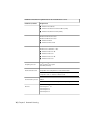
Computer/processor
Intel® Pentium® III or higher
450 MHz (minimum)
Network interface card
Compatible with existing Ethernet network infrastructure
NOTE The Network License Manager supports multiple network interface
cards, but at least one must be an Ethernet card.
Communication protocol
TCP/IP
NOTE The Network License Manager uses TCP packet types.
Browsers
16 | Chapter 3 Network Licensing
Internet Explorer® 6.1
Internet Explorer 7
Internet Explorer 8
Internet Explorer 9
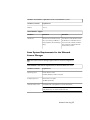
Hardware and software requirements for the network license server
Hardware/Software
Requirement
FLEXnet
11.9.0.0
Virtual Machine Support
Hardware
Virtualizer
Virtual OS
Intel PC 64
Windows 2008 or Windows 2003
Vista 64-bit or 32-bit, Windows XP 32bit, Windows 7 32-bit (Home Premium, Professional, Ultimate, and Enterprise), Windows 7 64-bit, Windows
Server 64-bit or 32-bit.
R2 servers running on VMware®
ESX3.5 Update 3 (License Manager
Only)
Linux System Requirements for the Network
License Manager
NOTE The Network License Manager supports Ethernet network configurations
only.
Linux hardware and software requirements for the network license server
Hardware/Software
Operating system
Requirement
Linux® 64-bit or 32-bit
Red Hat® Enterprise Linux 5.0 WS (U4)
Computer/processor
Intel Pentium 3 or higher
450 MHz (minimum)
Network interface card
Compatible with existing Ethernet network infrastructure
NOTE The Network License Manager supports multiple network interface
cards, but at least one must be an Ethernet card.
Network Licensing | 17
Linux hardware and software requirements for the network license server
Hardware/Software
Requirement
Communication protocol
TCP/IP
NOTE The Network License Manager uses TCP packet types
FLEXnet
11.9.0.0
Mac OS X System Requirements for the Network
License Manager
NOTE The Network License Manager supports Ethernet network configurations
only.
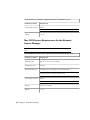
Mac OS X hardware and software requirements for the network license server
Hardware/Software
Requirement
Operating system
Mac OS® X version 10.5.3 and higher
Computer/processor
Intel Mac
Network interface card
Compatible with existing Ethernet network infrastructure
NOTE The Network License Manager supports multiple network interface
cards, but at least one must be an Ethernet card.
Communication protocol
TCP/IP
NOTE The Network License Manager uses TCP packet types
Browsers
Safari 3.2.x and higher
FLEXnet
11.9.0.0
18 | Chapter 3 Network Licensing
Understanding Your Network License
How Your License Works
When you start an Autodesk product, it requests a license from the license
server through the TCP/IP network . If the number of available licenses has
not been exceeded, the Network License Manager assigns a license to the
computer, and the number of available licenses on the license server is reduced
by one.
Likewise, when you exit a product, the license returns to the Network License
Manager. If you run multiple sessions of an Autodesk product on an individual
computer, only one license is used. When the last session is closed, the license
is released.
The following three processes manage the distribution and availability of
licenses:
■ License manager daemon (lmgrd or lmgrd.exe) handles the original
contact with the application, and then passes the connection to the vendor
daemon. By using this approach, a single lmgrd daemon can be used by
multiple software vendors to provide license authentication. The lmgrd
daemon starts and restarts the vendor daemons as needed.
■
Autodesk vendor daemon (adskflex or adskflex.exe) tracks the Autodesk
licenses that are checked out and the computers that are using them. Each
software vendor has a unique vendor daemon to manage vendor-specific
licensing.
NOTE If the adskflex vendor daemon terminates for any reason, all users lose
their licenses until lmgrd restarts the vendor daemon or until the problem
causing the termination is resolved.
■
License file is a text file that has vendor-specific license information.
Interpreting Your License File
The network license file you receive from Autodesk contains licensing
information required for a network installation. You obtain license file data
when you register your Autodesk product.
Network Licensing | 19
The license file contains information about network server nodes and vendor
daemons. It also contains an encrypted digital signature that is created when
Autodesk generates the file.
The license file configures network license servers to manage licenses. When
creating a deployment, the network license server name(s) are specified so
that each product instance knows which server(s) to contact to obtain a license.
The network license server(s) must be accessible to every user who runs one
or more products that require a network license.
The following table defines each license file parameter. For more information,
see the License Administration Guide, installed with the Network License
Manager.
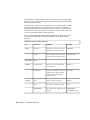
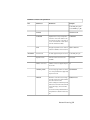
Definitions of license file parameters
Line
Parameter
Definition
Example
SERVER
Host Name
Host name of the server where the
Network License Manager resides
LABSERVER
Host ID
Ethernet address of the server where
the Network License Manager resides
03D054C0149B
USE_SERVER
[None]
VENDOR
Vendor Daemon
Name of the server-side Autodesk
vendor daemon
adskflex.exe
Port Number
Network port number reserved and
assigned for use only by Autodesk
products running the Autodesk
vendor daemon
port=2080
Name
Name of feature code group
SERIES_1
Version
Internal version number reference
1.000
COMPONENTS
List of feature codes supported in the
package
COMPONENTS=
"526000REVIT_9_OF\
PACKAGE
20 | Chapter 3 Network Licensing
Definitions of license file parameters
Line
Parameter
Definition
Example
51200ACD_2007_OF\
513001INVBUN_11_OF"
OPTIONS
INCREMENT
OPTIONS=SUITE
SUPERSEDE
Replacement for any existing Increment line of the same feature code
from any license files on the same license server that have a date earlier
than the defined Issue Date
SUPERSEDE
SIGN
Encrypted signature used to authenticate the attributes of the license file
SIGN=0 SIGN2=0
Feature Code
Product supported by the license file
51200ACD_2007_0F
Expiration Date
Amount of time the licenses are
available
permanent
Number of Licenses
Number of licenses supported by the
license file
25
VENDOR_STRING
License usage type and license behavior of the product that is supported
by the license file
COMMERCIAL
BORROW
Definition of the license borrowing
period for the licenses defined under
the same increment line.
In this example, the maximum period
that licenses can be borrowed is 4320
hours (180 days), unless otherwise
noted.
License borrowing is disabled when
this parameter is absent in the license
file.
BORROW=4320
Network Licensing | 21
Definitions of license file parameters
Line
Parameter
Definition
Example
DUP_GROUP
Definition of multiple license requests
when the same user and same host
share the same license
DUP_GROUP=UH
ISSUED
Date that the license file was generated by Autodesk
15-jul-2010
Serial Number
Serial number of the Autodesk
product
123-12345678
SIGN
Encrypted signature used to authenticate the attributes of the license file
SIGN=6E88EFA8D44C
License File Examples
The Autodesk network license file contents reflect the license server
configuration and the licensed products, as shown in the examples provided.
Example of a License File Not Specific to a Product
Here is an example of the contents of a license file and the parameters
associated with each line:
SERVER
ServerName HostID USE_SERVER VENDOR
adskflex port=portnumber INCREMENT
feature_code Adskflex Version ExpDate NumberofLicenses \
VENDOR_STRING=UsageType:Behavior
BORROW=4320 SUPERSEDE \
DUP_GROUP=DupGrp ISSUED=IssueDate SN=SerialNumber SIGN=
\
22 | Chapter 3 Network Licensing
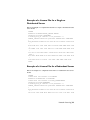
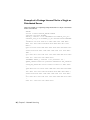
Example of a License File for a Single or
Distributed Server
Here is an example of a completed license file for a single or distributed license
server model:
SERVER
XXHP0528 0019bbd68993USE_SERVER VENDOR
adskflex port=2080 INCREMENT
57600ACD_2009_0F adskflex 1.000 permanent 5 \
VENDOR_STRING=commercial:permanent BORROW=4320 SUPERSEDE
\
DUP_GROUP=UH ISSUED=09-Jan-2008 SN=123-12345678 SIGN="1393
\
E368 816E D417 C1CD 7DBD 7B90 1354 D6F0 48FE EBB8 9C84 C3AF
\
7D79 BEE1 0181 0655 76FF 996C B707 14B5 D4DE A3FE 0B2D 2D36
\
057C A579 7866 26BF 44E2" SIGN2="1280 943B 53A7 9B93 E00B
D967 \
D821 BD37 BE6D B78A F074 B223 88AA 242C DD0A 1292 D56F 4108
\
62CD FA35 E365 0736 A011 7833 8B35 7BFF DAD8 34A8 452F
2EB4"
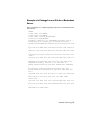
Example of a License File for a Redundant Server
Here is an example of a completed license file for a redundant license server
model:
SERVER
CCN12378042 001cc4874b03 27005SERVER
XXHP0528 0019bbd68993 27005SERVER
CCN12378043 001cc4874b10 27005USE_SERVERVENDOR
adskflex port=2080INCREMENT
57600ACD_2009_0F adskflex 1.000 permanent 5 \
VENDOR_STRING=commercial:permanent BORROW=4320 SUPERSEDE
\
DUP_GROUP=UH ISSUED=10-Jan-2008 SN=123-12345678 SIGN="11C4
\
CA79 07FC 7AD0 409A 6E04 6E98 D76C 197C 0416 076C B211 1CDD
Network Licensing | 23
\
D0AB 698B
\
3262 7C31
7B81 \
1B0E 451B
\
82AE 55E5
0953"
16BF 7A0E D4F8 1CFE 2985 644F 64CD CECE 0DDB 5951
13A8 F08F 55B2" SIGN2="19A6 FDA3 2ED5 5301 8675
19F1 1A99 C8E9 CBA6 8CB3 6AC3 8B38 1519 13F2 2373
1A25 4952 4458 F3A2 6F28 D25D 1DC0 E066 209B
NOTE The redundant server model requires the addition of a port number (the
default is 27005) for each server.
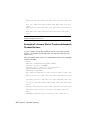
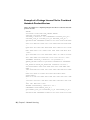
Example of a License File for Combined Autodesk
Product Versions
You can combine a license file for different releases of the same Autodesk
product or for different Autodesk products, and run all products from one
license server.
Here is an example of the contents of a combined license file for AutoCAD 2008
and AutoCAD 2009:
SERVER
XXHP0528 0019bbd68993USE_SERVER VENDOR
adskflex port=2080 INCREMENT
57600ACD_2009_0F adskflex 1.000 permanent 5 \
VENDOR_STRING=commercial:permanent
BORROW=4320 SUPERSEDE \
DUP_GROUP=UH ISSUED=09-Jan-2008 SN=123-12345678 SIGN="1393
\
E368 816E D417 C1CD 7DBD 7B90 1354 D6F0 48FE EBB8 9C84 C3AF
\
7D79 BEE1 0181 0655 76FF 996C B707 14B5 D4DE A3FE 0B2D 2D36
\
057C A579 7866 26BF 44E2" SIGN2="1280 943B 53A7 9B93 E00B
D967 \
D821 BD37 BE6D B78A F074 B223 88AA 242C DD0A 1292 D56F 4108
\
62CD FA35 E365 0736 A011 7833 8B35 7BFF DAD8 34A8 452F
2EB4"
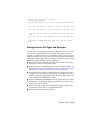
INCREMENT 54600ACD_2008_0F adskflex 1.000 permanent 3 \
24 | Chapter 3 Network Licensing
VENDOR_STRING=commercial:permanent
BORROW=4320 SUPERSEDE \
DUP_GROUP=UH ISSUED=09-Jan-2008 SN=123-12345678 SIGN="1E6E
\
4B61 5712 4766 92A0 6782 9EF4 3F47 56A1 1F38 6DE8 C0C7 90AC
\
7289 152E 0EA2 CC0D 3F10 577A 0489 CEB6 10D5 FBCC B552 0C9D
\
5966 91A6 59F0 2788 FACE" SIGN2="1DDF 3B9D 3392 71D5 AB08
7E05 \
8497 111E 092F 0E54 8DC2 2BED 17C2 2CC1 981B 0EC2 BC15 8F00
\
C79A ABFD 2136 BABA 2EDF E941 EA53 32C6 597F F805 5A8A
599A"
Package License File Types and Examples
Autodesk offers a package license file option, which allows the use of a suite
of products that are packaged and sold together. The package license file
contains a set number of licenses for four different versions of your software.
Running an instance of any one of the versions uses one license in the package.
Packaged license files support prior versioning for subscription users. Package
license files operate under the following guidelines:
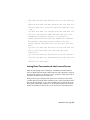
■ Package license files come with the current version of the software and
three previous versions of the same product.
■
License files can be combined with license files for different products. For
more information about combining license files, see Example of a Package
License File for Combined Autodesk Product Versions (page 28).
■
Package license files cannot be combined with non-package license files
for product versions contained in the package. For example, you cannot
combine an Autodesk 2009 package license file with a regular license file
for an Autodesk Product 2008, 2007, or 2006.
■
Both the PACKAGE and INCREMENT sections of the license are required
for licensing to work properly. When you combine license files, be sure to
include both of these sections.
■
License borrowing, option files, and licensing cascading work the same
for package licenses as they do for regular license files.
■
A new license file supersedes an older one.
Network Licensing | 25
Example of a Package License File for a Single or
Distributed Server
Here is an example of a completed package license file for a single or distributed
license server model:
SERVER
Server1 1a34567c90d2USE_SERVER VENDOR
adskflex port=2080 PACKAGE
SERIES_1 adskflex 1.000 COMPONENTS="54700REVIT_2009_0F \
54600ACD_2009_0F 51300INVBUN_11_0F" OPTIONS=SUITE SUPERSEDE
\
ISSUED=09-Jan-2008 SIGN="1707 9EAC CBCB 2405 692E 4A89 \
AA26 30CC 2AC2 D6B3 A61B AB5E 492E 3EBD 0B48 4E75 193A
DA82" \
FC45 C009 E360 944A 14BA E99C 9B24 5A1B 4A44 083A BE5F 3827
\
SIGN2="004A FC90 AB47 3F6B 59BC 0E6D 6681 6971 A76A BA52
98E2 \
5671 26B3 0E78 791B 109F 0591 7DC3 F09F 4D8D 4FB7 E341 4A03
\
CD68 1D77 27F8 8555 9CF7 DEDD 9380"
INCREMENT SERIES_1 adskflex 1.000 permanent 100 \
VENDOR_STRING=commercial:permanent BORROW=4320 DUP_GROUP=UH
\
SUITE_DUP_GROUP=UHV SN=123-12345678 SIGN="1707 9EAC CBCB
\
692E 4A89 FC45 C009 E360 944A 14BA E99C 9B24 5A1B 4A44 BE5F
\
3827 AA26 30CC 2AC2 D6B3 A61B AB5E 492E 3EBD 0B48 DA82" \
SIGN2="004A FC90 AB47 3F6B 59BC 0E6D 6681 6971 A76A BA52
\
5671 26B3 0E78 791B 109F 0591 7DC3 F09F 4D8D 4FB7 E341 4A03
\
CD68 1D77 27F8 8555 9CF7 DEDD 9380"
26 | Chapter 3 Network Licensing
Example of a Package License File for a Redundant
Server
Here is an example of a completed package license file for a redundant license
server model:
SERVER
1a34567c90d2 27005SERVER
2a34567c90d2 27005SERVER
3a34567c90d2 27005USE_SERVERVENDOR
adskflex port=2080PACKAGE
64300ACD_F adskflex 1.000 COMPONENTS="57600ACD_2009_0F \
54600ACD_2008_0F 51200ACD_2007_0F 48800ACD_2006_0F" \
OPTIONS=SUITE SUPERSEDE ISSUED=27-May-2008 SIGN="1092 05D8
\
A206 276B 2C84 EFAD ACA5 C54B 68A4 653E C61F 31DE C8CE B532
\
CFBB 0006 5388 347B FDD6 A3F4 B361 7FD4 CDE4 4AAC 0D11 B0EF
\
4B44 BFD6 3426 97DD" SIGN2="0670 B01A D060 0069 FF25 F1CD
D06B \
314E E7C9 3552 5FFA 4AC7 28A7 C897 F56A 19BB FB1C 754E 6704
\
DEEA AC4E F859 2E9B 64B6 0DD0 9CCE 9556 269F EAC0 2326"
INCREMENT 64300ACD_F adskflex 1.000 permanent 50 \
VENDOR_STRING=commercial:permanent BORROW=4320 SUPERSEDE
\
DUP_GROUP=UH SUITE_DUP_GROUP=UHV ISSUED=27-May-2008 \
SN=399-99999999 SIGN="1B5B 8D70 4CAD 32E5 9CA2 82E0 5C47
291C \
35AB 9B9C 5B3E 5067 F61B 4139 1B32 0716 1FD3 5105 A991 B78E
\
9D1E 63AB BC23 0D1E B70C 2A05 E1C1 F605 ABB1 2EA8"
SIGN2="01D6 \
31F5 2951 4500 E5C8 058F 7490 9789 9EF4 CBED DA27 5F06 6780
\
9033 2018 0C3B E1E0 3580 E60E C2BB B4AB 8D6A 4245 3059 8CA6
\
2EFE DFAE 027F 2ABE 3F2B"
Network Licensing | 27
Example of a Package License File for Combined
Autodesk Product Versions
Here is an example of a completed package license file for combined Autodesk
product versions:
SERVER
servername 123456789111USE_SERVER VENDOR
adskflex port=2080 PACKAGE
64300ACD_F adskflex 1.000 COMPONENTS="57600ACD_2009_0F \
54600ACD_2008_0F 51200ACD_2007_0F 48800ACD_2006_0F" \
OPTIONS=SUITE SUPERSEDE ISSUED=25-Jun-2008 SIGN="03EF DE18
\
8046 0124 4EA4 6953 F82D 3169 7C24 D0DE E58E 8168 FFA3 D891
\
B43B 08D8 7E7F C6ED CBCC FE2A BB0A 4566 C2AE F1C1 D373 8348
\
E6E3 884A E398 1C78" SIGN2="07AC D696 8844 D19F AB00 8B75
53A3 \
2F76 91DF AED0 3231 1506 0E6B ADC6 C3B8 1797 93B5 9756 8C0F
\
8811 56E6 B2BA 0523 FE2E 82B7 1628 076F 173B F37C 7240"
INCREMENT 64300ACD_F adskflex 1.000 permanent 2 \
VENDOR_STRING=commercial:permanent BORROW=4320 SUPERSEDE
\
DUP_GROUP=UH SUITE_DUP_GROUP=UHV ISSUED=25-Jun-2008 \
SN=399-99999999 SIGN="1CCB E88D B819 8604 06FA 9AEE 42F1
CBEA \
37B9 3CFA A0A8 697F 9CB1 8354 6256 05ED 69D4 D2FF D512 6A2E
\
D5DD B722 EF5B 3172 BA95 4625 F8D3 DD24 BB39 6A58"
SIGN2="0DFF \
FA6F C378 20E0 2622 BE52 B434 F99F 2681 2B93 64F2 CE0C 7F4A
\
7024 B3D1 051A 6920 72BD DE35 8920 E6A1 C8D6 AF23 7BE7 CC91
\
6916 70B1 9E80 AB07 1644"
PACKAGE 64800INVPRO_F adskflex 1.000 \
COMPONENTS="59600INVPRO_2009_0F \
55300INVPRO_2008_0F 51400INVPRO_11_0F 49000INVPRO_10_0F"
\
OPTIONS=SUITE SUPERSEDE ISSUED=25-Jun-2008 SIGN="1306 5990
28 | Chapter 3 Network Licensing
\
F8A1 56FB 1D8A 9DA7 D6AE 8E9E F6EC 2862 367A 36E2 C5FB E6E1
\
4AAA 0128 8C2D 95FD 09B2 ABA1 6F98 A0A3 70DE 3220 6835 7E51
\
3849 9D81 8BDC 9DC1" SIGN2="0021 AA08 F2E7 8AEB 5345 341A
7E42 \
3001 B8C5 DFC2 6EB8 87C5 C04A AE43 A10F 1DA1 EF8A F0FA 10F5
\
AC81 1E22 789F A18D 650F 6BBB 563A BDA5 DD1C 82EC 27F6"
INCREMENT 64800INVPRO_F adskflex 1.000 permanent 2 \
VENDOR_STRING=commercial:permanent BORROW=4320 SUPERSEDE
\
DUP_GROUP=UH SUITE_DUP_GROUP=UHV ISSUED=25-Jun-2008 \
SN=399-99999966 SIGN="0BE4 51F4 570C DC48 5E66 F952 629E
EDF0 \
019C 6FF7 0509 1FF0 D4FB 3B16 1981 073F 31EC A241 8CB3 8782
\
E655 00C6 E097 D5EF B0D8 67D3 199D 699D 2E09 B16F"
SIGN2="1254 \
3E37 0CE4 F42D B7CD 858C 92FC A963 5274 770F 9354 FE29 E117
\
205D C632 0C4E AEC0 7501 9D9E FFEB D84D F154 16A1 E120 339A
\
FDBF 3F07 4477 B8B3 5DA4"
Losing Your Connection to the License Server
When an Autodesk product is running, it communicates with the license
server at regular intervals using a method known as the “heartbeat” signal. If
the heartbeat signal is lost, the server tries to reconnect. If the server cannot
reconnect, the user receives a license error.
If the product stops working because it has lost a connection to the server,
you must shut down the product, and then restart it. Most Autodesk products
give you the opportunity to save open documents before shutting down. If
the problem causing the original loss of the heartbeat signal is resolved and
licenses are available on the server, you can restart your Autodesk product.
Network Licensing | 29
Running the Network License Manager
The Network License Manager is used to configure and manage the license
servers. When you create a deployment, the installer prompts you for
information about the license manager, such as license server model and server
name.
Install the Network License Manager
For Windows, install the Network License Manager from the Install Tools &
Utilities panel of the Autodesk installer. If your product is available on Mac
OS X and Linux, see your product appendix to this guide.
IMPORTANT Do not install the Network License Manager on a remote drive.
When you install the Network License Manager files, you must provide a path to
a local drive. You must specify the drive letter; the universal naming convention
(UNC) is not permitted.
You can install the Network License Manager before or after you install the
products that will use it. Network License Manager must configure the license
servers before any products can obtain licenses and start running.
If an earlier version of the Network License Manager is already installed on
the computer, you should upgrade by installing the new Autodesk Network
License Manager into the folder where the old version was located.
Obtain the Server Host Name and Host ID
Autodesk uses the server host name, host ID, and product serial number to
generate a license file.
To obtain the information, use one of the following procedures.
30 | Chapter 3 Network Licensing
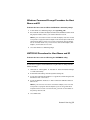
Windows Command Prompt Procedure for Host
Name and ID
To obtain the host name and ID at the Windows command prompt
1 At the Windows command prompt, enter ipconfig /all
2 Record the Host Name and Physical Address line. Eliminate dashes from
the physical address. This is your twelve-character host ID.
NOTE If your server has more than one network adapter, select the one that
corresponds to a physical network adapter. View the Description field above
each physical address. If there is more than one physical network adapter,
it does not matter which one you use. Devices such as VPN adapters, PPP
adapters, and modems are not valid.
3 Close the Windows command prompt.
LMTOOLS Procedure for Host Name and ID
To obtain the host name and ID using the LMTOOLS utility
IMPORTANT Do not run LMTOOLS on a remote computer.
You should be logged in with Administrator rights when working with the
LMTOOLS utility.
1 Click Start ➤ All Programs ➤ Autodesk ➤ Network License Manager
➤ LMTOOLS Utility.
2 In the LMTOOLS utility, click the Systems Settings tab.
3 Locate the Computer/Hostname box. Copy the host name and paste the
information into a text editor.
4 Locate the Ethernet Address box. The 12-character Ethernet address is
the host ID.
NOTE If your server has more than one Ethernet adapter, select one that
corresponds to a physical network adapter. If you are using a Mac OS X
computer with more than one network card, you must use the address of
the primary network card.
5 Close LMTOOLS.
Network Licensing | 31
Mac or Linux Terminal Window Procedure for
Host Name and ID
To obtain the host name and ID using the Mac OS X or Linux terminal
window
1 Launch a Terminal window.
2 Go to the directory where lmutil is installed.
3 Retrieve the host name by entering the following in Terminal:
<prompt>./lmutil lmhostid -hostname
The host name is displayed.
4 Retrieve the host ID by entering the following in Terminal:
<prompt>./lmutil lmhostid
The twelve-character host ID is displayed.
5 Close the Terminal Window.
Configure a License Server
You configure a license server to manage your Autodesk product licenses.
IMPORTANT If you have a firewall between the license server(s) and the client
computers, you need to open some TCP/IP ports on the server for license-related
communication. Open port 2080 for adskflex, and open ports 27000 through
27009 for lmgrd.
Configure the license server using one of the following procedures.
Windows License Server Configuration Procedure
To configure a license server with LMTOOLS
You should be logged in with Administrator rights when working with the
LMTOOLS utility.
32 | Chapter 3 Network Licensing
NOTE Before performing any system maintenance on your license server, see Stop
and Restart the License Server (page 43).
1 Click Start ➤ All Programs ➤ Autodesk ➤ Network License Manager
➤ LMTOOLS Utility.
2 In the LMTOOLS utility, on the Service/License File tab, make sure the
Configure Using Services option is active.
3 Click the Config Services tab.
4 In the Service Name list, select the service name you want to use to
manage licenses.
By default, the service name is Flexlm Service 1. If FLEXnet is managing
other software on your computer in addition to Autodesk, you can change
the service name to avoid confusion. For example, you can rename Flexlm
Service 1 to Autodesk Server1.
NOTE If you have more than one software vendor using FLEXnet for license
management, the Service Name list contains more than one option. Make
sure that only one Autodesk service is listed.
5 In the Path to Lmgrd.exe File field, enter the path to the Network License
Manager daemon (lmgrd.exe), or click Browse to locate the file.
By default, this daemon is installed in the C:\Program Files\Autodesk
Network License Manager folder.
6 In the Path to the License File box, locate or enter the path.
This is the path to the license file obtained through autodesk.com or the
location where you placed the license file if you obtained it offline.
7 In the Path to the Debug Log File box, enter a path to create a debug
log, or click Browse to locate an existing log file.
It is recommended that you save to the C:\Program Files\Autodesk Network
License Manager folder. The log file must have a .log file extension. For
new log files, you must enter the .log extension manually.
8 To run lmgrd.exe as a service, select Use Services.
9 To start lmgrd.exe automatically when the system starts, select Start Server
at Power Up.
10 Click Save Service to save the new configuration under the service name
you selected in step 4. Click Yes when prompted if you would like to
save the settings to the service.
Network Licensing | 33
11 Click the Start/Stop/Reread tab and do one of the following:
■ If a service has not yet been defined for Autodesk, click Start Server
to start the license server.
■
If a service for Autodesk is already defined and running, click ReRead
License File to refresh the Network License Manager with any changes
made to the license file or options file.
The license server starts running and is ready to respond to client
requests.
12 Close LMTOOLS.
Mac OS X License Server Configuration Procedure
To configure automatic start-up of your Mac OS X license server
Some Autodesk products provide a script to automate some of this procedure.
See your product appendix to this guide for more information.
Before configuring your license server for Mac OS X, ensure that the following
steps have been completed:
■ You have installed the Autodesk Network License Manager which contains
the following files: lmgrd, adskflex, and lmutil.
■
You have received the network license file from Autodesk that contains
the product licenses; for example, productlicense.lic.
NOTE Before performing any system maintenance on your license server, see Stop
and Restart the License Server (page 43).
1 Create a directory titled NLM under the home directory; for example,
/Users/<user id>/NLM.
2 Move the following files: lmgrd, adskflex, lmutil, and your product license
file (.lic) into the NLM directory created in Step 1.
3 If it does not already exist, create the directory StartupItems under /Library
using the sudo command. For example, sudo mkdir StartupItems.
4 Create a startup item directory; for example, /Users/<user id>/adsknlm.
5 Create an executable script file; for example, adsknlm, by entering the
following in Terminal:
NOTE The executable file name must be the same as the directory name.
34 | Chapter 3 Network Licensing
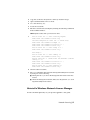
#!/bin/sh
./etc/rc.common
StartService()
{
ConsoleMessage
“Starting Autodesk Network License Manager”
/Users/<user id>/NLM/lmgrd -c\
/Users/<user id>/NLM/productlicense.lic -l\
/Users/<user id>/NLM/debug.log
}
StopService()
{
ConsoleMessage
“Stopping Autodesk Network License Manger”
/Users/<user id>/NLM/lmutil lmdown -q -all -force
}
RestartService()
{
ConsoleMessage
“Restarting Autodesk Network License Manger”
/Users/<user id>/NLM/lmutil lmreread
}
RunService “$1”
6 Grant the executable permission to the script by entering the following
in Terminal:
chmod +x adsknlm
7 Create a property list file named StartupParameters.plist and add it to the
directory by entering the following in Terminal:
{
Description
=”Autodesk Network License Manager”;
Provides
=(“adsknlm”)OrderPreference
=”None”;
Messages={start=
“Starting Autodesk Network Manager Service”;
stop=
“Stopping Autodesk Network Manager Service”;
};}{
8 Move the startup item directory to /Library/StartupItems/ and modify your
directory permission by entering the following in Terminal:
Network Licensing | 35
NOTE For security reasons your startup item directory should be owned by
root, the group should be set to wheel, and the permission for the directory
should be 755.
sudo
mv /Users/<user id>/adsknlm/ /Library/StartupItems/sudo
chown root /Library/StartupItems/adsknlm/sudo
chgrp wheel /Library/StartupItems/adsknlm/sudo
chmod 755 /Library/StartupItems/adsknlm/sudo
chown root /Library/StartupItems/adsknlm/*sudo
chgrp wheel /Library/StartupItems/adsknlm/*
9 Your resulting directory should look like this:
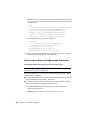
drwxr-xr-x
4 root wheel 136 Jul 31 01 01:50drwxr-xr-x
3 root wheel 102 Jul 30 01 21:59-rw-r--r-1 root wheel 204 Jul 30 20:16
StartupParameters.plist-rwxr-xr-x
1 root wheel 417 Jul 31 00:45 adsknlm
10 Reboot your Mac and verify in the debug.log file (/Users/<user id>/NLG/)
that the lmgrd and adskflex start up successfully.
Linux License Server Configuration Procedure
To configure automatic start-up of a Linux license server
NOTE Before performing any system maintenance on your license server, see Stop
and Restart the License Server (page 43).
Before configuring your license server for Linux, ensure that the following
steps have been completed:
■ You have installed the Autodesk Network License Manager which contains
the following files: lmgrd, adskflex, and lmutil.
■
You have received the network license file from Autodesk that contains
the product licenses; for example, productlicense.lic.
1 Extract the FLEXnet IPv4 server files into the following directory:
/home/<user id>/flexlm11.7.
NOTE Replace <user id> with your user id, not a root user id.
36 | Chapter 3 Network Licensing
2 Copy the .lic file into the flexlm11.7 directory created in Step 1.
3 Open a terminal window in root mode.
4 Go to the directory /etc/.
5 Locate the rc.local file.
6 Edit the rc.local file and start lmgrd by entering the following commands
in the terminal window:
NOTE Replace acad.lic with your license file name.
7
/bin/su <user id> -c ‘echo starting lmgrd>\
/home/<user id>/flexlm11.9/boot.log’
/usr/bin/nohup/bin/su <user id> -c ‘umask 022;\
/home/<user id>/flexlm11.9/lmgrd -c\
/home/<user id>/flexlm11.9/acad.lic >> \
/home/<user id>/flexlm11.9/boot.log ‘
/bin/su <user id> -c ‘echo sleep 5 >> \
/home/<user id>/flexlm11.9/boot.log ‘
/bin/sleep 5
/bin/su <user id> -c ‘echo lmdiag >>\
/home/<user id>/flexlm11.9/boot.log ‘
/bin/su <user id> -c ‘/home/<user id>/flexlm11.7/lmutil
lmdiag -n -c\
/home/<user id>/flexlm11.9/acad.lic >> \
/home/<user id>/flexlm11.9/boot.log ‘
/bin/su <user id> -c ‘echo exiting >>\
/home/<user id>/flexlm11.9/boot.log ‘
8 Save the edited rc.local file.
9 Reboot your machine and verify that the lmgrd and adskflex have started
by doing one of the following:
■ During the reboot, look for the message that the license server has
started.
■
Check the boot.log file created in /home/<user id>/flexlm11.7/ to see if
lmgrd and adskflex have started.
Uninstall a Windows Network License Manager
For Mac and Linux platforms, see your product appendix to this guide.
Network Licensing | 37
IMPORTANT Before uninstalling the Network License Manager, you must stop
the LMTOOLS utility.
To uninstall the Network License Manager on Windows
1 Click Start, and then in the list of programs, click Autodesk ➤ Network
License Manager ➤ LMTOOLS Utility.
2 In the LMTOOLS utility, click the Start/Stop/Reread tab, and then click
Stop Server.
3 Close LMTOOLS.
4 In the Windows Control Panel, locate Autodesk Network License Manager
in the list of programs, and uninstall it by clicking Remove or Uninstall.
5 If prompted, restart your computer.
NOTE You must manually delete files that you created for use with the Network
License Manager, such as log files, license files, and the options file. These files are
not automatically deleted when you uninstall the Network License Manager.
Using Other Features of Network Licensing
License Borrowing
If you are using a network-licensed version of your Autodesk product and your
network administrator supports the license borrowing feature, you can borrow
a product license from your network license server to use the Autodesk product
for a specified time when your computer is not connected to the network.
Your license is automatically returned to the license server at the end of the
day on the return date you set when you borrow the license. You can also
return a license early. The maximum borrowing period is six months.
NOTE License borrowing does not apply to stand-alone licenses.
NOTE A limited number of licenses are available for borrowing. If you try to
borrow a license and are notified that no licenses are available, see your network
administrator for help.
38 | Chapter 3 Network Licensing
Borrow a License
With a borrowed license, you can run your Autodesk product with your
computer disconnected from the network until your borrowing period ends.
If you don't remember when a license expires, you can check the date by
placing your cursor over the Borrowing icon in your Autodesk product's status
tray or by clicking Help ➤ About and consulting the Product License
Information dialog box.
When the borrowing period expires, the borrowed license is automatically
returned to the license server. When your computer is reconnected to the
network, you can run your Autodesk product from the network or borrow a
license again.
Interaction with Other License-Borrowing Tools
Using the license-borrowing feature in your Autodesk product is the
recommended way to borrow a license. Some third-party borrowing tools may
also be available to you, but these tools are not supported or compatible with
the license-borrowing feature in your Autodesk product. Other third-party or
legacy license-borrowing tools that may be available to you are the Autodesk
License-Borrowing utility (shipped with Autodesk products) and the borrowing
feature in LMTOOLS utility, a component of the Autodesk Network License
Manager on Windows servers.
If another license-borrowing tool is active when you attempt to use the license
borrowing feature, you should proceed as follows to borrow a license for your
Autodesk product:
■ If you run the Autodesk License-Borrowing utility that shipped with your
Autodesk product and then turn on the borrowing flag for the Adskflex
option or the All option, a license can be borrowed when you start your
Autodesk product. However, you cannot return a license until you exit
and then restart your Autodesk product.
■
On a Windows server, if borrowing is set in the LMTOOLS utility for all
products, you can either use the other tool to borrow licenses for your
Autodesk product, or stop the borrowing process in LMTOOLS utility, and
then use the license-borrowing feature in your Autodesk product.
■
If borrowing is set in LMTOOLS utility for non-Autodesk products only,
you must stop the borrowing process in LMTOOLS utility. You can then
use the license-borrowing feature to borrow licenses for your Autodesk
product. If you do not stop the borrowing process in LMTOOLS utility,
the license borrowing feature will not function.
Network Licensing | 39
To borrow a license using the Tools menu
This option is not available in all Autodesk products.
1 Click Tools menu ➤ License Borrowing ➤ Borrow License.
2 In the Borrow a License window, on the calendar, click the date when
you want to return the license.
This date must be within the valid date range set by your network
administrator. The valid date range is displayed in this window.
3 Click Borrow License.
4 In the License Borrowed message, click OK. The license is borrowed, and
you can now use your Autodesk product with your computer
disconnected from the network.
NOTE You can verify that your license is borrowed by placing your cursor
over the Borrowing icon in the status tray, which is in the lower-right corner
of your Autodesk product.
To borrow a license using the Help menu
1 Click Help ➤ About ➤ Product Information.
2 In the Product License Information window, click Borrow License.
3 In the Borrow a License window, on the calendar, click the date when
you want to return the license.
This date must be within the valid date range set by your network
administrator. The valid date range is displayed in this window.
4 Click Borrow License.
5 In the License Borrowed message, click OK. The license is borrowed, and
you can now use the Autodesk product with your computer disconnected
from the network.
BORROWLICENSE Command
Use this command to borrow a product license from the network license server
so that you can run the Autodesk product disconnected from the network.
Tools menu: License Borrowing ➤ Borrow License
Help menu: About ➤ Product Information ➤ Borrow License
40 | Chapter 3 Network Licensing
Command line: borrowlicense
The Borrow a License window is displayed, presenting the following options:
Calendar Sets the date when you plan to return a borrowed license. The
return date must be within the range specified by your network administrator.
Borrow a License Borrows the license from the network license server based
on the specified return date .
Cancel Cancels the borrowing action; no license is borrowed.
Return a License
Your borrowed network license is automatically returned to the network license
server on the day that the license expires. You can return a license earlier than
the expiry date, but to do this, your computer must be connected to the
network license server.
Once a borrowed license is returned, you can borrow a license again as long
as your computer is connected to the network license server and a license is
available on the server.
To return a borrowed license early, do one of the following:
■
Click Tools menu ➤ License Borrowing ➤ Return License Early.
■
Click Help menu ➤ About ➤ Product Information. In the Product License
Information dialog box, click Return License, and then click Yes.
■
In the status tray, right-click the License Borrowing icon. Click Return
License Early.
NOTE To use the status tray to return a borrowed license early, the display settings
for the status tray must be turned on. To turn on the display settings, right-click
an empty area on the status bar. Click Tray Settings.
Your license is returned to the network license server.
To check the license expiration date, do one of the following:
■
In the status tray, right-click the License Borrowing icon.
■
Click Help menu ➤ About ➤ Product Information. In the Product License
Information dialog box, see the License Expiration Date.
Network Licensing | 41
RETURNLICENSE Command
Use this command to return a borrowed Autodesk product license earlier than
the return date specified when you borrowed the license.
Tools menu: License Borrowing ➤ Return License
Help menu: About ➤ Product Information ➤ Return License
Status tray: Right-click the License Borrowing icon. Click Return License Early.
Command line: returnlicense
FLEXnet Configuration Tools
The Network License Manager uses FLEXnet® license management technology
from Flexera Software™. FLEXnet provides administrative tools that help to
simplify management of network licenses. You can use FLEXnet tools to
monitor network license status, reset licenses lost during a system failure,
troubleshoot license servers, and update existing license files.
Windows Utilities for License Server Management
FLEXnet provides two utilities for managing the license server. These tools
are located in the C:\Program Files\Autodesk Network License Manager folder:
LMTOOLS Utility (lmtools.exe) Provides a Microsoft Windows graphical
user interface for managing the license server.
lmutil.exe Provides a set of command-line options for managing the license
server.
You can use LMTOOLS or lmutil.exe to perform the following server
management tasks:
■ Start, stop, and restart the server.
■
Configure, update, and reread the license file.
■
Diagnose system or license problems.
■
View server status, including active license status.
42 | Chapter 3 Network Licensing
Stop and Restart the License Server
Before you can perform any system maintenance on your license server
(including uninstalling the Autodesk License Manager) you must stop the
license server. When you have completed maintenance, you can restart the
license server.
Windows License Server Restart Procedures
To stop a Windows license server
You should be logged in with Administrator rights when working with the
LMTOOLS utility.
1 Click Start ➤ All Programs ➤ Autodesk ➤ Network License Manager
➤ LMTOOLS Utility.
2 In the LMTOOLS utility, click the Service/License File tab.
3 Select the Configure Using Services option.
4 Select the service name for the license server you want to stop manually.
5 Click the Start/Stop/Reread tab.
6 Click Stop Server.
7 Close LMTOOLS.
To restart a Windows license server
You should be logged in with Administrator rights when working with the
LMTOOLS utility.
1 Click Start ➤ All Programs ➤ Autodesk ➤ Network License Manager
➤ LMTOOLS Utility.
2 In the LMTOOLS utility, click the Service/License File tab.
3 Select the Configure Using Services option.
4 Select the service name for the license server you want to start manually.
5 Click the Start/Stop/Reread tab.
6 Click Start Server to restart the license server.
Network Licensing | 43
Mac OS X License Server Restart Procedures
Different procedures are required for regular and automatic license servers.
Both versions are provided here.
To stop a Mac OS X license server
Enter the following in Terminal:
./lmutil lmdown -q -force
To restart a Mac OS X license server
Enter the following in Terminal:
./lmgrd-c acad.lic-1 debug.log
To stop an automatic Mac OS X license server
Enter the following in Terminal:
sudo
/sbin/SystemStarter stop adsknlm
To restart an automatic Mac OS X license server
Enter the following in Terminal:
sudo
/sbin/SystemStarter restart adsknlm
Linux License Server Restart Procedures
To stop a Linux license server
Enter the following in Terminal:
./lmutil lmdown -q -force
To restart a Linux license server
Enter the following in Terminal:
./lmgrd -c acad.lic -l debug.log
44 | Chapter 3 Network Licensing
NOTE Replace acad.lic with your license file name and debug.log with your log
file name.
Update FLEXnet from a Previous Version
Beginning with this release, Autodesk products require FLEXnet version 11.9.0.0
or later. If you are currently using an earlier version of FLEXnet, you need to
update.
NOTE If the server where you plan to install the Autodesk Network License
Manager has FLEXnet installed for another product, make sure that the version of
lmgrd.exe (Windows) or lmgrd (Mac or Linux) is the most current version.
Windows Procedures to Update FLEXnet
To determine the installed version of FLEXnet, you need to verify the version
of the following files:
■ lmgrd.exe
■
lmtools.exe
■
lmutil.exe
■
adskflex.exe
To verify the file version of Windows tools
You should be logged in with Administrator rights when working with the
LMTOOLS utility.
1 Click Start ➤ All Programs ➤ Autodesk ➤ Network License Manager
➤ LMTOOLS Utility.
2 In LMTOOLS utility, click the Utilities tab.
3 Enter the location of the file, or click the Browse button to locate the
file and click Open. The file location should look something like this:
C:\Program Files\Autodesk Network License Manager\lmutil.exe
4 Click Find Version.
The version number of the file you selected is displayed. If necessary,
use the following procedure to update your version of FLEXnet.
Network Licensing | 45
To update FLEXnet in Windows
You should be logged in with Administrator rights when working with the
LMTOOLS utility.
1 Back up your license files.
2 Click Start ➤ All Programs ➤ Autodesk ➤ Network License Manager
➤ LMTOOLS Utility.
3 In the LMTOOLS utility, click the Start/Stop/Reread tab.
4 Click Stop Server.
5 Close LMTOOLS.
6 Note the location where the Network License Manager is installed and
then uninstall the Network License Manager. For details about
uninstalling the Network License Manager, see Uninstall a Windows
Network License Manager (page 37).
7 Install the Network License Manager. For details about installing the
Network License Manager to the same location as the previous version,
see Install the Network License Manager (page 30).
8 Do one of the following:
■ (Windows XP) Click Start ➤ Programs ➤ Autodesk ➤ Network
License Manager ➤ LMTOOLS.
■
(Windows 7/ Windows Vista) Double-click the LMTOOLS icon on
the desktop.
9 In the LMTOOLS utility, click the Start/Stop/Reread tab.
10 Click Start Server.
11 Close LMTOOLS.
Mac OS X and Linux Procedures to Update
FLEXnet
To determine the installed version of FLEXnet, you need to verify the version
of the following files:
■ lmgrd
■
lmutil
■
adskflex
46 | Chapter 3 Network Licensing
NOTE Version 11.9.0.0 of the FLEXnet license manager that ships with Autodesk
products is backwards compatible, and will administer licenses for products from
versions 2002 through 2012. Please note that Autodesk products older than version
2005 are no longer supported.
To verify the version of Mac OS X or Linux tools
You should be logged in with the same user ID you used when installing the
FLEXnet files, for example, /Users/<userid>/adsknlm (Mac OS X) or
/home/<userid>/adsknlm (Linux).
Enter the following commands in the terminal window/prompt:
<prompt>./lmutil -v
<prompt>./lmgrd -v
<prompt>./adskflex -v
The output of each command will look similar to this example:
Copyright
© 1989-2010 Macrovision Europe Ltd. And/or Macrovision
Corporation.
All Rights reserved.
lmutil v11.5.0.0 build 56285 i86_mac10
To update FLEXnet in Mac OS X
You should be logged in with the same user ID you used when installing the
FLEXnet files, for example, /Users/<userid>/adsknlm. The logged in user ID
should be in the sudoers list to execute some of the following commands.
1 Back up your license files.
2 Stop the Autodesk Network License Manager service by entering the
following in Terminal:
sudo ./lmutil lmdown -q -force
3 Note the location where the Network License Manager is installed and
then uninstall the Network License Manager by entering the standard
Mac OS X commands, for example, rm.
4 Install the Network License Manager. Copy the new version of the
FLEXnet network license manager files (lmgrd, adskflex, and lmutil) to
the location recommended when you configured your license server, for
example, /Users/<user id>/adsknlm.
Network Licensing | 47
5 Start the Autodesk Network License Manager service by entering the
following string in Terminal.
NOTE In the string, replace acad.lic and debug.log with your license file name
and log file name.
sudo ./lmgrd -c acad.lic -l debug.log
To update FLEXnet in Linux
You should be logged in with the same user ID you used when installing the
FLEXnet files, for example, /home/<userid>/adsknlm. The logged in user ID
should be in the sudoers list to execute some of the following commands.
1 Back up your license files.
2 Stop the Autodesk Network License Manager service by entering the
following in Terminal:
./lmutil lmdown -q -force
3 Note the location where the Network License Manager is installed and
then uninstall the Network License Manager by entering the standard
Linux commands, for example, rm.
4 Install the Network License Manager. Copy the new version of the
FLEXnet network license manager files (lmgrd, adskflex, and lmutil) to
the location recommended when you configured your license server, for
example, /home/<user id>/adsknlm.
5 Start the Autodesk Network License Manager service by entering the
following string in Terminal.
NOTE In the string, replace acad.lic and debug.log with your license file name
and log file name.
./lmgrd -c acad.lic -l debug.log
Set Up and Use an Options File
With an options file, you set configuration options that determine how a
license server manages licenses. An options file sets parameters that the license
file reads and the lmgrd program executes.
The options file on each server specifies the license-handling behavior for that
server. By managing the contents of the options files, you can specify the
48 | Chapter 3 Network Licensing
same behavior on all license servers, or implement particular differences among
the servers.
NOTE For options file changes to take effect on a license server, you must save
the options file, and then reread the license file.
Use the options file to set parameters for the following server-related features:
■ Report log file
■
License borrowing
■
License timeout
You can also set up advanced license parameters, such as reserving a license,
restricting license usage, or defining groups of users. To learn more about
setting advanced options file parameters, see the FLEXnet documentation.
This documentation is installed on the license server, in the Network License
Manager directory.
Create an Options File
NOTE For options file changes to take effect on a license server, you must save
the options file, and then reread the license file.
To create an options file on a Windows platform
You should be logged in with Administrator permissions when working with
the LMTOOLS utility.
1 Open a text editor, enter the parameters you want, and then save the
document as a file named adskflex.opt to the same location where you
saved the license file.
NOTE Make sure you save the file with the extension .opt. The default
extension .txt is not recognized by the Network License Manager.
2 Click Start ➤ All Programs ➤ Autodesk ➤ Network License Manager
➤ LMTOOLS Utility.
3 In the LMTOOLS utility, on the Start/Stop/Reread tab, click Reread License
File.
4 Close LMTOOLS.
Network Licensing | 49
To create an options file on a Mac OS X or Linux platform
1 Open a text editor, enter the parameters you want, and then save the
document as a file named adskflex.opt to the same location where you
saved the license file.
NOTE Make sure you save the file with the extension .opt. The default
extension .txt is not recognized by the Network License Manager.
2 launch a Terminal window, navigate to the Autodesk Network License
Manager folder, and enter the following string:
./lmutil lmreread -c @hostname-all
3 Close the Terminal window.
Create a Report Log
In the options file, you can create a report log file, which is a compressed,
encrypted file that provides usage reports on license activity.
Windows Procedure
To create a report log
1 In a text editor, open the options file, adskflex.opt.
2 In the options file, enter the following syntax on its own line
(REPORTLOG must be uppercase):
REPORTLOG [+]report_log_path
For example, the syntax REPORTLOG +"c:\My Documents\report.rl"
means that a report log named report.rl is located in the folder c:\My
Documents.
NOTE Path names that contain spaces must be enclosed in quotation marks.
In the REPORTLOG syntax, “[+]” means that entries to the log file you
create are appended rather than replaced each time the Network License
Manager is restarted. It is recommended that you use this option to retain
a history of log entries.
50 | Chapter 3 Network Licensing
Mac OS X or Linux Procedure
To create a report log
1 In a text editor, open the options file, adskflex.opt.
2 In the options file, enter the following syntax on its own line
(REPORTLOG must be uppercase):
REPORTLOG [+]report_log_path
For example, the syntax REPORTLOG +"/Users/<user id>/NLM/report.rl"
means that a report log named report.rl is located in the folder /Users/<user
id>/NLM.
NOTE Path names that contain spaces must be enclosed in quotation marks.
In the REPORTLOG syntax, “[+]” means that entries to the log file you
create are appended rather than replaced each time the Network License
Manager is restarted. It is recommended that you use this option to retain
a history of log entries.
Configure License Borrowing with the Options
File
If your Autodesk product supports the license borrowing feature, you can use
the options file to configure license borrowing options. For example, define
the maximum number of licenses that can be borrowed from your network
at any one time. In addition, define which users can borrow an Autodesk
product license. Licenses are assigned to users, not computers.
For more information on license borrowing, see License Borrowing (page 38).
NOTE If your Autodesk product licenses are borrowed from a redundant license
server pool, you must restart the license server after you stop the Network License
Manager.
At the end of a borrow period, the borrowed license is automatically disabled
on the user's computer and becomes available again on the license server.
Users can also return a license before a borrow period has ended.
Network Licensing | 51
To set license borrowing parameters
1 In the options file, enter the following syntax on its own line
(BORROW_LOWWATER must be uppercase):
BORROW_LOWWATER feature_code n
In the BORROW syntax, “feature_code” is the name of the product in
the license file, and “n” is the minimum number of licenses that must
remain on the server. When this number is reached, no more licenses
can be borrowed.
For example, the syntax BORROW_LOWWATER Autodesk_f1 3 means
that for the product Autodesk_f1, when only three licenses remain on
the license server, no licenses can be borrowed.
2 Enter the following syntax on the next line (MAX_BORROW_HOURS
must be uppercase):
MAX_BORROW_HOURS feature_code n
In this syntax, “n” is the number of hours that a license can be borrowed.
For example, the syntax MAX_BORROW_HOURS Autodesk_f1 360 means
that for product Autodesk_f1, licenses can be borrowed for 360 hours,
or 15 days.
NOTE Licenses are borrowed in increments of 24 hours only. Any number
that is more than a 24-hour increment is not used. For example, the number
365 would be rounded down to 360 hours, or 15 days.
For more information about setting up the license borrowing feature, see the
FLEXnet documentation. On a Windows computer, go to this folder:
C:\Program Files\Autodesk Network License Manager.
NOTE To borrow a license in an Autodesk product, click Help ➤ About ➤ Product
Information ➤ Borrow License. Alternatively, enter borrowlicense on the product
command line. Help for this feature is available in the Borrow a License for [Product
Name] window and in C:\Program Files\[Product Name]\Help\adsk_brw.chm.
Set Up License Timeout
License timeout is set in the options file to determine how long a product
session can be idle before the license is reclaimed by the license server. When
you set this flag in the options file, a user's license is reclaimed by the license
server if the product is idle on a computer for more than the timeout period
you define.
52 | Chapter 3 Network Licensing
IMPORTANT License timeout is not supported by all Autodesk products.
If a user's license is lost because of the idle timeout, the product attempts to
claim a new license once the user uses the product again. If no license is
available, the user can save work before the product shuts down.
You can use the TIMEOUT parameter to set individual license timeouts for
each Autodesk product on your computer, or use the TIMEOUTALL parameter
to set one license timeout for all Autodesk products on your computer.
To set license timeout parameters
■
For individual Autodesk products: In the options file, enter the following
syntax on its own line (TIMEOUT must be uppercase):
TIMEOUT feature_code n
In the TIMEOUT syntax, “feature_code” is the name of the product (referred
to in the INCREMENT line in the license file), and “n” is the number of
seconds before an inactive license is reclaimed by the license server.
For example, the syntax TIMEOUT Autodesk_f1 7200 means that for the
product Autodesk_f1, the license timeout period is 7200 seconds, or two
hours.
■
For all Autodesk products: In the options file, enter the following syntax
on its own line (TIMEOUTALL must be uppercase):
TIMEOUTALL n
In the TIMEOUTALL syntax, “n” is the number of seconds before an
inactive license is reclaimed by the license server.
For example, the syntax TIMEOUTALL 7200 means that for all Autodesk
products, the license timeout period is 7200 seconds, or two hours.
For more information about using the license timeout feature, see the FLEXnet
documentation. On a Windows server, it is located in C:\Program Files\Autodesk
Network License Manager folder. On a Mac OS X or Linux server, the
documentation is installed in the Network License Manager directory.
Frequently Asked Questions about Network
Licensing
This section outlines some common questions and their solutions with regards
to software licenses and licensing your product(s). For additional advice and
Network Licensing | 53
assistance, go to Autodesk Support, click your product name, and search in the
Knowledgebase for your product.
What is the difference between a stand-alone
license and a network license?
A stand-alone license supports one or more Autodesk products for an individual
user. Similarly, a multi-seat stand-alone license supports a specific number of
users. While the software can be installed on additional computers in your
facility, the licensed number of users cannot be exceeded.
A network license supports a specific maximum number of users who are
connected to a network. A software utility known as the Network License
Manager (NLM) issues licenses to users, up to the number of licenses purchased.
At this point, no more computers can run the Autodesk product until a license
is returned to the NLM.
What is the benefit of using a network licensed
version of the software?
Network licensing provides ease of license management for large
drafting/design facilities, classrooms, and other environments that need to
support many users. The Network License Manager provides centralized control
of licenses, including their registration, activation, and distribution to users.
One main advantage of a network license is that you can install products on
more computers than the number of licenses you have purchased. For example,
you can purchase 25 licenses but install them on 40 computers for ease of
access. At any one time, products can run on the maximum number of
computers for which you have licenses. This means you get a true floating
license. A network licensing system can also be configured to allow users to
borrow a license for a limited time to use on a computer disconnected from
the network.
How does the licensing process use the Internet?
An Internet browser is used to facilitate license activation. After installing your
product, you can operate in trial mode for a specified period, typically 30 days.
When you choose to activate the software and enter your registration data,
54 | Chapter 3 Network Licensing
your computer communicates with Autodesk over the Internet. An activation
code is returned and you are not prompted again during startup. The Internet
is also used to communicate with Autodesk for other purposes such as
authorizing access to the Subscription Center, downloading service packs, and
sending product support messages.
Network Licensing | 55
56
Appendix:Autodesk
3ds Max Licensing
4
Autodesk 3ds Max uses the same licensing and activation procedures as other
Autodesk products. No additional licensing information is required.
For all information on licensing, refer to the main Stand-Alone Licensing (page 5)
and Network Licensing (page 13) chapters in this guide.
57
58
Appendix: Autodesk
Maya Licensing
5
Certain items are unique to the Autodesk Maya licensing process (in contrast with
other Autodesk products). In this chapter, learn how to start the License Transfer
Utility to import or export your stand-alone license on Mac OS X and Linux
platforms, as well as how to borrow Maya licenses with sub-features.
This chapter also includes information on installing the Network License Manager
for Mac OS X and Linux.
Maya Stand-Alone Licensing
Transfer your stand-alone license (Mac OS
X or Linux)
NOTE For Windows, the license transfer process is described in the main part of
this licensing guide. Use the following instructions if you are importing and exporting
your stand-alone license using the License Transfer Utility on Mac OS X or Linux.
To open the License Transfer Utility and import or export your stand-alone
license
1 Do either of the following, depending on your platform:
■ (Mac OS X) Navigate to
/Applications/Autodesk/<productName>2012/Licensing/ and double-click
the License Transfer Utility application.
■
(Linux) Open a shell and run the following command, where
<productKey> is your product key:
59
/opt/Autodesk/Adlm/R4/bin/LTU <productKey> 2012.0.0.F
-d "SA"
Maya Network Licensing
Install the IPv4 or IPv6 versions of Network
License Manager
For Windows, you can install the IPv4 version of the Network License Manager
from the Tools and Utilities tab in your Autodesk product installer. For Mac
OS X or Linux, you can find the Autodesk licensing tools on your product
DVD, download package, or at www.autodesk.com/licensetools.
If you need to install other versions of the Network License Manager, you can
do so from Autodesk.com at the following locations:
■ www.autodesk.com/nlm-ipv4-windows (Same version as in Tools and Utilities
tab.)
■
www.autodesk.com/nlm-ipv4-mac
■
www.autodesk.com/nlm-ipv4-linux
■
www.autodesk.com/nlm-ipv6-windows
■
www.autodesk.com/nlm-ipv6-mac
■
www.autodesk.com/nlm-ipv6-linux
Install the Network License Manager (Mac
OS X)
To install the Network License Manager
1 Navigate to the NetworkLicenseManager folder on your product DVD,
or in the package you downloaded.
2 Do one of the following:
■ (DVD) Double-click the Network License Manager package icon.
■
(Download) Double-click the Network License Manager .dmg, then
double-click the Network License Manager package icon.
60 | Chapter 5 Appendix: Autodesk Maya Licensing
The Install Autodesk NLM wizard appears.
3 Click Continue to begin the installation, then follow the instructions
in the installer to install the Network License Manager tools.
4 Click Close when you see the Install Succeeded message.
By default, the Network License Manager tools are installed in the
following directory: /usr/local/flexnetserver. In addition, scripts to
help set up your license server are installed in the following directory:
/Library/StartUpItems/adsknlm.
Configure a Mac OS X License Server for
Maya or Mudbox
When you install the Network License Manager for Maya or Mudbox, the
installation includes scripts that automate some of the configuration process.
To configure automatic start-up of your license server
1 Locate your network license file and rename it adsk_server.lic.
2 Copy adsk_server.lic to the following directory: /var/flexlm/
NOTE Create this directory if it does not already exist.
3 Reboot your computer.
4 Use the Console to verify that lmgrd and adskflex start up successfully.
Install the Network License Manager (Linux)
To install the Network License Manager
1 Open a shell as a super user (using su -).
2 Navigate to the NetworkLicenseManager directory on your product DVD,
or extract the Network License Manager package from the compressed
file that you downloaded.
3 To install the Network License Manager, enter the following command:
rpm -ivh adlmflexnetserver-#.rpm
where # is the package number.
Maya Network Licensing | 61
Uninstall the Network License Manager
(Mac OS X)
To uninstall the Network License Manager
1 Delete the following directories:
■ /usr/local/flexnetserver/
■
/Library/StartUpItems/adsknlm
This removes the main license server tools as well as the configuration
scripts that help you set up your license server.
2 Reboot your machine.
Uninstall the Network License Manager
(Linux)
To uninstall the Network License Manager
1 Open a shell as a super user.
2 Execute the following command to verify the package number of the
Network License Manager that you installed:
rpm -qa |grep adlm
3 Execute the following command to uninstall the Network License
Manager package:
rpm -e adlmflexnetserver-#.rpm
where # is the package number.
4 If you edited your rc.local file to configure your license server (for
example to start lmgrd), remove those commands from the rc.local file.
License Operation and Availability
You can run only one Autodesk vendor daemon (adskflex.exe) on your license
server. This means that if you plan to serve licenses for multiple Autodesk
products that were purchased individually (not as part of a suite or bundle)
62 | Chapter 5 Appendix: Autodesk Maya Licensing
you must combine the license file contents for the products into one license
file.
For example, if you plan to serve Maya licenses from a machine that is already
serving 3ds max licenses, you must append the contents of your Maya license
file to the 3ds max license file. See Example of a License File for Combined
Autodesk Product Versions (page 24) for more information.
TIP You can use the following commands to query the status of your license server
and determine how many licenses you have in total, how many are in use, and to
verify that your license server is up and running:
■ (Windows) lmutil lmstat -a -c <license file> (where <license file> is
your license file name)
■
(Mac OS X)
/usr/local/flexnetserver/lmutil
lmstat -a -c /var/flexlm/maya.lic
■
(Linux)
/opt/flexnetserver/lmutil
lmstat -a -c /var/flexlm/maya.lic
Borrow a Maya license with sub-features
NOTE Borrowing a Maya license using the general Autodesk license borrowing
procedure does not borrow licenses for specialized nodes such as the Maya batch
render node. If you are borrowing a Maya license and plan to use the Maya batch
renderer while you have a borrowed license, use the following Maya-specific license
borrowing steps.
Borrow a Maya license
To borrow a Maya license (Windows)
NOTE The LMTOOLS utility is packaged with the Network License Manager. If
you do not have the LMTOOLS utility installed, you can install it as part of the
Network License Manager. See Install the Network License Manager (page 30).
1 Open the LMTOOLS utility by selecting Start > Programs > Autodesk
> Common Utilities > FlexLM License Utilities.
Maya Network Licensing | 63
2 In the LMTOOLS utility, switch to the Borrowing tab.
3 In the Vendor Name field, enter adskflex.
4 Enter the Return Date and the Return Time, then click Set Borrow
Expiration.
5 Launch Maya.
This borrows a Maya license from the server.
6 Use any sub-features of Maya (such as the Maya batch renderer) while
you are still connected to your license server. This automatically borrows
a license for that sub-feature.
After you have used the sub-feature(s) while connected to your license
server, you can then use the sub-features later when you are not
connected.
To borrow a Maya license (Mac OS X or Linux)
1 Open a shell (Linux) or Terminal (Mac OS X) window.
2 Execute the following command: lmutil lmborrow adskflex
enddate
[ time ]
where enddate is the date you will return the license, formatted as
follows: dd-mmm-yyyy . The time argument is optional, but is specified
in 24-hour format ( hh:mm ).
For example: lmutil lmborrow adskflex 14-oct-2012 [14:00] borrows
a license until October 14, 2012 at 2:00 pm.
3 Launch Maya.
This borrows a Maya license from the server.
4 Use any sub-features of Maya (such as the Maya batch renderer) while
you are still connected to your license server. This automatically borrows
a license for those sub-features.
After you have used the sub-feature(s) while connected to your license
server, you can then use the sub-features later when you are not
connected.
Stop borrowing a Maya license
Stopping license borrowing is different from returning a license. You can stop
borrowing licenses if you have already checked out all of the licenses you
want, but you still plan to use sub-features while you are connected to the
network server and do not want to borrow those licenses.
64 | Chapter 5 Appendix: Autodesk Maya Licensing
For example, you can borrow a Maya license and a Maya batch renderer license,
then stop borrowing so that when you use the batch renderer (and
automatically use a subfeature license for the Maya batch renderer), you do
not borrow the batch renderer license from the server. In this situation, after
you stop borrowing, your Maya and batch render licenses are still borrowed
until the return date that you set, but the batch render license you used stays
on the server.
To stop borrowing a Maya license (Windows)
1 Open the LMTOOLS utility by selecting Start > Programs > Autodesk
> Common Utilities > FlexLM License Utilities.
2 In the LMTOOLS utility, switch to the Borrowing tab.
3 Click Don’t Borrow Anymore Today.
To stop borrowing a Maya license (Mac OS X or Linux)
1 Open a shell (Linux) or Terminal (Mac OS X) window.
2 Execute the following command: lmutil lmborrow -clear
Return a Maya license and sub-feature licenses
Your network license is automatically returned to the network license server
at the end of the return date you set when you borrowed the license. You can
also return a license earlier than the date you originally selected, as long as
your computer is connected to the network license server when you attempt
to return the borrowed license.
Returning a license means that you are returning a license to the network
server so that someone else can use or borrow it. Once a borrowed license is
returned, you can borrow a license again as long as your computer is connected
to the network license server and a license is available on the server.
If you use the Maya batch render feature while you have a Maya license
borrowed from your license server, you have automatically borrowed a
sub-feature license. The following steps include information on properly
returning the licenses for those sub-features. The following table lists the
feature codes that you will need if you use these sub-features.
Feature or Sub-feature
Feature license code
Maya
85694MAYA_2012_0F
Maya Network Licensing | 65
Feature or Sub-feature
Feature license code
Maya batch render
85694MAYAMMR1_2012_0F
To return a license early (Windows)
1 Open the LMTOOLS utility by selecting Start > Programs > Autodesk
> Common Utilities > FlexLM License Utilities.
2 In the LMTOOLS utility, switch to the Borrowing tab.
3 Click List Currently Borrowed Features, and note any sub-features
that are listed in the bottom pane of the Borrowing tab.
For example, if you have used the Maya batch renderer, the sub-feature
code 85694MAYAMMR1_2012_0F displays.
4 (Optional) If you are returning sub-feature licenses, copy the sub-feature
code and paste it into the Feature Name field.
5 Click Return Borrowed Licenses Early.
6 Repeat steps 4 and 5 for all sub-features you have borrowed.
To return a license early (Mac OS X or Linux)
On the same computer where you borrowed the license, do the following:
1 Open a shell (Linux) or Terminal (Mac OS X) window.
2 Execute the following command to determine if you have borrowed any
sub-feature licenses: lmutil lmborrow -status
The command returns the feature codes for any sub-feature licenses you
have checked out. For example, if you have used the Maya batch renderer,
the feature code 85694MAYAMMR1_2012_0F displays.
3 Execute the following command: lmutil lmborrow -return <feature>
where <feature> specifies the code of the feature or sub-feature for
which you are returning a license.
Return a license
To return a borrowed license early
1 Select Help > About Maya, then click Product License
Information.
66 | Chapter 5 Appendix: Autodesk Maya Licensing
2 In the Product License Information window, click Return License,
then click Yes.
To check the license return date
1 Select Help > About Maya, then click Product License
Information.
2 In the Product License Information window, under License
Expiration Date, view the license return date.
Example options file for Maya
The procedure for creating an options file is described in the main part of this
guide: see Create an Options File (page 49).
The following is an example options file for Maya, set to borrow licenses for
2 days.
#Component
MAX_BORROW_HOURS 8xxxxMAYA_2012_0F 72
MAX_BORROW_HOURS 8xxxxMAYA_2011_0F 72
MAX_BORROW_HOURS 8xxxxMAYA_2010_0F 72
FLEXnet Configuration Tools
For specific information about using FLEXnet configuration tools, you can
find the LicenseAdministration.pdf document in the following directory:
■ (Windows) C:\Program Files\Autodesk Network License
Manager\Docs\FlexUser\LicenseAdministration.pdf
■
(Mac OS X) /usr/local/flexnetserver/LicenseAdministration.pdf
■
(Linux) /opt/flexnetserver/LicenseAdministration.pdf
Maya Network Licensing | 67
How do I switch my license from stand-alone
to network or network to stand-alone?
If you have purchased stand-alone and network licenses and you want to
switch which license Maya is using, there are two main methods to change
the license type.
■ Uninstall and re-install Maya, changing the type of license you specify
during the install.
■
Edit the MAYA_LICENSE_METHOD environment variable in your
license.env file.
If you have added the MAYA_LICENSE_METHOD variable to your system
environment variables or to a Maya.env file, you must also update the
license type in those locations.
To edit the MAYA_LICENSE_METHOD environment variable
1 Locate the license.env file in the following location:
■ (Windows) C:\Program Files\Autodesk\Maya2012\bin
■
■
(Linux) /usr/autodesk/maya2012-x64/bin
(Mac OS X) In the Maya installation directory (by default
/Applications/Autodesk/maya2012/), right-click the Maya application
and select Show Package Contents. Locate the license.env file
in the Contents directory.
2 Edit the MAYA_LICENSE_METHOD variable to indicate the type of license
you want, for example:
MAYA_LICENSE_METHOD=standalone
to set Maya to use a stand-alone license, or
MAYA_LICENSE_METHOD=network
to set Maya to use a network license.
If you are switching from a stand-alone to a network license, continue
with the following steps to set your license server name.
3 Navigate to the following directory to locate and open the LICPATH.LIC
file.
■ (Windows) C:\Program Files\Autodesk\Maya2012
■
(Mac OS X and Linux) /var/flexlm/
68 | Chapter 5 Appendix: Autodesk Maya Licensing
4 Edit the line SERVER <servername> where
server name.
<servername>
is your license
If you do not find the LICPATH.LIC file in this location, you can create
a license file by saving a text file with the extension .lic, and including
the following lines:
SERVER <servername> 0
USE_SERVER
IMPORTANT If you have added the MAYA_LICENSE_METHOD variable to your
system environment variables or to a Maya.env file, you must also update the
license type in those locations.
To locate the Maya.env file
■
■
(Windows) C:\Documents and Settings\user\My Documents\maya
(Mac OS X)
/Users/username/Library/Preferences/Autodesk/maya/version
■
(Linux) /home/<user>/maya
How do I change the license server
information I entered during the installation?
To change the license server information you entered
1 Navigate to the following directory to locate and open the LICPATH.LIC
file.
■ (Windows) C:\Program Files\Autodesk\Maya2012
■
(Mac OS X and Linux) /var/flexlm/
2 Edit the line SERVER <servername> where
server name.
<servername>
is your license
If you do not find the LICPATH.LIC file in this location, you can create
a license file by saving a text file with the extension .lic, and including
the following lines:
SERVER <servername> 0USE_SERVER
Maya Network Licensing | 69
70
Appendix:Autodesk
MotionBuilder
Licensing
6
Autodesk MotionBuilder uses the same licensing and activation procedures as other
Autodesk products. No additional licensing information is required.
For all information on licensing, refer to the main Stand-Alone Licensing (page 5)
and Network Licensing (page 13) chapters in this guide.
71
72
Appendix:Autodesk
Mudbox Licensing
7
For Mudbox on Windows, all licensing procedures are described in the main
Stand-Alone Licensing (page 5) and Network Licensing (page 13) chapters in this
guide. For Mudbox on Mac OS X or Linux, use the following sections for information
on using the Transfer License Utility and the Network License Manager.
Mudbox Stand-Alone Licensing
Transfer your stand-alone license (Mac OS
X or Linux)
NOTE For Windows, the license transfer process is described in the main part of
this licensing guide. Use the following instructions if you are importing and exporting
your stand-alone license using the License Transfer Utility on Mac OS X or Linux.
To open the License Transfer Utility and import or export your stand-alone
license
1 Do either of the following, depending on your platform:
■ (Mac OS X) Navigate to
/Applications/Autodesk/<productName>2012/Licensing/ and double-click
the License Transfer Utility application.
■
(Linux) Open a shell and run the following command, where
<productKey> is your product key:
/opt/Autodesk/Adlm/R4/bin/LTU <productKey> 2012.0.0.F
-d "SA"
73
Mudbox Network Licensing
Install the IPv4 or IPv6 versions of Network
License Manager
For Windows, you can install the IPv4 version of the Network License Manager
from the Tools and Utilities tab in your Autodesk product installer. For Mac
OS X or Linux, you can find the Autodesk licensing tools on your product
DVD, download package, or at www.autodesk.com/licensetools.
If you need to install other versions of the Network License Manager, you can
do so from Autodesk.com at the following locations:
■ www.autodesk.com/nlm-ipv4-windows (Same version as in Tools and Utilities
tab.)
■
www.autodesk.com/nlm-ipv4-mac
■
www.autodesk.com/nlm-ipv4-linux
■
www.autodesk.com/nlm-ipv6-windows
■
www.autodesk.com/nlm-ipv6-mac
■
www.autodesk.com/nlm-ipv6-linux
Install the Network License Manager (Mac
OS X)
To install the Network License Manager
1 Navigate to the NetworkLicenseManager folder on your product DVD,
or in the package you downloaded.
2 Do one of the following:
■ (DVD) Double-click the Network License Manager package icon.
■
(Download) Double-click the Network License Manager .dmg, then
double-click the Network License Manager package icon.
The Install Autodesk NLM wizard appears.
3 Click Continue to begin the installation, then follow the instructions
in the installer to install the Network License Manager tools.
4 Click Close when you see the Install Succeeded message.
74 | Chapter 7 Appendix: Autodesk Mudbox Licensing
By default, the Network License Manager tools are installed in the
following directory: /usr/local/flexnetserver. In addition, scripts to
help set up your license server are installed in the following directory:
/Library/StartUpItems/adsknlm.
Install the Network License Manager (Linux)
To install the Network License Manager
1 Open a shell as a super user (using su -).
2 Navigate to the NetworkLicenseManager directory on your product DVD,
or extract the Network License Manager package from the compressed
file that you downloaded.
3 To install the Network License Manager, enter the following command:
rpm -ivh adlmflexnetserver-#.rpm
where # is the package number.
Configure a Mac OS X License Server for
Maya or Mudbox
When you install the Network License Manager for Maya or Mudbox, the
installation includes scripts that automate some of the configuration process.
To configure automatic start-up of your license server
1 Locate your network license file and rename it adsk_server.lic.
2 Copy adsk_server.lic to the following directory: /var/flexlm/
NOTE Create this directory if it does not already exist.
3 Reboot your computer.
4 Use the Console to verify that lmgrd and adskflex start up successfully.
Mudbox Network Licensing | 75
Uninstall the Network License Manager
(Mac OS X)
To uninstall the Network License Manager
1 Delete the following directories:
■ /usr/local/flexnetserver/
■
/Library/StartUpItems/adsknlm
This removes the main license server tools as well as the configuration
scripts that help you set up your license server.
2 Reboot your machine.
Uninstall the Network License Manager
(Linux)
To uninstall the Network License Manager
1 Open a shell as a super user.
2 Execute the following command to verify the package number of the
Network License Manager that you installed:
rpm -qa |grep adlm
3 Execute the following command to uninstall the Network License
Manager package:
rpm -e adlmflexnetserver-#.rpm
where # is the package number.
4 If you edited your rc.local file to configure your license server (for
example to start lmgrd), remove those commands from the rc.local file.
FLEXnet Configuration Tools
For specific information about using FLEXnet configuration tools, you can
find the LicenseAdministration.pdf document in the following directory:
■ (Windows) C:\Program Files\Autodesk Network License
Manager\Docs\FlexUser\LicenseAdministration.pdf
76 | Chapter 7 Appendix: Autodesk Mudbox Licensing
■
(Mac OS X) /usr/local/flexnetserver/LicenseAdministration.pdf
■
(Linux) /opt/flexnetserver/LicenseAdministration.pdf
Mudbox Network Licensing | 77
78
Appendix:Autodesk
Showcase Licensing
8
Autodesk Showcase uses the same licensing and activation procedures as other
Autodesk products. No additional licensing information is required.
For all information on licensing, refer to the main Stand-Alone Licensing (page 5)
and Network Licensing (page 13) chapters in this guide.
79
80
Appendix:Autodesk
Softimage Licensing
9
Autodesk Softimage uses the same licensing and activation procedures as other
Autodesk products. No additional licensing information is required.
For all information on licensing, refer to the main Stand-Alone Licensing (page 5)
and Network Licensing (page 13) chapters in this guide.
81
82
Glossary
10
ADSKFLEX_LICENSE_FILE In a distributed license server configuration, the environment
variable used to point a computer to the distributed license servers.
adskflex or adskflex.exe The Autodesk vendor daemon used with the FLEXnet license
technology. This daemon keeps track of the Autodesk licenses that are checked out and the
computers that are using the licenses.
borrowed license A type of network license that allows you to use an Autodesk product for
a limited period of time disconnected from the network, without having to buy a separate
license.
daemon A program that runs continuously in the background of a computer. The daemon
handles requests from the computer and then forwards the requests to other programs or
processes. The Network License Manager uses two daemons: the vendor daemon (adskflex or
adskflex.exe) and the license manager daemon (lmgrd or lmgrd.exe).
debug log file A file used with FLEXnet to log connection events between the Network
License Manager and the user's computer.
deployment A set of files and folders created on a server and used by computers to install
Autodesk programs with a consistent configuration.
distributed server A license server configuration option in which several servers are used to
manage license distribution. Each distributed license server has a unique license file and a
fixed number of licenses. If one distributed license server fails, the other servers are still able
to distribute their licenses.
Ethernet address See host ID.
feature code A license file parameter that represents the product that is supported by that
license file.
FLEXnet The Flexera Software license management technology implemented in the Autodesk
family of products.
83
heartbeat signal The communication signal between the Network License Manager and
the computer to verify that the computer is accessible and has an active Autodesk product
session running.
host ID The unique hardware address of a network adapter. Also known as Ethernet address
or physical address.
host name The TCP/IP name associated with a computer. FLEXnet technology uses the
host name as a parameter; the host name must be distinguished from the NetBIOS (server)
name.
idle A state of inactivity in your product that prompts a network license server to reclaim
a license. Inactivity is due to no mouse or keyboard activity and no commands, LISP
expressions, menu macros, or scripts in progress for the period of time that is defined in
the options file. See also license timeout.
JRE (Java Runtime Environment) A program that is required to run Java programs.
license file A file used with FLEXnet that controls the number of available seats. This file
must be in ASCII plain text format.
license server A server that contains the Network License Manager and manages the
distribution of licenses to users.
license timeout For network licenses, this is a time period that starts counting when a
computer that is using a license is idle. If the timeout period elapses and the computer
remains idle, the license is returned to the license server and is available for use again.
licpath.lic In both single and redundant server configurations, the file used to point the
computer to the FLEXnet license server. Licpath.lic is located in the root installation folder.
lmgrd or lmgrd.exe The license manager daemon. This daemon handles the original contact
with the program, and then passes the connection to the vendor daemon, adskflex or
adskflex.exe.
lmtools or lmtools.exe A graphical user interface utility for administering the FLEXnet license
technology. See also lmutil or lmutil.exe.
lmutil or lmutil.exe A command-line utility used to administer the FLEXnet license
technology. See also lmtools or lmtools.exe
master daemon Seelmgrd or lmgrd.exe.
network license installation A type of Autodesk product installation that requires the
Network License Manager installed on one or more network servers to manage the
distribution of product licenses to users.
Network License Manager The technology used by Autodesk for network license
management.
84 | Chapter 10 Glossary
options file The file used by FLEXnet to set network license management parameters, such
as the location of report logs and the time period for license borrowing.
physical address See host ID.
redundant server A license server configuration option in which three servers are used to
administer licenses. The redundant servers share a license file and a pool of licenses. The
redundant server pool remains functional as long as two of the three servers are running
and communicating with each other.
report log file A file used with FLEXnet to provide information about network license
usage. The options file sets parameters for the report log.
vendor daemon See adskflex or adskflex.exe.
Glossary | 85
86
Index
3ds Max licensing
copying
licenses
57
A
activating programs 2, 10
AdLM (Network License Manager) 30
adskflex (Autodesk vendor daemon) 19,
45
Adskflex option 39
Autodesk
License Borrowing utility 39
License Transfer Utility 8
Network License Manager 30
products
activating 2
using off network 38
vendor daemon (adskflex) 45
D
daemons
license manager daemons 19
vendor daemons 19
versions of 45
date and time, system 11
deployment 12
display product license information
distributed license server 14
license file example 23
distributing software images 12
6
E
Educational (EDU)/Institution licenses 2
Ethernet address 30
expiration dates for licenses 39
exporting licenses 8
transfer files 9
B
Borrow Maya license 63
borrowing licenses 38, 39
configuring 51
returning licenses 41
borrowing Maya licenses 63
BORROWLICENSE command
8, 10
40
C
combined product versions
license file example 24
package license file example 28
Commercial licenses 1
configuring
license borrowing 51
license servers 32
Linux 36
Mac OS X 34
options file 48
Windows 32
Maya license borrowing 63
F
firewall 32
FLEXnet tools 42
options file 48, 49, 51
updating 45
G
glossary
83
H
hardware changes, and license errors 10
87 | Index
hardware requirements, Network License
Manager
Linux 17
Mac OS X 18
Windows 15
heartbeat signals 29
host names and IDs 30
LMTOOLS procedure 31
Mac or Linux procedure 32
Windows procedure 31
I
importing licenses 8
transfer files 10
installing Network License Manager
IPv4,IPv6 60, 74
30
L
license borrowing 38, 39
configuring 51
expiration dates 39
returning licenses 41
third-party licensing tools 39
license borrowing for Maya 63
license data 6
license file example
combined product versions 24
combined product versions, package
license 28
distributed license server 23
generic 22
redundant server 23
redundant server, package
license 27
single license server 23
single or distributed server, package
license 26
license files
examples 22
package license examples 25
package license overview 25
understanding 19
license information, display 6
license manager daemon 19, 45
88 | Index
license server models 13
distributed 14
redundant 14
single 13
license servers
borrowing licenses 38, 39
configuring 32
Linux 36
Mac OS X 34
options file 48
Windows 32
host names and IDs 30
limited number of licenses 38
losing connection 29
Network License Manager 30
returning licenses 41
stopping and restarting 43
third-party licensing tools 39
Windows management utilities
License Transfer Utility 8
license usage report 50
licenses
assigning 19
behaviors (term limits) 48
borrowing 38, 49
exporting 9
FLEXnet tools 42
functional overview 19
glossary 83
importing 10
issues 53
license files 19
license servers 32
multi-seat stand-alone 1, 5
network 1
Network License Manager 30
on re-imaged computers 12
registration 3
returning 42
single-user 5
stand-alone 1, 5
timeout 49, 52
transferring 8, 10
types and behaviors 1
limits on number of licenses 38
42
Linux
configuring license servers 36
Network License Manager system
requirements 17
obtaining server host names and
IDs 32
lmgrd (license manager daemon) 19, 45
LMTOOLS utility 32, 39, 42, 45
obtaining server host names and
IDs 31
lmtools.exe utility 42
lmutil utility 45
lmutil.exe utility 42
log files 49, 50
third-party licensing tools
network licenses 1
timeout 52
usage report 50
Not for Resale licenses 1
39
O
operating systems,reinstalling 11
options file
creating 49
license borrowing setup 51
license timeout setup 52
report log setup 50
options file (FLEXnet tools) 48
M
Mac OS X
configuring license servers 34
Network License Manager system
requirements 18
obtaining server host names and
IDs 32
Maya licensing 59
Microsoft Windows
configuring license servers 32
Network License Manager system
requirements 15
MotionBuilder licensing 71
multi-seat stand-alone licenses 1, 5
N
network license installations
license behaviors 48
license borrowing 51
Network License Manager
about 30
assigning licenses 19
installing 30
uninstalling on Windows 37
upgrading 30
network license servers
borrowing licenses 38, 39
limited number of licenses 38
returning licenses 41
P
package license files 25
Permanent licenses 2
physical address 30
private licenses 9
public licenses 9
R
re-imaged computers 12
reactivating licences 10
redundant license server 14
license file example 23
package license file example 27
reinstalling operating systems 11
report log files, creating 50
return dates for licenses 39
returning borrowed licenses 39, 41
RETURNLICENSE command 42
S
serial numbers, updating 7
servers
host names and IDs 30
license servers 30, 32
Linux configuration 36
Mac OS X configuration 34
Index | 89
Windows configuration 32
stopping and restarting 43
single license server 13
license file example 23
package license file example 26
single-user licenses 1, 5
software requirements, Network License
Manager
Linux 17
Mac OS X 18
Windows 15
stand-alone licenses 1, 5
Student Portfolio licenses 2
system date and time 11
system requirements, Network License
Manager
Linux 17
Mac OS X 18
Windows 15
timeout of network licenses
transfer files
exporting 9
importing 10
transfer of license 8
transferring licenses 8
Trial licenses 2
T
W
TCP/IP names 30
Term Extendable licenses 2
Term Non-Extendable licenses 2
third-party licensing tools 39
time and date, system 11
Windows
configuring license servers 32
Network License Manager system
requirements 15
obtaining server host names and
IDs 31
90 | Index
52
U
uninstalling Network License Manager on
Windows 37
updating FLEXnet tools 45
upgrading Network License Manager 30
V
vendor daemons
19, 45