1
Control elements and key functions
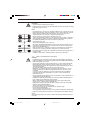
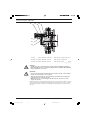
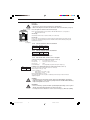
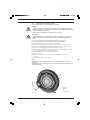
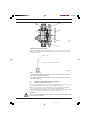
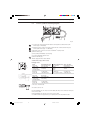
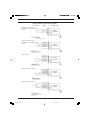
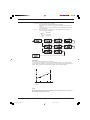
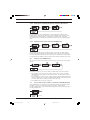
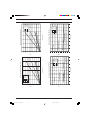
Control elements: overview
4
3
2
1
5
16
6
7
8
9
10
15
14 13 12
11
1
2
3
4
5
6
7
8
9
10
11
12
13
14
15
16
Operating light (green)
Warning light (yellow)
Error warning light (red)
Stroke length adjuster
LCD display
UP key
DOWN key
P key
STOP/START key
i key
Relay output (optional)
Metering monitor socket
Float switch socket
External control socket
Diaphragm rupture indicator socket
Mains switch
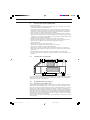
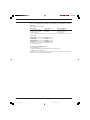
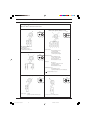
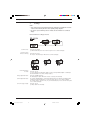
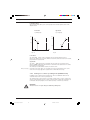
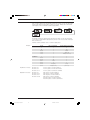
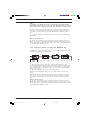
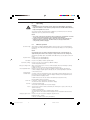
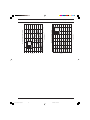
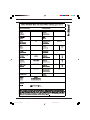
Key functions
In continuous display mode
(operating)
In settings mode
(settings)
Stop pump,
start pump
Stop pump,
start pump
Press briefly
Start batch (in “batch” operating mode only),
Cancel error
Confirm entry- jump to next menu
option or continuous display
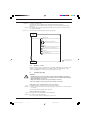
Press for 2 s
Press for 3 s
Press for 10 s
Press for 15 s
Change to settings mode
--Software version displayed
Load factory settings (calibration)
--Jump to continuous display
Press x1
Toggle between continuous displays
Toggle between “change individual digits”
and change a figure"
Press x2
---
For “change individual digits”:
jumps to first digit
Press separately
(until “Set” appears)
Change directly alterable values
Select other settings,
change individual digit or figure
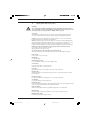
Press simultaneously
Prime (in “stroke rate” permanent display)
---
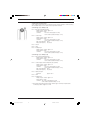
STOP/START key
STOP
START
Press briefly
P key
P
---
i key
i
Arrow keys UP and DOWN
®
ProMinent
BA_SI_036_06_10_EN.p65
Page 3
3
08.06.2010, 11:38 Uhr