1
Operating
8
Operating
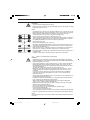
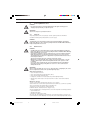
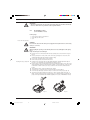
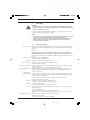
WARNING
• Only EX pump: Please thoroughly read the chapter “Important Additions for Metering
Pumps in the EX Area” of the “General Operating Instructions ProMinent Motor Metering
Pumps and Hydraulic Accessories”!
This section describes all operating options available to you when the S2Ca is in continuous
display mode (no P key symbol in the LCD display).
NOTE
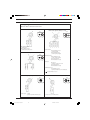
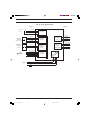
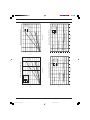
• Open out the fold-out page following the title page fully! There you will find the overviews
“control elements and key functions” and “operating/settings diagram”.
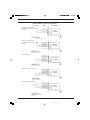
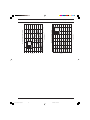
• Look at the overview “continuous displays”. This page shows you which displays are
available in which operating mode, and which values are directly alterable in the
corresponding continuous displays.
8.1
Set stroke length
Manual operation
Stroke length is continually adjustable within a range of 0-100 %. The recommended stroke
length range, which will practically guarantee technical reproducibility, is 30-100 % (SEK type:
50-100 %).
NOTE
At low stroking rates (less than 1/3 maximum stroking rate) the controller switches to
digital stroking mode. This ensures adequate cooling of the motor at low stroking rates.
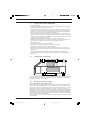
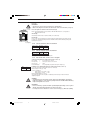
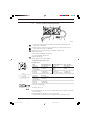
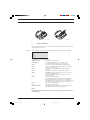
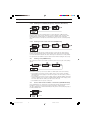
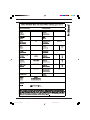
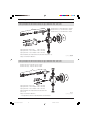
The following operating options are available via the different keys (see also figure on the next
page):
Stop/Start S2Ca
Start batch
Load factory settings
Change to settings mode
Check adjustable values
Change directly
alterable values
To stop S2Ca: press STOP/START key.
To start S2Ca: press STOP/START key.
Press the P key briefly in “batch” operating mode.
Press the P key for 15 s to load factory calibration settings!
Current settings will be deleted.
When you press the P key for 2 s in any continuous display the S2Ca will change to settings
mode (see section 7).
If CODE 1 is set, the code must be entered after pressing the P key.
Each time you press the i key you will see a different continuous display. The number of
continuous displays depends upon the identity code, the selected operating mode and the
connected accessories.
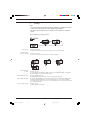
To change a value (see below) directly in the corresponding continuous display, press one of
the arrow keys until “set” appears in the LCD display. The delay has been programmed in to
prevent inadvertent changing of values.
If CODE 2 has been set, this code must be entered after pressing the arrow key.
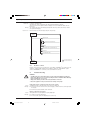
Directly alterable values are as follows:
Stroke rate
Feed rate
Factor
In “manual”, “contact” and “batch” operating modes:
The stroke rate can be altered in the “stroke rate” display.
In “manual” operating mode
The feed rate can be altered in the “feed rate” display.
The factor is the number of strokes activated by an external pulse or a press of the P key (in
“batch” mode only).
In “Batch” operating mode:
You can alter the factor from the “remaining strokes” display.
The S2Ca returns to the original continuous display a few seconds after the factor has been
reset.
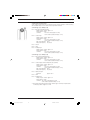
Display program version
Press the P key for 10 seconds to display the program version.
Example: “V1052” + “X1010”.
In the case of “LOAD3” release the key immediately!
®
ProMinent
BA_SI_036_06_10_EN.p65
Page 51
51
08.06.2010, 11:39 Uhr