1
6. Appendices
Resolution
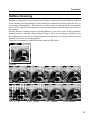
This function permits setting separate resolutions for the main-scanning and the sub-scanning,
over a range of 100dpi to 800dpi (in 1dpi increments) for each. A high resolution setting requires
more free space in memory and requires more processing time.
Basically, when outputting a scanned image that is the same size as the original image, set the
same resolution as that of the output device. Image quality will suffer if the resolution is less than
that of the output device, and it is meaningless to set a resolution that is higher than the resolution
that the output device is capable of. However, if the output image is to be enlarged or reduced
compared to the original, change the resolution by the same ratio.
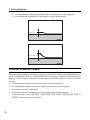
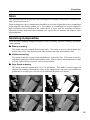
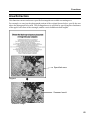
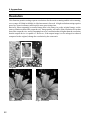
Original
Low resolution
52
High resolution