1
Channel Strip Display and Functions
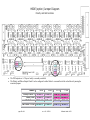
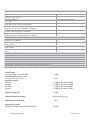
Control Layout
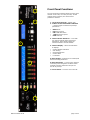
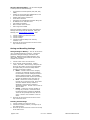
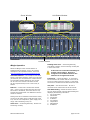
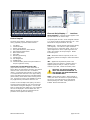
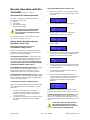
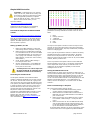
The main control section, starting from the top
down, graphically represents these features:
1.
2.
3.
4.
5.
6.
7.
8.
9.
10.
11.
12.
Unit Name
Channel Number
Polarity Invert Button
Pad (14dB Attenuator) Select Button
48V Phantom Select Button
Mute Select Button
Gain fader
Plasma-type Metering
Channel Gain
Link Assignment
Scribble Strip
Channel Number (shown at top and bottom of
strip for ergonomic clarity)
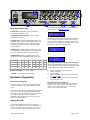
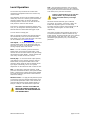
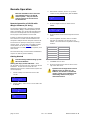
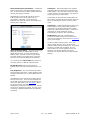
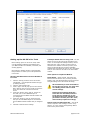
Unit Naming and Unit Name Dialog Box
(right-click on unit name) – Each Unit’s name is
shown above its eight-channel grouping. The default
name for each unit is its Unit ID. For instance,
“UNIT 1” corresponds with channels 1-8 and “UNIT
3” corresponds with channels 17-24. Right-clicking
on the Unit Name area opens the Unit Name dialog
(shown above) which allows textual naming of that
unit. A section for notes is also available to include
any supplementary information about the unit.
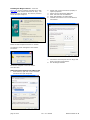
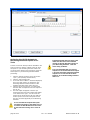
In order to name multiple units quickly, the “Prev”
and “Next” buttons allow the user to scroll through
units without closing the dialog box. If a unit has
been re-named from the default, the new Unit Name
will now be displayed in the Unit Name box. The
Naming Window can also be accessed from the
pull-down menus (Edit>Unit Naming).
Millennia Media HV-3R
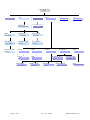
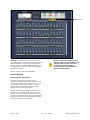
Channel Number – Channel numbers appear at the
top and bottom of the channel strip.
The preamp with Unit ID 1 will be assigned channels
1-8. Unit ID 2 will be assigned channels 9-16 ….Unit
ID 48 will be assigned channels 377-384.
POLarity Flip – Inverts channel audio output polarity
(180 degrees). The channel’s output waveform
becomes a mirror of the input signal. This is not a
“phase adjustment” as the output signal does not
shift in time relative to the input signal. Button
illuminates green.
PAD – Attenuates channel output by 14 dB. The
gain setting remains unchanged. Button illuminates
green.
48V – Applies 48 volt phantom power to the
respective mic input channel. Phantom power is
applied equally to both pin 2 and pin 3 of that
channel’s input XLR. Button illuminates yellow.
CAUTION – DO NOT PLUG A MIC IN
WITH THE PHANTOM POWER ON. IT
CAN DAMAGE THE MICROPHONE AND
THE PREAMP INPUT
MUTE – Mutes channel output. When channel is
muted, the meter will continue to operate allowing
the user to view audio activity on that channel
without passing live audio. Mute parameter is
linkable. Button illuminates red.
page 18 of 40