1
EDIT MENU
NOTE: All commands will be shown in bold with brackets, example
[SELECT A].
This Edit Menu allows you edit/perform the following functions: Select and edit
the search satellite, return system to factory defaults, access the test functions
menu, and display the system type and software version. To access the Edit
Menu, proceed as follows:
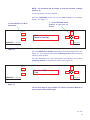
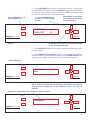
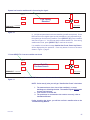
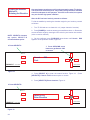
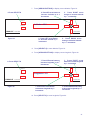
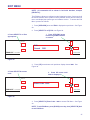
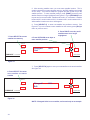
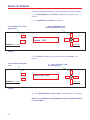
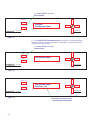
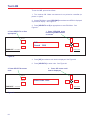
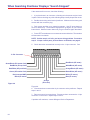
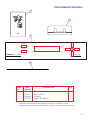
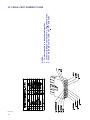
1. Press [UP/DOWN] arrow until Edit is displayed on positioner. See Figure
29.
2. Press [SELECT A or B] Edit, see Figure 29.
1. Press UP/DOWN arrow
buttons to get Manual Move
on screen
2. Press SELECT A or B as
appropriate
SELECT A
SELECT B
PINNACLE
Edit
Search
DSS
Model RD-9900
POSITIONER
by WINEGARD
Figure 29
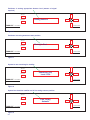
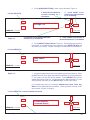
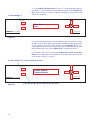
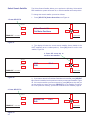
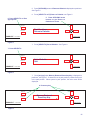
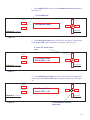
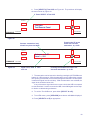
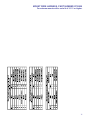
3. Press [UP] arrow button until positioner display shows 3000. See
Figure 30.
4. Press SELECT A to enter
code
3. Press UP button until
3000 is displayed
SELECT A
SELECT B
PINNACLE
POSITIONER
Enter Code: 3000
Model RD-9900
by WINEGARD
Figure 30
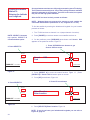
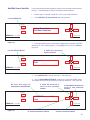
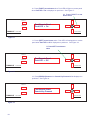
4. Press [SELECT A] Enter Code: 3000 to access Edit Menu. See Figure
30
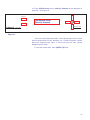
NOTE: To exit Edit Menu, press [DOWN] arrow key, then [SELECT B] Quit
to exit Edit Menu.
37