1
User Manual
Table of Contents
About the Device........................................................................................................ 3
Minimum System Requirements ................................................................. 4
Package Contents ........................................................................................ 4
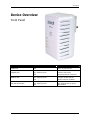
Device Overview.......................................................................................... 5
Front Panel ................................................................................................................5
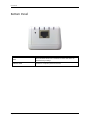
Bottom Panel ............................................................................................................6
Configuring the Device............................................................................................... 7
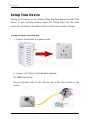
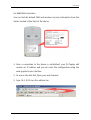
Setup Your Device........................................................................................ 8
Use the Device as a Wireless Repeater...................................................... 12
Use the Device as a Wireless Bridge.......................................................... 12
Setup Your Device as a Wireless AP........................................................... 13
Changing the Wireless Settings ................................................................. 15
Changing the Wireless Security Settings ................................................... 16
WPS ........................................................................................................... 17
Configuring Wireless MAC Filtering............................................................ 18
Viewing the Home Page............................................................................ 19
System Management ............................................................................................... 20
Accessing System Management ................................................................ 20
What’s on System Management................................................................ 20
Information .............................................................................................................21
Firmware .................................................................................................................22
Reboot .....................................................................................................................23
Password .................................................................................................................24
Setting a Static IP on your PC .................................................................... 25
Page 2 of 34