1
Power on/off
Power on/off
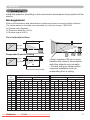
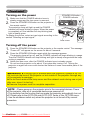
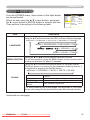
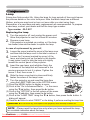
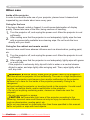
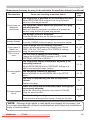
Turning on the power
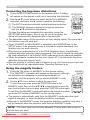
sure that the POWER indicator turns in
1. Make
steady orange and the lens cover is removed.
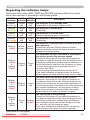
the STANDBY/ON button on the projector or
2. Press
the remote control.
The projection lamp will light up and the POWER
indicator will begin blinking in green. When the power
is completely on, the indicator will stop blinking and
light in steady green.
To display the picture, select an input signal according to the
section “Selecting an input signal”.
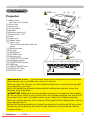
STANDBY/ON button
POWER indicator
INPUT/
ENTER
STANDBY/ON
COMPUTER/
LAMP
MENU
TEMP
VIDEO STORAGE SEARCH
POWER
ASPECT
BLANK
AUTO
COMPUTER/
VIDEO STORAGE SEARCH
ASPECT
MAGNIFY
ON
HOME
MAGNIFY
PAGE UP
ON
FREEZE
OFF
END
PAGE DOWN
BLANK
AUTO
HOME
PAGE UP
END
PAGE DOWN
VOLUME
VOLUME
OFF
MY BUTTON
1
2
MUTE
MENU
POSITION
ENTER
RESET
ESC
Lens FREEZE
cover
MUTE
KEYSTONE
MY BUTTON
1
2
KEYSTONE
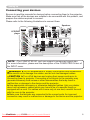
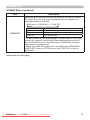
Turning off the power
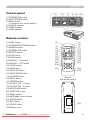
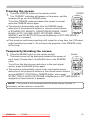
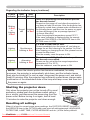
the STANDBY/ON button on the projector or the remote control. The message
1. Press
“Power off?” will appear on the screen for about 5 seconds.
Press the STANDBY/ON button again while the message appears. 2. The
projector lamp will go off, and the POWER indicator will begin blinking in orange.
MENU
POSITION
ENTER
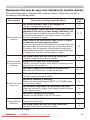
Then the POWER indicator will stop blinking and light in steady orange when the lamp
RESET
ESC
cooling is complete.
Attach the lens cover, after the POWER indicator turns in steady orange. Do not turn the projector on for about 10 minutes after turning it off. Turning the
projector on again too soon could shorten the lifetime of some consumable parts of the
projector.
3.
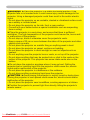
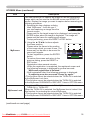
WARNING ►A strong light is emitted when the projector’s power is on. Do
not look into the lens of the projector or look inside of the projector through any
of the projector’s openings.
►Do not touch around the lamp cover and the exhaust vents during use or just
after use, since it is too hot.
►Remove the power cord for complete separation.
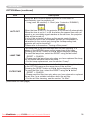
NOTE • Please power on the projector prior to the connected devices. Power
off the projector, after all of connected devices are powered off.
• This projector has the function that can make the projector automatically turn on/
off. Please refer to the AUTO ON and AUTO OFF items of the OPTION menu.
• Use the shutdown switch only when the projector is not turned off by normal
procedure.
ViewSonic
PJ358
Downloaded
From projector-manual.com
Viewsonic Manuals
13