1
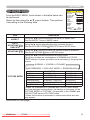
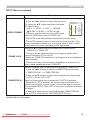
OPTION Menu
OPTION Menu (continued)
Item
Description
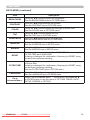
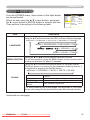
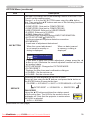
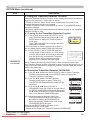
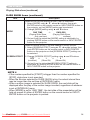
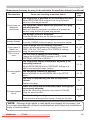
KEY LOCK
Using the ▲/▼ buttons turns on/off the key lock feature. When
TURN ON is selected, the buttons on the projector except the
STANDBY/ON button are locked.
TURN ON ó TURN OFF
• Please use to avoid a mischief and touching accidentally. This
function does not have any effect on the remote control.
SERVICE
(continued)
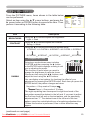
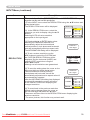
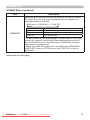
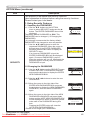
REMOTE FREQ.
Use the ▲/▼ button to change the Projector's remote sensor
setting.
1:NORMAL ó 2:HIGH
Items with a checkmark are on. The factory
default setting is for both 1:NORMAL and 2:
㪜㪥㪫㪜㪩
'06'4
HIGH to be on. If the remote control does not
4'/16'(4'3
function correctly set this to either only 1 or
014/#.
only 2.
*+)*
Neither can be turned off at the same time.
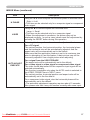
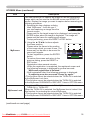
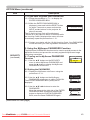
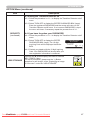
INFORMATION
Selecting this item displays a dialog titled “INPUT INFORMATION”.
It shows the information about the current input.
INPUT-INFORMATION
COMPUTER1
1024x768@60
FRAMELOCKON
INPUT-INFORMATION
S-VIDEO
PAL
AUTO
INPUT-INFORMATION
COMPUTER1
576@50
• The “FRAME LOCK” message on the dialog means the frame lock
function is working.
• This item can't be selected for no signal and sync out.
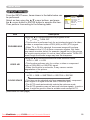
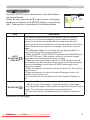
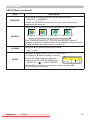
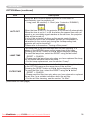
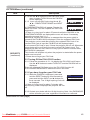
FACTORY RESET
Selecting RESET using the button ▲ performs this function. By
this function, all the items in all of menus will collectively return to
the initial setting. Note that the items LAMP TIME, FILTER TIME,
LANGUAGE and SECURITY are not reset.
RESET ï CANCEL
(continued on next page)
ViewSonic
PJ358
Downloaded
From projector-manual.com
Viewsonic Manuals
41