1
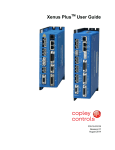
Xenus XTL™ User Guide
P/N 95-00875-000
Revision 1
December 2007
Xenus XTL User Guide
This page for notes.
TABLE OF CONTENTS
About This Manual ............................................................................................................................................................................... iii
1:
Introduction ................................................................................................................................................................................. 1
1.1: Amplifier ................................................................................................................................................................................. 2
1.2: CME 2 .................................................................................................................................................................................... 3
1.3: CMO/CML .............................................................................................................................................................................. 3
2:
Operational Theory...................................................................................................................................................................... 5
2.1: Amplifier Internal Power.......................................................................................................................................................... 6
2.2: Synchronizing PWM Switching Frequency.............................................................................................................................. 8
2.3: Commutation Modes .............................................................................................................................................................. 8
2.4: Feedback................................................................................................................................................................................ 8
2.5: Operating Modes .................................................................................................................................................................... 9
2.6: CANopen Operation ............................................................................................................................................................. 20
2.7: Limit Switches ...................................................................................................................................................................... 22
2.8: Brake Operation ................................................................................................................................................................... 23
2.9: Status Indicators................................................................................................................................................................... 24
2.10: Protection ........................................................................................................................................................................... 26
2.11: Position and Velocity Errors................................................................................................................................................ 28
2.12: Communication .................................................................................................................................................................. 31
2.13: Inputs ................................................................................................................................................................................. 32
2.14: Outputs............................................................................................................................................................................... 33
2.15: Regen Resistor Theory....................................................................................................................................................... 34
3:
Specifications ............................................................................................................................................................................ 35
3.1: Agency Approvals................................................................................................................................................................. 36
3.2: Power Input .......................................................................................................................................................................... 36
3.3: Power Output........................................................................................................................................................................ 36
3.4: Control Loops ....................................................................................................................................................................... 37
3.5: Regen Circuit Output ............................................................................................................................................................ 37
3.6: Digital Command Input ......................................................................................................................................................... 37
3.7: Analog Command Input ........................................................................................................................................................ 38
3.8: Digital Inputs......................................................................................................................................................................... 38
3.9: Digital Outputs...................................................................................................................................................................... 38
3.10: Brake Output ...................................................................................................................................................................... 39
3.11: Encoder Power Supply Output............................................................................................................................................ 39
3.12: Primary Encoder Inputs ...................................................................................................................................................... 39
3.13: Analog Encoder Inputs ....................................................................................................................................................... 39
3.14: Hall Switch Inputs ............................................................................................................................................................... 40
3.15: Resolver Interface .............................................................................................................................................................. 40
3.16: Multi-Mode Port .................................................................................................................................................................. 40
3.17: Serial Interface ................................................................................................................................................................... 41
3.18: CAN Interface ..................................................................................................................................................................... 41
3.19: Status Indicators................................................................................................................................................................. 41
3.20: Fault Levels ........................................................................................................................................................................ 41
3.21: Power Dissipation ............................................................................................................................................................... 42
3.22: Thermal Impedance............................................................................................................................................................ 42
3.23: Mechanical and Environmental ........................................................................................................................................... 42
3.24: Dimensions......................................................................................................................................................................... 43
4:
Wiring......................................................................................................................................................................................... 45
4.1: General Wiring Instructions .................................................................................................................................................. 46
4.2: AC Mains (J1)....................................................................................................................................................................... 48
4.3: Motor (J2) ............................................................................................................................................................................. 49
4.4: Regen Resistor (J3) (Optional) ............................................................................................................................................. 51
4.5: Logic Supply / Brake (J4)...................................................................................................................................................... 52
4.6: RS-232 Serial Communications (J5)..................................................................................................................................... 53
4.7: CAN Bus (J6) ....................................................................................................................................................................... 54
4.8: Control (J7)........................................................................................................................................................................... 55
4.9: Motor Feedback (J8)............................................................................................................................................................. 59
5:
Quick Setup with CME 2 ........................................................................................................................................................... 65
5.1: Warnings .............................................................................................................................................................................. 66
5.2: CME 2 Installation and Serial Port Setup.............................................................................................................................. 67
5.3: Prerequisites ........................................................................................................................................................................ 71
5.4: Basic Setup .......................................................................................................................................................................... 73
5.5: Motor/Feedback Setup ......................................................................................................................................................... 76
5.6: Amplifier Configuration ......................................................................................................................................................... 85
5.7: Command Input.................................................................................................................................................................... 95
5.8: Auto Phase......................................................................................................................................................................... 102
5.9: Current Loop....................................................................................................................................................................... 108
5.10: Velocity Loop .................................................................................................................................................................... 112
5.11: Position Loop.................................................................................................................................................................... 114
5.12: Completion Steps ............................................................................................................................................................. 118
6:
Using CME 2 ............................................................................................................................................................................ 119
Copley Controls Corp.
i
Table of Contents
A:
B:
C:
D:
E:
F:
ii
Xenus XTL User Guide
6.1: CME 2 Overview................................................................................................................................................................. 120
6.2: Manage Amplifier and Motor Data ...................................................................................................................................... 125
6.3: Downloading Firmware ....................................................................................................................................................... 128
6.4: Control Panel...................................................................................................................................................................... 130
6.5: Manual Phasing.................................................................................................................................................................. 134
6.6: Home Function ................................................................................................................................................................... 136
Regen Resistor Sizing and Configuration ............................................................................................................................. 137
A.1: Sizing a Regen Resistor..................................................................................................................................................... 138
A.2: Configuring a Custom Regen Resistor ............................................................................................................................... 142
I2T Time Limit Algorithm ......................................................................................................................................................... 145
B.1: I2T Algorithm ...................................................................................................................................................................... 146
Thermal Considerations.......................................................................................................................................................... 151
C.1: Operating Temperature and Cooling Configurations .......................................................................................................... 152
C.2: Heatsink Mounting Instructions .......................................................................................................................................... 154
Xenus Filter.............................................................................................................................................................................. 155
D.1: Overview............................................................................................................................................................................ 156
D.2: XTL-FA-01 Edge Filter Specifications ................................................................................................................................ 157
D.3: Thermal Considerations ..................................................................................................................................................... 157
D.4: XTL-FA-01 Edge Filter Dimensions.................................................................................................................................... 158
D.5: XTL-FA-01 Edge Filter Wiring ............................................................................................................................................ 159
D.6: XTL-FA-01 Edge Filter Ordering......................................................................................................................................... 163
Connecting for Serial Control................................................................................................................................................. 165
E.1: Single-Axis and Multi-Drop ................................................................................................................................................. 166
Ordering Guide and Accessories ........................................................................................................................................... 167
F.1: Amplifier Model Numbers ................................................................................................................................................... 168
F.2: Accessory Model Numbers................................................................................................................................................. 169
F.3: Order Example ................................................................................................................................................................... 170
F.5: Copley Standard Regen Resistor Specifications................................................................................................................. 171
Copley Controls Corp.
ABOUT THIS MANUAL
Overview and Scope
This manual describes the operation and installation of the Xenus XTL amplifier manufactured by
Copley Controls Corporation.
Related Documentation
For important setup and operation information, see the CME 2 User Guide.
Users of the CANopen features should also read these Copley Controls documents:
• CANopen Programmer’s Manual
• CML Reference Manual
• Copley Motion Objects Programmer’s Guide
Also of related interest:
•
Copley Indexer 2 Program User’s Guide (describes use of Indexer Program to create motion
control sequences)
• Copley Controls ASCII Interface Programmer’s Guide (describes how to send ASCII format
commands over an amplifier’s serial bus to set up and control one or more amplifiers)
• Copley Amplifier Parameter Dictionary
• Copley Camming User Guide
• Copley DeviceNet Programmer’s Guide
Information on Copley Controls Software can be found at:
http://www.copleycontrols.com/motion/software
Comments
Copley Controls Corporation welcomes your comments on this manual.
For contact information, see http://www.copleycontrols.com
Copyrights
No part of this document may be reproduced in any form or by any means, electronic or
mechanical, including photocopying, without express written permission of Copley Controls
Corporation.
Xenus and XTL are registered trademarks of Copley Controls Corporation.
CME 2 is a registered trademark of Copley Controls Corporation.
Windows NT, ME, 2000, XP, Vista, Visual Basic, Excel, and .NET are trademarks or registered
trademarks of the Microsoft Corporation.
LabVIEW is a registered trademark of National Instruments.
Document Validity
We reserve the right to modify our products. The information in this document is subject to change
without notice and does not represent a commitment by Copley Controls Corporation. Copley
Controls Corporation assumes no responsibility for any errors that may appear in this document.
Copley Controls Corp.
iii
About this Manual
Xenus XTL User Guide
Product Warnings
Observe all relevant state, regional, and local safety regulations when installing and using this
product. For safety and to assure compliance with documented system data, only Copley Controls
Corporation should perform repairs to amplifiers.
!
DANGER: Hazardous voltages.
Exercise caution when installing and adjusting.
Failure to heed this warning can cause equipment damage, injury, or death.
DANGER
!
Risk of electric shock.
High-voltage circuits on J1, J2, and J3 are connected to mains power.
Failure to heed this warning can cause equipment damage, injury, or death.
DANGER
!
DANGER
Risk of unexpected motion with non-latched faults.
After the cause of a non-latched fault is corrected, the amplifier re-enables the PWM
output stage without operator intervention. In this case, motion may re-start
unexpectedly. Configure faults as latched unless a specific situation calls for nonlatched behavior. When using non-latched faults, be sure to safeguard against
unexpected motion.
Failure to heed this warning can cause equipment damage, injury, or death.
!
DANGER
!
DANGER
Using CME 2 or serial commands may affect or suspend CAN operations.
When operating the amplifier as a CAN node, the use of CME 2 or ASCII serial
commands may affect CAN operations in progress. Using such commands to initiate
motion may cause CAN operations to suspend.
CAN operations may restart unexpectedly when the commanded motion is stopped.
Failure to heed this warning can cause equipment damage, injury, or death.
Latching an output does not eliminate the risk of unexpected motion with nonlatched faults.
Associating a fault with a latched, custom-configured output does not latch the fault
itself. After the cause of a non-latched fault is corrected, the amplifier re-enables
without operator intervention. In this case, motion may re-start unexpectedly.
For more information, see Clearing Non-Latched Faults (p. 26).
Failure to heed this warning can cause equipment damage, injury, or death.
!
Use equipment as described.
Operate amplifiers within the specifications provided in this manual.
Failure to heed this warning can cause equipment damage, injury, or death.
DANGER
iv
Copley Controls Corp.
Xenus XTL User Guide
About this Manual
Revision History
Revision
Date
DECO#
Comments
1
November 2007
16236
Initial release.
Copley Controls Corp.
v
About this Manual
Xenus XTL User Guide
This page for notes.
vi
Copley Controls Corp.
CHAPTER
1: INTRODUCTION
This chapter provides an overview of the Copley Controls Xenus XTL amplifier.
Contents include:
Title
Page
1.1: Amplifier ................................................................................................................................................................................. 2
1.2: CME 2 .................................................................................................................................................................................... 3
1.3: CMO/CML .............................................................................................................................................................................. 3
Copley Controls Corp.
1
Introduction
Xenus XTL User Guide
1.1: Amplifier
Xenus provides 100% digital control of brushless or brush motors in an off-line powered package.
It can also control a Copley Controls ServoTube motor. Xenus can operate from single or threephase mains with a continuous power output of up to 4 kW.
Xenus is offered in three versions to support three types of feedback devices. The standard
version supports digital quadrature encoders. The –S version supports analog sin/cos encoders.
The -R version supports brushless resolvers. The –S and -R versions can emulate a digital
quadrature encoder output from the analog encoder or resolver respectively.
Xenus can operate in several basic ways:
•
As a traditional motor amplifier accepting current, velocity or position commands from an
external controller. In current and velocity modes it can accept ±10 Vdc analog, digital 50%
PWM or PWM/polarity inputs. In position mode, inputs can be incremental position commands
from step-motor controllers in Pulse and Direction or Count Up/Count Down format, as well as
A/B quadrature commands from a master-encoder. Pulse-to-position ratio is programmable for
electronic gearing.
• As a node on a CANopen network. CANopen compliance allows the amplifier to take
instruction from a master application over a CAN network to perform torque, velocity, and
position profiling, interpolated motion, and homing operations. Multiple drives can be tightly
synchronized for high performance coordinated motion.
• As a node on a DeviceNet network. Xenus can be operated over a DeviceNet network by
PLCs and other controllers.
• As a stand-alone controller running Copley Virtual Machine (CVM) control programs such as
the Indexer 2 Program. It can also be controlled directly over an RS232 serial link with simple
ASCII format commands.
Mains input voltage to the amplifier can range from 100 to 240 Vac, single or three-phase, and 47
to 63 Hz. This allows Xenus the ability to work in the widest possible range of industrial settings.
Several models are available, with peak current ratings of 18 to 40 amps:
Quad A/B
Encoder
Model
Resolver
Sin/Cos Encoder
Continuous
Current
Peak Current
XTL-230-18
XTL-230-18-R
XTL-230-18-S
6A
18 A
XTL-230-36
XTL-230-36-R
XTL-230-36-S
12 A
36 A
XTL-230-40
XTL-230-40-R
XTL-230-40-S
20 A
40 A
Vac
100 to
240
A separate +24 Vdc logic supply powers the internal logic and control circuits. These are isolated
from the high-voltage power supply and inverter stage that connect to the mains. This simplifies
system design by allowing the mains to be completely disconnected from the amplifier for safety
reasons while allowing the logic side of the amplifier to stay powered. This allows the amplifier to
retain position information and maintain communication through the digital I/O or over the serial or
CAN ports when disconnected from the mains.
The Xenus XTL is RoHS compliant.
2
Copley Controls Corp.
Xenus XTL User Guide
Introduction
1.2: CME 2
Amplifier commissioning is fast and simple using Copley Controls CME 2 software. CME 2
communicates with Xenus via an RS-232 link, and all of the operations needed to configure the
amplifier are accessible through CME 2.
The multi-drop feature allows CME 2 to use a single RS-232 serial connection to one amplifier as
a gateway to other amplifiers linked together by CAN bus connections.
Auto phasing of brushless motor Hall sensors and phase wires eliminates “wire and try.”
Connections are made once and CME 2 does the rest. Encoder or resolver wire swapping to
establish the direction of positive motion is also eliminated.
Motor data can be saved as .ccm files. Amplifier data is saved as .ccx files that contain all
amplifier settings plus motor data. This makes it possible to quickly set up amplifiers by copying
configurations from one amplifier to another.
1.3: CMO/CML
Copley Motion Libraries (CML) and Copley Motion Objects (CMO) make CANopen system
commissioning fast and simple. All network housekeeping is taken care of automatically by a few
simple commands linked into your application program. CML provides a suite of C++ libraries,
allowing a C++ application program to communicate with and control an amplifier over the
CANopen network. CMO provides a similar suite of COM objects that can be used by Visual
Basic, .NET, LabVIEW, or any other program supporting the Microsoft COM object interface.
Copley Controls Corp.
3
Introduction
4
Xenus XTL User Guide
Copley Controls Corp.
CHAPTER
2: OPERATIONAL THEORY
This chapter describes the basics of Xenus operation. Contents include:
Title
Page
2.1: Amplifier Internal Power.......................................................................................................................................................... 6
2.2: Synchronizing PWM Switching Frequency.............................................................................................................................. 8
2.3: Commutation Modes .............................................................................................................................................................. 8
2.4: Feedback................................................................................................................................................................................ 8
2.5: Operating Modes .................................................................................................................................................................... 9
2.6: CANopen Operation ............................................................................................................................................................. 20
2.7: Limit Switches ...................................................................................................................................................................... 22
2.8: Brake Operation ................................................................................................................................................................... 23
2.9: Status Indicators................................................................................................................................................................... 24
2.10: Protection ........................................................................................................................................................................... 26
2.11: Position and Velocity Errors................................................................................................................................................ 28
2.12: Communication .................................................................................................................................................................. 31
2.13: Inputs ................................................................................................................................................................................. 32
2.14: Outputs............................................................................................................................................................................... 33
2.15: Regen Resistor Theory....................................................................................................................................................... 34
Copley Controls Corp.
5
Operational Theory
Xenus XTL User Guide
2.1: Amplifier Internal Power
Power distribution within Xenus is divided into three sections: +24 Vdc, logic/signal, and high
voltage. Each is isolated from the other.
2.1.1: Logic/Signal Power
An internal DC/DC converter operates from the +24 Vdc Logic Supply input and creates the
required logic/signal operating voltages, the isolated voltages required for the high-voltage control
circuits, and a +5 Vdc supply for powering the motor encoder and Hall circuits. All the digital and
analog inputs, digital outputs (with the exception of OUT4), Hall and encoder inputs are referenced
to the same signal common. OUT4 is controlled through an opto-isolator, and is referenced to the
+24 Vdc return. The CAN interface is also optically isolated.
Deriving internal operating voltages from a separate source enables the amplifier to stay on-line
when the mains have been disconnected for emergency-stop or operator-intervention conditions.
This allows CAN bus and serial communications to remain active so that the amplifier can be
monitored by the control system while the mains power is removed.
2.1.2: High Voltage
Mains power drives the high-voltage section. It is rectified and capacitor-filtered to produce the DC
bus: the DC “link” power that drives the PWM inverter, where it is converted into the voltages that
drive a three-phase brushless or DC brush motor. An internal solid-state switch, together with an
external power resistor, provides dissipation during regeneration when the mechanical energy of
the motor is converted back into electrical energy. This prevents charging the internal capacitors
to an overvoltage condition.
6
Copley Controls Corp.
Xenus XTL User Guide
Operational Theory
2.1.3: Power and Grounding Diagram
SHIELD
AMPLIFIER
CHASSIS
REGEN(+)
REGEN(-)
J3
L1
J1 L2
MAINS
L3
+
~
U
1760 PF
DC BUSS(+)
+
~
DC BUSS(-)
-
~
FRAME
(SAFETY)
GROUND
PWM
INVERTER
J2
V
MOTOR
W
CASE
J4
PWM
STAGE
CONTROL
POWER
+24 Vdc
ISOLATION BARRIER
+24
VDC
BRAKE
BRAKE
SHIELD
DC/DC
Cntrl
RTN
+24 Vdc
GROUND
DC/DC
Converter
LOGIC
&
SIGNAL
POWER
+5 Vdc @
400mA
+5 Vdc
HALLS
SIGNAL GND
J6
CAN
Bus
Ckt
CAN
Network
CONTROL
SYSTEM
J8
+5 Vdc
ENCODER
+5 Vdc
J7
ENABLE [IN1]
CONTROL
LOGIC
SIGNAL GND
SIGNAL GND
CONTROL
SIGNAL
GROUND
Copley Controls Corp.
7
Operational Theory
Xenus XTL User Guide
2.2: Synchronizing PWM Switching Frequency
In some situations, such as when sampling small analog signals, it is desirable to synchronize the
PWM switching frequency among multiple amplifiers. In these cases, one amplifier serves as a
master for one or more slave amplifiers. The PWM sync output of the master sends a signal that
is received as a PWM sync input by each slave.
2.3: Commutation Modes
The amplifier supports three commutation modes to drive brush and brushless motors: AC
brushless sinusoidal, AC brushless trapezoidal, and DC brush.
In most applications, sinusoidal commutation is preferred over trapezoidal, because it reduces
torque ripple and offers the smoothest motion at any velocity or torque. In the sinusoidal
commutation mode, an encoder or a resolver are required for all modes of operation.
In AC brushless trapezoidal commutation mode, the amplifier provides traditional six-step
commutation.
When driving a DC brush motor, the amplifier operates as a traditional H-Bridge amplifier.
2.4: Feedback
2.4.1: Encoder and Resolver Support
The Xenus amplifier is offered in three versions to support encoder or resolver feedback. The
standard version supports digital quadrature encoders. The -S version supports analog sin/cos
encoders. These versions normally require the use of Hall switches for the commutation of
brushless motors. The resolver version supports standard, single speed, transmit-type resolvers.
2.4.2: Multi-Mode Port
All versions support a multi-mode port. This interface can be configured to:
•
•
•
8
Provide a buffered digital encoder output based on the digital encoder input.
Provide an emulated digital encoder output based on the analog encoder or resolver input.
Provide a second digital encoder input to be used in the dual encoder position mode. In this
mode, an encoder attached to the load provides position loop feedback, and the motor
encoder or resolver provides velocity loop feedback.
Copley Controls Corp.
Xenus XTL User Guide
Operational Theory
2.5: Operating Modes
2.5.1: Modes and Control Loops
Nesting of Control Loops and Modes
Copley Controls amplifiers use up to three nested control loops - current, velocity, and position - to
control a motor in three associated operating modes.
Control Loops Illustration
In position mode, the amplifier uses all three loops. As shown below, the position loop drives the
nested velocity loop, which drives the nested current loop.
Limits
Position
Command
Target
Position
Actual Position
Velocity
Limiter
Velocity
Loop
Derived Velocity
PWM
Command
Limited
Current
Current
Command
FILTER
Position
Loop
Limited
Velocity
FILTER
Trajectory
Generator
Velocity
Command
Current
Limiter
Current
Loop
Motor/
Sensors
Actual Current
In velocity mode, the velocity loop drives the current loop. In current mode, the current loop is
driven directly by external or internal current commands.
Basic Attributes of All Control Loops
These loops (and servo control loops in general) share several common attributes:
Loop Attribute
Description
Command input
Every loop is given a value to which it will attempt to control. For example, the velocity loop
receives a velocity command that is the desired motor speed.
Limits
Limits are set on each loop to protect the motor and/or mechanical system.
Feedback
The nature of servo control loops is that they receive feedback from the device they are
controlling. For example, the position loop uses the actual motor position as feedback.
Gains
These are constant values that are used in the mathematical equation of the servo loop. The
values of these gains can be adjusted during amplifier setup to improve the loop
performance. Adjusting these values is often referred to as tuning the loop.
Output
The loop generates a control signal. This signal can be used as the command signal to another
control loop or the input to a power amplifier.
Copley Controls Corp.
9
Operational Theory
Xenus XTL User Guide
2.5.2: Current Mode and Current Loop
Current Loop Diagram
As shown below, the “front end” of the current loop is a limiting stage. The limiting stage accepts a
current command, applies limits, and passes a limited current command to the summing junction.
The summing junction takes the limited current command, subtracts the actual current
(represented by the feedback signal), and produces an error signal. This error signal is then
processed using the integral and proportional gains to produce a command. This command is
then applied to the amplifier’s power stage.
Current Loop
Current Integral Gain (Ci)
Current Command
Current Limiter
Limited Current
+
Current Offset
Current Proportional Gain (Cp)
+
PWM
Command
Motor
+
-
Limits:
Peak Current
Continuous Current
Peak Current Limit Time
Feedback (Actual Current)
Current Loop Inputs
• The amplifier’s analog or PWM inputs.
• A network command, CANopen, DeviceNet, or RS-232 Serial.
• A Copley Virtual Motion (CVM) control program.
• The amplifier’s internal function generator.
In velocity or position modes, the current command is generated by the velocity loop.
Offset
The current loop offset is intended for use in applications where there is a constant force applied
to, or required of, the servomotor and the system must control this force. Typical applications
would be a vertical axis holding against gravity, or web tensioning. This offset value is summed
with the current command before the limiting stage.
Limits
The current command is limited based on the following parameters:
Limiter
Description
Peak Current Limit
Maximum current that can be generated by the amplifier for a short duration of time. This
value cannot exceed the peak current rating of the amplifier.
Continuous Current
Limit
Maximum current that can be constantly generated by the amplifier.
2
I T Time Limit
Maximum amount of time that the peak current can be applied to the motor before it must
be reduced to the continuous limit or generate a fault.
2
For more details, see I T Time Limit Algorithm (p. 145).
Note: Although the current limits set by the user may exceed the amplifier's internal limits,
the amplifier operates using both sets of limits in parallel, and therefore will not exceed its
own internal limits regardless of the values programmed.
Ramp
10
Rate of change in current command.
Copley Controls Corp.
Xenus XTL User Guide
Operational Theory
Current Loop Gains
The current loop uses these gains:
Gain
Description
Cp - Current loop proportional
The current error (the difference between the actual and the limited commanded
current) is multiplied by this value. The primary effect of this gain is to increase
bandwidth (or decrease the step-response time) as the gain is increased.
Ci - Current loop integral
The integral of the current error is multiplied by this value. Integral gain reduces the
current error to zero over time. It controls the DC accuracy of the loop, or the
flatness of the top of a square wave signal. The error integral is the accumulated
sum of the current error value over time.
Current Loop Output
The output of the current loop is a command that sets the duty cycle of the PWM output stage of
the amplifier.
Auto Tune
CME 2 provides a current loop Auto Tune feature, which automatically determines optimal Cp and
Ci values for the motor. For more information, see Auto Tune the Current Loop (p. 109).
Copley Controls Corp.
11
Operational Theory
Xenus XTL User Guide
2.5.3: Velocity Mode and Velocity Loop
Velocity Loop Diagram
As shown below, the velocity loop limiting stage accepts a velocity command, applies limits, and
passes a limited velocity command to the input filter. The filter then passes a velocity command to
the summing junction. The summing junction subtracts the actual velocity, represented by the
feedback signal, and produces an error signal. (The velocity loop feedback signal is always from
the motor feedback device even when an additional encoder is attached to the load.) The error
signal is then processed using the integral and proportional gains to produce a current command.
Programmable digital filters are provided on both the input and output command signals.
Velocity Loop
Velocity
Command
Velocity Lim iter
Filter
Limited
Velocity
Velocity Integral Gain (Vi)
+
Velocity Proportional Gain (Vp)
+
Filter
+
Current
Command
Limits:
Velocity
Feedback (Derived Velocity)
Acceleration*
Deceleration*
Emergency Stop Deceleration*
*Not used w hen velocity loop is controlled by position loop. See "Velocity Loop Limits" for details.
Inputs
In velocity mode, the velocity command comes from one of the following:
• The amplifier’s analog or PWM inputs.
• A network command, CANopen, DeviceNet, or RS-232 Serial.
• A Copley Virtual Motion (CVM) control program.
• The amplifier’s internal function generator.
In position mode, the velocity command is generated by the position loop.
Velocity Loop Limits
The velocity command is limited based on the following set of parameters designed to protect the
motor and/or the mechanical system.
Limiter
Description
Velocity Limit
Sets the maximum velocity command input to the velocity loop.
Acceleration Limit
Limits the maximum acceleration rate of the commanded velocity input to the velocity loop.
This limit is used in velocity mode only.
Deceleration Limit
Limits the maximum deceleration rate of the commanded velocity input to the velocity loop.
This limit is used in velocity mode only.
Fast Stop Ramp
Specifies the deceleration rate used by the velocity loop when the amplifier is hardware
disabled. (Fast stop ramp is not used when amplifier is software disabled.) If the brake
delay option is programmed, the fast stop ramp is used to decelerate the motor before
applying the brake.
Note that Fast Stop Ramp is used only in velocity mode. In position mode, the trajectory
generator handles controlled stopping of the motor. There is one exception: if a non-latched
following error occurs in position mode, then the amplifier drops into velocity mode and the
Fast Stop Ramp is used.
For more information, see Following Error Fault Details (p. 29).
12
Copley Controls Corp.
Xenus XTL User Guide
Operational Theory
Diagram: Effects of Limits on Velocity Command
The following diagram illustrates the effects of the velocity loop limits.
Limited Velocity
Commanded Velocity
Vel Limit
Accel Limit
Decel Limit
Velocity Loop Gains
The velocity loop uses these gains:
Gain
Description
Vp - Velocity loop proportional
The velocity error (the difference between the actual and the limited commanded
velocity) is multiplied by this gain. The primary effect of this gain is to increase
bandwidth (or decrease the step-response time) as the gain is increased.
Vi - Velocity loop integral
The integral of the velocity error is multiplied by this value. Integral gain reduces the
velocity error to zero over time. It controls the DC accuracy of the loop, or the
flatness of the top of a square wave signal. The error integral is the accumulated
sum of the velocity error value over time.
Velocity Loop Gains Scalar
The Enable Gains Scalar feature increases or decreases the resolution of the units used to
express Vp and Vi, providing more precise tuning.
Velocity Loop Command and Output Filters
The velocity loop contains two programmable digital filters. The input filter should be used to
reduce the effects of a noisy velocity command signal. The output filter can be used to reduce the
excitation of any resonance in the motion system.
Two filter classes can be programmed: the Low-Pass and the Custom Bi-Quadratic. The LowPass filter class includes the Single-Pole and the Two-Pole Butterworth filter types. The Custom
Bi-Quadratic filter allows advanced users to define their own filters incorporating two poles and two
zeros.
For more information on the velocity loop filters, see the CME 2 User Guide.
Velocity Loop Outputs
The output of the velocity loop is a current command used as the input to the current loop.
Copley Controls Corp.
13
Operational Theory
Xenus XTL User Guide
2.5.4: Position Mode and Position Loop
Position Loop Diagram
The amplifier receives position commands from the digital or analog command inputs, over the
CAN interface or serial bus, or from the CVM Control Program. When using digital or analog
inputs, the amplifier's internal trajectory generator calculates a trapezoidal motion profile based on
trajectory limit parameters. When using the CAN bus, serial bus, or CVM Control Program, a
trapezoidal or S-curve profile can be programmed. The trajectory generator updates the
calculated profile in real time as position commands are received.
The output of the generator is an instantaneous position command (limited position). In addition,
values for the instantaneous profile velocity and acceleration are generated. These signals, along
with the actual position feedback, are processed by the position loop to generate a velocity
command.
To bypass the trajectory generator while in digital or analog position modes, set the maximum
acceleration to zero. The only limits in effect will now be the velocity loop velocity limit and the
current limits. (Note that leaving the maximum acceleration set to zero will prevent other position
modes from operating correctly.)
The following diagram summarizes the position loop.
Position Loop
Profile Velocity
Target
Position
Trajectory
Ge ne rator
Velocity Feed Forw ard (Vff)
Profile Acceleration
Limited Position
Acceleration Feed Forw ard (Aff)
+
Position Proportional Gain (Pp)
+
+
Gain
Multiplier
+
Velocity
Command
-
Limits:
Max velocity
Max accel
Max decel
Abort decel
Feedback
from motor encoder or resolver
from optional position encoder (on load)
Trajectory Limits
In position mode, the trajectory generator applies the following user-set limits to generate the
motion profile.
Limiter
Description
Maximum Velocity
Limits the maximum speed of the profile.
Maximum Acceleration
Limits the maximum acceleration rate of the profile.
Maximum Deceleration
Limits the maximum deceleration rate of the profile.
Abort Deceleration
Specifies the deceleration rate used by the trajectory generator when motion is aborted.
Position Loop Inputs From the Trajectory Generator
The position loop receives the following inputs from the trajectory generator.
Input
Description
Profile Velocity
The instantaneous velocity value of the profile. Used to calculate the velocity feed forward
value.
Profile Acceleration
The instantaneous acceleration/deceleration value of the profile. Used to calculate the
acceleration feed forward value.
Limited Position
The instantaneous commanded position of the profile. Used with the actual position feedback to
generate a position error.
14
Copley Controls Corp.
Xenus XTL User Guide
Operational Theory
Position Loop Gains
The following gains are used by the position loop to calculate the velocity command:
Gain
Description
Pp - Position loop proportional
The loop calculates the position error as the difference between the actual and
limited position values. This error in turn is multiplied by the proportional gain value.
The primary effect of this gain is to reduce the following error.
Vff - Velocity feed forward
The value of the profile velocity is multiplied by this value. The primary effect of this
gain is to decrease following error during constant velocity.
Aff - Acceleration feed forward
The value of the profile acceleration is multiplied by this value. The primary effect of
this gain is to decrease following error during acceleration and deceleration.
Gain Multiplier
The output of the position loop is multiplied by this value before being passed to the
velocity loop.
Position Loop Feedback
Xenus supports two position feedback configurations
• Single sensor. Position loop feedback comes from the encoder or resolver on the motor.
• Dual sensor. Position loop feedback comes from the encoder attached to the load.
(Note that in either case, velocity loop feedback comes from the motor encoder or resolver.) For
more information, see Feedback (p. 8).
Position Loop Output
The output of the position loop is a velocity command used as the input to the velocity loop.
2.5.5: Input Command Types
The amplifier can be controlled by a variety of external sources: analog voltage or digital inputs,
CAN network (CANopen or DeviceNet), or over an RS-232 serial connection using ASCII
commands. The amplifier can also function as a stand-alone motion controller running an internal
CVM program or using its internal function generator.
2.5.6: Analog Command Input
Overview
The amplifier can be driven by an analog voltage signal through the analog command input. The
amplifier converts the signal to a current, velocity, or position command as appropriate for current,
velocity, or position mode operation, respectively.
The analog input signal is conditioned by the scaling, dead band, and offset settings.
Scaling
The magnitude of the command generated by an input signal is proportional to the input signal
voltage. Scaling controls the input-to-command ratio, allowing the use of an optimal command
range for any given input voltage signal range.
For example, in current mode, with default scaling, +10 Vdc of input generates a command equal
to the amplifier’s peak current output; +5 Vdc equals half of that.
Scaling could also be useful if, for example, the signal source generates a signal range between 0
and +10 Vdc, but the command range only requires +7.5 Vdc of input. In this case, scaling allows
the amplifier to equate +7.5 Vdc with the amplifier’s peak current (in current mode) or maximum
velocity (in velocity mode), increasing the resolution of control.
Dead Band
To protect against unintended response to low-level line noise or interference, the amplifier can be
programmed with a “dead band” to condition the response to the input signal voltage. The
Copley Controls Corp.
15
Operational Theory
Xenus XTL User Guide
amplifier treats anything within the dead band ranges as zero, and subtracts the dead band value
from all other values. For instance, with a dead band of 100 mV, the amplifier ignores signals
between –100 mV and +100 mV, and treats 101 mV as 1 mV, 200 mV as 100 mV, and so on.
200
Output
100
Dead Band
0
-100
-200
-200
-100
0
Input
100
200
Offset
To remove the effects of voltage offsets between the controller and the amplifier in open loop
systems, CME 2 provides an Offset parameter and a Measure function. The Measure function
takes 10 readings of the analog input voltage over a period of approximately 200 ms, averages
the readings, and then displays the results. The Offset parameter allows the user to enter a
corrective offset to be applied to the input voltage.
The offset can also set up the amplifier for bi-directional operation from a uni-polar input voltage.
An example of this would be a 0 to +10 Vdc velocity command that had to control 1000 rpm CCW
to 1000 rpm CW. Scale would be set to 2000 rpm for a +10 Vdc input and Offset set to -5V. After
this, a 0 Vdc input command would be interpreted as -5 Vdc, which would produce 1000 rpm CCW
rotation. A +10 Vdc command would be interpreted as +5 Vdc and produce 1000 rpm CW rotation.
Monitoring the Analog Command Voltage
The analog input voltage can be monitored in the CME 2 control panel and oscilloscope. The
voltage displayed in both cases is after both offset and deadband have been applied.
Analog Command in Position Mode
The Xenus Analog Position command operates as a relative motion command. When the amplifier
is enabled the voltage on the analog input is read. Then any change in the command voltage will
move the axis a relative distance, equal to the change in voltage, from its position when enabled.
To use the analog position command as an absolute position command, the amplifier should be
homed every time it is enabled. The Homing sequence may be initiated by CAN, ASCII serial, or
CVM Indexer program commands.
16
Copley Controls Corp.
Xenus XTL User Guide
Operational Theory
2.5.7: PWM Input
Two Formats
The amplifier can accept a pulse width modulated signal (PWM) signal to provide a current
command in current mode and a velocity command in velocity mode. The PWM input can be
programmed for two formats: 50% duty cycle (one-wire) and 100% duty cycle (two-wire).
50% Duty Cycle Format (One-Wire)
The input takes a PWM waveform of fixed frequency and variable duty cycle. As shown below, a
50% duty cycle produces zero output from the amplifier. Increasing the duty cycle toward 100%
commands a positive output, and decreasing the duty cycle toward zero commands a negative
output.
Decreasing Duty Cycle
Increasing Duty Cycle
PWM Input
50 % Duty Cycle
Max +
Amplifie r Output
0
Max -
The command can be inverted so that increased duty cycle commands negative output and vice
versa.
100% Duty Cycle Format (Two-Wire)
One input takes a PWM waveform of fixed frequency and variable duty cycle, and the other input
takes a DC level that controls the polarity of the output. A 0% duty cycle creates a zero command,
and a 100% duty cycle creates a maximum command level. The command can be inverted so that
increasing the duty cycle decreases the output and vice versa.
100%
Duty Cycle
100%
Duty Cycle
PWM Input
Direction Input
Max +
Amplifier Output
0
Min -
Failsafe Protection from 0 or 100% Duty Cycle Commands
In both formats, the amplifier can be programmed to interpret 0 or 100% duty cycle as a zero
command. This provides a measure of safety in case of a controller failure or a cable break.
Copley Controls Corp.
17
Operational Theory
Xenus XTL User Guide
2.5.8: Digital Input
Three Formats
In position mode, the amplifier can accept position commands via two digital inputs, using one of
these signal formats: pulse and direction, count up/count down, and quadrature.
In all three formats, the amplifier can be configured to invert the command.
Pulse Smoothing
In position mode, the amplifier’s trajectory generator ensures smooth motion even when the
command source cannot control acceleration and deceleration rates.
When using digital or analog command inputs, the trajectory generator can be disabled by setting
the Max Accel limit to zero. (Note that when using the CAN bus, serial bus, or CVM Control
Program, setting Max Accel to zero prevents motion.)
Pulse and Direction Format
In pulse and direction format, one input takes a series of pulses as motion step commands, and
another input takes a high or low signal as a direction command, as shown below.
Pulse Input
Direction Input
Velocity
Command
The amplifier can be set to increment position on the rising or falling edge of the signal. Stepping
resolution can be programmed for electronic gearing.
18
Copley Controls Corp.
Xenus XTL User Guide
Operational Theory
Count Up/Count Down Format
In the count up/count down format, one input takes each pulse as a positive step command, and
another takes each pulse as a negative step command, as shown below.
Up Input
Down Input
Velocity
Command
The amplifier can be set to increment position on the rising or falling edge of the signal. Stepping
resolution can be programmed for electronic gearing.
Quadrature Format
In quadrature format, A/B quadrature commands from a master encoder (via two inputs) provide
velocity and direction commands, as shown below.
A Input
B Input
Velocity
Command
The ratio can be programmed for electronic gearing.
2.5.9: CVM Program
The Copley Virtual Machine (CVM) is a software program that runs motion control programs on
supported Copley Controls amplifiers. When a CVM program is running, the amplifier can receive
input commands from the CVM program.
For more information, see the Copley Indexer Program User’s Guide.
Copley Controls Corp.
19
Operational Theory
Xenus XTL User Guide
2.6: CANopen Operation
2.6.1: CAN Network and CANopen Profiles for Motion
In position mode, the amplifier can take instruction over a two-wire Controller Area Network
(CAN). CAN specifies the data link and physical connection layers of a fast, reliable network.
CANopen is a set of profiles (specifications) built on a subset of the CAN application layer
protocol. These profiles specify how various types of devices, including motion control devices,
can use the CAN network in a highly efficient manner. Xenus supports the relevant CANopen
profiles, allowing it to operate in the following modes of operation: profile torque, profile velocity,
profile position, interpolated position, and homing.
2.6.2: Supported CANopen Modes
In profile torque mode, the amplifier is programmed with a torque command. When the amplifier is
enabled, or the torque command is changed, the motor torque ramps to the new value at a
programmable rate. When the amplifier is halted, the torque ramps down at the same rate.
In profile velocity mode, the amplifier is programmed with a velocity, a direction, and acceleration
and deceleration rates. When the amplifier is enabled, the motor accelerates to the set velocity
and continues at that speed. When the amplifier is halted, the velocity decelerates to zero.
In profile position mode, the amplifier is programmed with a velocity, a relative distance or
absolute position, and acceleration and deceleration rates. On command, a complete motion
profile is executed, traveling the programmed distance or ending at the programmed position. The
amplifier supports both trapezoidal and s-curve profiles.
In PVT mode, the controller sends the amplifier a sequence of points, each of which is a segment
of a larger, more complex move, rather than a single index or profile. The amplifier then uses
cubic polynomial interpolation to “connect the dots” so that the motor reaches each point at the
specified velocity at the programmed time.
Homing mode is used to move the axis from an unknown position to a known reference or zero
point with respect to the mechanical system. The homing mode is configurable to work with a
variety of combinations of encoder index, home switch, and limit switches.
20
Copley Controls Corp.
Xenus XTL User Guide
Operational Theory
2.6.3: Architecture
As shown below, in a CANopen motion control system, control loops are closed on the individual
amplifiers, not across the network. A master application coordinates multiple devices, using the
network to transmit commands and receive status information. Each device can transmit to the
master or any other device on the network. CANopen provides the protocol for mapping device
and master internal commands to messages that can be shared across the network.
CAN port
CANopen
Feedback
Control
Local Control
I/O
Sensor
Motor
Status
CAN port
CANopen
Local Control
I/O
Sensor
Other
CANopen
Device
CAN port
Xenus
Amplifier
CANopen
Feedback
CAN Network
CAN port
Master Controller
CANopen
Softw are Application
Xenus
Amplifier
Motor
2.6.4: CAN Addressing
A CANopen network can support up to 127 nodes. Each node must have a unique and valid
seven-bit address (Node ID) in the range of 1-127. (Address 0 is reserved and should only be
used when the amplifier is serving as a CME 2 serial port multi-drop gateway.)
There are several basic methods for setting the CAN address, as described below. These method
can be used in any combination, producing a CAN address equal to the sum of the settings.
Addressing Method
Description
Use switch
If the address number <= 15, CAN address can be set using the CAN ADDR switch only.
Use inputs
Use the amplifier’s programmable digital inputs (user selects how many (1-7) and which
inputs are used).
Use programmed value
Program address into flash only.
For more information on CAN addressing, see CAN Interface (p. 101).
For more information on CANopen operations, see the following Copley Controls documents:
•
•
•
CANopen Programmer’s Manual
CML Reference Manual
Copley Motion Objects Programmer’s Guide
Copley Controls Corp.
21
Operational Theory
Xenus XTL User Guide
2.7: Limit Switches
2.7.1: Use Digital Inputs to Connect Limit Switches
Limit switches help protect the motion system from unintended travel to the mechanical limits. Any
of the digital inputs 2-12 can be can be programmed as positive or negative limit switch inputs.
With the amplifier operating as a CAN node, an input can also be programmed as a home limit
switch for CANopen homing operations.
2.7.2: Diagram: Sample Placement of Limit Switches
The following diagram shows these limit switches in use on a sample motion stage.
Mechanical Limits of Motion Stage
Negative
Limit
Sw itch
Home
Sw itch
Positive
Limit
Sw itch
2.7.3: How the Amplifier Responds to Limit Switch Activation
The amplifier stops any motion in the direction of an active limit switch, as described below. The
response is identical in current and velocity modes, and slightly different in position mode.
Mode
Amplifier Response to Active Positive (or Negative) Limit Switch
Current
Amplifier prohibits travel in positive (or negative) direction. Travel in the opposite direction is still allowed.
Velocity
Amplifier status indicator flashes green at fast rate.
Warning is displayed on CME 2 Control Panel and CME 2 Control Panel limit indicator turns red.
Position
Amplifier stops responding to position commands until the amplifier is disabled and re-enabled, or the fault
is cleared over the CANopen interface.
Amplifier status indicator flashes green at fast rate.
Warning is displayed on CME 2 Control Panel and CME 2 Control Panel limit indicator turns red.
Default behavior: If, after re-enabling the amp, the limit switch is still active, the amplifier will only allow
movement in the opposite direction.
“Hold position” behavior: If the *Hold position when limit switch is active option is set, the amplifier
prevents any motion while a limit switch is active.
CAUTION: If the amplifier is switched back to current or velocity mode with this option selected, the limit
switches will no longer function.
For more information on *Hold position when limit switch is active, see Digital Inputs (p. 85).
2.7.4: Using Custom Output to Signal Limit Switch Activation
In addition to the response described above, any of the amplifier’s digital outputs can be
configured to go active when a positive or negative limit switch is activated. For more information,
see Custom Digital Output Settings: Custom Event (p. 88).
22
Copley Controls Corp.
Xenus XTL User Guide
Operational Theory
2.8: Brake Operation
2.8.1: Digital Output Controls Brake
Many control systems employ a brake to hold the axis when the amplifier is disabled. Digital output
4 (OUT4) is designed specifically for a brake output. (Other outputs can be used for brake control,
but OUT4 is recommended.) Unlike the other outputs, OUT4 is optically isolated from the control
signals and has an internal fly back diode connected to the +24 Vdc input. By eliminating the need
to connect into the amplifier control connector, having the brake output on the +24 Vdc power
connector simplifies wiring when the brake wires are in the power cable of the motor.
For more information, see Brake Output (p. 39) and Logic Supply / Brake (J4) (p. 52).
2.8.2: Brake/Stop Sequences
Disabling the amplifier by a hardware or software command starts the following sequence of
events.
•
•
•
The motor begins to decelerate (at Abort Deceleration rate in position mode or Fast Stop
Ramp rate in velocity mode). At the same time, the Brake/Stop Delay Time count begins. This
allows the amplifier to slow the motor before applying the brake.
When the motor slows to Brake/Stop Activation Velocity OR the Brake/Stop Delay Time
expires, the brake output activates and PWM Delay Brake/Stop Response Time count begins.
When response time has passed, the amplifier’s output stages are disabled. This delay
ensures the brake has time to lock in before disabling the power section.
This sequence is not available in the current mode of operation. Instead, in current mode, the
amplifier output turns off and the brake output activates immediately when the disable command is
received.
Copley Controls Corp.
23
Operational Theory
Xenus XTL User Guide
2.9: Status Indicators
2.9.1: Amplifier and CAN Interface Status Indicators
The amplifier’s status indicator is a bicolor LED labeled STATUS on the amplifier front panel. The
CAN interface status indicator is a bicolor LED labeled CAN. Locations are shown below.
Xenus Status Indicator
CAN Status Indicator
2.9.2: Amplifier Status Indicator Operation
Amplifier status indicator color/blink codes are described below.
Color/Blink Code
Meaning
Not illuminated
No +24 Vdc power to amplifier.
Steady green
Amplifier is enabled and operational.
Slow-blinking green
Amplifier is disabled. No faults or warnings are active.
Fast-blinking green
A limit switch is active. The amplifier is enabled.
Steady red
A non-latched fault has occurred.
Blinking red
A latched fault has occurred.
24
Copley Controls Corp.
Xenus XTL User Guide
Operational Theory
2.9.3: CAN Interface Status Indicator Operation
The amplifier status indicator color/blink codes comply with CAN Indicator Specification 303-3 as
described below. Note that green and red codes are often interlaced, each indicating a different
set of conditions. The green codes indicate the CANopen state machine mode of operation (preoperational, operational, or stopped). The red codes indicate the status of the physical bus
(warning or error conditions).
CANopen State Machine Mode of Operation
Diagram
Indicator
State
Blinking green
Pre-operational.
200
ms
green
off
200
ms
Steady green
Operational
green
off
Single flash green
Stopped
1 second
green
off
200
ms
Physical Bus Status
Single flash red
Warning Limit
Reached
1 second
red
off
200
ms
Double flash red
Error Control Event
1 second
red
off
200
ms
Triple flash red
200
ms
Sync Error
1 second
red
off
200
ms
Steady red
Bus Off
200
ms
200
ms
red
off
In addition, the CAN status indicator is turned off when the CAN node ID selector (CAN ADDR) is
set to 0. A setting of 0, which is invalid, shuts down most operations on the CAN interface, and the
light is shut off to indicate this status.
Copley Controls Corp.
25
Operational Theory
Xenus XTL User Guide
2.10: Protection
2.10.1: Faults
Overview
Xenus detects and responds to a set of conditions regarded as faults, such as amplifier over
temperature and excessive following error. When any fault occurs, with the exception of a
following error, the amplifier’s PWM output stage is disabled, the fault type is recorded in the
amplifier’s internal error log (which can be viewed with CME 2), and the status LED changes to
indicate a fault condition exists. A digital output can also be programmed to activate on a fault
condition. The following error fault behaves with slight differences, as described in
Following Error Fault Details (p. 29).
The amplifier’s PWM output stage can be re-enabled after the fault condition is corrected and the
amplifier faults are cleared. The process for clearing faults varies depending on whether the fault
is configured as non-latched or latched.
The fault-clearing descriptions below apply to all faults except for the following error fault, which is
described in Following Error Fault Details (p. 29).
Clearing Non-Latched Faults
The amplifier clears a non-latched fault, without operator intervention, as soon as the fault
condition is corrected.
!
DANGER
Risk of unexpected motion with non-latched faults.
After the cause of a non-latched fault is corrected, the amplifier re-enables the PWM
output stage without operator intervention. In this case, motion may re-start
unexpectedly. Configure faults as latched unless a specific situation calls for nonlatched behavior. When using non-latched faults, be sure to safeguard against
unexpected motion.
Failure to heed this warning can cause equipment damage, injury, or death.
Clearing Latched Faults
A latched fault is cleared only after the fault has been corrected and at least one of the following
actions has been taken:
•
•
power-cycle the +24 Vdc to the amplifier
cycle (disable and then enable) an enable input that is configured as
Enables with Clear Faults or Enables with Reset
•
•
access the CME 2 Control Panel and press Clear Faults or Reset
clear the fault over the CANopen network or serial bus
Example: Non-Latched vs. Latched Faults
For example, the amplifier temperature reaches the fault temperature level and the amplifier
reports the fault and disables the PWM output. Then, the amplifier temperature is brought back
into operating range. If the Amplifier Over Temperature fault is not latched, the fault is
automatically cleared and the amplifier’s PWM outputs are enabled. If the fault is latched, the fault
remains active and the amplifier’s PWM outputs remain disabled until the faults are specifically
cleared (as described above).
26
Copley Controls Corp.
Xenus XTL User Guide
Operational Theory
Fault Descriptions
The set of possible faults is described below. For details on limits and ranges, see
Fault Levels (p. 41).
Fault Description
Fault Occurs When…
Fault is Corrected When…
*Amplifier Over
Temperature
Amplifier's internal temperature exceeds
specified temperature.
Power module temperature falls below
specified temperature.
Motor Phasing Error
Encoder-based phase angle does not
agree with Hall switch states. This fault can
occur only with brushless motors set up
using sinusoidal commutation. It does not
occur with resolver feedback or with Halls
correction turned off.
Encoder-based phase angle agrees
with Hall switch states.
*Feedback error
Over current condition detected on the
output of the internal +5 Vdc supply used
to power the feedback. Resolver or analog
encoder not connected or levels out of
tolerance.
Encoder power returns to specified
voltage range.
*Motor Over Temperature
Motor over-temperature switch changes
state to indicate an over-temperature
condition.
Temperature switch changes back to
normal operating state.
Under Voltage
Bus voltage falls below specified voltage
limit.
+ DC bus voltage returns to specified
voltage range.
Over Voltage
Bus voltage exceeds specified voltage
limit.
+ DC bus voltage returns to specified
voltage range.
*Following Error
User set following error threshold
exceeded.
See
Position and Velocity Errors (p. 28).
*Short Circuit Detected
Output to output, output to ground, internal
PWM bridge fault.
Short circuit has been removed.
Over Current (Latched)
Output current I T limit has been
exceeded.
2
Feedback signals stay within specified
levels.
Amplifier is reset and re-enabled.
*Latched by default.
Copley Controls Corp.
27
Operational Theory
Xenus XTL User Guide
2.11: Position and Velocity Errors
2.11.1: Error-Handling Methods
In position mode, any difference between the limited position output of the trajectory generator
and the actual motor position is a position error. The amplifier’s position loop uses complementary
methods for handling position errors: following error fault, following error warning, and a positiontracking window.
Likewise, in velocity or position mode, any difference between the limited velocity command and
actual velocity is a velocity error. The amplifier’s velocity loop uses a velocity tracking window
method to handle velocity errors. (There is no velocity error fault.)
2.11.2: Following Error Faults
When the position error reaches the programmed fault threshold, the amplifier immediately faults.
(The following error fault can be disabled.)
For detailed information, see Following Error Fault Details (p. 29).
2.11.3: Following Error Warnings
When the position error reaches the programmed warning threshold, the amplifier immediately
sets the following error warning bit in the status word. This bit can be read over the CAN network.
It can also be used to activate a digital output.
2.11.4: Position and Velocity Tracking Windows
When the position error exceeds the programmed tracking window value, a status word bit is set.
The bit is not reset until the position error remains within the tracking window for the programmed
tracking time.
A similar method is used to handle velocity errors.
For detailed information, see Tracking Window Details (p. 30).
28
Copley Controls Corp.
Xenus XTL User Guide
Operational Theory
2.11.5: Following Error Fault Details
Position Error Reaches Fault Level
As described earlier, position error is the difference between the limited position output of the
trajectory generator and the actual position. When position error reaches the programmed
Following Error Fault level, the amplifier faults (unless the following error fault is disabled.) As with
a warning, a status bit is set. In addition, the fault is recorded in the error log.
Additional responses and considerations depend on whether the fault is non-latched or latched, as
described below.
Amplifier Response to Non-Latched Following Error Fault
When a non-latched following error fault occurs, the amplifier drops into velocity mode and applies
the Fast Stop Ramp deceleration rate to bring the motor to a halt. The amplifier PWM output stage
remains enabled, and the amplifier holds the velocity at zero, using the velocity loop.
Resuming Operations After a Non-Latched Following Error Fault
The clearing of a non-latched following error depends on the amplifier’s mode of operation.
Issuing a new trajectory command over the CAN bus, the ASCII interface, or DeviceNet will clear
the fault and return the amplifier to normal operating condition.
If the amplifier is receiving position commands from the digital or differential inputs, then the
amplifier must be disabled and then re-enabled using the amplifier’s enable input or though
software commands. After re-enabling, the amplifier will operate normally.
Amplifier Response to a Latched Following Error Fault
When a latched following error fault occurs, the amplifier disables the output PWM stage without
first attempting to apply a deceleration rate.
Resuming Operations After a Latched Following Error Fault
A latched following error fault can be cleared using the steps used to clear other latched faults:
•
•
power-cycle the +24 Vdc to the amplifier
cycle (disable and then enable) an enable input that is configured as
Enables with Clear Faults or Enables with Reset
•
•
access the CME 2 Control Panel and press Clear Faults or Reset
clear the fault over the CANopen network or serial bus
Copley Controls Corp.
29
Operational Theory
Xenus XTL User Guide
2.11.6: Tracking Window Details
Proper Tracking Over Time
As described earlier, position error is the difference between the limited position output of the
trajectory generator and the actual position. Velocity error is the difference between commanded
and actual velocity.
When the position or velocity error exceeds the programmed tracking window value, a status word
bit is set. The bit is not reset until the error remains within the tracking window for the programmed
tracking time.
Velocity Tracking Illustration
The following diagram illustrates the use of tracking window and time settings in velocity mode.
Actual Velocity
Limited Velocity
± Tracking Window
Tracking
Time
Tracking Window
Output
30
Copley Controls Corp.
Xenus XTL User Guide
Operational Theory
2.12: Communication
2.12.1: Communication Interfaces
As described below, the amplifier features two communication interfaces, each used for different
purposes.
Interface
Description
RS-232 port
The amplifier features a three-wire RS-232 port. CME 2 software communicates with the
amplifier using a binary protocol over this link for commissioning, adjustments, and
diagnostics. In addition, ASCII commands can be issued over the serial port. For RS-232
port specifications, see Serial Interface (p. 41). For RS-232 port wiring instructions, see
RS-232 Serial Communications (J5) (p. 53).
In an RS-232 multi-drop configuration, a single amplifier with a serial connection to a
controller can act as a gateway. Through the gateway amplifier, the controller can use the
serial connection to access other amplifiers on the CAN bus.
CME 2 can be used over a direct RS-232 connection to make adjustments and monitor
operations even when the amplifier is being controlled over the CAN interface or by the
digital inputs.
CAN interface
When operating as a CANopen or DeviceNet node, the amplifier takes input commands
over a CAN bus. CAN communications are described in CME 2 and CAN Operation (p.
31). DeviceNet is described in the Copley DeviceNet Programmer’s Guide.
2.12.2: CME 2 and CAN Operation
When the amplifier is operated as a CANopen or DeviceNet node, CME 2 can be used for
programming before and after installation in a CAN network.
CME 2 can also monitor operations while the amplifier is operating as a CANopen or DeviceNet
node.
If CME 2 is used to initiate any movement (using the Control Panel Jog feature or a scope
function), the amplifier’s CANopen or DeviceNet operations are suspended. When adjustments
are complete, CME 2 relinquishes returns the amplifier to the CANopen or DeviceNet node state.
Using CME 2 can affect or suspend CAN operations.
!
DANGER
When operating the amplifier as a CANopen or DeviceNet node, use of CME 2 to
change amplifier parameters can affect CANopen or DeviceNet operations in
progress.
Using CME 2 to initiate motion can cause CANopen operations to suspend. The
operations may restart unexpectedly when the CME 2 move is stopped.
Failure to heed this warning can cause equipment damage, injury, or death.
Copley Controls Corp.
31
Operational Theory
Xenus XTL User Guide
2.13: Inputs
2.13.1: Digital Inputs
The amplifier has twelve digital inputs (IN1-IN12). Eleven of them appear on the control connector.
IN5 appears on the feedback connector, and is intended for the motor over temperature switch
(although it can be programmed for any function). For a list of input functions, see Digital Input
Functions (p. 86 ).
2.13.2: Input Filters
Two types of input RC filters are used: GP (general-purpose) and HS (high-speed). Input
reference functions such as Pulse and Direction, Pulse Up/Pulse Down, and Quadrature A/B are
wired to inputs that have the HS filters, and inputs with the GP filters are used for general-purpose
logic functions, limit switches, and the motor temperature sensor.
2.13.3: Debounce Time
To prevent undesired multiple triggering caused by switch bounce upon switch closures, each
input can be programmed with a debounce time. The programmed time specifies how long an
input must remain stable at a new state before the amplifier recognizes the state. The debounce
time is ignored if the input is used as a digital command input.
2.13.4: Configure for Pull Up/Pull Down Resistors by Groups
Pre-defined groups of inputs can be programmed to have either an internal pull up or pull down
resistor. See J7 Pin Description (p. 56) for groupings.
32
Copley Controls Corp.
Xenus XTL User Guide
Operational Theory
2.14: Outputs
2.14.1: Digital Outputs
The amplifier has four programmable digital outputs. Three of the outputs (OUT1 - 3) are generalpurpose outputs. The fourth (OUT4) is specifically designed as a brake output but can be
programmed to perform any of the functions. For a list of digital output functions, see Standard
Digital Outputs (p. 87).
The general-purpose outputs are open-drain MOSFETs, each with a pull-up resistor, in series with
a diode, connected to the amplifier’s internal +5 Vdc supply. This design allows the outputs to be
directly connected to optically isolated PLC inputs that reference a voltage higher than
+5 Vdc, typically +24 Vdc. The diode prevents current flow between the +24 Vdc supply and the
internal +5 Vdc supply though the pull-up resistor. This current, if allowed to flow, could turn on the
PLC input, giving a false indication of the amplifier’s true output state.
The general-purpose outputs require an external fly-back diode to be installed across any
inductive loads, such as relays, that are connected to them.
The brake output (OUT4) is described in Brake Operation (p. 23).
Copley Controls Corp.
33
Operational Theory
Xenus XTL User Guide
2.15: Regen Resistor Theory
2.15.1: Regeneration
When a load is accelerated electrical energy is converted into mechanical energy. During
deceleration the conversion is reversed. This is called regeneration. Some of this regenerated
energy is lost to friction in the mechanical system. More of this energy is converted to heat due to
I2R losses in the motor windings, cabling, and drive electronics. The remainder of the energy is
added to the electrical energy already stored in the internal capacitor bank of the amplifier. The
result of this energy being added is an increase in the voltage on the capacitor bank.
2.15.2: Regen Resistor
If too much energy is added to the capacitor bank, the voltage rises to a point where the
amplifier's over voltage protection shuts down the amplifier. To prevent this, a regen circuit shunts
some of the energy into an external regen resistor when the voltage rises too high.
2.15.3: Regen Circuit Components
The amplifier provides an internal transistor that is used in combination with an external resistor.
Copley Controls supplies compatible resistors as described in Regen Resistor Assemblies (p.
169). When using a resistor acquired from another source, be sure it meets the specifications
described in Regen Resistor Sizing and Configuration (p. 137).
2.15.4: Regen Circuit Protections
2
The amplifier protects the regen circuit against short circuit, and uses I T peak current/time
algorithms to protect both the external resistor and the internal transistor.
2.15.5: Configurable Custom Resistor
The following values can be entered for a custom resistor using CME 2:
Option
Description
Resistance Value
Value in ohms of the resistor
Continuous Power
Continuous power rating of the resistor
Peak Power
Peak power rating of the resistor
Time at Peak Power
Time at peak power of resistor
For more information, see Regen Resistor (p. 94) and
Regen Resistor Sizing and Configuration (p. 137)
34
Copley Controls Corp.
CHAPTER
3: SPECIFICATIONS
This chapter describes the amplifier specifications. Contents include:
Title
Page
3.1: Agency Approvals................................................................................................................................................................. 36
3.2: Power Input .......................................................................................................................................................................... 36
3.3: Power Output........................................................................................................................................................................ 36
3.4: Control Loops ....................................................................................................................................................................... 37
3.5: Regen Circuit Output ............................................................................................................................................................ 37
3.6: Digital Command Input ......................................................................................................................................................... 37
3.7: Analog Command Input ........................................................................................................................................................ 38
3.8: Digital Inputs......................................................................................................................................................................... 38
3.9: Digital Outputs...................................................................................................................................................................... 38
3.10: Brake Output ...................................................................................................................................................................... 39
3.11: Encoder Power Supply Output............................................................................................................................................ 39
3.12: Primary Encoder Inputs ...................................................................................................................................................... 39
3.13: Analog Encoder Inputs ....................................................................................................................................................... 39
3.14: Hall Switch Inputs ............................................................................................................................................................... 40
3.15: Resolver Interface .............................................................................................................................................................. 40
3.16: Multi-Mode Port .................................................................................................................................................................. 40
3.17: Serial Interface ................................................................................................................................................................... 41
3.18: CAN Interface ..................................................................................................................................................................... 41
3.19: Status Indicators................................................................................................................................................................. 41
3.20: Fault Levels ........................................................................................................................................................................ 41
3.21: Power Dissipation ............................................................................................................................................................... 42
3.22: Thermal Impedance............................................................................................................................................................ 42
3.23: Mechanical and Environmental ........................................................................................................................................... 42
3.24: Dimensions......................................................................................................................................................................... 43
Copley Controls Corp.
35
Specifications
Xenus XTL User Guide
3.1: Agency Approvals
•
CE Compliance:
•
•
89/336/EEC Electromagnetic
EN 55011 Compatibility
EN 550082-1
98/37/EC Safety of Machinery
EN 60204-1
UL 508C Compliant
RoHS Compliant
3.2: Power Input
Model
XTL-230-18 (-R, -S)
Mains Voltage
XTL-230-36 (-R, -S)
XTL-230-40 (-R, -S)
100 - 240 Vac
1 Ø or 3 Ø
Mains Frequency
Mains Current
47 to 63 Hz
15 Arms maximum
Current Inrush
20 Arms maximum
15 A peak at 120 Vac
35 A peak at 240 Vac
Logic Supply Voltage
+20 to +32 Vdc
Logic Supply Current
500 mA maximum
3.3: Power Output
Model
Peak Current
XTL-230-18 (-R, -S)
XTL-230-36 (-R, -S)
18 Adc
36 Adc
40 Adc
[12.7 Arms]
[25.5 Arms]
[28.3 Arms]
Peak Current Time
Continuous Current*
Efficiency
Output Type
PWM Ripple Frequency
Minimum Load
Inductance
XTL-230-40 (-R, -S)
1 Second
6 Adc
12 Adc
20 Adc
[4.24 Arms]
[8.5 Arms]
[14.1 Arms]
>97% @ 230 Vac and rated continuous current
3-phase IGBT inverter
15 kHz center-weighted PWM
space-vector modulation
30 kHz
400 uH line-to-line**
NOTE: See Xenus Filter (p. 155).
* Heat sinking and/or forced air cooling required for continuous output power rating
** Consult factory for operation with inductance lower than 400 uH
36
Copley Controls Corp.
Xenus XTL User Guide
Specifications
3.4: Control Loops
Type
Current
Velocity
100% digital.
Position
Sampling rate (time)
Current
15 kHz (67 Ps)
Velocity
3 kHz (333 Ps)
Position
3 kHz (333 Ps)
Current Loop Small Signal
Bandwidth
> 2 kHz (Tuning and load impedance dependent)
Velocity Loop Filters
Type
Programmable
Low Pass, 1 Pole
Low Pass, Butterworth, 2 Poles
Bi-Quadratic, 2 Poles & 2 Zeros
Frequency Range
Programmable
20 - 1500 Hz
Bus Voltage Compensation
Changes in bus or mains voltage do not affect tuning.
3.5: Regen Circuit Output
Model
XTL-230-18 (-R, -S)
XTL-230-36 (-R, -S)
XTL-230-40 (-R, -S)
Continuous Power
2 kW
4 kW
Peak Power
5 kW
10 kW
Minimum Resistance
30
15
Minimum Resistor Wattage
25 W
50 W
Turn On Voltage
+390 Vdc
Turn Off Voltage
+380 Vdc
DC Bus Capacitance
1760 µF nominal
Regen Energy Absorption
Capacity
Input Voltage 120 Vac
108 joules
208 Vac
57 joules
240 Vac
32 joules
3.6: Digital Command Input
Digital Position Command
Digital Current & Velocity
Command
Copley Controls Corp.
Pulse and direction,
Count up/ count down
maximum rate
2 MHz (with active driver)
Quadrature A/B encoder
maximum rate
2 M line/sec (8 M count/sec after
quadrature)
PWM frequency range
1 kHz - 100 kHz
PWM minimum pulse width
220 nSec
37
Specifications
Xenus XTL User Guide
3.7: Analog Command Input
Channels
1
Type
Differential, non-isolated
Measurement Range
±10 Vdc
Maximum Voltage
Differential
±10 Vdc
Input to Ground
±10 Vdc
Input Impedance
66 k
Resolution
12 Bit
Bandwidth
7 kHz
Scan Time
67 µSec
Function
Current, velocity, or position command
3.8: Digital Inputs
Channels
12*
7 general-purpose
5 high-speed
Type
74HC14 Schmitt trigger w/ RC filter
10 k
resistor programmable as pull up or pull down to internal +5 Vdc.
Input Voltage Range
General-Purpose
0 V - +28 Vdc
High-speed
0 V - +12 Vdc
Logic Low Input Voltage
< +1.35 Vdc
Logic High Input Voltage
> +3.65 Vdc
Scan Time
333 µSec
RC Filter Time Constant
General-Purpose
330 µSec
High-speed
100 nSec
Debounce
Function
Type
Digital
Time
Programmable 0 - 10,000 mSec
IN1 enable
IN2 - IN12 programmable
Note: Inputs 7&9 and 8&10 can be programmed to function as differential pairs.
3.9: Digital Outputs
Channels
3
Type
Current-sinking MOSFET, non-isolated
1k
38
pullup to internal +5 Vdc through diode
Maximum Voltage
+40 Vdc
Maximum Sink Current
1A
Low Level Output Resistance
<0.2
Function
Programmable
Copley Controls Corp.
Xenus XTL User Guide
Specifications
3.10: Brake Output
Channels
1
Type
Current-sinking MOSFET, optically isolated from control/logic ground.
Referenced to +24 Vdc logic supply.
Internal fly back diode to +24 Vdc.
Maximum Sink Current
1A
Low Level Output Resistance
<0.2
Function
Primary function is brake control.
May be programmed to other functions.
3.11: Encoder Power Supply Output
Voltage Output
+5 Vdc ±2%
Maximum Current Output
400 mA
Short Circuit Protection
Fold-back current limiting
Function
Provides power for motor encoder and/or Hall switches.
3.12: Primary Encoder Inputs
Channels
3
Type
Differential RS-422 line receiver w/ RC filter
Non-isolated
Signals
A, /A, B, /B, X*, /X*
Input Voltage Range
±7 Vdc
Differential Input Threshold
±0.2 Vdc
Termination Resistance
121
Maximum Frequency
5 MHz Line (20 Mcount/sec)
Function
Incremental or analog encoder or resolver required for sinusoidal commutation
and position or velocity modes of operation.
* X is equivalent to Marker, Index, or Z channels, depending on the encoder manufacturer. This channel is only
required in certain homing modes while under CAN control.
3.13: Analog Encoder Inputs
Channels
2
Type
Differential, non-isolated
Signals
Sin, cosine
Nominal Voltage
1 Vdc-pk
Maximum Voltage
Differential
Input to Ground
±0.6 Vdc
0 to +3.5 Vdc
Differential Input Impedance
121
Bandwidth
230 kHz
Interpolation
1 to 256, programmable
Function
Incremental or analog encoder or resolver required for sinusoidal commutation
and position or velocity modes of operation.
Copley Controls Corp.
39
Specifications
Xenus XTL User Guide
3.14: Hall Switch Inputs
Channels
3
Type
74HC14 Schmitt trigger w/ RC Filter
10 k pull up resistor to internal +5 Vdc
Input Voltage Range
0 Vdc - +28 Vdc
Low Level Input Voltage
< +1.35 Vdc
High Level Input Voltage
> +3.65 Vdc
Scan Time
67 µSec
RC Filter Time Constant
33 µSec
Function
Commutation of brushless motors in trapezoidal mode.
Commutation initialization and phase error detection in sinusoidal mode.
3.15: Resolver Interface
Type
Transmit, 1:1 to 2:1 transformation ratio
Resolution
14 bits (equivalent to a 4096 line quadrature encoder)
Reference Frequency
7.5 kHz
Reference Voltage
3 Vrms, auto-adjustable by amplifier for proper feedback levels.
Reference Max Current
100 mA
Max RPM
10,000
Function
Incremental or analog encoder or resolver required for sinusoidal commutation
and position or velocity modes of operation.
3.16: Multi-Mode Port
Channels
3
Type
Bi-Directional, Differential RS-422
Non-isolated
Signals
A, /A, B, /B, X, /X
Input Voltage Range
±7 Vdc
Differential Input Threshold
±0.2 Vdc
Termination Resistance
None
Function
Programmable
Output Mode
Buffered primary incremental encoder
Emulated incremental encoder from analog encoder or resolver
Input Mode
Secondary incremental encoder input
Current / Velocity mode, PWM input
Position Mode, Digital command input
Maximum Frequency
Output Mode
Buffered Encoder
Emulated Encoder
Input Mode
PWM Input
Digital Command
Secondary Encoder
40
5 MHz Line (20 Mcount/sec)
4.5 MHz Line (18 Mcount/sec)
100Khz
5 MHz (50% Duty Cycle)
5 MHz Line (20 Mcount/sec)
Copley Controls Corp.
Xenus XTL User Guide
Specifications
3.17: Serial Interface
Channels
1
Type
RS-232
Signals
Rxd, Txd, Gnd
Baud Rate
9,600 to 115,200 (defaults to 9600 on power up or reset)
Data Format
N, 8, 1
Flow Control
None
Protocol
Binary or ASCII format
Function
Set up, control and diagnostics status
3.18: CAN Interface
Channels
1
Connectors
2 eight-position modular (RJ-45 style) wired as per CAN Cia DR-303-1, V1.1
One connector for signal input.
Second connector for daisy chaining to next node.
Signals
CAN H, CAN L, CAN Gnd
(CAN +5 Vdc Pass though only)
Format
CAN V2.0b physical layer for high-speed connections compliant
Protocol
Motion Control Device
Under DSP-402 of the CANopen DS-301 V4.01 (EN 50325-4) Application
Layer
Supported Modes
Profile Current, Velocity, and Position, PVT, and Homing
Node Address Selection
16-position rotary switch on front panel
OR programmable digital inputs
OR stored in flash memory
OR combination of above.
Bus Termination
External 121 resistor across CAN-H and CAN-L when termination plug is
installed in second connector.
Function
Real-time motion control
3.19: Status Indicators
Amplifier Status
Bi-Color LED on front panel, labeled Status*.
CAN Status
Bi-Color LED on front panel, labeled CAN.
Conforms to CAN Indicator Specification CiA DR-303-3*.
*For status indicator locations and codes, see Status Indicators (p. 24).
3.20: Fault Levels
Amp Over Temperature
> 80 °C
DC Bus Under Voltage
< +60 Vdc
DC Bus Over Voltage
> +400 Vdc
Encoder Power
< +4.25 Vdc
Copley Controls Corp.
41
Specifications
Xenus XTL User Guide
3.21: Power Dissipation
Model:
XTL-230-18 (-R, -S)
XTL-230-36 (-R, -S)
XTL-230-40 (-R, -S)
Output Power
Mains Voltage
Maximum
Continuous
120 Vac
30 W
55 W
92 W
240 Vac
40 W
75 W
120 W
Power Dissipation
120
Power Dissipation (W)
100
80
230 VAC
120 VAC
60
40
20
0
0
5
10
15
20
Continuous Output Current (A)
3.22: Thermal Impedance
See Thermal Considerations (p. 151).
3.23: Mechanical and Environmental
Size
7.55 in (191,8 mm) X 5.57 in (141,5 mm) X 2.57 in (65,3 mm)
Weight
Without Heat Sink
3.0 lb (1.36 kg)
With Heat Sink XTL-HL
4.3 lb (1.95 kg)
With Heat Sink XTL-HS
4.8 lb (2.20 kg)
Ambient Temperature
Storage
Operating
-40 to +85°C
0 to +55°C
Humidity
0% to 95%, non-condensing
Contaminants
Pollution degree 2
Environment
IEC68-2: 1990
Cover Material
Meets U.L. Spec 94 V-0 Flammability Rating
Cooling
Heat sink and/or forced air cooling required for continuous power output
42
Copley Controls Corp.
Xenus XTL User Guide
Specifications
3.24: Dimensions
Copley Controls Corp.
43
Specifications
44
Xenus XTL User Guide
Copley Controls Corp.
CHAPTER
4: WIRING
This chapter describes the wiring of amplifier and motor connections. Contents include:
Title
Page
4.1: General Wiring Instructions .................................................................................................................................................. 46
4.2: AC Mains (J1)....................................................................................................................................................................... 48
4.3: Motor (J2) ............................................................................................................................................................................. 49
4.4: Regen Resistor (J3) (Optional) ............................................................................................................................................. 51
4.5: Logic Supply / Brake (J4)...................................................................................................................................................... 52
4.6: RS-232 Serial Communications (J5)..................................................................................................................................... 53
4.7: CAN Bus (J6) ....................................................................................................................................................................... 54
4.8: Control (J7)........................................................................................................................................................................... 55
4.9: Motor Feedback (J8)............................................................................................................................................................. 59
Copley Controls Corp.
45
Wiring
Xenus XTL User Guide
4.1: General Wiring Instructions
4.1.1: Electrical Codes and Warnings
Be sure that all wiring complies with the National Electrical Code (NEC) or its national equivalent,
and all prevailing local codes.
!
DANGER: Hazardous voltages.
Exercise caution when installing and adjusting.
Failure to heed this warning can cause equipment damage, injury, or death.
DANGER
!
Risk of electric shock.
High-voltage circuits on J1, J2, and J3 are connected to mains power.
Failure to heed this warning can cause equipment damage, injury, or death.
DANGER
!
Do not ground mains-connected circuits.
With the exception of the ground pins on J1, J2, and J3, all of the other circuits on
these connectors are mains-connected and must never be grounded.
Failure to heed this warning can cause equipment damage.
WARNING
!
Do not plug or unplug connectors with power applied.
The connecting or disconnecting of cables while the amplifier has 24Vdc and/or
mains power applied is not recommended.
Failure to heed this warning may cause equipment damage.
WARNING
4.1.2: Grounding Considerations
Primary Grounding Functions
A grounding system has three primary functions: safety, voltage-reference, and shielding.
J1-3 Primary Ground
The primary ground at J1-3 is the safety ground and is intended to carry the fault currents from the
mains in the case of an internal failure or short-circuit of electronic components. This ground is
connected to the amplifier chassis. Wiring to this ground should be done using the same gauge
wire as that used for the mains. This wire is a “bonding”’ conductor that should be connected to an
earthed ground point and must not pass through any circuit interrupting devices.
The pin on the amplifier at J1-3 is longer than the other pins on J1, giving it a first-make, lastbreak action so that the amplifier chassis is never ungrounded when the mains power is
connected.
46
Copley Controls Corp.
Xenus XTL User Guide
Wiring
J2 and J3 Grounds
The ground terminals at J2-1 and J3-5 also connect to the amplifier chassis.
Motor cases can be safety-grounded in one or optionally both of these ways:
•
Direct grounding of the motor frame (assuming the frame of the machine is grounded). Attach
the metal motor case to the metal machine frame or connect the ground wire of the motor to
the metal frame of the machine.
• Grounding of the motor frame through the motor power cable to amplifier J2-1. The ground
wire should be of the same gauge as the power wires.
Likewise, the case of the regen resistor can also be safety-grounded by direct grounding of the
case or by a grounding wire connected to amplifier J3-5. Again, this wire should be of the same
gauge as the other regen resistor conductors.
Cable shields, because of their smaller wire size, must not be used as part of a safety-ground
system.
Signal Grounding
The amplifier signal ground must be connected to the control system signal ground. The amplifier
signal ground is not connected to earth ground internal to the amplifier. Therefore, the control
system signal ground can be connected to earth ground without introducing a ground loop.
Shielding
Shields on cables reduce emissions from the amplifier and help protect internal circuits from
interference due to external sources of electrical noise. The shields shown in the wiring diagrams
are also required for CE compliance. Cable shields should be tied at both ends to earth or chassis
ground. The housing and pin 1 of both J7 and J8 are connected to the amplifier’s chassis.
4.1.3: Connector Locations
Connector locations (J1-J8) are shown below.
Copley Controls Corp.
47
Wiring
Xenus XTL User Guide
4.2: AC Mains (J1)
Mating Connector
Description
Euro-style 7,5 mm pluggable female terminal block
with preceding ground receptacle.
Manufacturer PN
Wire size
Recommended Wire
Wago: 51118287 or 721-204/026-045/RN01-0000
22 - 12 AWG
18 A models: 14 AWG, 600 V
36 A and 40 A models: 12 AWG, 600 V
Shielded cable required for CE compliance
Wire Insertion/Extraction Tool
Wago: 231-131
Connector and tool are included in connector kit XTL-CK or XTL-CA
Pin Description
Pin
Signal
Function
1
2
3
4
L1
L2
Protective ground
L3
AC power input (hot or L1)
AC power input (neutral or L2)
Chassis safety ground
AC power input (L3)
AC Mains Fuse Recommendation
Recommended fuse type: Class CC, 600 Vac rated, Ferraz-Shawmut ATDR, Littelfuse CCMR,
Bussman LP-CC, or equivalent.
48
Copley Controls Corp.
Xenus XTL User Guide
Wiring
AC Mains Wiring Diagram (Single-Phase)
Amplifier
J1
J1-4
J1-2
J1-1
Fuses**
L2
Earth
Ground
L2 (Neut)
L1
L
O
A
D
Line Filter*
L
I
N
E
L1 (Line)
1Ø
47-63 Hz
100-240 VAC
* Filter Concepts SF20L
(or equivalent)
used for CE compliance
** Not required on
a neutral line.
Keep wire length
as short as
possible. Not to
exceed 1 Meter.
AC Mains Wiring Diagram (Three-Phase)
Amplifier J1
J1-4
J1-2
J1-1
Line Filter*
Fuses
L3
C
L2
L1
C
L3
B
B
L2
A
A
L1
Earth
Ground
Gnd
Keep wire length
as short as
possible. Not to
exceed 1 Meter.
3Ø
47-63 Hz
100-240 VAC
* Filter Concepts 3F15
(or equivalent)
used for CE compliance
4.3: Motor (J2)
Mating Connector
Description
Euro-style, 4 position, 5.0 mm pluggable female terminal block
Manufacturer PN
Wago: 51118008 or 721-104/026-047/RN01-0000
Wire Size
22 - 12 AWG
Recommended Wire
18 A models: 14 AWG, 600 V
36 A and 40 A models: 12 AWG, 600 V
Shielded cable required for CE compliance
Wire Insertion/Extraction Tool
Wago: 231-131
Standard connector and tool are included in connector kit XTL-CK or XTL-CA
Pin Description
Pin Signal
Function
1
Ground
Motor frame ground and cable shield
2
W
Phase W output of amplifier
3
V
Phase V output of amplifier (use for DC motor connection)
4
U
Phase U output of amplifier (use for DC motor connection)
Copley Controls Corp.
49
Wiring
Xenus XTL User Guide
Brushless Motor Wiring Diagram
Amplifier
J2
J2-4
J2-3
J2-2
U
A
V
B
W
C
Brushless
Motor
Case
Ground
J2-1
Brush Motor Wiring Diagram
Amplifier J2
J2-4
J2-3
J2-2
J2-1
50
U
+
V
-
Brush
Motor
Case
Ground
Copley Controls Corp.
Xenus XTL User Guide
Wiring
4.4: Regen Resistor (J3) (Optional)
Mating Connector
Description
Euro-style, 5 position, 5.0 mm pluggable male terminal block.
Manufacturer PN
Wago: 51111277 or 721-605/000-043/RNn01-0000
Wire Size
22 - 12 AWG
Recommended Wire
18 A models: 14 AWG, 600 V
36 A and 40 A models: 12 AWG, 600 V
Shielded cable required for CE compliance
Wire Insertion/Extraction Tool
Wago: 231-131
Standard connector and tool are included in connector kit XTL-CK or XTL-CA
Pin Description
Pin
Signal
Function
1
Regen +
+ DC Bus to one side of regen resistor
2
N/C
No connection
3
Regen -
Collector of regen transistor to one side of regen resistor
4
N/C
No connection
5
Ground
Enclosure ground and cable shield
Regen Resistor Wiring Diagram
Amplifier
J3
+ DC Bus
J3-1
Regen +
Fuses
(optional*)
Regen
Resistor
Enclosure
J3-2
J3-3
Regen
-
J3-4
J3-5
- DC Bus
*Fuses may be required by local electrical codes
Regen Resistor Fusing
Recommended Fuses:
Regen Resistor
Fuse type
XTL-RA-03
Cooper Bussman KLM-8, Littelfuse KLKD008, Ferraz Shawmut ATM-10 or equivalent.
XTL-RA-04
Cooper Bussman KLM-12, Littelfuse KLKD012, Ferraz Shawmut ATM-15 or equivalent.
User Supplied
See Regen Resistor Sizing and Configuration (p. 137).
Copley Controls Corp.
51
Wiring
Xenus XTL User Guide
4.5: Logic Supply / Brake (J4)
Mating Connector
Description
Euro-style, 3 position, 5.0 mm pluggable female terminal block.
Manufacturer PN
Wago: 51117974 or 721-103/026-047/RN01-0000
Wire Size
22 - 14 AWG
Recommended Wire
18 AWG
Wire Insertion/Extraction Tool
Wago: 231-131
Standard connector and tool are included in connector kit XTL-CK or XTL-CA
Pin Description
Pin
Signal
Function
1
RTN
+24 Vdc return
2
Brake
Return or low side of motor brake
3
+24 Vdc
+24 Vdc Logic power supply
Logic Supply / Brake Wiring Diagram
Amplifier
J4
Isolated Logic
Power Supply
Brake
J4-3
J4-2
J4-1
52
+24 V
Brake
RTN
+24 Vdc
Power
Supply
(Required)
Copley Controls Corp.
Xenus XTL User Guide
Wiring
4.6: RS-232 Serial Communications (J5)
Mating Connector
6-position, modular connector (RJ-11 style).
Copley Controls provides a prefabricated cable and modular-to-9-pin sub-D adapter in RS-232
Serial Cable Kit, PN SER-CK.
A diagram of the female connector is shown below.
1
2
3
4
5
6
Pin Description
Pin
Signal
Function
1
N/C
No connection
2
RxD
Receive data input from computer
3
Signal ground
Power supply ground
4
Signal ground
Power supply ground
5
TxD
Transmit data output to computer
6
N/C
No connection
RS-232 Serial Communications Wiring Diagram
Amplifier
J5
J5-6
J5-5
J5-4
J5-3
J5-2
Tx D
ground
ground
To PC
RS-232
Port
Rx D
J5-1
Copley Controls Corp.
53
Wiring
Xenus XTL User Guide
4.7: CAN Bus (J6)
Mating Connector
8-position, modular connector (RJ-45 style). Copley Controls provides the following assemblies:
• Prefabricated 10 foot cable, PN XTL-NC-10
• Prefabricated 1 foot cable, PN XTL-NC-01
• Terminator Plug, PN XTL-NT
A diagram of the female connector is shown below.
1
2
3
4
5
6
7
8
Pin Description*
Pin
Signal
Function
1
CAN_H
CAN_H bus line (dominant high)
2
CAN _L
CAN_L bus line (dominant low)
3
CAN_Gnd
Ground / 0 V / V-
4
--
No connection
5
--
Pass though to second connector, no internal connection
6
CAN_SHLD
Pass though to second connector, no internal connection
7
CAN_Gnd
Ground / 0 V / V-
8
CAN V+
Pass through to second connector, no internal connection
*Table applies to both CAN connectors
CAN Bus Wiring Diagram
Amplifier
Opto-isolation
J6
J6-1
J6-2
J6-3
J6-4
J6-5
J6-6
J6-7
J6-8
J6-1
J6-2
J6-3
J6-4
J6-5
J6-6
J6-7
J6-8
54
CAN +
CAN CAN Gnd
CAN +
CAN CAN Gnd
CAN Network
CAN Network
Note 1: If this is the last amplifier on the network,
use Copley Terminator Plug PN STP-NT
to terminate the bus.
Copley Controls Corp.
Xenus XTL User Guide
Wiring
4.8: Control (J7)
Mating Connectors
Description
Manufacturer PN
Wire Size
26 Position, 0.1 x 0.09 High Density D-Sub Male, Solder Style
Connector
Norcomp 180-026103L001
24 - 30 AWG
Back shell
Norcomp 979-015020R121
Solder style connector included in Connector Kit PN XTL-CK.
Pin connections are shown here:
1
10 19
J7 pin connections
9
Copley Controls Corp.
18 26
55
Wiring
Xenus XTL User Guide
J7 Pin Description
Pin
Signal
Function
1
Frame Ground
Cable shield connection
2
Ref - Input
Analog command negative input
3
Ref + Input
Analog command positive input
Enable
Speed
Pull-Up/PullDown
4
IN1
Standard
Group 1
5
IN2
Standard
Group 1
6
IN3
Standard
Group 1
7
IN4
Standard
Group 2
8
IN11
Standard
Group 4
Programmable inputs
9
IN12
Standard
Group 4
10
IN6
HS
Group 3
11
IN7
HS
Group 3
12
IN8
HS
Group 3
13
IN9
HS
Group 4
14
IN10
HS
Group 4
15
Signal Ground
16
OUT1
17
OUT2
18
OUT3
19
Signal Ground
Signal ground for +5Vdc, inputs and outputs
20
+5 Vdc
+5 Vdc output.
Total load current on J7-20, J8-2, and J8-4 not to exceed 400 mA.
21
Multi-Mode Port /X
22
Multi-Mode Port X
23
Multi-Mode Port /B
Programmable differential input/output port.
24
Multi-Mode Port B
See Mode-Dependant Dedicated Inputs (p. 57)
25
Multi-Mode Port /A
26
Multi-Mode Port A
56
Mode-dependent. See Mode-Dependant
Dedicated Inputs (p. 57)
Signal ground reference for inputs and outputs
Programmable outputs
Copley Controls Corp.
Xenus XTL User Guide
Wiring
Mode-Dependant Dedicated Inputs
These inputs are dedicated to specific functions, depending on operating mode.
Selected Command Source
Mode
Function
Digital Input
Digital Input
Multi-Mode
Port
Single Ended
Differential
Current & Velocity
9
9(+) & 7(-)
A & /A
PWM Input
PWM 50%
Current & Velocity
9
9(+) & 7(-)
A & /A
PWM Input
PWM 100%
10
10(+) & 8(-)
B & /B
Direction Input
Position
9
9(+) & 7(-)
A & /A
Pulse Input
Pulse & Direction
10
10(+) & 8(-)
B & /B
Direction Input
Position
9
9(+) & 7(-)
A & /A
Count Up
Up/Down
10
10(+) & 8(-)
B & /B
Count Down
Position
9
9(+) & 7(-)
A & /A
Channel A
Quadrature
10
10(+) & 8(-)
B & /B
Channel B
Digital Inputs Wiring Diagram
J7
Amplifier
Typical
Circuit + 5 Vdc
J7-4
10 K
pull up / pull dow n
J7-5
J7-6
J7-7
R*
J7-8
J7-9
J7-10
74HC14
C*
J7-11
J7-12
J7-13
J7-14
J7-15
IN1 (Enable)
IN2
Motion
Controller
IN3
IN4
IN11
IN12
IN6
IN7
IN8
IN9
IN10
Signal
Ground
* Standard input R = 10 K C = 0.033 µƒ
High-speed input R = 1K C = 100 pƒ
Copley Controls Corp.
57
Wiring
Xenus XTL User Guide
Digital Outputs Wiring Diagram
J7
Amplifier
Typical Output Loads
+ 5 Vdc
Typical
Circuit
Relay
1K
J7-16
J7-17
J7-18
J7-15
*
Lamp
OUT1
OUT2
OUT3
Motion
Controller
External
Power
Supply
Signal
Ground
* Flyback diode required
for inductive loads
Multi-Mode Port Interface Diagram
Amplifier
+5 Vdc
Typical Circuit
26C32
2.2K
1K
1K
22pF
26C31
J7
22pF
J7-21
J7-22
J7-23
J7-24
J7-25
J7-26
X
X
B
B
Motion
Controller
or
Position
Encoder
A
A
J7-15 Frame Gnd
58
Copley Controls Corp.
Xenus XTL User Guide
Wiring
Analog Input Wiring Diagram
Amplifier
J7
Motion
Controller
5K
37.4 K
+
J7-2
-
J7-3
37.4 K
J7-1
Ref -
VCMD -
Ref +
VCMD +
Frame Gnd
5K
4.9: Motor Feedback (J8)
Mating Connector
Description
Manufacturer PN
Wire Size
15 Position, High-Density D-Sub Male Solder Style
Connector
Norcomp 180-015103L001
24 - 30 AWG
Back shell
Norcomp 939-009020R121
Solder style connector included in Connector Kit PN XTL-CK
Pin connections are shown here:
1
6
11
J8 pin connections
5 10 15
Copley Controls Corp.
59
Wiring
Xenus XTL User Guide
J8 Pin Description Quad A/B Incremental Encoder Xenus
Pin
Signal
Function
1
Frame Ground
Cable shield connection
2
+5 Vdc
Signal and +5 Vdc ground.
Total load current on J7-20, J8-2, and J8-4 not to exceed 400 mA.
3
Digital Hall U
4
+5 Vdc
Encoder and/or Halls +5 Vdc power supply output.
Total load current on J7-20, J8-2, and J8-4 not to exceed 400 mA.
5
Signal Ground
Signal and +5 Vdc ground
6
Digital Hall V
7
Encoder /X Input
8
Encoder X Input
9
Digital Hall W
10
[IN5] Motemp
Primary incremental encoder inputs
Motor over
temperature switch
Standard speed
Pull-up/pull-down
group 2
May be programmed
to other functions
11
Encoder /B Input
12
Encoder B Input
13
Encoder /A Input
14
Encoder A Input
15
Signal Ground
Primary incremental encoder inputs
Signal and +5 Vdc ground
J8 Pin Description Resolver Xenus (-R)
Pin
Signal
Function
1
Frame Ground
Cable shield connection
2
Ref(-) Output R2
3
Ref(+) Output R1
4
N.C.
5
Signal Ground
Signal and +5 Vdc ground
6
Frame Ground
Cable shield connection
7
Sin(-) Input S1
8
Sin(+) Input S3
9
N.C.
10
[IN5] Motemp
Resolver excitation
Resolver inputs
Motor over
temperature switch
Standard speed
Pull-up/pull-down
group 2
May be programmed
to other functions
11
Frame Ground
12
Cos(-) Input S4
13
Cos(+) Input S2
14
N.C.
15
Signal Ground
60
Cable shield connection
Resolver inputs
Signal and +5 Vdc ground
Copley Controls Corp.
Xenus XTL User Guide
Wiring
J8 Pin Description Analog Sin/Cos Encoder Xenus (-S)
Pin
Signal
Function
1
Frame Ground
Cable shield connection
2
+5 Vdc
Encoder and/or Halls +5 Vdc power supply output.
Total load current on J7-20, J8-2, and J8-4 not to exceed 400 mA.
3
Digital Hall U
4
+5 Vdc
Encoder and/or Halls +5 Vdc power supply output.
Total load current on J7-20, J8-2, and J8-4 not to exceed 400 mA.
5
Signal Ground
Signal and +5 Vdc ground
6
Digital Hall V
7
Encoder /X Input
8
Encoder X Input
9
Digital Hall W
10
[IN5] Motemp
Motor over
temperature switch
Standard speed
Pull-up/pull-down
group 2
May be programmed
to other functions
11
Encoder Cos(-)
12
Encoder Cos(+)
13
Encoder Sin(-)
14
Encoder Sin(+)
15
Signal Ground
Analog encoder inputs
Signal and +5 Vdc ground
Quad A/B Incremental Encoder Wiring Diagram
Amplifier
J8
+ 5 Vdc
Typical Circuit
2.2 K
1K
J8-14
J8-13
+
To
Encoder
Output
22 pƒ
121
1K
J8-12
J8-11
J8-8
22 pƒ
J8-7
5V
@ 400 mA
J8-4
J8-2
J8-1
Copley Controls Corp.
A
A
A
A
B
B
B
B
X
Index
X
Index
+ 5 VDC
Gnd
Frame Gnd
Incremental
Encoder
Encoder
Power
Case
Ground
61
Wiring
Xenus XTL User Guide
Hall Switch Wiring Diagram
Amplifier
J8
+ 5 Vdc
Typical Circuit
10 K
J8-3
10 K
J8-6
3.3 ƒ
J8-9
5V
@ 400 mA
J8-4
U
Hall
V
Hall
W
Hall
5 Vdc
Gnd
J8-2
J8-1
Halls
Halls
Power
Frame Gnd
Case
Ground
Analog Sin/Cos Encoder Wiring Diagram
Amplifier
J8
+
121
J8-13
-
+
-
J8-14
121
J8-12
J8-11
J8-1
62
SIN (+)
SIN (+)
SIN (-)
SIN (-)
COS (+)
COS (+)
COS (-)
COS (-)
Frame Gnd
Analog
Encoder
Case
Ground
Copley Controls Corp.
Xenus XTL User Guide
Wiring
Resolver Wiring Diagram
Amplifier
J8
J8-3
J8-2
J8-8
J8-7
J8-13
J8-12
J8-1
REF
R1
REF
R2
Resolver
SIN (+)
S3
SIN (-)
S1
COS (+)
S2
COS (-)
S4
Frame Gnd
Case Ground
Motor Over Temperature Wiring Diagram
Amplifier
+ 5 Vdc
J8
4.99 K
pull up/pull down
10 K
74HC14
0.033 µƒ
Motor Over
Temperature
Switch
J8-10
J8-15
J8-1
Copley Controls Corp.
IN5
Ground
Frame Gnd
Case Ground
63
Wiring
64
Xenus XTL User Guide
Copley Controls Corp.
CHAPTER
5: QUICK SETUP WITH CME 2
This chapter describes the general procedure for configuring and tuning an amplifier with a motor.
(To copy setup data from an existing Copley Controls axis file (.ccx), skip to Quick Copy Setup Procedure (p. 127).
Step
Page
5.1: Warnings .............................................................................................................................................................................. 66
5.2: CME 2 Installation and Serial Port Setup.............................................................................................................................. 67
5.2.1: Requirements .......................................................................................................................................................... 67
5.2.2: Special Notes for Vista Users .................................................................................................................................. 67
5.2.3: Downloading Software from Web (Optional) ............................................................................................................ 68
5.2.4: Installing CME 2 Software........................................................................................................................................ 68
5.2.5: Serial Port Setup...................................................................................................................................................... 69
5.3: Prerequisites ........................................................................................................................................................................ 71
5.3.1: Hardware and Equipment ........................................................................................................................................ 71
5.3.2: Starting CME 2 and Choosing an Amplifier .............................................................................................................. 72
5.4: Basic Setup .......................................................................................................................................................................... 73
5.4.1: Basic Setup Screen ................................................................................................................................................. 73
5.5: Motor/Feedback Setup ......................................................................................................................................................... 76
5.5.1: Load Motor/Feedback/Brake Settings from a File .................................................................................................... 76
5.5.2: Enter Motor/Feedback/Brake Settings Manually ...................................................................................................... 77
5.5.3: Rotary Motor Setup Parameters .............................................................................................................................. 78
5.5.4: Linear Motor Setup Parameters ............................................................................................................................... 79
5.5.5: Feedback Parameters, Rotary ................................................................................................................................. 80
5.5.6: Feedback Parameters, Linear.................................................................................................................................. 81
5.5.7: Feedback Notes....................................................................................................................................................... 82
5.5.8: Brake/Stop Parameters ........................................................................................................................................... 83
5.5.9: The Calculate Function ............................................................................................................................................ 84
5.6: Amplifier Configuration ......................................................................................................................................................... 85
5.6.1: Digital Inputs............................................................................................................................................................ 85
5.6.2: Digital Input Functions ............................................................................................................................................. 86
5.6.3: Standard Input Function Assignments ..................................................................................................................... 86
5.6.4: Standard Digital Outputs.......................................................................................................................................... 87
5.6.5: Custom Digital Output Settings: Custom Event........................................................................................................ 88
5.6.6: Custom Digital Output Settings: Custom Trajectory Status ...................................................................................... 90
5.6.7: Custom Digital Output Settings: Position Triggered Output...................................................................................... 91
5.6.8: Save Input/Output Changes..................................................................................................................................... 91
5.6.9: Non-Latched and Latched Custom Outputs ............................................................................................................. 92
5.6.10: Fault Latching ........................................................................................................................................................ 93
5.6.11: Regen Resistor ...................................................................................................................................................... 94
5.7: Command Input.................................................................................................................................................................... 95
5.7.1: Analog Input ............................................................................................................................................................ 96
5.7.2: PWM Input............................................................................................................................................................... 98
5.7.3: Digital Position Input ................................................................................................................................................ 99
5.7.4: CAN Interface ........................................................................................................................................................ 101
5.8: Auto Phase......................................................................................................................................................................... 102
5.8.1: Auto Phase Warnings and Notes ........................................................................................................................... 102
5.8.2: Auto Phase Procedure........................................................................................................................................... 103
5.8.3: Guidelines for Choosing Auto Phase Current and Increment Rate Values ............................................................. 107
5.8.4: Trouble Shoot Motor Direction Setup ..................................................................................................................... 107
5.8.5: Trouble Shoot Motor Wiring Setup......................................................................................................................... 107
5.8.6: Trouble Shoot Halls Wiring Setup .......................................................................................................................... 107
5.8.7: Trouble Shoot Other Problems .............................................................................................................................. 107
5.9: Current Loop....................................................................................................................................................................... 108
5.9.1: Current Loop Settings ............................................................................................................................................ 108
5.9.2: Auto Tune the Current Loop................................................................................................................................... 109
5.10: Velocity Loop .................................................................................................................................................................... 112
5.10.1: Velocity Loop Settings ......................................................................................................................................... 112
5.10.2: Manually Tune the Velocity Loop ......................................................................................................................... 113
5.11: Position Loop.................................................................................................................................................................... 114
5.11.1: Position Loop Settings ......................................................................................................................................... 114
5.11.2: Manually Tune the Position Loop ......................................................................................................................... 115
5.11.3: Test S-Curve Profile............................................................................................................................................. 117
5.12: Completion Steps ............................................................................................................................................................. 118
Copley Controls Corp.
65
Quick Setup with CME 2
Xenus XTL User Guide
5.12.1: Objective ............................................................................................................................................................. 118
5.12.2: Steps ................................................................................................................................................................... 118
5.1: Warnings
!
DANGER: Hazardous voltages.
Exercise caution when installing and adjusting.
Failure to heed this warning can cause equipment damage, injury, or death.
DANGER
!
Make connections with power OFF.
Do not make connections to motor or drive with power applied.
Failure to heed this warning can cause equipment damage, injury, or death.
DANGER
!
Spinning motor with power off may damage amplifier.
Do not spin motors with power off. Voltages generated by a motor can damage an
amplifier.
Failure to heed this warning can cause equipment damage.
WARNING
66
Copley Controls Corp.
Xenus XTL User Guide
Quick Setup with CME 2
5.2: CME 2 Installation and Serial Port Setup
5.2.1: Requirements
Computer Requirements
Minimal hardware requirements:
• CPU: Minimum: 400 MHZ*
• RAM: Minimum: 128 MB*
*Using the minimum requirements will allow CME 2 to run, but performance will be significantly
reduced.
Communication Requirements
For serial communications:
•
•
At least one standard RS-232 serial port or a USB port with a USB to RS-232 adapter.
At least one serial communication cable. Available from Copley Controls. Copley Controls cable
part number: SER-CK.
For CAN communications:
•
•
One Copley Controls CAN PCI network card (part number CAN-PCI-02).
CME 2 also supports CAN network cards made by these manufacturers: KVaser, Vector, and
National Instruments.
One PC-to-amplifier CANopen network cable.
Software Requirements
Copley Controls CME 2 software, Version 5.0 or higher.
Operating System Requirements
Operating Systems Supported: Windows NT, 2000, XP. Vista users see Special Notes for Vista
Users.
5.2.2: Special Notes for Vista Users
Copley Controls is actively working on support for Windows Vista. CME 2, version 5.0, operates under
Windows Vista, with the following open issues:
•
•
•
When the installer starts, Vista displays a message stating that an unidentified program is
trying to access the computer. Click the button to allow the installer to continue, and CME
2 will be installed properly.
When CME 2 is started up for the first time after installation, Vista displays a message
stating that CME 2 may not have been installed properly. Click the button to indicate that
CME 2 was installed properly. CME 2 will start and operate normally from this point on.
The default file locations for CME 2's data files (ccx, ccm, etc.) are in the "Program
Files/Copley Motion/CME 2" folder. Vista does not allow programs to write to the Program
Files folder; instead, it re-directs the file writes to a separate users folder.
All of CME 2's data folders will be under this path:
C:\Users\user name\AppData\Local\VirtualStore\ProgramFiles\Copley Motion\CME 2
where "user name" is the account name displayed when logging in to Vista. Because the
user account name is part of the path, it is recommended that CME 2 be run under the
same user account until CME 2 fully supports Vista. If a user without administrative
privileges logs in and runs CME 2, that user will not be able to access any files created by
CME 2 under a different user account.
Copley Controls Corp.
67
Quick Setup with CME 2
Xenus XTL User Guide
5.2.3: Downloading Software from Web (Optional)
5.2.3.1
Choose or create a folder where you will download the software installation file.
5.2.3.2
In an internet browser, navigate to http://www.copleycontrols.com/motion/downloads.
5.2.3.3
Under Latest Software Releases, click on CME 2 Configuration and Indexing SW V5.0.
5.2.3.4
When prompted, save the CME2.zip file to the folder chosen or created in
Step 5.2.3.1.
The folder should now contain a file named CME2.zip.
5.2.3.5
Extract the contents of the zip file to the same location.
The folder should now contain the files CME2.zip and Setup.exe.
5.2.3.6
If desired, delete CME2.zip to save disk space.
5.2.4: Installing CME 2 Software
5.2.4.1
If installing from a CD, insert the CD (Copley Controls part number CME2).
Normally, inserting the CD causes the installation script to launch, and a CME 2 Installation
screen appears. If so, skip to Step 5.2.4.3.
5.2.4.2
If the software installation file was downloaded from the Copley Controls website, navigate
to the folder chosen or created in Step 5.2.3.1, and then double-click on Setup.exe
OR
if you inserted the CD and the CME 2 Installation screen did not appear, navigate to the
root directory of the installation CD and then double-click on Setup.exe.
5.2.4.3
Respond to the prompts on the CME 2 Installation screens to complete the installation. We
recommend accepting all default installation values.
68
Copley Controls Corp.
Xenus XTL User Guide
Quick Setup with CME 2
5.2.5: Serial Port Setup
One or more serial ports on a PC can be used to connect amplifiers. Use the following instructions to
add (enable) ports for amplifiers, to choose baud rates for those ports, and to remove (disable) ports
for amplifiers.
5.2.5.1
Start CME 2 by double-clicking the CME 2 shortcut icon on the Windows desktop:
If a serial or CAN port has not been selected, the Communications Wizard Select device
screen appears.
5.2.5.2
If the CME 2 Main screen appears instead of Select device,
choose Tools Communications Wizard.
5.2.5.3
Choose Serial Ports and click Next to open the Communications Wizard Select Ports
screen.
5.2.5.4
From the Available Ports list on the Select Ports screen, choose the serial ports that will be
used to connect to amplifiers.
1
To allow connection of an amplifier through a port, highlight the port name and click
Add (or click Add All to enable all available ports).
2
To remove a port from the Selected Ports list, highlight the port name and click
Remove.
Copley Controls Corp.
69
Quick Setup with CME 2
Xenus XTL User Guide
5.2.5.5
Click Next to save the choices and open the Communications Wizard Configure Serial
Ports screen.
5.2.5.6
Configure the selected ports.
1
Highlight a port in the Selected Ports list.
5.2.5.7
70
2
Choose a Baud Rate for that port.
3
Repeat for each selected port.
Click Finish to save the choices.
Copley Controls Corp.
Xenus XTL User Guide
Quick Setup with CME 2
5.3: Prerequisites
5.3.1: Hardware and Equipment
5.3.1.1
Verify that +24 Vdc power is OFF and AC power is OFF.
5.3.1.2
Verify wiring and connections.
Ensure the following connections are wired according to the guidelines in
Wiring (p. 45).
5.3.1.3
1
J8 "FDBCK" motor signals
2
J2 "U V W Earth" motor power
3
J7 "CNTRL" control signals
4
J4 "+24 Vdc, BRAKE" required +24 Vdc (power OFF)
5
J5 "RS-232" PC serial link
6
J1 "L1 L2 L3 Earth" line power (power OFF)
Secure the motor:
Make sure motor is securely fastened.
1
2
5.3.1.4
Make sure that no load is connected to the motor.
Apply +24 Vdc to the amplifier’s J4 connection.
(Do NOT apply AC voltage to the amplifier at this point.)
!
DANGER
Copley Controls Corp.
Risk of unexpected or uncontrolled motion with CME 2 in CAN or DeviceNet
mode.
CME 2 can be used while the amplifier is under CAN or DeviceNet control. However,
some extreme changes made with CME 2 could cause unexpected or uncontrolled
motion.
Failure to heed this warning can cause equipment damage, injury, or death.
71
Quick Setup with CME 2
Xenus XTL User Guide
5.3.2: Starting CME 2 and Choosing an Amplifier
NOTE: Digital input 1 (IN1) should be configured as a hardware disable. It may then be used to
immediately disable the amplifier. To software disable the amplifier at any time while running CME 2,
press function key F12.
5.3.2.1
Verify CME 2 installation and serial port configuration.
5.3.2.2
Start CME 2 by double-clicking the CME 2 shortcut icon on the Windows desktop:
If there are multiple ports, the Copley Neighborhood root will be selected:
5.3.2.3
Select the desired amplifier. For instance:
After an amplifier has been selected, the CME 2 Main Screen looks similar to this:
If the Basic Setup options have not been chosen, the Basic Setup screen opens.
72
Copley Controls Corp.
Xenus XTL User Guide
Quick Setup with CME 2
5.4: Basic Setup
5.4.1: Basic Setup Screen
5.4.1.1
To configure an amplifier for use with a Copley Controls ServoTube motor, see the CME 2
User’s Guide.
5.4.1.2
To load a .ccx file that was prepared for the amplifier/motor combination, see Quick Copy
Setup Procedure (p. 127).
5.4.1.3
Click the Basic Setup button (
5.4.1.4
Click Change Settings to start the Basic Setup wizard. Use the Back and Next buttons to
navigate screens. Screen details vary depending on amplifier model and mode selection.
5.4.1.5
View or change the Motor settings described below. Options vary with amplifier model.
Setting
Description
) to display the Basic Setup screen.
Motor Family
Select motor family: Brushless or Brush.
Motor Type
Select motor type: Rotary or Linear.
Copley Controls Corp.
73
Quick Setup with CME 2
5.4.1.6
Xenus XTL User Guide
View or change the Feedback settings described below. Options vary with amplifier model.
Setting
Description
Hall Type
Select Hall type: None, Digital, or Analog (Analog is used with Copley
Controls ServoTube motors).
Hall Phase
Correction
If selected, will enable error checking between Hall switches and encoder
based phase angle.
Motor Encoder
Select type and source of motor feedback.
•
•
•
•
•
Position
Encoder
Position
Encoder Type
Use Position
Encoder in
Passive
(Monitor) Mode
5.4.1.7
None: No motor encoder.
Primary Incremental: Incremental encoder on primary feedback connector.
Secondary Incremental: Incremental encoder on multi-mode port.
Analog: Analog encoder on primary feedback connector.
Low Frequency Analog: Copley ServoTube motor on primary feedback
connector.
• Resolver (Resolver version only): Resolver on primary feedback connector.
Select type and source of Position (load) feedback.
• None: No position encoder.
• Primary Incremental: Incremental encoder on primary feedback connector.
• Secondary Incremental: Incremental encoder on multi-mode port.
• Analog: Analog encoder on primary feedback connector.
Select the type of Position (load) encoder:
• Rotary.
• Linear.
When this is checked, the position of the position encoder will be reported by
the passive load position variable but it will not be used to control the position
of the axis.
View or change the Operating Mode settings described below. Options vary with amplifier
model.
Setting
Description
Operating
Choose the mode of operation: Current, Velocity, or Position.
Mode
Command
Choose the command input source:
Source
• Analog Command: Analog voltage provides command input.
Input Source
See Analog Input (p. 96).
• PWM command (current and velocity mode only): Digital pulse-width
modulated signal provides command input. See PWM Input (p. 98).
• Function Generator: Internal function generator provides command input.
• Software Programmed: The amplifier is controlled by software commands
from either the Copley Virtual Machine (CVM) or an external source. See
Copley Indexer Program User’s Guide or the Copley ASCII Interface
Programmer’s Guide.
• Camming: Amplifier runs in Camming Mode. See Copley Camming User
Guide.
• Digital Input: Command input is provided via the Input Source selected from
the choices described below. See Digital Position Input (p. 99).
• CAN: Command input is provided over the CANopen network. See the
CANopen Programmer’s Guide.
Choose the input source for PWM or Digital input commands:
• Single-ended Inputs: Command input is provided via two of the amplifier’s
programmable digital inputs.
• Multi-mode Port: Command input is provided via differential inputs on the
amplifier’s multi-mode port.
• Differential Inputs: Command is provided via the amplifier’s differential
inputs.
74
Copley Controls Corp.
Xenus XTL User Guide
5.4.1.8
Quick Setup with CME 2
View or change the Miscellaneous settings described below. Options vary with amplifier
model.
Setting
Description
Commutation
Select commutation method: Sinusoidal or Trapezoidal.
Use back EMF If selected, will use the motor’s measured back EMF to determine
for Velocity
motor velocity. Recommended only for medium- to high-speed.
Accuracy depends on the accuracy of the programmed Back EMF
value, and may be affected by factors such as cable resistance.
Use Halls for
If selected, will use transitions of the Hall switches to determine
Velocity and
motor velocity and position. Recommended only for medium- to
Position
high-speed applications (may run roughly at low speeds).
Multi-mode
Selects the mode for the amplifier’s multi-mode port:
Port
• Buffered Motor Encoder. The multi-mode port functions as a buffered
digital encoder output based on the digital encoder input.
• Emulated Motor Encoder. The multi-mode port functions as an emulated
digital encoder output based on the motor analog encoder or motor
resolver.
• Emulated Position Encoder. The multi-mode port functions as an
emulated digital encoder output based on the position analog encoder.
• Differential Input. The multi-mode port functions as a differential
command input.
5.4.1.9
Click Finish to close the Basic Setup screen.
Copley Controls Corp.
75
Quick Setup with CME 2
Xenus XTL User Guide
5.5: Motor/Feedback Setup
Motor, Feedback, and Brake settings can be loaded from a file or entered manually into the fields.
Choose the appropriate method and perform the steps described:
•
•
Load Motor/Feedback/Brake Settings from a File (p. 76)
Enter Motor/Feedback/Brake Settings Manually (p. 77)
5.5.1: Load Motor/Feedback/Brake Settings from a File
5.5.1.1
To download motor data files from the website:
In an internet browser, navigate to
http://www.copleycontrols.com/motion/downloads/MotorDataFiles/
1
5.5.1.2
2
Click on the appropriate motor name.
3
When prompted, save the file to the MotorData folder in the CME 2 installation folder.
4
(The default installation folder is
C:\Program Files\Copley Motion\CME 2\MotorData.)
5
Extract the contents of the zip file to the same location.
6
The folder should now contain the new motor data file (with a .ccm filename extension).
7
If desired, delete the .zip file to save disk space.
To load motor data from a motor data file
1
76
Click Motor/Feedback to open the Motor/Feedback screen.
2
On the Motor/Feedback screen, click Restore Motor Data from Disk (
When prompted, navigate to the folder containing the file,
then click on the file name, and then click Open.
3
Proceed to The Calculate Function (p. 84).
).
Copley Controls Corp.
Xenus XTL User Guide
Quick Setup with CME 2
5.5.2: Enter Motor/Feedback/Brake Settings Manually
5.5.2.1
Click Motor/Feedback to open the Motor/Feedback screen.
A Motor/Feedback screen representing a typical rotary motor is shown below. Parameters
vary with amplifier model.
5.5.2.2
Click the Motor tab to view or change Rotary Motor Setup Parameters (p. 78)
or Linear Motor Setup Parameters (p. 79).
5.5.2.3
5.5.2.4
5.5.2.5
5.5.2.6
5.5.2.7
Click the Feedback tab to view or change Feedback Parameters, Rotary (p. 80) or
Feedback Parameters, Linear (p. 81). Read the Feedback Notes (p. 82) for important
related information.
Click the Brake/Stop tab to view or change Brake/Stop Parameters (p. 83). Read the
Brake/Stop Notes (p. 83) for important related information.
Use The Calculate Function (p. 84) to calculate initial gains and limits.
On the Main screen, click Save to Flash to avoid losing the changes.
View or change the settings described below. Options vary with amplifier model. Metric
units are shown here.
Copley Controls Corp.
77
Quick Setup with CME 2
Xenus XTL User Guide
5.5.3: Rotary Motor Setup Parameters
View or change the settings described below. Options vary with amplifier model. Metric units are
shown here.
Setting
Description
Manufacturer
Motor manufacturer’s name. Saved for reference in the motor data file.
Model Number
Motor model number. Saved for reference in the motor data file.
Units
Selects whether the parameters entered in this screen are in Metric or English units.
Motor Inertia
The rotor inertia of the motor. Used for calculating initial velocity loop tuning values. Range:
2
2.
0.00001 to 4,294 kg cm . Default: 0.00001 kg-cm
Number of Poles
(Brushless only.) The number of magnetic poles in the motor. Required for correct
commutation of the motor. Range: 2 to 200. Default: 4.
Peak Torque
The peak torque that the motor can produce. Peak Torque divided by torque constant =
motor’s peak current limit. Range: 0.001 to 2,100 Nm. Default: 0.0001 Nm.
Continuous Torque
The continuous torque that the motor can produce. Used with the torque constant to calculate
continuous current. Range: 0.001 to 1,000 Nm. Default: 0.0001 Nm.
Velocity Limit
Maximum speed of the motor. Used to calculate the velocity and acceleration limits for the
velocity loop. Range dependent on encoder resolution.
Torque Constant
Relates the motor's input current to torque produced. Sometimes abbreviated as Kt. Range:
0.001 to 1,000 Nm/Apk. Default: 0.001 Nm/Apk.
Back emf Constant
Relates the motor's input voltage to speed. Sometimes abbreviated as Ke. Used for
calculating the maximum velocity for a given amplifier bus voltage.
Range: 0.01 to 21,000,000 V/Krpm. Default: 0.01 V/Krpm.
Resistance
Motor resistance line-to-line. Used for calculating the initial current loop tuning values. Range:
0.01 to 327 . Default: 0.01 .
Inductance
Motor inductance line-to-line. Used for calculating the initial current loop tuning values.
Range: see Power Output (p. 36).
78
Copley Controls Corp.
Xenus XTL User Guide
Quick Setup with CME 2
5.5.4: Linear Motor Setup Parameters
View or change the settings described below. Options vary with amplifier model. Metric units are shown
here.
Setting
Description
Manufacturer
Motor maker’s name. Saved in the motor data file. Choose from list or enter
manually.
Model Number
Motor model number. Saved in the motor data file. Choose from list or enter
manually.
Units
Selects whether the parameters entered in this screen are in Metric or English
units.
Mass
The mass of the motor. Used for calculating initial velocity loop tuning values.
Range: .0001 Kg to 100,000 Kg. Default: .0001 Kg.
Peak Force
The peak force that the motor can produce. Peak Force divided by Force Constant
= motor’s peak current limit. Range: 0.00001 to 2,000 N. Default: 0.00001 N.
Continuous Force
The continuous force that the motor can produce. Used with the force constant to
calculate continuous current. Range: 0.00001 to 1,000 N. Default: 0.00001 N.
Velocity Limit
Maximum speed of the motor. Used to calculate the velocity and acceleration
limits for the velocity loop. Range dependent on encoder resolution.
Force Constant
Relates the motor's input current to force produced. Sometimes abbreviated as Kf.
Range: 0.00001 to 2,000 N/Amp. Default: 0.00001 N/Amp.
Back emf Constant
Relates the motor's input voltage to speed. Sometimes abbreviated as Ke. Used
for calculating maximum velocity for a given amplifier voltage. Range: 0.01 to
1,000 V/M/Sec. Default: 0.01 V/M/Sec.
Resistance
Motor resistance line to line. Used for calculating the initial current loop tuning
values. Range: 0.01 to 327 . Default: 0.01 .
Inductance
Motor inductance line to line. Used for calculating the initial current loop tuning
values. Range: see Power Output (p. 36).
Magnetic Pole Pair Length
The length of a pair of magnets which equals the distance moved in one electrical
cycle of the motor.
Copley Controls Corp.
79
Quick Setup with CME 2
Xenus XTL User Guide
5.5.5: Feedback Parameters, Rotary
As appropriate for each encoder or resolver, enter the options described here.
Feedback Type
Parameters/Actions
Incremental
In the Motor Encoder lines or Position Encoder lines field, enter the number of encoder lines
(see encoder or motor data sheet). As indicated by the counts field, the number of encoder
counts per revolution is equal to 4 x the number of lines.
Analog
In Fundamental Lines, enter the number of fundamental encoder lines (see encoder or motor
data sheet). As indicated by the Fundamental Counts field, the number of fundamental encoder
counts per revolution is equal to 4 x the number of Fundamental Lines.
Optionally modify the encoder resolution by changing the Interpolation value. The interpolated
resolution (Interpolated Counts Per Rev) is the product of Fundamental Counts value and the
Interpolation value.
Resolver
Optionally modify the feedback resolution by changing the value in Counts Per Rev. Default:
16384.
Halls
With amplifier set to Use Halls for Velocity/Position, optionally increase the counts per rev ratio
by incrementing the Halls Count Multiplier.
If two feedback devices are installed, verify that the values of Motor Turns to Position Turns correctly
represent the ratio of motor encoder turns to position encoder turns.
80
Copley Controls Corp.
Xenus XTL User Guide
Quick Setup with CME 2
5.5.6: Feedback Parameters, Linear
As appropriate for each encoder installed, enter the options described below.
Feedback Type
Parameters/Actions
Incremental
Choose units and then enter the Encoder Resolution (see encoder or motor data sheet).
Analog
Enter the Fundamental Pitch (distance between encoder lines; see encoder or motor data sheet).
As indicated by the Fundamental Resolution field, Fundamental Pitch divided by four gives
Fundamental Resolution. The interpolated resolution is the dividend of Fundamental Resolution
value/Interpolation value. Optionally modify the Interpolated Resolution by changing the
Interpolation value.
Low Frequency
Analog
(Normally used with ServoTube) Pole Pitch is the distance between poles in a poll pair, as
entered in the Magnetic Pole Pair Length field on the Motor tab. The interpolated resolution is the
dividend of Pole Pitch/Counts per pole value, expressed in micrometers. Optionally modify the
resolution by changing the Counts/Pole value. Click Restore Default to restore default
Counts/Pole.
Copley Controls Corp.
81
Quick Setup with CME 2
Xenus XTL User Guide
5.5.7: Feedback Notes
Encoder and Resolver Support
The Xenus XTL is offered in three versions to support quad A/B encoder, analog sin/cos encoder, or
resolver feedback. The encoder versions normally require Hall switches for the commutation of
brushless motors. The resolver versions support standard, single speed, transmit-type resolvers.
Dual Feedback
The Xenus XTL can receive position feedback from sensors on the motor, the load, or both, through
the primary feedback channel, a multi-mode encoder port, or both. (The amplifier can also operate in
certain modes without encoders or resolvers.)
The multi-mode port can:
•
•
•
Provide a buffered digital encoder output based on the digital encoder input.
Provide an emulated digital encoder output based on the analog encoder or resolver input.
Provide a second digital encoder input to be used in the dual encoder position mode. In this mode,
an encoder attached to the load provides position loop feedback, and the motor encoder or
resolver provides velocity loop feedback.
A dual-feedback setup is shown below. The amplifier receives feedback from an incremental motor
encoder through the primary feedback channel. Position (load) encoder feedback comes through the
multi-mode port. The ratio of motor turns to position encoder turns is 1 to 10.
82
Copley Controls Corp.
Xenus XTL User Guide
Quick Setup with CME 2
5.5.8: Brake/Stop Parameters
Enter the following parameters as appropriate.
Parameter
Description
Brake/Stop Delay Time
Range of accepted values: 0 to 10,000 mSec.
Brake Activation Velocity
Range of accepted values: motor-dependent.
PWM Delay Brake/Stop
Response Time
Range of accepted values: 0 to 10,000 mSec.
Brake/Stop Notes
Many control systems employ a brake to hold the axis when the amplifier is disabled. On brakeequipped systems, disabling the amplifier by a hardware or software command starts the following
sequence of events.
•
•
•
The motor begins to decelerate (at Abort Deceleration rate in position mode or Fast Stop Ramp
rate in velocity mode). At the same time, the Brake/Stop Delay Time count begins. This allows the
amplifier to slow the motor before applying the brake.
When the motor slows to Brake/Stop Activation Velocity OR the Brake/Stop Delay Time expires,
the brake output activates and PWM Delay Brake/Stop Response Time count begins.
When response time has passed, the amplifier’s output stages are disabled. This delay ensures
the brake has time to lock in before disabling the power section.
This sequence is not available in the current mode of operation. Instead, in current mode, the
amplifier output turns off and the brake output activates immediately when the disable command is
received.
Copley Controls Corp.
83
Quick Setup with CME 2
Xenus XTL User Guide
5.5.9: The Calculate Function
The Calculate function uses the motor and encoder values entered to calculate initial loop gains and
limits. These can be modified later to fine-tune the amplifier.
5.5.9.1
Click Calculate to calculate and display the settings.
Verify the peak current limit, continuous current limit, and velocity loop velocity limit.
If one or more of these values seems inappropriate, click Cancel and check: Peak Torque
(or Force), Continuous Torque (or Force), Velocity Limit, and Torque (or Force) Constant.
Correct them if needed. See Rotary Motor Setup Parameters (p. 78)
or Linear Motor Setup Parameters (p. 79).
If the Motor/Feedback values were correct but the peak current limit, continuous current
limit, or velocity loop velocity limit values are not optimal for the application, change these
limits during the tuning process.
5.5.9.2
5.5.9.3
84
Load the values into volatile memory by clicking OK.
NOTE: If the motor wiring configuration in the motor file does not match the configuration
currently stored in the amplifier, CME prompts for verification on which configuration to use.
Select the file configuration by clicking Yes. The configuration will be tested later, in Auto
Phase (p. 102).
On the Main screen, click Save to Flash to avoid losing the changes.
Copley Controls Corp.
Xenus XTL User Guide
Quick Setup with CME 2
5.6: Amplifier Configuration
5.6.1: Digital Inputs
5.6.1.1
Click Input/Output to open the Input/Output screen.
A typical Input/Output screen is shown below. (Features vary with amplifier model and configuration.)
Red: inhibited motion or active input, depending on input function. Grey: motion not inhibited. None: not configured.
Lo/Hi: Indicates state of input.
Hold position setting
5.6.1.2
Indicates input is used as a CAN address bit.
Enter the following options:
Parameter
Description
Pull up +5 V
Pulls up the group of inputs up to internal +5 V.
Pull down
Pulls the group of inputs down to internal signal ground.
Debounce
Time
Sets the input debounce time (how long an input must remain stable at a new state before the
amplifier recognizes the state). Increase to prevent undesired multiple triggering caused by switch
bounce. Debounce time is ignored for digital command inputs such as PWM.
Range: 0 to 10,000 mSec. See Debounce Time (p. 32).
IN1-IN12
Select the function for the input. See Digital Input Functions (p 86).
*Hold position
when limit
switch is
active
Available in position mode when one or more inputs are configured as a limit switch (NEG Limit-HI
Inhibits, NEG Limit-LO Inhibits, POS Limit-HI Inhibits, or POS Limit-LO Inhibits). The *Hold position
option prevents any motion while a limit switch is active.
CAUTION: If the amplifier is switched back to current or velocity mode with this option selected, the
limit switches will no longer function.
The Restore Defaults button restores all inputs and outputs to factory defaults. The Close button
closes the screen.
Copley Controls Corp.
85
Quick Setup with CME 2
Xenus XTL User Guide
5.6.2: Digital Input Functions
The digital input functions are described below.
Input Function
Description
AMP EnableLO Enables with clear faults
A low input will enable the amplifier.
A low to high transition will clear latched faults and outputs.
AMP EnableHI Enables with clear faults
A high input will enable the amplifier.
A high to low transition will clear latched faults and outputs.
AMP EnableLO Enables with reset
A low input will enable the amplifier.
AMP EnableHI Enables with reset
A high input will enable the amplifier.
AMP EnableLO Enables
A low input will enable the amplifier.
AMP EnableHI Enables
A high input will enable the amplifier.
A low to high transition will reset the amplifier.
A high to low transition will reset the amplifier.
Not Configured
No function assigned to the input.
NEG Limit-HI Inhibits*
A high input will inhibit motion in negative direction.
NEG Limit-LO Inhibits*
A low input will inhibit motion in negative direction.
POS Limit-HI Inhibits*
A high input will inhibit motion in positive direction.
POS Limit-LO Inhibits*
A low input will inhibit motion in positive direction.
Reset on LO-HI Transition
A low to high transition of the input will reset the amplifier.
Reset on HI-LO Transition
A high to low transition of the input will reset the amplifier.
Motor Temp HI Disables
A high input will generate a Motor Over Temperature fault.
Motor Temp LO Disables
A low input will generate a Motor Over Temperature fault.
Home Switch Active HI
A high input indicates the home switch is activated.
Home Switch Active LO
A low input indicates the home switch is activated.
Motion Abort Active HI
A high input will stop motion, leaving amplifier enabled.
Motion Abort Active LO
A low input will stop motion, leaving amplifier enabled.
Hi Res Analog Divide Active HI
A high input causes the firmware to divide the level of the analog input signal by 8.
Hi Res Analog Divide Active LO
A low input causes the firmware to divide the level of the analog input signal by 8.
PWM Sync Input
PWM synchronization input. See Synchronizing PWM Switching Frequency (p. 8).
(For high-speed inputs only.)
5.6.3: Standard Input Function Assignments
Enable Input: On the XTL amplifier, IN1 is dedicated to the enable function.
Other inputs can be programmed as additional enables. If there is more than one input programmed
as an enable then all the inputs must be in the enabled state before the amplifier PWM output stage
will be enabled.
Motor Over Temperature: On the XTL amplifier, IN5 is located on the motor feedback connector and
is intended to be used for Motor Over Temperature. Other: Other inputs may have predefined
functions depending on mode of operation.
86
Copley Controls Corp.
Xenus XTL User Guide
Quick Setup with CME 2
5.6.4: Standard Digital Outputs
5.6.4.1
Click the Digital Outputs tab of the Input/Output screen. A typical Digital Outputs screen is
shown below. (Features may vary with amplifier model and configuration.)
Hi/Lo state of output
Grey light:
Output is not active
Red light:
Output is active
5.6.4.2
Choose any of the following functions for any output. OUT4 is recommended for brake
function.
Output Function
Description
For More Information
Not Configured
No function assigned. Output remains high.
Fault Active High
Output goes high when at least one fault is
detected.
Fault-Active Low
Output goes low when at least one fault is
detected.
Brake-Active High
Output goes high to activate the brake.
Brake-Active Low
Output goes low to activate the brake.
PWM Sync Output
(OUT1 only)
The PWM synchronization output.
Custom Event
See Custom Digital Output Settings: Custom Event (p. 88).
Custom Trajectory
Status
See Custom Digital Output Settings: Custom Trajectory Status (p. 90).
Custom Position
Triggered Output
See Custom Digital Output Settings: Position Triggered Output (p. 91).
Program Control
Active High
Program Control
Active Low
Output state controlled by CVM or external program.
Copley Controls Corp.
Faults (p. 26).
Brake Operation (p. 23).
Synchronizing PWM Switching
Frequency (p. 8) and Digital
Input Functions (p. 86).
Output state controlled by CVM or external program
87
Quick Setup with CME 2
Xenus XTL User Guide
5.6.5: Custom Digital Output Settings: Custom Event
Any of the amplifier’s digital outputs can be programmed to respond to a combination of events
including faults, warnings, and status indications. The output goes active when one or more of the
selected events take place.
5.6.5.1
5.6.5.2
Choose Custom Event for an output and then click Configure Custom to open the
Event Configuration screen.
Select one or more of the faults described in Fault Descriptions (p. 27) or any of the
following warnings or status conditions described below. Note that multiple functions are
OR’ed together, so any event activates the output.
Custom Events: Warnings
Warning
Description
Current Limited
Voltage Limited
Positive Limit Switch
Negative Limit
Switch
Positive Software
Limit
Negative Software
Limit
Following Warning
Velocity Limit
Reached
Acceleration Limit
reached
Velocity Outside of
Tracking Window
Position Outside of
Tracking Window
Continued…
88
2
The current output is being limited by the I T algorithm or a latched current fault
2
has occurred. See I T Time Limit Algorithm (p. 145).
The current loop is commanding the full bus voltage in an attempt to control
current. Commonly occurs when the motor is running as fast as the available bus
voltage will allow.
Axis has contacted positive limit switch.
Axis has contacted negative limit switch.
Actual position has exceeded the positive software limit setting.
See Home Function (p. 136.
Actual position has exceeded the negative software limit setting.
See Home Function (p. 136)
Following error has reached programmed warning limit.
See Following Error Fault Details (p. 29).
Velocity command (from analog input, PWM input, or position loop) has exceeded
the velocity limit that was set as described in Velocity Loop Limits (p. 12).
In velocity mode, motor has reached an acceleration or deceleration limit that was
set as described in Velocity Loop Limits (p. 12).
Difference between target and actual velocity has exceeded the window.
See Tracking Window Details (p. 30).
The following error has exceeded the programmed value.
See Tracking Window Details (p. 30).
Copley Controls Corp.
Xenus XTL User Guide
Quick Setup with CME 2
…Continued:
Custom Events: Status
Status
Description
Amplifier Disabled by
Hardware
Amplifier Disabled by
Software
Attempting to Stop
Motor
Motor Brake
Activated
PWM Outputs
Disabled
Home Switch is
Active
Not Settled
Amplifier enable input(s) is not active.
Amplifier is disabled by a software command.
The amplifier, while in velocity or position mode, has been disabled.
In velocity mode, amplifier is using the Fast Stop Ramp described in
Velocity Loop Limits (p. 12).
In position mode, the amplifier is using the Abort Deceleration rate described in
Trajectory Limits (p. 14).
The output remains active until the amplifier is re-enabled.
Motor brake activated. See Brake Operation (p. 23) for more information.
The amplifier’s PWM outputs are disabled.
Axis has contacted the home limit switch.
The motor is moving, or it has not yet settled after a move. The amplifier is settled
when it comes within the position tracking window and stays there for the tracking
time at the end of a move. Once settled, it remains settled until a new move is
started.
5.6.5.3
Choose Output Active High to have the output go high when active or Output Active Low to
have the output go low when active.
5.6.5.4
To optionally latch the selected events, set Latch Output. For more
information on latching, see Non-Latched and Latched Custom Outputs (p. 92).
!
DANGER
Latching an output does not eliminate the risk of unexpected motion with
non-latched faults.
Associating a fault with a latched, custom-configured output does not latch the
fault itself. After the cause of a non-latched fault is corrected, the amplifier reenables without operator intervention. In this case, motion may re-start
unexpectedly.
Failure to heed this warning can cause equipment damage, injury, or death.
5.6.5.5
Click OK to save changes to volatile memory and close the
Custom Output Configuration screen.
Copley Controls Corp.
89
Quick Setup with CME 2
Xenus XTL User Guide
5.6.6: Custom Digital Output Settings: Custom Trajectory Status
Any of the amplifier’s digital outputs can be programmed to respond to a combination of amplifier
trajectory status conditions. The output goes active when one or more of the conditions is met.
5.6.6.1
5.6.6.2
Choose Custom Trajectory Status for an output and then click Configure Custom to
open the Trajectory Status Configuration screen.
Select one or more trajectory status conditions described below. Multiple functions are
OR’ed together, so any status match activates the output.
Trajectory Status Functions
Status
Description
Homing Error
Activate output if an error occurred in the last homing attempt.
Referenced (Homed)
Activate output if the most recent homing attempt was successful.
Homing in Progress
Activate output when a homing move is in progress.
Move Aborted
Activate output if move is aborted.
Trajectory Generator Running
Activate output while trajectory generator is generating a move.
Camming Buffer Error
A camming buffer error has occurred.
5.6.6.3
Choose Output Active High to have the output go high when active or Output Active Low to
have the output go low when active.
5.6.6.4
Click OK to save changes to volatile memory and close the screen.
90
Copley Controls Corp.
Xenus XTL User Guide
Quick Setup with CME 2
5.6.7: Custom Digital Output Settings: Position Triggered Output
Any of the amplifier’s digital outputs can be programmed to respond in certain ways to the position of
the controlled axis. The output goes active when the axis position meets the specified criteria.
5.6.7.1
5.6.7.2
Choose Custom Position Triggered Output for an output and then click Configure
Custom to open the In Position Configuration screen.
5.6.7.3
Select one of the configurations described below and enter appropriate values for the
parameters.
Configuration Description and Parameters
In Position
Window
Activates the output while the axis is in the window between the programmed Upper and
Lower positions.
Trigger at
Position
Activates the output for the programmed Time when the axis travels through the
programmed Position.
Trigger Positive
Motion
Activates the output for the programmed Time when the axis travels in the positive direction
through the programmed Position.
Trigger
Negative Motion
Activates the output for the programmed Time when the axis travels in the negative
direction through the programmed Position.
5.6.7.4
Choose Output Active High to have the output go high when active or Output Active Low to
have the output go low when active.
5.6.7.5
Choose Use Actual Position (the Limited Position choice is for stepper amplifiers only).
5.6.7.6
Click OK to save changes to volatile memory and close the
Custom Output Configuration screen.
5.6.8: Save Input/Output Changes
5.6.8.1
5.6.8.2
On the Input/Output screen, click Close.
On the Main screen, click Save to Flash.
Copley Controls Corp.
91
Quick Setup with CME 2
Xenus XTL User Guide
5.6.9: Non-Latched and Latched Custom Outputs
Like an amplifier fault, a custom-configured output can be non-latched or latched.
If a non-latched, custom-configured digital output goes active, it goes inactive as soon as the last of
the selected events is cleared.
If a latched output goes active, it remains active until at least one of the following actions has been
taken:
•
•
power-cycle the amplifier
cycle (disable and then enable) an enable input that is configured as
Enables with Clear Faults or Enables with Reset
•
•
access the CME 2 Control Panel and press Clear Faults or Reset
clear faults over the CANopen network
!
DANGER
Latching an output does not eliminate the risk of unexpected motion with nonlatched faults.
Associating a fault with a latched, custom-configured output does not latch the fault
itself. After the cause of a non-latched fault is corrected, the amplifier re-enables
without operator intervention. In this case, motion may re-start unexpectedly.
For more information, see Clearing Non-Latched Faults (p. 26).
Failure to heed this warning can cause equipment damage, injury, or death.
Custom Event Output Faults
An output configured for Custom Event can be programmed to go active in response to events,
including any of the amplifier faults described in Fault Descriptions (p. 27).
Example: Custom Output Fault Handling vs. Overall Fault Handling
A fault on an output configured for Custom Event is separate from a fault on the amplifier. For
instance, suppose:
•
OUT3 has a Custom Event configuration. Only the Under Voltage fault condition is selected, and
the output is latched.
• Under Voltage is not latched on the Configure Faults screen.
An under voltage condition occurs, and the amplifier goes into fault condition, output stages are
disabled, and faults are reported. At the same time, OUT3 goes active.
The under voltage condition is corrected, and:
•
•
92
The amplifier fault is cleared. Output stages are enabled.
OUT3 remains active.
Copley Controls Corp.
Xenus XTL User Guide
Quick Setup with CME 2
5.6.10: Fault Latching
5.6.10.1
Click Configure Faults to open the Fault Configuration screen.
5.6.10.2
To make a fault condition latching, click to put a check mark next to the fault description.
!
DANGER
Risk of unexpected motion with non-latched faults.
After the cause of a non-latched fault is corrected, the amplifier re-enables the PWM
output stage without operator intervention. In this case, motion may re-start
unexpectedly. Configure faults as latched unless a specific situation calls for nonlatched behavior. When using non-latched faults, be sure to safeguard against
unexpected motion.
Failure to heed this warning can cause equipment damage, injury, or death.
For more information, see Faults (p. 26).
5.6.10.3
To restore factory defaults if needed, click Restore Defaults.
5.6.10.4
Click OK to save fault configuration settings to volatile memory and close the
Fault Configuration screen.
5.6.10.5
On the Main screen, click Save to Flash (
Copley Controls Corp.
).
93
Quick Setup with CME 2
Xenus XTL User Guide
5.6.11: Regen Resistor
For more information on the external regen resistor, see Regen Resistor Theory (p. 34), and Regen
Resistor Sizing and Configuration (p. 137).
Click Configure Regen to open the Regen Resistor screen.
5.6.11.1
5.6.11.2
Select a resistor option.
Option
Description
None
No external regen resistor is used.
XTL-RA-03
Standard regen resistors supplied by Copley Controls.
XTL-RA-04
Custom Resistor
5.6.11.3
94
User-supplied resistor. See Regen Resistor Sizing and Configuration (p. 137).
Click OK to save regen settings to flash memory and close the Regen Resistor screen.
Copley Controls Corp.
Xenus XTL User Guide
Quick Setup with CME 2
5.7: Command Input
Choose the appropriate step for the input format.
Input Format
Step
Analog
Analog Input (p. 96)
PWM
PWM Input (p. 98)
Digital Position
Digital Position Input (p. 99)
CAN
CAN Interface (p. 101)
ASCII
Connecting for Serial Control (p. 165), the Copley Controls ASCII Interface Programmer’s Guide,
and the Copley Amplifier Parameter Dictionary.
Copley Controls Corp.
95
Quick Setup with CME 2
Xenus XTL User Guide
5.7.1: Analog Input
For more information, see Analog Command Input (p. 15).
5.7.1.1
5.7.1.2
Click Analog Command to open the mode-specific Analog Command screen.
Current mode:
Velocity mode:
Position mode:
Set the input Configuration options described below.
Option
Description
Scaling
Current mode: output current produced by +10 Vdc of input.
Range: 0 to 10,000,000 A. Default: Peak Current value.
Velocity mode: output velocity produced by +10 Vdc of input.
Range: 0 to 100,000 rpm (mm/sec).
Default: Maximum Velocity value.
Position mode: position change (counts or mm) produced by +10 Vdc of input.
Range: 0 to 1,000,000,000 counts.
Default: 1 Revolution of a rotary motor or 1 pole pair distance for a linear motor.
For more information, see Scaling (p. 15).
5.7.1.3
96
Dead Band
Sets dead band. Range: -10,000 to 10,000 mV. Default: 0.
For more information, see Dead Band (p. 15).
Invert Command
Inverts polarity of amplifier output with respect to input signal.
Offset
(Current and Velocity modes only.) Used to offset input voltage error in an open loop system.
Not recommended for use when the amplifier is part of a closed loop system. Range: -10,000
to 10,000 mV. Default: 0. For more information, see
Offset (p. 16).
In position mode, open the Trajectory Limits tab:
Copley Controls Corp.
Xenus XTL User Guide
5.7.1.4
Quick Setup with CME 2
In position mode, set the Trajectory Limits described below:
Option
Description
Max Velocity
Maximum trajectory velocity. Max value may depend upon the back EMF and the
Max feedback count. Min:0. Default: 0.25 x motor velocity limit.
Max Accel
Maximum trajectory acceleration. Max value may depend upon the load inertia and
peak current. Min:0. Default: 0.5 x velocity loop Accel. Limit value.
Setting to zero will disable trajectory limits.
5.7.1.5
5.7.1.6
5.7.1.7
Max Decel
Maximum trajectory deceleration. Max value may depend upon the load inertia and
peak current. Min:0. Default: 0.5 x velocity loop Accel. Limit value.
Abort Decel
Deceleration rate used by the trajectory generator when motion is aborted. Min:0.
Default: 0.5 x velocity loop Accel. Limit value.
Click Close.
On the Main screen, click Save to Flash.
Proceed to Auto Phase (p. 102).
Copley Controls Corp.
97
Quick Setup with CME 2
Xenus XTL User Guide
5.7.2: PWM Input
For more information, see PWM Input (p. 17).
Click PWM Command to open the PWM Command screen.
5.7.2.1
5.7.2.2
Set the input options described below.
Option
Description
Scaling
Current mode: output current at 100% duty cycle.
Range: 0 to 10,000,000 A. Default: Peak Current value.
Velocity mode: output velocity at 100% duty cycle.
Range: 0 to 100,000 rpm (mm/sec).
Default: Maximum Velocity value.
PWM Input
Type
One wire 50% or two wire 100% with direction.
Options
Invert PWM input: Inverts the PWM logic.
Allow 100% output: Overrides the 100% command safety measure.
See Failsafe Protection from 0 or 100% Duty Cycle Commands (p. 17).
Invert Sign Input: In 100% duty cycle mode, inverts the polarity of the directional input.
5.7.2.3
5.7.2.4
5.7.2.5
98
Click Close.
On the Main screen, click Save to Flash.
Proceed to Auto Phase (p. 102).
Copley Controls Corp.
Xenus XTL User Guide
Quick Setup with CME 2
5.7.3: Digital Position Input
For more information, see Digital Input (p. 18).
5.7.3.1
Click Digital Position Inputs to open the Digital Position Input screen,
Configuration tab.
5.7.3.2
Set the options described below:
Option
Description
Control Input
Pulse and Direction: One input takes a series of pulses as motion step commands, and
another input takes a high or low signal as a direction command.
Pulse Up / Pulse Down: One input takes each pulse as a positive step command, and
another takes each pulse as a negative step command.
Quadrature: A/B quadrature commands from a master encoder (via two inputs) provide
velocity and direction commands.
Increment
position on
Rising Edge: Increment position on the rising edge of the input pulse.
Stepping
Resolution
Input Pulses: Number of Input Pulses required to produce output counts.
Range: 1 to 32,767. Default: 1.
Falling Edge: Increment position on the falling edge of the input pulse.
Output Counts: Number of Output Counts per given number of input pulses.
Range: 1 to 32,767. Default: 1.
Invert Command
5.7.3.3
When selected, inverts commanded direction.
In position mode, click the Trajectory Limits tab.
Copley Controls Corp.
99
Quick Setup with CME 2
5.7.3.4
5.7.3.5
5.7.3.6
5.7.3.7
100
Xenus XTL User Guide
In position mode, enter the options described below:
Option
Description
Max
Velocity
Maximum trajectory velocity. Max value may
depend upon the back EMF and the Max
feedback count. Min:0. Default: 0.25 x motor
velocity limit.
Max Accel
Max trajectory acceleration. Max value may
depend on load inertia and peak current. Min:0.
Default: 0.5 x velocity loop Accel. Limit value.
Max Decel
Maximum trajectory deceleration. Max value may
depend upon the load inertia and peak current.
Min:0 (disables limit). Default: 0.5 x velocity loop
Accel. Limit value.
Abort Decel
Deceleration rate used by the trajectory generator
when motion is aborted. Min:0 (disables limit).
Default: 0.5 x velocity loop Accel. Limit value.
For More Information
Position Mode and Position Loop (p. 14)
See Brake Operation (p. 23)
Click Close.
On the Main screen, click Save to Flash.
Proceed to Auto Phase (p. 102).
Copley Controls Corp.
Xenus XTL User Guide
Quick Setup with CME 2
5.7.4: CAN Interface
For more information on CAN see CANopen Operation (p. 20).
For information on DeviceNet, see the Copley DeviceNet Programmer’s Guide.
5.7.4.1
Verify that the following connections are wired according to the instructions in
CAN Bus (J6) (p. 54):
1. J6 "CAN" CANopen cable
2. J6 "CAN" Termination plug
5.7.4.2
Click CAN Configuration to open the CAN Configuration screen. (If CAN
is not the Position Loop Input, choose Amplifier CAN Configuration instead.)
Here is a typical CAN Configuration screen. (Features may vary based on amplifier model
and configuration.)
5.7.4.3
Set Network Type to CAN.
5.7.4.4
Choose a Bit Rate and choose any combination of address sources (Switch, Inputs, and
Programmed Value). The address is the sum of the values from these sources.
See CAN Addressing (p. 21).
5.7.4.5
For each source selected, perform the additional steps described below.
Source
Additional Steps
Use Switch
Verify the S1 switch setting. (Assigns values for Bit 0 – Bit 3 of CAN
address.)
Use Inputs
Enter the Number of inputs. Choose the input that will represent each
CAN address bit.
Use Programmed
Enter the Programmed value.
Value
5.7.4.6
Click OK to close the screen and save the changes to flash.
NOTE: CAN address and bit rate are changed only after power-up or reset.
Copley Controls Corp.
101
Quick Setup with CME 2
Xenus XTL User Guide
5.8: Auto Phase
5.8.1: Auto Phase Warnings and Notes
Warnings
!
Motor Motion
Applying AC power to the amplifier may result in motor motion. Be sure that motor
motion will not cause injury.
Failure to heed this warning can result in equipment damage, injury, or death.
Danger
!
High Voltage
Applying AC power to the amplifier applies high voltage to the amplifier-motor
connections and cabling. Protect personnel against electrical shock.
Failure to heed this warning can result in equipment damage, injury, or death.
Danger
Notes
• Do not connect a load to the motor before performing Auto Phase procedure.
• Always connect the motor using the same configuration.
• Wire properly and consistently.
• Connections are actually changed within the DSP, not at the motor terminals, and the results are
saved to flash memory. The actual wire configuration should NEVER change.
• Brushless motors require two electrical cycles for auto phasing.
Phasing accomplishes several objectives:
•
•
•
102
Checks the encoder or resolver and establishes proper commutation.
Checks the motor power wires for proper connection and establishes proper phasing.
Checks the Hall switches and establishes proper commutation.
Copley Controls Corp.
Xenus XTL User Guide
Quick Setup with CME 2
5.8.2: Auto Phase Procedure
NOTE: The following steps use a brushless rotary motor. Screens and sequences vary by motor type.
5.8.2.1
Verify that the Enable Input is not activated.
5.8.2.2
Apply HV or AC power.
Click Auto Phase to open the Auto Phase Motor Direction Setup screen.
5.8.2.3
Move the motor in the direction to be considered positive
OR if you cannot move the motor, click Skip (you will confirm motor direction later).
NOTE: If an output is configured as a brake you can temporarily release the brake by
holding down the Release Brake button. The brake will be reactivated when you release
the button..
The Actual Position value on the screen should change. If it does not change, see Trouble
Shoot Motor Direction Setup (p. 107).
5.8.2.4
Click Next to display the Auto Phase Motor Wiring Setup screen.
Copley Controls Corp.
103
Quick Setup with CME 2
Xenus XTL User Guide
5.8.2.5
Activate the Enable Input.
5.8.2.6
Click Start to begin the motor wiring setup.
The software displays messages: Configuring Initial Settings, Microstepping, Test
Complete, Motor Wiring has been configured.
During microstepping, a current vector is applied to the motor windings and microstepped
through an electrical cycle at a set rate, causing the motor to move.
If you chose to Skip the motor direction setup step, Auto Phase will prompt for confirmation
of correct motor direction.
If the step fails see Trouble Shoot Motor Wiring Setup (p. 107).
NOTE: If incorrect values were entered for inductance and resistance, the calculated Cp
and Ci values may produce current loop oscillation, evidenced by an audible high frequency
squeal during auto phasing.
5.8.2.7
Click Next to open the Auto Phase Phase Count Test screen.
5.8.2.8
Click Start to begin the Phase Count Test. Observe status messages. See the prompt:
5.8.2.9
When you are ready to observe motion, click OK. See the prompt:
5.8.2.10
If motor did not turn 1 full turn, click No and verify that in the Motor/Feedback screen the
following parameters have been set correctly:
Number of Poles for rotary motors.
Magnetic Pole Pair Length for linear motors
Encoder Lines or Fundamental Lines for rotary encoders.
104
Copley Controls Corp.
Xenus XTL User Guide
Quick Setup with CME 2
5.8.2.11
Encoder Resolution for linear encoders.
5.8.2.12
If motor turned 1 full turn, click Yes.
5.8.2.13
For a –R version of Xenus with a resolver, skip to 5.8.2.16.
5.8.2.14
For a non-resolver Xenus, click Next to display the Halls Wiring Setup screen.
5.8.2.15
Click Start to begin the Halls wiring setup.
The message area displays the messages: Microstepping. Test Complete. Motor has been
properly phased.
During microstepping, a current vector is applied to the motor windings and microstepped
through an electrical cycle at a set rate. The field produced should push on the permanent
magnet's magnetic field causing the motor to move. As the motor moves the Hall lines are
decoded for proper commutation.
If the step fails, see Trouble Shoot Halls Wiring Setup (p. 107).
5.8.2.16
For a resolver (-R) version of Xenus, click Next to open the Resolver Phase Angle Setup
screen.
5.8.2.17
Click Start to start the resolver phase angle setup.
The message area displays status messages.
Copley Controls Corp.
105
Quick Setup with CME 2
Xenus XTL User Guide
5.8.2.18
Click Finish to close the screen and save values to flash memory
OR
to close the screen without saving changes, click Cancel.
5.8.2.19
If the Auto Phase algorithm does not produce desired results, try adjusting the Auto Phase
Current and Increment Rate values, using the guidelines in
Guidelines for Choosing Auto Phase Current and Increment Rate Values (p. 107).
5.8.2.20
If desired results are not obtained, see “Manual Phasing” in the CME 2 User Guide.
106
Copley Controls Corp.
Xenus XTL User Guide
Quick Setup with CME 2
5.8.3: Guidelines for Choosing Auto Phase Current and Increment Rate Values
Here are some considerations in choosing Auto Phase Current and Increment Rate values:
•
•
•
•
•
•
If friction is high, then more current may be required to move the load.
High static friction may require more current to overcome stiction.
Transition from static friction to dynamic friction, and back, may produce jerky motion.
A faster rate will operate in the dynamic friction range.
A slower rate will operate in the static friction range.
If the friction is low, as in the case of air bearings, low frequency oscillations may occur; thus, less
current and slower rates may be required. If oscillations persist, then friction may need to be
temporarily added.
5.8.4: Trouble Shoot Motor Direction Setup
If motor direction setup step failed:
5.8.4.1
Check Encoder or resolver power and signals.
5.8.4.2
Verify that the encoder is differential. (Contact factory if encoder is single-ended.)
5.8.4.3
Check shielding for proper grounding.
5.8.5: Trouble Shoot Motor Wiring Setup
If motor wiring setup step failed:
5.8.5.1
Verify that amplifier is disabled.
5.8.5.2
Check for mechanical jamming.
5.8.5.3
Check for smooth motion with no mechanical jerking.
5.8.5.4
Check for good connections to the motor power wires.
5.8.5.5
Disconnect motor power wires.
5.8.5.6
Measure for proper motor resistance.
5.8.6: Trouble Shoot Halls Wiring Setup
If Halls wiring setup step failed:
5.8.6.1
Check Halls power and signals.
5.8.6.2
Check for smooth motion with no mechanical jerking.
5.8.6.3
Check shielding for proper grounding.
5.8.7: Trouble Shoot Other Problems
If the auto phase procedure fails despite these corrective measures, see
“Manual Phasing” in the CME 2 User Guide.
Copley Controls Corp.
107
Quick Setup with CME 2
Xenus XTL User Guide
5.9: Current Loop
Initial current loop proportional gain (Cp) and current loop integral gain (Ci) values were calculated in
a previous step. For an introductory overview of the control loops, see
Operating Modes (p. 9).
NOTE: For Copley Controls digital amplifiers, the current loop gain is independent of the power supply
voltage.
5.9.1: Current Loop Settings
For more information, see Current Mode and Current Loop (p. 10).
5.9.1.1
Click I Loop to open the Current Loop screen:
Change/verify Current Loop parameters as needed.
Parameter
Description
5.9.1.2
Peak Current Limit
2
Used to limit the peak phase current to the motor. Max value depends upon the amplifier
model; Min value > continuous limit.
2
2
I T Time Limit
Sets I T Time Limit in mS. See I T Time Limit Algorithm (p. 145).
Continuous Current Limit
Used to limit the Phase Current. Max Value is < Peak Current and depends upon the
amplifier model. Min value: 0
Current Loop Offset
Sets current loop offset. Leave it set to zero until after tuning. For more information, see
Offset (p. 10).
Cp
Current loop proportional gain. Range 0 – 32,767.
Ci
Current loop integral gain. Range 0 – 32,767.
Drive Output
Maximize Smoothness: Amplifier uses circular vector limiting to produce smooth
operation even into the voltage limits.
Maximize Speed: Allows for slightly more of the bus voltage to be used when in the
voltage limit. This may produce a small disturbance at top speed.
Auto Tune
See Auto Tune the Current Loop (p. 109).
Bandwidth
Measure bandwidth using the Cp and Ci values now in the amplifier.
108
Copley Controls Corp.
Xenus XTL User Guide
Quick Setup with CME 2
5.9.2: Auto Tune the Current Loop
(For instructions on manually tuning the current loop, see the CME 2 User Guide.)
The current loop auto tune algorithm applies a square-wave command to the current loop and adjusts
current loop proportional gain (Cp) and current loop integral gain (Ci) until a desirable waveform is
obtained.
Initial current loop proportional gain (Cp) and current loop integral gain (Ci) values can be calculated
with The Calculate Function (p. 84).
5.9.2.1
5.9.2.2
5.9.2.3
Verify that the following steps in Quick Setup with CME 2 (p. 65) have been performed:
Prerequisites, Basic Setup, Motor/Feedback Setup, Amplifier Configuration,
Command Input, Auto Phase.
Click I Loop to open the Current Loop screen:
Verify that amplifier is hardware enabled.
Click Auto Tune to open screen and start the Current Loop Auto Tune.
5.9.2.4
5.9.2.5
To Change the Auto Tune Current, Press Stop, enter the new current in the Auto Tune
Current field, and then press Start.
Copley Controls Corp.
109
Quick Setup with CME 2
5.9.2.6
110
Xenus XTL User Guide
Observe the auto tune process and results.
Auto Tune uses a proprietary algorithm to mimic a standard tuning approach that would be
used by a trained technician, as described below:
1
Sets Cp and Ci to zero and then adjusts Cp and Ci for optimal values.
2
Uses a frequency sweep to determine the small signal, current loop bandwidth.
3
Displays the results: a set of Cp, Ci, and bandwidth value alternatives.
Copley Controls Corp.
Xenus XTL User Guide
5.9.2.7
Quick Setup with CME 2
Choose an action based on Auto Tune results.
1
Optionally choose which set of values to save: High, Medium, Low, or Original.
The Medium values, selected by default, are appropriate for most applications.
2
Optionally choose how to save: Save Cp and Ci to Flash
or Keep Cp and Ci in RAM only.
3
Click OK to save the values as chosen, and close the Auto Tune Results window
or click Cancel to close the window without saving any changes.
Copley Controls Corp.
111
Quick Setup with CME 2
Xenus XTL User Guide
5.10: Velocity Loop
Initial velocity loop proportional gain (Vp) and velocity loop integral gain (Vi) values were calculated in
a previous step.
5.10.1: Velocity Loop Settings
For more information, see Velocity Mode and Velocity Loop (p. 12).
Click V Loop.
5.10.1.1
5.10.1.2
Change/verify Velocity Loop parameters as needed.
Parameter
Description
Velocity Limit
Top speed limit. Max value may depend upon the back EMF & the Encoder value. Min
value: 0.
Acceleration Limit
Maximum acceleration rate. Max value may depend upon load, inertia, & peak current.
Min value: 1. (Does not apply in position mode.)
Deceleration Limit
Maximum deceleration rate. Max value may depend upon load, inertia, & peak current.
Min value: 1. (Does not apply in position mode.)
Tracking Window
Tracking Time
112
See Tracking Window Details (p. 30).
Vp
Velocity loop proportional gain. Range: 0 to 32,767.
Vi
Velocity loop integral gain. Range: 0 to 32,767.
Fast Stop Ramp
Deceleration rate used by the velocity loop when the amplifier is hardware disabled.
Range: 0 to 100,000,000. Default: velocity loop Decel. Limit value.
For more information, see Velocity Loop Limits (p. 12).
Enable Gains Scalar
Increases the resolution of the units used to express Vp and Vi, providing more precise
tuning. For more information, see Velocity Loop Gains Scalar (p. 13).
Vi Drain (integral
bleed)
Vi drain modifies the effect of velocity loop integral gain. The higher the Vi Drain value,
the faster the integral sum is lowered. Range: 0 to 32,000. Default: 0.
Command Filter
Programmable command input filter. Disabled by default. For more information on the
velocity loop filters, see the CME 2 User’s Guide.
Output Filter
Programmable output filter. Default filter type: Low-Pass, 2-pole Butterworth (Cut Off
Frequency 200 Hz). For more information on the velocity loop filters, see the CME 2
User Guide.
Copley Controls Corp.
Xenus XTL User Guide
Quick Setup with CME 2
5.10.2: Manually Tune the Velocity Loop
To tune the velocity loop, apply square-wave excitation to the velocity loop and adjust velocity loop
proportional gain (Vp) and velocity loop integral gain (Vi) to obtain a desired waveform. For instance:
NOTE: During tuning, observe any warnings that appear to the left of the trace.
Click the Scope Tool to open the Oscilloscope window.
5.10.2.1
Choose Velocity from the Function Generator Apply To: list.
5.10.2.2
On the Settings tab, make sure Auto Setup is selected.
Auto Setup automatically sets the following parameters:
Function Generator Tab
Parameter Description
Excitation
Square Wave
Amplitude
10% of maximum velocity value.
Frequency 5 Hz
Settings Tab
Channel 1 Limited velocity (green)
Channel 2 Actual velocity (white)
Verify that Amplitude value is not excessive for the motor.
5.10.2.3
Click Start.
5.10.2.4
5.10.2.5
On the Gains tab, adjust velocity loop proportional gain (Vp).
1
Set velocity loop integral gain (Vi) to zero.
2
5.10.2.6
5.10.2.7
5.10.2.8
5.10.2.9
Raise or lower velocity loop proportional gain (Vp) until desired step response is
obtained. Typically, this means little or no overshoot on a 5 Hz small, slow-speed
square wave.
Adjust velocity loop integral gain (Vi) until desired settling time is obtained.
Press Stop to stop the function generator.
On the Main screen, click Save to Flash to avoid losing the changes.
If the amplifier is to be operated in velocity mode, skip the position loop setup procedures
and go to Completion Steps (p. 118).
Copley Controls Corp.
113
Quick Setup with CME 2
Xenus XTL User Guide
5.11: Position Loop
Initial position loop proportional gain (Pp), velocity feed forward (Vff), and acceleration feed forward
(Aff) values were calculated in a previous step.
5.11.1: Position Loop Settings
For more information, see Position Mode and Position Loop (p. 14).
Click P Loop to open the screen:
5.11.1.1
5.11.1.2
Change/verify Position Loop parameters as needed:
Option
Description
Gains
Aff
Acceleration feed forward. Range: 0 to 32,767.
Vff
Velocity feed forward.
Range: 0 to 32,767. 100% Vff: 16,384.
Pp
Position loop proportional gain. Range: 0 to 32,767.
Gains
Multiplier
Position loop output is multiplied by this value before going
to the velocity loop. In dual encoder systems, the
multiplier’s initial value is calculated based on the ratio of
motor encoder turns to position encoder turns.
For More Information…
Trajectory Limits (p. 14)
See Feedback Parameters,
Rotary (p. 80) for information on
motor/position encoder ratio.
Following Error
Fault
The level (in encoder counts) at which the following error
produces a fault, which stops the servo loop. We
recommend raising the fault level before tuning the loop.
Warning
The level (in encoder counts) at which the following error
produces a warning (without stopping the servo loop).
Disable
Fault
Prevents following error from triggering a fault.
Following Error Fault Details (p.
29).
Tracking
114
Tracking
Window
Width of the tracking window in counts.
Tracking
Time
Position must remain in the tracking window for this
amount of time to be considered tracking.
Tracking Window Details
(p. 30).
Copley Controls Corp.
Xenus XTL User Guide
Quick Setup with CME 2
5.11.2: Manually Tune the Position Loop
To tune the position loop, minimize following error and oscillation by running profiles and adjusting
position proportional gain (Pp), velocity feed forward (Vff), acceleration feed forward (Aff) and other
settings. For instance:
NOTE: During position loop tuning, observe any warnings that appear to the left of the trace.
5.11.2.1
Perform an auto setup test:
Click the Scope Tool to open the Oscilloscope window.
1
Select the Profile tab.
2
3
On the Settings tab, make sure that Auto Setup is checked. Auto Setup
automatically sets the following options:
Profile Tab
Parameter
Description
Move
Relative
Type
Trap
Distance
2000 counts
Reverse and repeat
Not selected
Settings Tab
Channel 1
Profile velocity (green)
Channel 2
Following error (white)
4
If the auto setup default profile distance is not
appropriate, enter an appropriate short distance.
5
Click Start.
The Profile Generator executes a short move.
NOTES:
1
The profile may not reach constant velocity during a short move.
2
If a following error occurs, open the CME 2 Control Panel (
Copley Controls Corp.
) and click Clear Faults.
115
Quick Setup with CME 2
5.11.2.2
Xenus XTL User Guide
Set up a trapezoidal profile by setting the trajectory limits and distance. See table:
Trajectory Limits Tab
Parameter Description
Maximum
Velocity
Maximum
Acceleration
Set values typical of those expected to be used in the application.
Maximum
Deceleratio
n
Profile Tab
Distance
5.11.2.3
Set the move distance to produce a complete trajectory profile. Be sure that this distance does
not exceed mechanical limits of the system.
Move
Relative
Type
Trap
Adjust position proportional gain (Pp) to minimize following error. Note that too much
position loop proportional gain (Pp) might cause oscillation.
1
On the Gains tab, set velocity feed forward (Vff) and acceleration feed forward (Aff) to
zero.
2
On the Profile tab, click Start. On the Gains tab, adjust position loop proportional gain
(Pp) until best result is obtained.
3
Click Start after each adjustment to test the new value on a new profile move.
NOTE: If a following error occurs, open the CME 2 Control Panel (
Faults.
5.11.2.4
5.11.2.5
) and click Clear
Adjust velocity feed forward (Vff):
Velocity feed forward (Vff) reduces following error in the constant velocity portion of the
profile. Often, a velocity feed forward (Vff) value of 16384 (100%) provides best results.
1
Click in the Vff field and adjust the value.
2
Click Start after each adjustment to test the new value on a new profile move.
Adjust acceleration feed forward (Aff):
Acceleration feed forward (Aff) reduces following error during profile acceleration and
deceleration.
1
Click in the Aff field and adjust the value.
2
Click Start after each adjustment to test the new value on a new profile move.
NOTES:
5.11.2.6
116
1
If, after tuning the position loop, the motor makes a low frequency audible noise while
enabled but not moving, the velocity loop gains (Vp and Vi) may be lowered to reduce
the noise. If the gain values are set too low, the response to instantaneous rates of
change might be reduced (i.e., slow correction to disturbances or transients).
2
If the amplifier is set up to run in position mode under analog input command, and the
analog command signal produces too much noise at the motor after tuning, the
Velocity Loop Command Filter may be used to reduce the noise further. See the CME
2 User Guide for more information about the velocity loop filters.
Tune to multiple sets of profiles representing typical moves that might be executed in the
application. Starting with Set up a trapezoidal profile, repeat the process as needed.
Copley Controls Corp.
Xenus XTL User Guide
Quick Setup with CME 2
5.11.3: Test S-Curve Profile
NOTE: Skip this step unless the amplifier will perform CANopen S-Curve profile moves.
Jerk is the rate of change of acceleration. S-Curve moves reduce jerk to provide a smooth profile. To
tune the level of jerk, run an S-Curve profile and adjust velocity, acceleration, deceleration, and jerk
levels until the desired profile is obtained. For instance:
On the Profile tab, click the S-Curve button.
5.11.3.1
5.11.3.2
Adjust the following options. Set values that represent a typical move under normal
operation.
Trajectory Limits Tab
Parameter
Description
Maximum Velocity
Maximum speed of the profile.
Maximum
Maximum acceleration/deceleration of the profile. The deceleration is set to
Acceleration/
be the same as acceleration.
Deceleration
Maximum Jerk
The value of jerk set during the calculate procedure produces an S-Curve
whose maximum slope is equal to the trajectory profile slope. This value will
produce a maximum acceleration that is not more than the initial default
value of acceleration. Small values will produce less jerking but will take
longer to complete move. Large values will produce more jerking and a
more trapezoidal profile but will complete the move faster.
Profile Tab
Distance
Increase the move distance to produce a complete trajectory profile. Use an
acceptable value the does not exceed mechanical limits of the system.
Move
Relative
Type
S-Curve
Copley Controls Corp.
117
Quick Setup with CME 2
Xenus XTL User Guide
5.12: Completion Steps
5.12.1: Objective
Save the work and perform additional testing with load and under normal control source.
5.12.2: Steps
5.12.2.1
On the Main screen, click Save to Flash.
5.12.2.2
Remove AC power from connector J1.
5.12.2.3
Attach load.
5.12.2.4
Reconnect AC power to connector J1.
5.12.2.5
Re-tune velocity and position loops if applicable.
5.12.2.6
On the Main screen, click Save to Flash.
5.12.2.7
On the Main screen, click Save to Disk (for backup or duplication).
5.12.2.8
Click Control Panel and then click Reset
OR
Power-cycle the amplifier.
5.12.2.9
The amplifier tuning procedure is complete.
118
Copley Controls Corp.
CHAPTER
6: USING CME 2
This chapter provides an overview of CME 2 software features. Contents include:
Title
Page
6.1: CME 2 Overview................................................................................................................................................................. 120
6.1.1: Main Screen Overview........................................................................................................................................... 120
6.1.2: Tool Bar Overview ................................................................................................................................................. 120
6.1.3: Main Menu Overview ............................................................................................................................................. 121
6.1.4: Functional Diagram................................................................................................................................................ 123
6.1.5: CAN or DeviceNet Information and Status Bar ...................................................................................................... 124
6.1.6: Choosing an Amplifier from a List of Amplifiers...................................................................................................... 124
6.1.7: Renaming an Amplifier .......................................................................................................................................... 124
6.2: Manage Amplifier and Motor Data ...................................................................................................................................... 125
6.2.1: Memory.................................................................................................................................................................. 125
6.2.2: Disk Storage .......................................................................................................................................................... 125
6.2.3: Data Management Tools........................................................................................................................................ 126
6.2.4: Quick Copy Setup Procedure................................................................................................................................. 127
6.3: Downloading Firmware ....................................................................................................................................................... 128
6.3.1: Acquiring Firmware from Web Site (Optional)........................................................................................................ 128
6.3.2: Downloading Firmware to Amplifier........................................................................................................................ 129
6.4: Control Panel...................................................................................................................................................................... 130
6.4.1: Control Panel Overview ......................................................................................................................................... 130
6.4.2: Status Indicators and Messages ............................................................................................................................ 130
6.4.3: Control Panel Monitor Channels ............................................................................................................................ 132
6.4.4: Control Functions................................................................................................................................................... 133
6.4.5: Jog Mode............................................................................................................................................................... 133
6.5: Manual Phasing.................................................................................................................................................................. 134
6.5.1: Manual Phase Objectives ...................................................................................................................................... 134
6.5.2: Manual Phase Instructions, Quad A/B Encoder XTL Xenus ................................................................................... 134
6.6: Home Function ................................................................................................................................................................... 136
6.6.1: Overview................................................................................................................................................................ 136
6.6.2: Homing Functions Settings .................................................................................................................................... 136
Copley Controls Corp.
119
Using CME 2
Xenus XTL User Guide
6.1: CME 2 Overview
6.1.1: Main Screen Overview
CME 2 features are called out in the diagram below. Screen details vary depending on amplifier
model and mode selection. Details follow in the chapter.
Main Menu
Tool Bar
Copley
Neighborhood
Tree
CAN or DeviceNet
Information
Functional
Diagram
Status
Bar
6.1.2: Tool Bar Overview
Click on any of the tools in the toolbar to access the tools described below.
Icon
120
Name
Description
For More Information
Basic Setup
Opens Basic Setup screen.
Basic Setup (p. 73).
Control Panel
Opens Control Panel.
Control Panel (p. 130).
Auto Phase
Opens Auto Phase tool.
Auto Phase (p. 102).
Auto Tune
Opens Auto Tune for Linear
Servo Motors.
CME 2 User Guide.
Scope
Opens Scope.
CME 2 User Guide.
Error Log
Opens Error Log.
CME 2 User Guide.
Amplifier
Properties
Displays basic amplifier
properties.
Save amplifier
data to disk
Saves contents of amplifier RAM
to a disk file.
Restore
amplifier data
from disk
Restores an amplifier file from
disk to amplifier RAM.
Save amplifier
data to flash
Saves contents of amplifier RAM
to flash memory.
Restore
amplifier data
from flash
Restores contents of flash
memory to amplifier RAM.
Manage Amplifier and Motor Data (p. 125).
Copley Controls Corp.
Xenus XTL User Guide
Using CME 2
6.1.3: Main Menu Overview
The CME 2 Main Menu choices are described below.
Menu
Selection
Description
For More Information
File
Save Amplifier Data
Saves contents of amplifier’s RAM to a
disk file.
Manage Amplifier and Motor Data (p.
125).
Restore Amplifier
Data
Restores contents of an amplifier file
from disk to amplifier RAM.
Restore CVM
Control Program
Prompts for a Copley Virtual Machine
program file. The program in this file will
replace the current program in flash.
This procedure also results in the setting
of the Indexer 2 Program option Enable
Control Program on Startup. This
configures the program to auto start
when the amplifier is powered up or
reset.
Copley Indexer 2 Program User
Guide.
Restore Cam Tables
Prompts for a saved Cam Table file (.cct
file). All tables in amplifier flash will be
replaced by the ones in this file.
See Copley Camming Users Guide.
Exit
Closes CME 2. Prompts for data-saving decision.
Amplifier
Tools
Basic Setup
Opens Basic Setup screen.
Basic Setup (p. 73).
Control Panel
Opens Control Panel.
Control Panel (p. 130).
Auto Phase
Opens Auto Phase tool.
Auto Phase (p. 102).
Scope
Opens Scope.
CME 2 User Guide.
Error Log
Opens Error Log.
CME 2 User Guide.
Amplifier Properties
Displays basic amplifier properties.
CAN/DeviceNet
Configuration
Opens the CAN or DeviceNet
Configuration screen.
Rename
Prompts for new amplifier name.
Renaming an Amplifier (p. 124).
Auto Tune
Auto Tune for Linear Servo Motors.
CME 2 User Guide.
Communications
Wizard
Starts sequence of prompts to set up
serial port.
Serial Port Setup (p. 69).
Communications Log
Opens Communications Log.
CME 2 User Guide.
Download Firmware
Starts prompts to download new
firmware image from disk to amplifier.
Downloading Firmware (p. 128).
Download CPLD
Program
Starts prompts to download PLD code
from disk to amplifier.
Download FPGA
Program
Starts prompts to download FPGA code
from disk to amplifier.
Firmware Recovery
Starts prompts to recover amplifier when
a firmware download was interrupted.
CME 2 User Guide.
Manual Phase
Opens Manual Phase tool.
CME 2 User Guide.
View Scope Files
Opens Trace Viewer window.
CME 2 User Guide.
I/O Line States
Opens I/O Line States window.
CME 2 Lock/Unlock
Opens screen for locking and unlocking
CME 2 functionality.
CME 2 User Guide.
ASCII Command
Line
Opens screen to accept ASCII format
commands.
CME 2 User Guide.
Continued…
Copley Controls Corp.
121
Using CME 2
Xenus XTL User Guide
…continued:
Menu
Selection
Description
Help
CME 2 User Guide
Opens the CME 2 User Guide.
All Documents
Opens the Doc folder in the CME 2 installation folder
(typically c://Program Files/Copley Motion/CME 2/Doc).
This folder contains all of the related documents that were installed with CME 2.
Downloads Web
Page
Opens default web browser with relevant pages from Copley Controls’ website.
Software Web Page
122
View Release Notes
Opens latest CME 2 release notes in a text viewer.
About
Displays CME 2 version information.
Copley Controls Corp.
Xenus XTL User Guide
Using CME 2
6.1.4: Functional Diagram
The functional diagram, shown below, provides button-click access to most of the screens used to
configure an amplifier. It also indicates the flow of control from input, across all active control
loops, to motor/feedback. Only those control loop buttons that are appropriate to the operational
mode appear on the diagram.
Control Loops
Input Command
Name
Input/Output
CVM Control
Program
Input Command
Description
For More Information
Opens Input/Output screen.
Theory: Inputs (p. 32) and Outputs (p. 33).
Programming instructions: Amplifier Configuration (p. 85).
Opens Copley Virtual Machine
screen.
Copley Indexer Program User Guide.
Configure the input command.
Theory: Input Command Types (p. 15.
Programming instructions: Basic Setup Screen (p. 73.
Button label varies depending on
the selected control loop input.
Each opens a control loop
configuration screen.
Theory: Operating Modes (p. 9).
Programming instructions: Current Loop (p. 108), Velocity
Loop (p. 112), and Position Loop (p. 114).
Motor/Feedback
Opens the Motor/Feedback
screen.
Theory: Feedback (p. 8).
Programming instructions: Motor/Feedback Setup (p. 76).
Home
Configure and test homing.
Home Function (p. 136).
Configure
Regen
Opens Regen Resistor screen.
Theory: Regen Resistor Theory (p. 34).
Programming instructions: Regen Resistor (p. 94).
Opens Fault Configuration
screen.
Theory: Faults (p. 26).
Programming instructions:
Non-Latched and Latched Custom Outputs (p. 92).
Control Loops
Configure Faults
Copley Controls Corp.
123
Using CME 2
Xenus XTL User Guide
6.1.5: CAN or DeviceNet Information and Status Bar
The Main screen displays the basic CAN or DeviceNet information. The example below shows
CAN information:
The Address field shows the amplifier’s present CAN or DeviceNet address. This value is updated
on +24 Vdc power-up or reset only (for more information, see CAN Addressing [p.21]) or the
Copley DeviceNet Programmer’s Guide. When the Position Loop Input is set to CAN, the State
field shows the state of the amplifier’s CANopen state machine (for more information, see Copley
Control’s CANopen Programmer’s Manual).
The status bar describes the present commutation mode, motor type, and amplifier control status
as shown below. It also includes a reminder that pressing the F12 function key while CME 2 is
running disables the amplifier.
6.1.6: Choosing an Amplifier from a List of Amplifiers
If, as shown on left, below, there is only one serial port set up for communications with an
amplifier, CME 2 automatically attempts to connect to the amplifier on that port on CME 2 startup.
If, as shown at center, below, multiple PC serial ports have been set up for communications with
multiple amplifiers, CME polls all the amplifiers and displays their names in the Copley
Neighborhood. To choose an amplifier, click on the amplifier name.
If, as shown on right, below, one amplifier serves as a CME 2 multi-drop gateway for one or more
node amplifiers, the node amplifiers are indented under the gateway.
One amplifier:
Multiple amplifiers:
Multi-drop:
6.1.7: Renaming an Amplifier
Each amplifier represented in the Copley Neighborhood amplifier tree has a name. The default
name for an amplifier is unnamed. Use this procedure to rename an amplifier.
6.1.7.1
Choose Main Menu Amplifier Rename to open the Rename Amplifier screen.
6.1.7.2
Enter the new name.
6.1.7.3
Click OK to close the screen and save the new name
or click Cancel to close the screen without saving the name.
124
Copley Controls Corp.
Xenus XTL User Guide
Using CME 2
6.2: Manage Amplifier and Motor Data
6.2.1: Memory
To maintain amplifier and motor settings, the amplifier uses volatile RAM memory and non-volatile
flash memory. Data can also be saved to disk for backup and distribution.
Volatile and Flash Memory
Volatile memory holds status data and certain user-entered information data during operation,
whereas flash memory permanently stores the data for loading into volatile memory at +24 Vdc
power-up or reset, as described below.
Volatile
Contents erased when amplifier is reset or powered
off.
Initial contents read from flash on +24 Vdc power-up.
Contents then updated in real time to reflect certain
operational conditions and changes entered with CME 2
software. At any time, the user can use CME 2 to restore
certain data from flash into volatile memory.
Flash
Permanent. Contents retained when the amplifier is reset
or powered off.
Modified only by using a Save to Flash tool or by closing
certain screens (Motor/Feedback, Basic Setup, Homing, or
CAN Configuration), whose contents are automatically
saved to flash upon closing of the screen.
How the Amplifier Uses Volatile and Flash Memory
As described below, some data resides in flash only, some in volatile memory only, and some in
both.
Data Resides In
Flash only
Data
Flash and Volatile
Includes all user-entered data represented on other screens, such as gains, limits, and I/O,
faults, and regen settings. Initial values for this data are factory-set in flash. They are loaded
from flash to volatile memory with each power-up or amplifier reset. This data is saved to flash
only when a user clicks the appropriate Save to Flash button. It is flushed from volatile memory
with each power-down or amplifier reset.
Volatile only
Includes operating status data such as actual position, actual current, and amplifier
temperature. Such data is never stored in flash. It is flushed from volatile memory with each
power-down or amplifier reset.
This category includes all data represented on the Motor/Feedback screen, Basic Setup screen,
and CAN Configuration screen. This data is automatically saved to flash as soon as its entry is
confirmed (when the user clicks the appropriate Save to Flash button, or closes the screen).
6.2.2: Disk Storage
Amplifier Data Files and Motor Data Files
At any time, the user can save certain data from volatile and flash memory to a file on disk. From
the Main screen, the user can save all user-entered data represented on all screens (the data
described as Flash only and Flash and Volatile on p. 125). This data is saved in a Copley Controls
amplifier data file with a .ccx filename extension.
From the Motor/Feedback screen, the user can save all data represented on the Motor/Feedback
screen. This data is saved in a Copley Controls motor data file with a .ccm filename extension.
A .ccx file can be restored to return the amplifier to a previous state or to copy settings from one
amplifier to another, as described in Quick Copy Setup Procedure (p. 127). This procedure can be
performed via a direct RS-232 serial connection or on node amplifiers via the serial connection
gateway amplifier.
Copley Controls Corp.
125
Using CME 2
Xenus XTL User Guide
6.2.3: Data Management Tools
Amplifier Data Management Tools
Operations performed using the amplifier data management tools at the top of the Main screen
(shown below) affect amplifier settings, including motor/feedback data. (CVM Control Program
data is not saved by these operations.)
Amplifier Data Management Tools
The amplifier data management tools are described below.
Icon
Name
Description
Save amplifier
data to disk
Saves save all user-entered data represented on all screens from volatile and flash
memory to a disk file with a .ccx filename extension.
Restore
amplifier data
from disk
Restores amplifier and motor data from a .ccx file to the amplifier’s volatile and flash
memory. Note that only certain data is saved to flash by this operation (the data described
as Flash only on p. 125). To assure that all data (including the data described as
Flash and Volatile) is stored in flash, use the Save amplifier data to flash tool.
Save amplifier
data to flash
Saves contents of the amplifier’s volatile memory to the amplifier’s flash memory.
Restore
amplifier data
from flash
Restores contents the amplifier’s flash memory to amplifier’s volatile RAM.
To use a data management tool, click the icon and respond to prompts.
Motor Data Management Tools
Operations performed using the data management tools at the bottom of the Motor/Feedback
screen (shown below) affect only user-entered data that is represented on the Motor/Feedback
screen.
Motor/Feedback
Data Management Tools
The motor data management tools are described below.
Icon
Name
Description
Save motor
data to disk
Saves only motor/feedback data from the PC to a disk file with a .ccm filename extension.
Amplifier data that is not represented on the Motor/Feedback screen is not saved in this
file, and this operation does not affect any .ccx files.
Restore motor
data from disk
Restores only motor data from a disk file with a .ccm filename extension to the PC.
Amplifier data that is not represented on the Motor/Feedback screen is not affected.
Save motor
data to flash
Saves the contents of the Motor/Feedback screen from PC to the amplifier’s flash memory.
Amplifier data that is not represented on the Motor/Feedback screen is not saved. Can be
used to assure that all changes are saved to flash without closing the Motor/Feedback
screen.
Restore motor
data from
flash
Restores only motor data from the amplifier’s flash memory to the PC. Amplifier data that is
not represented on the Motor/Feedback screen is not affected. Can be used before closing
the Motor/Data screen to restore settings to the previously saved values.
To use a data management tool, click the icon and respond to prompts.
126
Copley Controls Corp.
Xenus XTL User Guide
Using CME 2
6.2.4: Quick Copy Setup Procedure
Use this procedure to configure an amplifier/motor pair by copying a .ccx file that was prepared for
the amplifier/motor combination.
6.2.4.1
6.2.4.2
6.2.4.3
Make sure the amplifier is connected to the PC using the J5 RS-232 connector.
For wiring instructions, see RS-232 Serial Communications (J5) (p. 53).
Start CME 2 by double-clicking the CME 2 desktop shortcut icon:
On the Main screen, click Restore amplifier data from disk.
6.2.4.4
When prompted, navigate to the folder containing the appropriate .ccx file.
Highlight the file name and then click Open to load the file data into volatile memory.
6.2.4.5
On the Main screen, click Save to Flash to save the new settings to flash
memory.
6.2.4.6
If you do not need to load a CVM Control Program, skip to Step 6.2.4.7.
To load a CVM Control Program, choose File Restore CVM Control Program.
When prompted, navigate to the folder containing the appropriate .ccp file.
Highlight the file name and then click Open to load the file data into flash memory.
This procedure also results in the setting of the Indexer 2 Program option Enable
Control Program on Startup. This configures the program to auto start when the
amplifier is powered up or reset.
6.2.4.7
If you do not need to load a set of Cam Tables, the process is complete.
To load a set of Cam Tables, choose File Restore Cam Tables.
When prompted, navigate to the folder containing the appropriate .cct file.
Highlight the file name and then click Open to load the file data into flash memory.
TIP: When copying amplifier data to multiple amplifiers in a production environment, consider
locking CME 2 to prevent accidental changes to settings. For more information on
locking/unlocking CME 2, see the CME 2 User’s Guide.
Copley Controls Corp.
127
Using CME 2
Xenus XTL User Guide
6.3: Downloading Firmware
6.3.1: Acquiring Firmware from Web Site (Optional)
6.3.1.1
In an internet browser, navigate to http://www.copleycontrols.com/motion/downloads
6.3.1.2
Under Latest Software Releases, click on the appropriate firmware file name (firmware
file names contain ”FW”).
6.3.1.3
When prompted, save the file to the Firmware Image folder in the CME 2 installation
folder.
(The default installation folder is
C:\Program Files\Copley Motion\CME 2\FirmwareImage.)
The folder should now contain a file named Xenus_Firmware.zip.
6.3.1.4
Extract the contents of the zip file to the same location.
The folder should now contain the files Xenus_Firmware.zip and the latest .cff file.
6.3.1.5
If desired, delete Xenus_Firmware.zip to save disk space.
128
Copley Controls Corp.
Xenus XTL User Guide
Using CME 2
6.3.2: Downloading Firmware to Amplifier
NOTE: Firmware can only be downloaded to an amplifier via a direct serial port connection
between the amplifier and the PC. CME 2 does not support downloading firmware to a node
amplifier via a multi-drop gateway amplifier.
6.3.2.1
On the Main screen choose Tools Download Firmware to open the Download
Firmware window.
6.3.2.2
To download new firmware without saving amplifier and motor data, click No
and then proceed to Step 6.3.2.4.
6.3.2.3
To save amplifier and motor data for backup purposes before downloading firmware,
click Yes.
1
Use check marks to select whether to save to disk, flash, both, or neither.
2
Click OK to save data and continue to select a firmware image,
or click Cancel to continue without saving data.
3
If Save Data to Disk was checked, use the Save Amplifier Data to Disk screen to
browse to the folder where you want to save the .ccx file. Then enter a name in the
Name field. Then click Save.
When the Firmware Images window appears, proceed to Step 6.3.2.4.
6.3.2.4
Use the Firmware Images window to locate and select a firmware image file.
6.3.2.5
Click Open to begin the download.
(Or click Cancel to close the screen without downloading new firmware.)
A message window displays a series of progress messages:
When the message window closes, the firmware download is complete.
Copley Controls Corp.
129
Using CME 2
Xenus XTL User Guide
6.4: Control Panel
6.4.1: Control Panel Overview
To access the control panel, click the Control Panel icon (
) on the Main screen.
Each of the features labeled below is described in the following sections.
Status indicators
Monitor real-time amplifier values
and operational mode
Red if fault
is active
Yellow if warning
is active
Display error log
Message box
Control functions
Jog mode controls
6.4.2: Status Indicators and Messages
The Status area includes status indicator lights (described below) and a message box. All green
lights indicate the amplifier is enabled and ready to accept motion commands.
Indicator
States/Description
Motor Output
State of the PWM output stage. Red if the output stage is inactive (disabled)
Hardware
Enabled
State of the hardware enable input(s). Red if one or more enable inputs are inactive.
Software
Enabled
State of the software enable. Red if the amplifier is disabled by software.
Positive Limit
State of the positive limit switch input. Red indicates an activated positive limit switch.
Negative Limit
State of the negative limit switch input. Red indicates an activated negative limit switch.
Software Limits
State of the software limits. Red indicates an activated software limit.
Motor Phase
Indicates a motor phasing error. Red indicates a motor phasing error exists.
Motion Abort
Input
State of the programmed Motion Abort Input. Red indicates the input is active.
CVM Control
Program
Status of the CVM Control Program.
Home
Indicates whether the axis has successfully been referenced (homed).
CAN Status
The status of the CAN Bus. Yellow indicates a CAN warning limit reached. Red indicates a bus
error detected. (If the CAN Status indicator is replaced by the DeviceNet Status indicator, see the
Copley DeviceNet Programmer’s Guide.)
Continued…
130
Copley Controls Corp.
Xenus XTL User Guide
Using CME 2
…continued:
Indicator
States/Description
The fault indicator goes red when a fault is active. Check the status message box for a description
of the most recent fault:
.
Check the Error Log for a full history of faults and warnings.
The warning indicator goes yellow when a warning is active. Check the status message box for a
description of the most recent:
.
Check the Error Log for a full history of faults and warnings.
Message Box
Displays status descriptions.
The message box below the indicators displays the most recent active fault or warning message.
Copley Controls Corp.
131
Using CME 2
Xenus XTL User Guide
6.4.3: Control Panel Monitor Channels
The Control Panel Monitor channels can display real-time values on up to three separate
variables.
To set up a monitor display box, click in the list box and select a variable from the list.
Disabled disables the display. Other options represent the following amplifier values:
•
•
•
•
•
•
Actual Current
Actual Motor Velocity
Actual Motor Position
Actual Load Velocity
Actual Load Position
Velocity Error
•
•
•
•
•
•
Following Error
Commanded Current
Commanded Velocity
Commanded Position
Profile Velocity
Profile Acceleration
•
•
•
•
•
•
Passive Load Position
Limited Position
Analog Command
Bus Voltage
Amplifier Temperature
Motor Phase Angle
Mode: Displays the amplifier’s present operating mode. In camming it also displays the active cam
table number.
132
Copley Controls Corp.
Xenus XTL User Guide
Using CME 2
6.4.4: Control Functions
The Control area of the screen, shown here, provides functions related to overall amplifier control.
The screen options are different when the Position Loop Input is CAN.
Control the operational state of the amplifier using the buttons described below.
Control
Description
Enable
Click to software enable the amplifier.
Disable
Click to software disable the amplifier.
Set Zero Position
Click to set the amplifier’s actual position counter to zero.
Clear Faults
Click to clear all amplifier faults.
Reset
Click to reset the amplifier.
!
Risk of unexpected or uncontrolled motion.
Using the CME 2 Set Zero Position function while the amplifier is operating under
CANopen control could cause unexpected or uncontrolled motion.
Failure to heed this warning can cause equipment damage.
WARNING
6.4.5: Jog Mode
Jog mode provides a simple way to generate forward or reverse commands as described here:
6.4.5.1
To put the amplifier in jog mode, set the Enable Jog option.
6.4.5.2
Set up a jog move by setting the following mode-specific parameters:
Mode
Parameter
Description
Current
Current applied to the motor. Limited by current loop Continuous Current.
Current
Warning: Unloaded motors may, depending on torque setting, ramp up in
speed very quickly.
6.4.5.3
Current Ramp
The rate at which the current will increase and decrease.
Velocity
Jog Speed
Velocity of the jog move. Limited by velocity loop Vel. Limit.
Position
Velocity
Velocity of the jog move. Limited by velocity loop Vel. Limit.
Acceleration
Acceleration limit of the jog move.
Deceleration
Deceleration limit of the jog move.
Command the move.
Mode
Steps
• Hold Pos to apply positive current to the motor or hold down Neg to apply negative current
Current
Velocity
Position
Copley Controls Corp.
to the motor.
• Release the button to command zero current.
• Hold Jog Pos to command a forward velocity or hold down Jog Neg to command a
negative velocity.
• Release the button to command zero velocity.
• Hold Move Pos to generate a forward move profile or hold Move Neg to generate a
negative move profile.
• Release the button to stop movement.
NOTE: A position mode jog move continuously updates the commanded position. If a
following error develops with Following Error Fault is disabled, motion will not stop on button
release. Instead, it stops when actual position = commanded position.
133
Using CME 2
Xenus XTL User Guide
6.5: Manual Phasing
6.5.1: Manual Phase Objectives
The CME 2 Manual Phase tool lets the user phase a brushless motor, monitor signals, check
configuration wiring, and control a microstepping current vector.
6.5.2: Manual Phase Instructions, Quad A/B Encoder XTL Xenus
6.5.2.1
Make sure that no load is connected to the motor.
6.5.2.2
On the Main screen, choose Tools Manual Phase to open Manual Phase.
6.5.2.3
Verify the Current setting and then enable the amp by selecting Enable in the Control
area of the Manual Phase window.
To control the current vector rotation, command the motor forward or reverse.
NOTE: Some motors have bearings stiction, so helping the motor with mechanical
force is acceptable. Motors with no friction may need friction added to steady motion.
6.5.2.4
If the motor cannot keep up with the rate of vector rotation, then reduce the Increment
Rate or increase the Current.
6.5.2.5
Verify that pressing forward button moves motor forward. If it does not, toggle the
Motor Invert Output box setting.
6.5.2.6
Verify actual position count agrees with direction of rotation: increasing counts in
forward direction and decreasing counts in reverse direction. If it does not, toggle the
Encoder Invert Input box setting.
134
Copley Controls Corp.
Xenus XTL User Guide
6.5.2.7
6.5.2.8
Using CME 2
Monitor the vector rotation through one electrical cycle for proper Hall transitions.
1
Verify that the red indicator rotates in the same direction as the motor phase angle,
and that the transition occurs when the needle is between indicators (±30 degrees,
as shown below).
2
If the needle and Hall states do not track properly, use the Hall Wiring list box
(shown below) to swap the amplifier’s Hall wire configuration.
3
If the red indicator transition leads or lags behind the centered needle by more than
30 degrees, then try adjusting the Hall Offset in +/- 30 degree increments:
Phasing of a motor with encoder and Halls is complete. Click OK.
Copley Controls Corp.
135
Using CME 2
Xenus XTL User Guide
6.6: Home Function
6.6.1: Overview
The CME 2 Home function can be used to set and test homing parameters.
6.6.2: Homing Functions Settings
6.6.2.1
6.6.2.2
On Main screen, click Home to open the Homing screen.
Select homing options described below.
Parameter
Description
Position of user-defined travel limits that take effect after homing
Software limits:
operation.
Positive
Software limits:
Negative
Software limits:
Disables the use of software limits by setting both limits to zero.
Disable
Method
Homing method. See Homing Methods in the CME 2 User Guide.
Direction of Motion
Initial direction of motion for the homing method (Pos or Neg).
Fast Velocity
The velocity used to find a limit or home switch. Also used when moving to an
offset position, or a resolver or Servo Tube index position.
Slow Velocity
The velocity used to find a switch edge, incremental or analog encoder
index pulse, or hard stop.
The acceleration and deceleration rate used during homing.
Execute a move of this distance after the reference is found. Set actual
position to 0 and call the new position home.
Accel/Decel
Offset
Current Delay Time
Hard stop home is reached when the amplifier outputs the homing Current
Limit continuously for the time specified in the Delay Time.
Actual Current
Shows actual current being applied to windings during homing.
Current Limit
6.6.2.3
Optionally click Home to begin a homing sequence.
6.6.2.4
To stop the homing sequence before it is completed, click Stop.
6.6.2.5
Click Save to save the settings to flash memory. Click Exit to close the screen.
136
Copley Controls Corp.
APPENDIX
A: REGEN RESISTOR SIZING AND
CONFIGURATION
This chapter describes the formulas used to determine if a regen resistor is required and what the
optimal resistor characteristics would be for a given application. For an overview of regeneration
and regen resistors, see Regen Resistor Theory (p. 34).
The contents of this chapter include:
Title
Page
A.1: Sizing a Regen Resistor..................................................................................................................................................... 138
A.2: Configuring a Custom Regen Resistor ............................................................................................................................... 142
Copley Controls Corp.
137
Regen Resistor Sizing and Configuration
Xenus XTL User Guide
A.1: Sizing a Regen Resistor
A.1.1: Gather Required Information
Calculating the power and resistance of the regen resistor requires information about the amplifier
and the rotary or linear motor application.
A.1.1.1
A.1.1.2
For all applications, gather the following information:
1
Details of the complete motion profile, including times and velocities
2
Amplifier model number
3
Applied line voltage to the amplifier
4
Torque constant of the motor
5
Resistance (line-to-line) of the motor windings.
For rotary motor applications, gather this additional information:
1
Load inertia seen by the motor
2
A.1.1.3
Inertia of the motor.
For linear motor applications, gather this additional information:
1
Mass of the moving load
2
Mass of the motor forcer block if the motor rod is stationary
OR
Mass of the motor rod if the motor forcer block is stationary.
A.1.2: Observe the Properties of Each Deceleration During a Complete Cycle
of Operation
A.1.2.1
138
For each deceleration during the motion cycle, determine:
1
Speed at the start of the deceleration
2
Speed at the end of the deceleration
3
Time over which the deceleration takes place.
Copley Controls Corp.
Xenus XTL User Guide
Regen Resistor Sizing and Configuration
A.1.3: Calculate Energy Returned for Each Deceleration
Use the following formulas to calculate the energy returned during each deceleration:
Rotary motor:
Edec= ½ Jt (b12 - b22)
Where:
Edec = Energy returned by the deceleration, in joules.
Jt = Load inertia on the motor shaft plus the motor inertia in kg m2.
b1 = Shaft speed at the start of deceleration in radians per second.
b2 = Shaft speed at the end of deceleration in radians per second.
b = 2c RPS.
Linear motor:
Edec= ½ Mt (V12 - V22)
Where:
Edec = Energy returned by the deceleration, in joules.
Mt = Total mass of the load and the moving part of the motor in kg.
V1 = Velocity at the start of deceleration in meters per second.
V2 = Velocity at the end of deceleration in meters per second.
A.1.4: Determine the Amount of Energy Dissipated by the Motor
Calculate the amount of energy dissipated by the motor due to current flow though the motor
winding resistance using the following formulas.
Pmotor = 3/4 Rwinding (F / Kt)
2
Where:
Pmotor = Power dissipated in the motor in watts.
Rwinding = Line to line resistance of the motor.
F = Force needed to decelerate the motor:
Nm for rotary applications
N for linear applications
Kt = Torque constant for the motor:
Nm/Amp for rotary applications
N/Amp for linear applications
Emotor = Pmotor Tdecel
Where:
Emotor = Energy dissipated in the motor in joules
Tdecel = Time of deceleration in seconds
A.1.5: Determine the Amount of Energy Returned to the Amplifier
Calculate the amount of energy that will be returned to the amplifier for each deceleration using
the following formula.
Ereturned = Edec - Emotor
Where:
Ereturned = Energy returned to the amplifier, in joules
Edec = Energy returned by the deceleration, in joules
Emotor = Energy dissipated by the motor, in joules
Copley Controls Corp.
139
Regen Resistor Sizing and Configuration
Xenus XTL User Guide
A.1.6: Determine if Energy Returned Exceeds Amplifier Capacity
Compare the amount of energy returned to the amplifier in each deceleration with the amplifier's
energy absorption capacity. For related amplifier specifications, see Regen Circuit Output (p. 37).
For mains voltages not listed in the specification table, use the following formula to determine the
energy that can be absorbed by the amplifier.
W capacity = ½ C (Vregen2 - (1.414 Vmains)2)
Where:
W capacity = The energy that can be absorbed by the bus capacitors, in joules.
C = Bus capacitance in farads.
Vregen = Voltage at which the regen circuit turns on, in volts.
Vmains = Mains voltage applied to the amplifier, in volts AC.
A.1.7: Calculate Energy to be Dissipated for Each Deceleration
For each deceleration where the energy exceeds the amplifier’s capacity, use the following
formula to calculate the energy that must be dissipated by the regen resistor:
Eregen = Ereturned - Eamp
Where:
Eregen = Energy that must be dissipated in the regen resistor, in joules.
Ereturned = Energy delivered back to the amplifier from the motor, in joules.
Eamp = Energy that the amplifier will absorb, in joules.
A.1.8: Calculate Pulse Power of Each Deceleration that Exceeds Amplifier
Capacity
For each deceleration where energy must be dissipated by the regen resistor, use the following
formula to calculate the pulse power that will be dissipated by the regen resistor:
Ppulse = Eregen / Tdecel
Where:
Ppulse = Pulse power in watts.
Eregen = Energy that must be dissipated in the regen resistor, in joules.
Tdecel = Time of the deceleration in seconds.
A.1.9: Calculate Resistance Needed to Dissipate the Pulse Power
Using the maximum pulse power from the previous calculation, calculate the resistance value of
the regen resistor required to dissipate the maximum pulse power: For related amplifier
specifications, see Regen Circuit Output (p. 37).
R = Vregen2 / Ppulse max
Where:
R = Resistance in ohms.
Ppulse max = The maximum pulse power.
Vregen = The voltage at which the regen circuit turns on.
Choose a standard value of resistance less than the calculated value. This value must be greater
than the minimum regen resistor value specified in Regen Circuit Output (p. 37).
140
Copley Controls Corp.
Xenus XTL User Guide
Regen Resistor Sizing and Configuration
A.1.10: Calculate Continuous Power to be Dissipated
Use the following formula to calculate the continuous power that must be dissipated by the regen
resistor. Use each deceleration where energy is dissipated by the regen resistor.
Pcont = ( Eregen 1 + Eregen 2 + Eregen …) / Tcycle
Where:
Pcont = The continuous power that will be dissipated by the resistor in watts.
Eregen n = Energy being dissipated during decelerations, in joules.
Tcycle = Total cycle time in seconds.
Choose a resistor with a power rating equal to or greater than the calculated continuous power.
Verify that the calculated power value is less than the continuous regen power rating specified in
Regen Circuit Output (p. 37).
A.1.11: Select Fuses
For custom regen resistors, Cooper Bussman KLM fuses, or equivalent, should be selected. The
peak and continuous currents, as well as the peak current time, must be taken into consideration
for proper fuse selection. The duration of the peak current is the deceleration time (Tdecel)
associated with the maximum pulse power regen event.
Use the following formulas to determine the minimum peak and continuous current ratings of the
fuse. For related amplifier specifications, see Regen Circuit Output (p. 37).
The peak current is determined by the chosen regen resistor value.
Ipeak = Vregen / Rregen
Where:
Ipeak = The current though the regen resistor during regeneration in amps.
Vregen = The voltage at which the regen circuit turns on.
Rregen = The resistance value of the chosen regen resistor in ohms.
The continuous current is determined by the continuous regen power.
Icont = Pcont / Vregen
Where:
Icont = The minimum continuous current rating the fuse requires in amps.
Pcont = The continuous power calculated in the previous step, in watts.
Vregen = The voltage at which the regen circuit turns on.
Copley Controls Corp.
141
Regen Resistor Sizing and Configuration
Xenus XTL User Guide
A.2: Configuring a Custom Regen Resistor
A.2.1: Regen Configuration Objective and Warning
Configure the amplifier to operate properly with the custom resistor.
!
WARNING
Incorrect values may damage amplifier or external regen resistor.
2
For the regen I T algorithms to work correctly, the values entered in the following
steps must be correct. Damage to the external regen resistor may result from
incorrect values entered. Damage to the amplifier may result if an incorrect
resistance value is entered.
Failure to heed this warning can cause equipment damage.
A.2.2: Regen Configuration Instructions
A.2.2.1
Click Configure Regen to open the Regen Resistor screen.
A.2.2.2
If configuring a standard Copley Controls regen resistor, select the model number and
click Finish to save the configuration and close the screen.
Otherwise, continue Select Custom Resistor and then click Configure to open the
Custom Regen Configuration screen.
A.2.2.3
Enter a Resistance within the range described on the screen. Click Next for Step 2.
142
Copley Controls Corp.
Xenus XTL User Guide
Regen Resistor Sizing and Configuration
A.2.2.4
Enter a Continuous Power within the range described. Click Next for Step 3.
A.2.2.5
Enter a Peak Power within the range described. Click Next for Step 4.
A.2.2.6
Click Next for Step 5.
A.2.2.7
Review the configuration.
A.2.2.8
Click Finish to save the configuration to volatile and flash memory and close the
screen.
Copley Controls Corp.
143
Regen Resistor Sizing and Configuration
Xenus XTL User Guide
This page for notes.
144
Copley Controls Corp.
APPENDIX
B: I2T TIME LIMIT ALGORITHM
The current loop I2T limit specifies the maximum amount of time that the peak current can be
applied to the motor before it must be reduced to the continuous limit or generate a fault. This
chapter describes the algorithm used to implement the I2T limit.
Copley Controls Corp.
145
Regen Resistor Sizing and Configuration
Xenus XTL User Guide
B.1: I2T Algorithm
B.1.1: I2T Overview
The I2T current limit algorithm continuously monitors the energy being delivered to the motor using
the I2T Accumulator Variable. The value stored in the I2T Accumulator Variable is compared with
the I2T setpoint that is calculated from the user-entered Peak Current Limit, I2T Time Limit, and
Continuous Current Limit. Whenever the energy delivered to the motor exceeds the I2T setpoint,
the algorithm protects the motor by limiting the output current or generates a fault.
B.1.2: I2T Formulas and Algorithm Operation
Calculating the I2T Setpoint Value
The I2T setpoint value has units of Amperes2-seconds (A2S) and is calculated from programmed
2
motor data. The setpoint is calculated from the Peak Current Limit, the I T Time Limit, and the
Continuous Current Limit as follows:
I2T setpoint =
(Peak Current Limit2 – Continuous Current Limit2) * I2T Time Limit
I2T Algorithm Operation
During amplifier operation, the I2T algorithm periodically updates the I2T Accumulator Variable at a
rate related to the output current Sampling Frequency. The value of the I2T Accumulator Variable
is incrementally increased for output currents greater than the Continuous Current Limit and is
incrementally decreased for output currents less than the Continuous Current Limit. The I2T
Accumulator Variable is not allowed to have a value less than zero and is initialized to zero upon
reset or +24 Vdc logic supply power-cycle.
Accumulator Increment Formula
At each update, a new value for the I2T Accumulator Variable is calculated as follows:
I2T Accumulator Variable n+1 =
I2T Accumulator Variable n
+(Actual Output Current n+12 – Continuous Current Limit2) * Update period
After each sample, the updated value of the I2T Accumulator Variable is compared with the I2T
setpoint. If the I2T Accumulator Variable value is greater than the I2T Setpoint value, then the
amplifier limits the output current to the Continuous Current Limit. When current limiting is active,
the output current will be equal to the Continuous Current Limit if the commanded current is
greater than the Continuous Current Limit. If instead the commanded current is less than or equal
to the Continuous Current Limit, the output current will be equal to the commanded current.
146
Copley Controls Corp.
Xenus XTL User Guide
Regen Resistor Sizing and Configuration
B.1.3: I2T Current Limit Algorithm – Application Example
I2T Example: Parameters
2
Operation of the I T current limit algorithm is best understood through an example. For this
example, a motor with the following characteristics is used:
• Peak Current Limit – 12 A
• I2T Time Limit – 1 S
• Continuous Current Limit – 6 A
From this information, the I2T setpoint is:
I2T setpoint = (12 A2–6 A2) * 1 S = 108 A2S
See the example plot diagrams on the next page.
Copley Controls Corp.
147
Regen Resistor Sizing and Configuration
Xenus XTL User Guide
I2T Example: Plot Diagrams
The plots that follow show the response of an amplifier (configured w/ I2T setpoint = 108 A2S) to a
given current command. For this example, DC output currents are shown in order to simplify the
waveforms. The algorithm essentially calculates the RMS value of the output current, and thus
operates the same way regardless of the output current frequency and wave shape.
I2T current limit
16
Current (A)
14
12
I_commanded
I_actual
10
8
6
4
2
0
0
1
2
3
4
5
6
7
Tim e (S)
A)
I2T Accumulator
I2T energy (A 2-S)
120
100
80
I^2T Setpoint
I2T Setpoint
2
II^2T
T Accumulator
Accumulator
60
40
20
0
0
1
2
3
4
5
6
7
Tim e (S)
B)
At time 0, plot diagram A shows that the actual output current follows the commanded current.
Note that the current is higher than the continuous current limit setting of 6 A. Under this condition,
the I2T Accumulator Variable begins increasing from its initial value of zero. Initially, the output
current linearly increases from 6 A up to 12 A over the course of 1.2 seconds. During this same
period, the I2T Accumulator Variable increases in a non-linear fashion because of its dependence
on the square of the current.
2
2
At about 1.6 seconds, the I T Accumulator Variable reaches a values equal to the I T setpoint. At
this time, the amplifier limits the output current to the continuous current limit even though the
2
commanded current remains at 12 A. The I T Accumulator Variable value remains constant during
148
Copley Controls Corp.
Xenus XTL User Guide
Regen Resistor Sizing and Configuration
the next 2 seconds since the difference between the actual output current and the continuous
current limit is zero.
At approximately 3.5 seconds, the commanded current falls below the continuous current limit and
once again the output current follows the commanded current. Because the actual current is less
2
than the continuous current, the I T Accumulator Variable value begins to fall incrementally.
2
The I T Accumulator Variable value continues to fall until at approximately 5.0 seconds when the
commanded current goes above the continuous current limit again. The actual output current
follows the current command until the I2T Accumulator Variable value reaches the I2T setpoint and
current limiting is invoked.
Copley Controls Corp.
149
Regen Resistor Sizing and Configuration
150
Xenus XTL User Guide
Copley Controls Corp.
APPENDIX
C: THERMAL CONSIDERATIONS
This chapter describes operating temperature characteristics, heatsink options, and heatsink mounting
instructions. Contents include:
C.1: Operating Temperature and Cooling Configurations .......................................................................................................... 152
C.1.2: Heatsink and Fan Configurations .......................................................................................................................... 153
C.2: Heatsink Mounting Instructions .......................................................................................................................................... 154
Copley Controls Corp.
151
Thermal Considerations
Xenus XTL User Guide
C.1: Operating Temperature and Cooling Configurations
The following charts show the maximum allowable ambient temperature of Xenus amplifiers for a
variety of operating conditions and cooling configurations. The cooling options are for Xenus
amplifiers with no heatsink, with the low profile heatsink and with the standard heatsink all with
and without forced-air cooling. The operating conditions considered cover a range of continuous
output currents at both 120 Vac and 240 Vac mains voltages.
Model XTL-230-18 (-R, -S) Mains 120 Vac
Mains 120 Vac
2
2
Low Profile
Heatsink *
1
No Heatsink
1
50
40
* All other
heatsink/fan
combinations
enable
operation at
55°C
30
20
60
Ambient Temperature (°C)
Ambient Temperature (°C)
60
Mains 240 Vac
50
2
1
40
30
1
20
1
2
3
4
5
6
Continuous Output Current (Adc)
3 All other
heatsink/fan
combinations
enable
operation at
55°C
Low
Profile
2
Heatsink
3
No Heatsink
1
2
3
4
5
6
Continuous Output Current (Adc)
Model XTL-230-36 (-R, -S)
Mains 120 Vac
Mains 240 Vac
60
5
5
Standard
Heatsink w/fan
3
4
Low Profile
Heatsink w/fan
2
Low Profile Heatsink
3 or no Heatsink w/fan
4
50
40
1
2
30
Standard
Heatsink
1 No Heatsink
20
Ambient Temperature (°C)
Ambient Temperature (°C)
60
5
50
4
40
2
1 2 3 4 5 6 7 8 9 10 11 12
Continuous Output Current (Adc)
4
Low Profile
Heatsink w/fan
2
1
20
Standard
Heatsink w/fan
Low Profile Heatsink
3 or no Heatsink w/fan
3
30
5
Standard
Heatsink
1 No Heatsink
1 2 3 4 5 6 7 8 9 10 11 12
Continuous Output Current (Adc)
Model XTL-230-40 (-R, -S)
Mains 120 Vac
Mains 240 Vac
60
Standard
5
Heatsink w/fan
50
5
4
40
3
1
30
2
4
Low Profile
Heatsink w/fan
Low Profile Heatsink
3 or no Heatsink w/fan
2
Standard
Heatsink
1 No Heatsink
20
2
4
6
8 10 12 14 16 18 20
Continuous Output Current (Adc)
Ambient Temperature (°C)
Ambient Temperature (°C)
60
5
Standard
Heatsink w/fan
4
Low Profile
Heatsink w/fan
50
5
40
Low Profile Heatsink
3 or no Heatsink w/fan
4
30
20
2
3
1
2
2
4
6
Standard
Heatsink
1 No Heatsink
8 10 12 14 16 18 20
Continuous Output Current (Adc)
The various cooling configurations are shown on the following page.
152
Copley Controls Corp.
Xenus XTL User Guide
Thermal Considerations
C.1.2: Heatsink and Fan Configurations
No Heatsink
No Fan
With Fan*
4.25 in
Fan
Low-Profile Heatsink
No Fan
With Fan*
4.25 in
Fan
Standard Heatsink
No Fan
With Fan*
4.25 in
Fan
* Select a 4.25-inch square fan that supplies forced air at a minimum rate of 300 linear feet per
minute
Copley Controls Corp.
153
Thermal Considerations
Xenus XTL User Guide
C.2: Heatsink Mounting Instructions
A dry film interface pad is used in place of thermal grease. The pad is die-cut to
shape and has holes for the heat sink mounting screws. There are two protective sheets, blue on
one side and clear on the other. Both must be removed when the interface pad is installed.
C.2.1
Remove the blue protective sheet from one side of the pad.
Clear Protective Sheet
(Discard)
Dry Film
Interface Pad
Blue Protective Sheet
(Discard)
C.2.2
Place the interface pad on the amplifier, taking care to center the pad holes over the
heatsink mounting holes.
C.2.3
Remove the clear protective sheet from the pad.
C.2.4
Mount the heatsink onto the amplifier taking care to see that the holes in the heatsink,
interface pad, and amplifier all line up.
C.2.4
Torque the #6-32 mounting screws to 8~10 lb-in (0.9~1.13 Nm).
#6-32 Mounting Screws
Heatsink
Phase Change Material
Dry Film Interface Pad
Transparent Carrier
(Discard)
Xenus Amplifier
NOTE: The drawing shows the standard heatsink kit (XTL-HS), but the mounting
instructions given are valid for the low profile heatsink kit (XTL-HL) as well.
154
Copley Controls Corp.
APPENDIX
D: XENUS FILTER
This chapter provides an overview of the Model XTL-FA-01 edge filter.
The contents of this chapter include:
Title
Page
D.1: Overview............................................................................................................................................................................ 156
D.2: XTL-FA-01 Edge Filter Specifications ................................................................................................................................ 157
D.3: Thermal Considerations ..................................................................................................................................................... 157
D.4: XTL-FA-01 Edge Filter Dimensions.................................................................................................................................... 158
D.5: XTL-FA-01 Edge Filter Wiring ............................................................................................................................................ 159
D.6: XTL-FA-01 Edge Filter Ordering......................................................................................................................................... 163
Copley Controls Corp.
155
Xenus Filter
Xenus XTL User Guide
D.1: Overview
The XTL-FA-01 edge filter can be used to minimize noise on the output of any Xenus amplifier.
D.1.1: Differential and Common Mode Filtering
Most noise is capacitively coupled from the motor power cable to neighboring cables. To minimize
this noise, the XTL-FA-01 edge filter uses both differential edge filtering and common mode
filtering. Differential edge filtering reduces the high frequency component of the PWM signal, thus
producing a signal with less energy that can be coupled during transmission. Common mode
filtering reduces the unnecessary common mode noise generated by PWM signals.
D.1.2: Description and Functional Diagram
The differential filter increases the rise time by at least a factor of 3, substantially reducing noise in
the system. Copley Controls amplifiers typically have a 150 ns-rise time (high frequency
component in the MHz range). Thus, the edge filter can increase rise time to 500 ns, reducing the
high frequency noise emissions by the square law. The differential filter is designed with 82 PH
inductors and a proprietary passive circuit. The inductance will provide a total of 164PH in series
with the load, helping to reduce ripple current. This brings low inductance motors into the required
range.
The common mode filter is designed with a 220 PH common mode toroid that works with the cable
capacitance to earth ground to remove common mode switching noise.
Amp
U
Filter
J1
J2
J2-4
J1-4
82uH
V
J2-3
J1-3
82uH
J1-1
V
82uH
W
J1-2
Motor
U
Common
Mode
Differential
Mode
J2-2
J2-1
W
Case GND
D.1.3: PWM Output Plot
+HV
90%
10%
500ns
150ns
156
Raw PWM
Filtered
Copley Controls Corp.
Xenus XTL User Guide
Xenus Filter
D.2: XTL-FA-01 Edge Filter Specifications
Input
Output
Voltage, maximum
373 Vdc
Current, maximum
20 Adc
Voltage, maximum
373 Vdc
Current, maximum
20 Adc
Peak Current/Peak Current Time
40 Adc for 1 second
Rise/Fall Time
500 nS (typical)
Differential Mode Inductance
82 PH per phase, 162 uH phase-phase (nominal)
Common Mode Inductance
220 PH (nominal)
Nominal Resistance
27 milliohms per leg, 54 milliohms phase-phase (nominal)
Agency Approvals
UL508C, EN60204, RoHS
D.3: Thermal Considerations
Cooling Requirements
When used with XTL-230-18 or XTL 230-36 amplifiers, the XTL-FA-01 operates below maximum
temperature values, and thus requires no cooling fan.
When used with XTL-40 amplifiers running continuous currents greater than 12 Adc,
the XTL-FA-01 should be cooled with an external fan. The fan should have a flow rate of at least
110 CFM. The filter has been tested using the Comair Rotron MD24B2 24 Vdc powered fan.
Fan Mounting Guidelines
Most of the filter’s heat is transferred to ambient air, rather than through the heat plate. Thus, it is
very important to mount the filter and fan in such a way that the fan can blow up through the filter’s
cover slots. Mount the filter on edge and mount the fan below it so that it blows up through the
cover slots.
There is no heatsink option for the XTL-FA-01 edge filter.
Copley Controls Corp.
157
Xenus Filter
Xenus XTL User Guide
D.4: XTL-FA-01 Edge Filter Dimensions
The following diagram shows the mounting dimensions of the XTL-FA-01 Edge Filter.
158
Copley Controls Corp.
Xenus XTL User Guide
Xenus Filter
D.5: XTL-FA-01 Edge Filter Wiring
This section describes the wiring of the XTL-FA-01 Edge Filter.
D.5.2: Electrical Codes and Warnings
Be sure that all wiring complies with the National Electrical Code (NEC) or its national equivalent,
and all prevailing local codes.
!
DANGER: Hazardous voltages.
Exercise caution when installing.
Failure to heed this warning can cause equipment damage, injury, or death.
DANGER
!
Risk of electric shock.
High-voltage circuits on Xenus J1, J2, and J3 and on Filter J1 and J2 are connected
to mains power.
Failure to heed this warning can cause equipment damage, injury, or death.
DANGER
!
WARNING
Copley Controls Corp.
Do not ground mains-connected circuits.
With the exception of the ground pins on Xenus J1, J2, and J3 and on Filter J1 and
J2, all of the other circuits on these connectors are mains-connected and must never
be grounded.
Failure to heed this warning can cause equipment damage.
159
Xenus Filter
Xenus XTL User Guide
D.5.2: Connector Locations
Edge Filter J1 connects to Xenus J2. Edge Filter J2 connects to the motor.
160
Copley Controls Corp.
Xenus XTL User Guide
Xenus Filter
D.5.3: Cable Notes
1
2
Keep the Edge Filter J1 to Xenus J2 cable as short as possible. A typical length is 7 inches.
To reduce noise, twisted shielded cable must be used and the signal cables should not be
bundled in the same conduit.
D.5.4: Input (J1) From Amplifier
Mating Connector
Description
Euro-style, 5 position, 5.0 mm pluggable female terminal block
Manufacturer PN
Wago 51118042 or 721-105/026-047/RN01-0000
Wire Size
22 - 12 AWG
Recommended Wire
12 AWG, 600 V
(Shielded cable used for CE compliance)
Wire Insertion/Extraction Tool
Wago 231-131
Connector and tool are included in connector kit XTL-FK.
Pin Description
Pin
Signal
Function
1
Ground
Chassis ground and cable shield
2
Phase W
Phase W input from amplifier
3
Phase V
Phase V input from amplifier (use for DC motor connection)
4
Phase U
Phase U input from amplifier (use for DC motor connection)
5
---
No connection
D.5.5: Output (J2) To Motor
Mating Connector
Description
Euro-style, 4 position, 5.0 mm pluggable female terminal block.
Manufacturer PN
Wago 51118008 or 721-104/026-047/RN01-0000
Wire Size
22 - 12 AWG
Recommended Wire
12 AWG, 600 V
(Shielded cable used for CE compliance)
Wire Insertion/Extraction Tool
Wago 231-131
Connector and tool are included in connector kit XTL-FK.
Pin Description
Pin
Signal
1
Ground
Chassis ground and cable shield
2
Phase W
Phase W output to motor
3
Phase V
Phase V output to motor (use for DC motor connection)
4
Phase U
Phase U output to motor (use for DC motor connection)
Copley Controls Corp.
Function
161
Xenus Filter
Xenus XTL User Guide
D.5.6: Diagram: Edge Filter Wiring with Brushless Motor
Amplifier
Filter
J1-5
J2-4
J2-3
J2-2
U
V
W
J2-1
J1-4
J2-4
J1-3
J2-3
J1-2
J2-2
J1-1
J2-1
A
Brushless
Motor
B
C
Case
Ground
D.5.7: Diagram: Edge Filter Wiring with Brush Motor
Amplifier
Filter
J1-5
J2-4
J1-4
J2-4
J1-3
J2-3
J2-2
J1-2
J2-2
J2-1
J1-1
J2-1
J2-3
162
U
V
+
Brush
Motor
Case
Ground
Copley Controls Corp.
Xenus XTL User Guide
Xenus Filter
D.6: XTL-FA-01 Edge Filter Ordering
Filter
Model
XTL-FA-01
Description
Xenus Edge Filter
Connector Kit
Model
XTL-FK
Qty
1
Ref
J1
Description
Plug, 5 position, 5.0 mm, female
Mfr. Model No.
1
J2
Plug, 4 position, 5.0 mm, female
Wago 51118008 or 721-104/026-047/RN01-0000
2
--
Insertion / Extraction Tool
Wago 231-131
Copley Controls Corp.
Wago 51118042 or
721-105/026-047/RN01-0000
163
Xenus Filter
164
Xenus XTL User Guide
Copley Controls Corp.
APPENDIX
E: CONNECTING FOR SERIAL CONTROL
This chapter describes how to connect one or more amplifiers for control via the RS-232 bus on
one of the amplifiers.
Copley Controls Corp.
165
Connecting for Serial Control
Xenus XTL User Guide
E.1: Single-Axis and Multi-Drop
An amplifier’s RS-232 serial bus can be used by CME 2 for amplifier commissioning. The serial
bus can also be used by an external control application (HMI, PLC, PC, etc.) for setup and direct
serial control of the amplifier. The control application can issue commands in ASCII format.
For experimentation and simple setup and control, a telnet device such as the standard Microsoft
Windows HyperTerminal can also be used to send commands in ASCII format. For more
information, see Copley Controls ASCII RS-232 User Guide.
The serially connected amplifier can also be used as a multi-drop gateway for access to other
amplifiers linked in a series of CAN bus connections.
Instructions for hooking up a single-axis connection and a multi-drop network appear below.
E.1.2: Single-Axis Connections
For RS-232 serial bus control of a single axis, set the CAN node address of that axis to zero (0).
Note that if the CAN node address is switched to zero after power-up, the amplifier must be reset
or power cycled to make the new address setting take effect.
PC, PLC, or HMI
for ASCII Control
Serial
COM port
for
RS-232
9pin D-sub
SER-CK "Serial Cable Kit"
RJ11
Copley Amplifier
w ith ASCII
RS-232
CAN
ADDR
0
ADDRESS MUST BE SET
TO ZERO BEFORE
POWER-UP OR RESET.
E.1.3: Multi-Drop Network Connections
A serially connected amplifier can be used as a multi-drop gateway for access to other amplifiers
linked in a series of CAN bus connections. Set the CAN node address of the serially connected
amplifier (gateway) to zero (0). Assign each additional amplifier in the chain a unique CAN node
address value between 1 and 127. For more information on CAN node address assignment, see
CAN Addressing (p. 21) and CAN Interface (p. 101). Use 120 Ohms termination on the first and
last amplifier.
TERMINATION MUST BE
USED ON FIRST AND LAST
NODE
PC, PLC, or HMI
for ASCII Control
Serial
COM port
for RS-232
9pin D-sub
SER-CK "Serial Cable Kit"
RJ11
Copley Amplifier
with ASCII RS-232
CAN
ADDR
RJ45
1
RJ45
RJ45
RJ45
CAN
ADDR
CAN Port
2
CAN Port
RJ45
CAN
ADDR
CAN Port
RJ45
ADDRESSES MUST BE
SET BEFORE POWER-UP
OR RESET.
166
CAN Port
0
CAN Network Cable UTP CAT.5E Gigabit Ethernet
CAN
ADDR
120 Ohm
Terminator
120 Ohm
Terminator
Copley Controls Corp.
APPENDIX
F: ORDERING GUIDE AND ACCESSORIES
This chapter lists part numbers for amplifiers and accessories. Contents include:
F.1: Amplifier Model Numbers ................................................................................................................................................... 168
F.2: Accessory Model Numbers................................................................................................................................................. 169
F.3: Order Example ................................................................................................................................................................... 170
F.5: Copley Standard Regen Resistor Specifications................................................................................................................. 171
F.5.1: Specifications ........................................................................................................................................................ 171
F.5.2: Dimensions............................................................................................................................................................ 171
Copley Controls Corp.
167
Ordering Guide and Accessories
Xenus XTL User Guide
F.1: Amplifier Model Numbers
Model Number
XTL-230-18
Description
Xenus Servoamplifier 6/18 A
XTL-230-18-HL
Xenus Servoamplifier 6/18 A with factory-fitted, low-profile heatsink
XTL-230-18-HS
Xenus Servoamplifier 6/18 A with factory-fitted, standard heatsink
XTL-230-36
Xenus Servoamplifier 12/36 A
XTL-230-36-HL
Xenus Servoamplifier 12/36 A with factory-fitted, low-profile heatsink
XTL-230-36-HS
Xenus Servoamplifier 12/36 A with factory-fitted, standard heatsink
XTL-230-40
Xenus Servoamplifier 20/40 A
XTL-230-40-HL
Xenus Servoamplifier 20/40 A with factory-fitted, low-profile heatsink
XTL-230-40-HS
Xenus Servoamplifier 20/40 A with factory-fitted, standard heatsink
XTL-230-18-R
Xenus Servoamplifier 6/18 A with resolver feedback
XTL-230-18-R-HL
Xenus Servoamplifier 6/18 A with resolver feedback and factory-fitted, low-profile heatsink
XTL-230-18-R-HS
Xenus Servoamplifier 6/18 A with resolver feedback and factory-fitted, standard heatsink
XTL-230-R-36
Xenus Servoamplifier 12/36 A with resolver feedback
XTL-230-36-R-HL
Xenus Servoamplifier 12/36 A with resolver feedback and factory-fitted, low-profile heatsink
XTL-230-36-R-HS
Xenus Servoamplifier 12/36 A with resolver feedback and factory-fitted, standard heatsink
XTL-230-40-R
Xenus Servoamplifier 20/40 A with resolver feedback
XTL-230-40-R-HL
Xenus Servoamplifier 20/40 A with resolver feedback and factory-fitted, low-profile heatsink
XTL-230-40-R-HS
Xenus Servoamplifier 20/40 A with resolver feedback and factory-fitted, standard heatsink
XTL-230-18-S
Xenus Servoamplifier 6/18 A with sin/cos feedback
XTL-230-18-S-HL
Xenus Servoamplifier 6/18 A with sin/cos feedback and factory-fitted, low-profile heatsink
XTL-230-18-S-HS
Xenus Servoamplifier 6/18 A with sin/cos feedback and factory-fitted, standard heatsink
XTL-230-S-36
Xenus Servoamplifier 12/36 A with sin/cos feedback
XTL-230-36-S-HL
Xenus Servoamplifier 12/36 A with sin/cos feedback and factory-fitted, low-profile heatsink
XTL-230-36-S-HS
Xenus Servoamplifier 12/36 A with sin/cos feedback and factory-fitted, standard heatsink
XTL-230-40-S
Xenus Servoamplifier 20/40 A with sin/cos feedback
XTL-230-40-S-HL
Xenus Servoamplifier 20/40 A with sin/cos feedback and factory-fitted, low-profile heatsink
XTL-230-40-S-HS
Xenus Servoamplifier 20/40 A with sin/cos feedback and factory-fitted, standard heatsink
NOTE: Heatsink kits may be ordered separately.
168
Copley Controls Corp.
Xenus XTL User Guide
Ordering Guide and Accessories
F.2: Accessory Model Numbers
Software
Model
CME2
CML
CMO
Description
CME 2 Drive Configuration Software (CD-ROM)
Copley Motion Libraries (CD-ROM)
Copley Motion Objects (CD-ROM)
Connector Kit with Solder-Cup Feedback and Control Connectors
Model
Qty
1
Ref
J1
Description
Plug, 4 position, 7.5 mm, female
Mfr. Model No.
1
J2
Plug, 4 position, 5.0 mm, female
Wago: 51118008 or
721-104/026-047/RN01-0000
1
J3
Plug, 5 position, 5.0 mm, male
Wago: 51111279 or
721-605/000-044/RN01-0000
1
J4
Plug, 3 position, 5.0 mm, female
Wago: 51117974 or
721-103/026-047/RN01-0000
4
--
Tool, wire insertion and extraction
Wago: 231-131
Connector, High Density D-Sub Male
26 position, solder-cup
Norcomp: 180-026-103L001
J7
Back shell, for 26-pin connector
Norcomp: 939-015-020R121
Connector, High Density D-Sub Male
15 position, solder-cup
Norcomp: 180-015-103L001
Back shell, for 15-pin connector
Norcomp: 939-009-020R121
XTL-CK
1
1
1
J8
1
Wago: 51118287 or
721-204/026-045/RN01-0000
CANopen Connector Kit
Model
XTL-NK
Qty
1
1
1
Ref
-J6
Description
Sub-D 9-position female to RJ-45 adapter
Mfr. Model No.
CAN bus Network Cable, 10 ft (3 m)
CAN bus RJ-45 Network Terminator
Individual Cable Assemblies (and Related Accessories)
Model
SER-CK
Ref
J5
Description
RS-232 Serial Cable Kit (for connecting PC to amplifier)
Mfr. Model No.
XTL-CV
Sub-D 9-position female to RJ-45 adapter (PC to CANopen cable adapter)
XTL-NC-10
CAN bus Network Cable, 10 ft (3 m)
XTL-NC-01
J6
CAN bus Network Cable, 1 ft (0.3 m)
CAN bus Network Terminator
XTL-NT
Heatsink Kit, Low Profile
Model
XTL-HL
Qty
1
Description
Heatsink, low-profile
1
Heatsink thermal material
1
Heatsink hardware mounting kit
Heatsink Kit, Standard
Model
XTL-HS
Qty
1
Description
Heatsink, standard
1
Heatsink thermal material
1
Heatsink hardware mounting kit
Regen Resistor Assemblies
Model
XTL-RA-03
Description
Regen Resistor Assembly (for use with XTL-230-18)
XTL-RA-04
Regen Resistor Assembly (for use with XTL-230-36 and XTL-230-40)
Copley Controls Corp.
169
Ordering Guide and Accessories
Xenus XTL User Guide
Edge Filter
Model
XTL-FA-01
Description
Xenus Edge Filter
XTL-FA-01 Edge Filter Connector Kit
Model
XTL-FK
Qty
1
Ref
J1
Description
Plug, 5 position, 5.0 mm, female
Wago: 51118042 or 721-104/026-047/RN01-0000
Mfr. Model No.
1
J2
Plug, 4 position, 5.0 mm, female
Wago: 51111277 or 721-105/026-047/RN01-0000
2
--
Insertion / Extraction Tool
Wago 231-131
F.3: Order Example
Order 1 XTL-230-18 amplifier with standard heatsink fitted at the factory, Connector Kit, CME 2
CD, and serial cable kit:
Qty
1
Item
XTL-230-18-HS
Description
Xenus Servoamplifier with standard heatsink installed
1
XTL-CK
Connector Kit with solder cup connectors
1
CME 2
CME 2 CD
1
SER-CK
Serial Cable Kit for connecting the PC to the amplifier
170
Copley Controls Corp.
Xenus XTL User Guide
Ordering Guide and Accessories
F.5: Copley Standard Regen Resistor Specifications
F.5.1: Specifications
Specifications for Copley’s standard regen resistors are described below.
Model
Resistance
Default
Continuous Power
Max
Continuous
Power
Peak
Power
Peak
Power
Time
For Use With
XTL-RA-03
30 ohms
65 W
400 W
5 kW
1000 ms
XTL-230-18
XTL-230-18-R
XTL-230-18-S
XTL-RA-04
15 ohms
65 W
400 W
10 kW
1000 ms
XTL-230-36
XTL-230-36-R
XTL-230-36-S
XTL-230-40
XTL-230-40-R
XTL-230-40-S
!
WARNING
High Temperature Risk.
Setting Default Continuous Power for a standard Copley regen resistor to a value greater
than the default of 65 W may cause the resistor casing to heat to temperatures that could
cause injury. If higher settings are required, contact Copley Controls customer support.
Failure to heed this warning can cause equipment damage or injury.
F.5.2: Dimensions
The diagram below shows XTL-RA-03 and XTL-RA-04 mounting dimensions (in mm).
Copley Controls Corp.
171
Xenus XTL™ User Guide
P/N 95-00875-000
Revision 1
December 2007
2007
Copley Controls Corporation
20 Dan Road
Canton, MA 02021 USA
All rights reserved