1
Version: 1.0
IVD Quick Start Guide
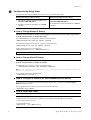
This quick start guide will provide basic configuration for accessing Internet with VigorAccess IVD.
X
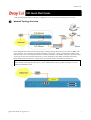
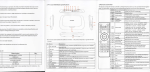
Network Topology Overview
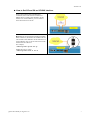
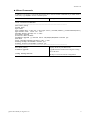
Above diagram shows the basic network topology (example) among master device, slave device, MDF, CPE
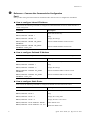
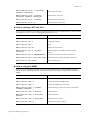
(ATU-R) router, user’s computer, and phone. One thing is important – always set the VPI/VCI value for the
CPE the same as the ones configured in master and slave IVD device. The default setting for VPI/VCI of IVD
is 8/35. By the way, the values for these devices can be changed (yet must match with CPE) if necessary.
Please finish all the connections according to the real situation of the environment for the devices.
Note: A master device connects to Internet through UP-G connector. Yet, a slave device also can work
alone without connecting the master device. For a standalone slave device, please use UP port to access
Internet with Ethernet cable.
Quick Start Guide for VigorAccess
1