1
Handset Registration With Your ClearSounds A50
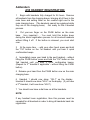
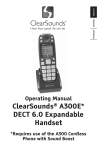
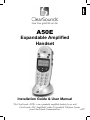
The following steps are for registration of additional handsets (model A50E):
1. Make sure the ClearSounds A50 base unit is connected into the AC outlet and phone
jack. Your ClearSounds A50 handset will show HS-1 (Handset 1) on the LCD.
2. Press and hold the
/PAGE button on the base unit. After 3 seconds, press the
“CH” button on the handset until you get a beep and the display will read HS-2.
3. If you have more than two handsets, press the “CH” button on the handset until you
get a beep and the display reads HS-3. Release the
/PAGE button from the
base.
NOTE: The
procedure.
/PAGE button on the base unit should be kept pressed during the whole
Congratulations! You can now enjoy the benefits of your ClearSounds A50/A50E
Cordless Expandable Amplified Telephone System.
Headset Operation
Your A50E handset is equipped with a 2.5mm headset jack for use with an optional accessory headset for hands-free operation. If you choose to use the headset option, you must
obtain an optional accessory headset, which is compatible with the handset.
Headsets are available at most retail outlets that sell telephone equipment or contact
ClearSounds Communications at 800-965-9043 or visit www.clearsounds.com.
5