1
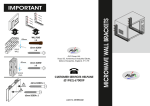
8. Using the screws removed in step #11, aattach the
wall-mounting
mounting hardware to the VESA adapter plate in
the 100x100mm screw hole position and mount on
the wall.
9. Continue with step 5 of the computer setup
instructions above.
Additional detailed instructions and video tutorials can be found on HP’s website if needed:
Installing HP VESA Adapter
ter Plate on HP TouchSmart 99300 series computers:
TouchMD Computer Setup (version December 2012)
Page 10