1
Dominion KX II – Frequently Asked Questions
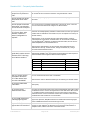
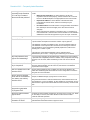
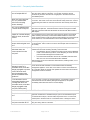
What CIM should I use for a
particular server?
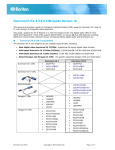
Consult the CIM Guide available with the KX II documentation. Note that DVI,
HDMI and DisplayPort video standards are supported with the new digital video
CIMs, available as of Release 2.5.
How long is the hardware
warranty for the KX II?
The Dominion KX II comes with a standard two-year warranty, which can be
extended to 5 years of warranty coverage.
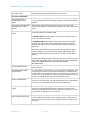
Miscellaneous
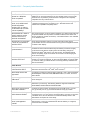
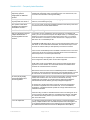
What is Dominion KX II’s
default IP address?
192.168.0.192
What is Dominion KX II’s
default username and
password?
The Dominion KX II’s default username and password are admin/raritan (all
lower case). However, for the highest level of security, the Dominion KX II forces
the administrator to change the Dominion KX II default administrative username
and password when the unit is first booted up.
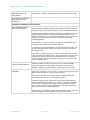
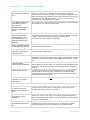
I changed and subsequently
forgot Dominion KX II’s
administrative password;
can you retrieve it for me?
Dominion KX II contains a hardware reset button that can be used to factory
reset the device, which will reset the administrative password on the device to
the default password.
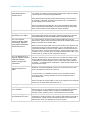
How do I migrate from the
Dominion KX I to Dominion
KX II?
In general, KX I customers can continue to use their existing switches for many
years. As their data centers expand, customers can purchase and use the new
KX II models. Raritan’s centralized management appliance, CommandCenter
Secure Gateway (CC-SG), and the Multiplatform Client (MPC) both support KX I
and KX II switches seamlessly.
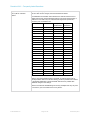
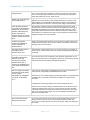
Will my existing KX I CIMs
work with Dominion KX II
switches?
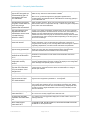
Yes. Existing KX I CIMs will work with the Dominion KX II switch. In addition,
select Paragon CIMs will work with the KX II. This provides an easy migration to
KX II for Paragon I customers who wish to switch to KVM over IP. However, you
may want to consider the D2CIM-VUSB and D2CIM-DVUSB CIMs that support
virtual media and Absolute Mouse Synchronization. Additionally, digital video
CIMs supporting DVI, HDMI, and Display Port are also available.
© 2012 Raritan Inc.
Page 18 of 18
V1098 R6 May 2012