1
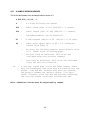
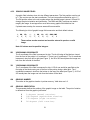
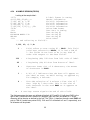
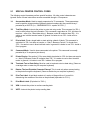
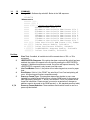
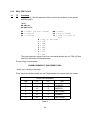
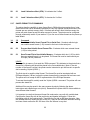
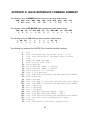
5.3.10 MISCELLANEOUS PRINTER COMMANDS
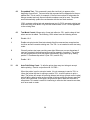
^A
^D
2
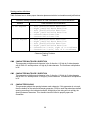
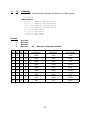
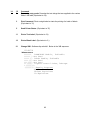
Command
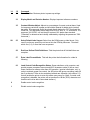
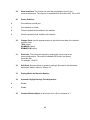
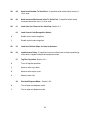
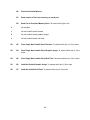
Text string entry mode: Begin text entry mode. This command must be sent
before the printer will accept text or barcode information. (Equivalent to ^B)
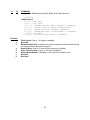
5
Send Printer Status: See section 5.3 (Equivalent to ^E)
29
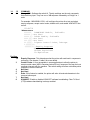
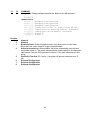
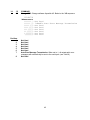
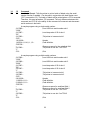
Printer Statistics: ^A selects the mode.
0
Print statistics to serial port
1
Print statistics on a label
2
Clear the printed labels variable in the statistics
3
Clear the printed inches variable in the statistics
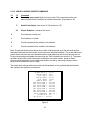
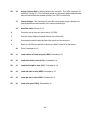
Note: The printed labels counter shows the number of labels printed since the last reset and the
total labels indicates the total number of prints since the manufactured date. The printed labels and
printed inches counters are user resetable while the total labels and total inches counters are not.
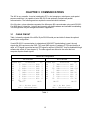
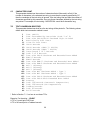
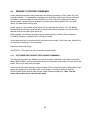
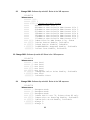
Printed inches and printed labels are reset using the ^D29 command (see section 5.3). The powerup label contains other useful information including the unit serial number, power-on hours,
previous serial parameters (not the default parameters caused by executing creating a status
label), and the software revision number.
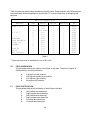
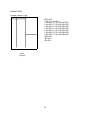
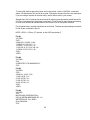
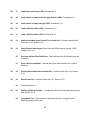
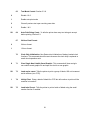
The switch bank settings reflect the contents of the hardware and six software dip switch banks
that configure the operation of the printer.
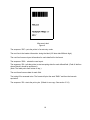
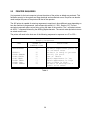
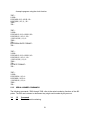
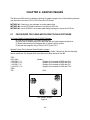
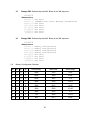
PRINTER SERIAL #: 0-1234
PRINTED LABELS: 83097
TOTAL LABELS: 114937
PRINTED INCHES: 207150
TOTAL INCHES: 341885
POWER ON HOURS: 8353
HARD SWITCH BANK 1: 10100000
SOFT SWITCH BANK 1: 10000001
SOFT SWITCH BANK 2: 01010001
SOFT SWITCH BANK 3: 00000000
SOFT SWITCH BANK 4: 00000000
SOFT SWITCH BANK 5: 00000000
SOFT SWITCH BANK 6: 00000000
SERIAL PARAMETERS: 9600-N-8-1
OPTIONAL RAM: YES
LDS 465 REV 1.0 09/23/93
Status Label
Figure 9
61