1
OPERATION INSTRUCTIONS
Synchronization Process for Savi LED Color Pool and Spa Lights
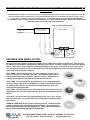
Important Note: A
ll fixtures must be tied into the same transformer, circuit or switch for synchronization
to occur.
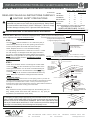
LIGHT SYNCHRONIZATION
urnthelightsonandwaitfor20seconds.Thelightswillfirst comeonwhitefor10-15secondsandthenreturntothe
1. T
color mode it was on prior to being turned off. (If this is the initial installation, the lights will return to whatever mode
they were in when last receiving power).
2. Do not move to the next step until step one is complete.
3. T
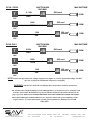
osynchronizelights,turnthelightsoff,wait6-9secondsandthenturnthembackon.Youshouldseethreequick
flashes (red,green&blue),andthenallthelightswillresettothefirst colormode(TreasureIsland).
4. (A) If you do not see three quick flashes then the lights did not reset.
(B) If you did not wait long enough (shorter than 6 seconds) the lights will advance to their next color mode. They are
not synched as each light could be in different color modes.
(C) If you wait too long (longer than the 9 seconds) they all will go to white for 10-15 seconds, looking like they’re
synched BUT AFTER 15 seconds they will return to their previous color mode (which at this point the lights are
still unsynchronized).
5. Repeat step1 - 3 until synchronization is accomplished.
6.
To confirmthelightshavebeensynchronized(TreasureIslandMode)-thebestwayisto:turnthelightsofffor1-2
seconds and turn back on – DO THIS TWICE. All the lights should be in the SAVI BLUE color mode. If they are all
fixedonBLUE–youhavenowsynchronizedyourlights.Ifnot–turnthelightsoffformorethan20seconds–Turn
back on and proceed to Step 1.
OPERATING THE LIGHT
omovetothenextcolormode,Turnthelights offfor1-2secondsandturnbackon.Repeatuntildesiredcolormode
7. T
is found.
Example: If you followed step six and are now on SAVI Blue and want the lights to be White, then the lights must be
turned off and on (7) seven times to bring you to Moonlight White.
1.
2.
3.
4.
5.
6.
7.
8.
9.
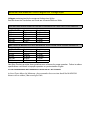
Treasure Island / Slow color change
Moonlight White / Fixed White
SAVI Blue / Fixed Blue
Sargasso Sea / Fixed Green
Blue Lagoon / Fixed Light Blue
Passion Pink / Fixed Magenta
Caribbean Hues / Blue and Green Slow Color Change
Copacabana / Magenta, Yellow and Orange Slow Color Change
Dance party / Multi Color Strobe Effect
8. T
he lights have memory. If the lights are off for 10 seconds or more, the next time the lights are turned on, they will
go to white for approximately 10-15 seconds and then return to the last color mode they were on prior to being turned
off (Step 1 listed above). This function allows you to keep your lights returning to your favorite color mode every time
the lights are turned back on.
If you have internet access, please go to www.nextstepproduct.com/SAVI/support.html and click on the link under USER
GUIDES that says “synchronous process” for a video that demonstrates how this process works.
A Division of Next Step Products
9400 SOUTHRIDGE PARK COURT SUITE 200 ORLANDO, FLORIDA 32819 USA
Tel: 407.855.5630 Fax: 407.210.8679 nextstepproduct.com