1
Table of Contents
Section I Windows®
1
Printing
Using the printer driver ............................................................................................1-1
Printing a document.................................................................................................1-1
Manual Duplex Printing ......................................................................................1-2
Simultaneous scanning, printing and faxing ............................................................1-2
Printer operation key ...............................................................................................1-2
Job Cancel .........................................................................................................1-2
Secure Print key .................................................................................................1-3
Test Print ............................................................................................................1-4
Restoring default printer settings........................................................................1-4
Calibration ..........................................................................................................1-5
Status Monitor .........................................................................................................1-6
Turning on the status monitor.............................................................................1-6
Monitoring and viewing the machine’s status.....................................................1-6
Printer driver settings...............................................................................................1-7
Accessing the printer driver settings........................................................................1-7
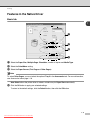
Features in the Native Driver...................................................................................1-8
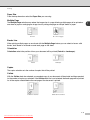
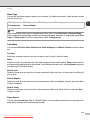
Basic tab.............................................................................................................1-8
Advanced tab ...................................................................................................1-11
Print Quality......................................................................................................1-12
Duplex ..............................................................................................................1-13
Watermark........................................................................................................1-14
Page Setting.....................................................................................................1-15
Device Options .................................................................................................1-15
Accessories tab ................................................................................................1-19
2
Scanning
Scanning a document using the TWAIN driver........................................................2-1
TWAIN compliant ...............................................................................................2-1
Access the Scanner ...........................................................................................2-2
Scanning a document into the PC......................................................................2-3
Settings in the Scanner window .........................................................................2-5
Scanning a document using the WIA driver (For Windows® XP only).....................2-8
WIA compliant ....................................................................................................2-8
Accessing the scanner .......................................................................................2-8
Scanning a document into the PC......................................................................2-9
i
Downloaded from ManualsPrinter.com Manuals