1
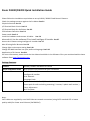
Zavio D3100/D3200 Quick Installation Guide
Please follow the installation steps below to set up D3100 / D3200 Fixed Dome IP Camera.
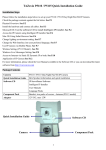
Check the package contents against the list below. See P.1
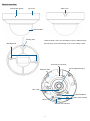
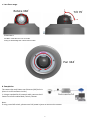
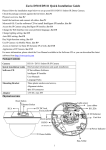
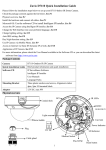
Physical overview. See P.2
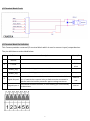
I/O Terminal Block Circuit. See P.3
I/O Terminal Block Pin Definition. See P.3
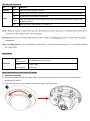
LED Indicator Definition. See P.4
Power mode. See P.4
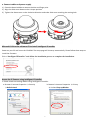
Install the hardware and connect all cables. See P.4
Microsoft OS: Use the software CD to install Intelligent IP Installer. See P.7
Access the IP Camera using Intelligent IP Installer. See P.7
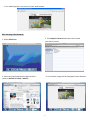
Mac OS using Safari Browser. See P.9
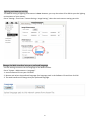
Change light environment setting. See P.10
Change the Web Interface into your preferred language. See P.10
Application of IP Camera. See P.11
For more information, please check the User Manual available in the Software CD or you can download the latest
software from http://www.zavio.com
Package Contents
Camera
D3100 / D3200 Fixed Dome IP Camera
Quick Installation Guide
Brief product information and quick installation
Software CD
IP Surveillance Software
Intelligent IP Installer
User Manuals
Language Packs
Accessory
6 pin terminal cable for DI/DO and audio
Screw pack for wall and ceiling mounting ( 2 screws, 2 plastic wall anchors )
Focus Adjustment
Drill Template
Note:
CAT5 cables are supplied by user. RJ45 Ethernet network connection (using CAT5 standard UTP or better
quality cable) for Power over Ethernet (PoE 802.3af)
1