1
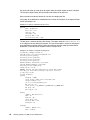
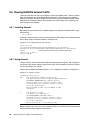
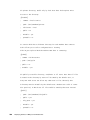
write list = @users
read only = No
[printers]
comment = All Printers
path = /var/spool/lpd
printable = Yes
browseable = No
[public]
path = /home/public
write list = root
read only = No
directory mask = 0777
force directory mode = 075
[Samba Docs]
comment = Samba Documentation
path = /usr/share/doc/samba-2.2.7/docs
5.3 Closing connections
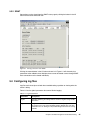
Closing SMB client connections can either be done from the command line or through SWAT.
5.3.1 Command line
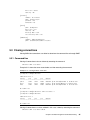
Closing all connections to shares is done by executing the command:
smbcontrol smbd close-share *
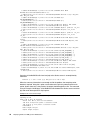
Example 5-11 shows the server status before and after executing the command.
Example 5-11 Closing all share connections
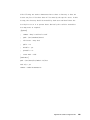
[root@portal1 samba]# smbstatus
Samba version 2.2.7
Service
uid
gid
pid
machine
---------------------------------------------public
eburt
eburt
25360 m23bzzkv (9.24.104.164) Mon Nov 11 15:46:05 2002
mojoe
mojoe
mojoe
25694 portal1 (9.24.105.99) Mon Nov 11 15:43:37 2002
IPC$
eburt
eburt
25360 m23bzzkv (9.24.104.164) Mon Nov 11 15:21:58 2002
No locked files
[root@portal1 samba]# smbcontrol smbd close-share '*'
[root@portal1 samba]# smbstatus
Samba version 2.2.7
Service
uid
gid
pid
machine
---------------------------------------------No locked files
Closing all connections to a share, redbook in this case, is done by executing the command:
smbcontrol smbd close-share redbook
Chapter 5. Samba management and troubleshooting
85