1
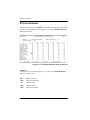
Chapter 8. Dial Backup Configuration
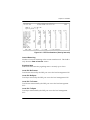
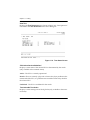
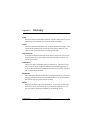
DBU Password
Enter the authentication string used for making a dial backup connection.
The near and far end IQ devices must have identical DBU passwords. If
using front panel entry, see the section Using the Front Panel on page 9-6
for more information.
Daily Lockout
Enable this field to disable dial backup during a certain time period each
day. The time period is specified in the LOCKOUT START and LOCKOUT END
fields.
Lockout Start
Enter the hour that the daily lockout begins and dial backup is disabled (0
to 23). This setting only applies if the DAILY LOCKOUT parameter is enabled.
Lockout End
Enter the hour that the daily lockout ends and dial backup is reactivated
(0 to 23). This setting only applies if the DAILY LOCKOUT parameter is enabled.
Weekend Lock
If enabled, no backup will occur from midnight Friday to midnight Sunday.
DBU Criteria
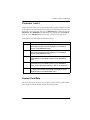
With Carrier Detect Loss (WITH DCD LOSS)
When enabled, the IQ Probe enters backup mode when a loss of carrier detect signal is detected on the DCE port. The factory default setting is ENABLE.
With No LMI
When enabled, the IQ Probe enters backup mode when a loss of signaling
from the frame relay switch is detected. The default setting is ENABLE.
With PVC Inactive
This option works in conjunction with the DBU ON INACTIVE option in the
PVC configuration table. The WITH PVC INACTIVE option acts as a master
switch for Auto DBU operation based on the PVC state.
61200214L1-20
IQ Probe User Manual
8-5