1
Chapter 12. Activating Dialing Functions
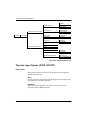
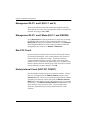
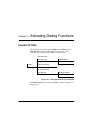
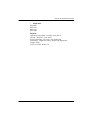
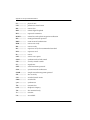
Dial Backup Idle
DIAL BACKUP
ENTER DIAL #
4 DIAL
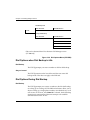
During Dial Backup
DIAL BACKUP
ENTER DIAL #
HANG UP PHONE #
HANG UP SITE#*
HANG UP ALL CALLS
TURN OFF BEEP
*This can be obtained from View Statistics Call Manager screen
(VT-100 only)
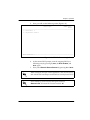
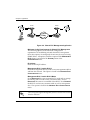
Figure 12-2. Dial Options Menu (PRI DBU)
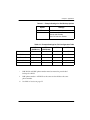
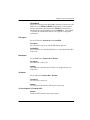
Dial Options when Dial Backup is Idle
Dial Backup
The TSU IQ prompts you enter a number to dial for dial backup.
Stay on Leased
The TSU IQ remains on the leased line and does not enter dial
backup mode. This does not apply to the PRI card.
Dial Options During Dial Backup
Dial Backup
The TSU IQ prompts you to enter a number to dial for dial backup,
or to hang up an existing call. The PRI card selections allow you to
choose to hang up a single phone number, an individual site, or all
calls at once. In all cases, once HANG UP is selected, the dial backup
connection is terminated and the unit attempts to re-establish
communication on the T1 line.
12-2
TSU IQ User Manual
61200215L1-1