1
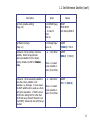
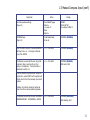
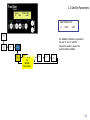
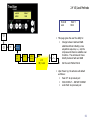
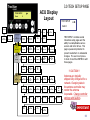
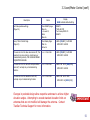
1.2 Select Data Satellite (con’t)
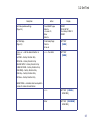
Description
Action
Display
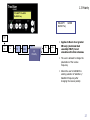
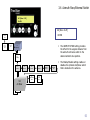
Set Code (enables editing)
(Page 3.0)
From READY page
Main 2x
+ to code 13,
Enter
Main 2x
READY
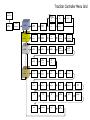
TECH SETUP
Tech Setup CODE 13
Set Satellite Page
(Page 1.2)
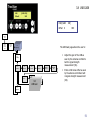
From Ready Page:
Arrow 2x
SELECT DATA [SatA]
A XXX.X B XXX.X
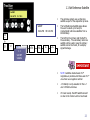
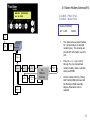
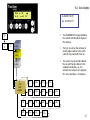
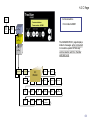
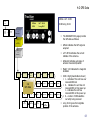
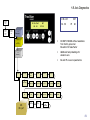
When SatA is flashing, the antenna will acquire
SatA. The orbital position for SatA is shown on the
bottom row as well as on the READY page. Press
ENTER to select SatA, or press + to change to
SatB , then press ENTER.
+ or – to [SAT A] or [SAT B]
SELECT DATA [SatA]
A XXX.X B XXX.X
SELECT DATA [SAT A]
[A XXX.X] B XXX.X
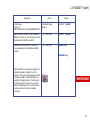
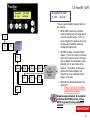
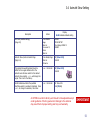
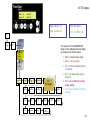
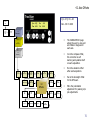
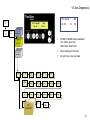
Now the orbital position for SatA is flashing and
the user can input the desired orbital position in
degrees longitude. Press + or - until the desired
value is reached then ENTER.
+ or – to Data Sat Long
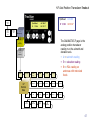
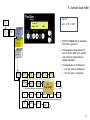
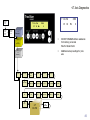
Now the orbital position for SatB is flashing and
the user can input the desired orbital position in
degrees longitude. Press + or - until the desired
value is reached then ENTER.
ENTER
ENTER
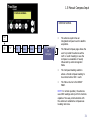
SELECT DATA [SatA]
A XXX.X B XXX.X
SELECT DATA SAT A
A XXX.X [B XXX.X]
+ or – then Enter
SELECT DATA SatA
A XXX.X [B XXX.X]
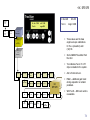
Main
READY
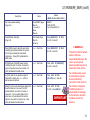
NOTE: Satellites west of 0° longitude
must be entered as positive values;
satellites east of 0° longitude must be
entered as negative values.
26