1
Useful Features
Playback
4
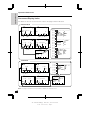
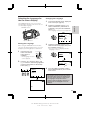
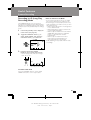
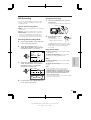
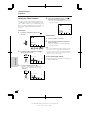
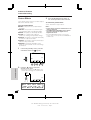
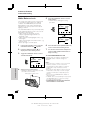
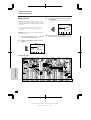
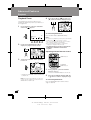
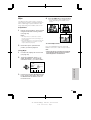
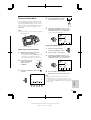
Using the Tape Counter
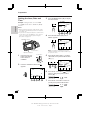
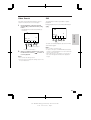
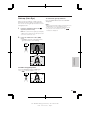
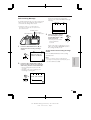
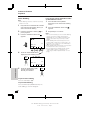
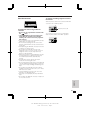
Press the CONTROL switch until
appears, then begin playback.
• You can check the playback time with
the tape counter.
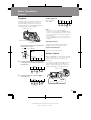
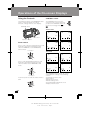
The tape counter shows elapsed playback or
recording time in hours, minutes and seconds.
(The counter continues to count internally even
while it is not being displayed.) This feature can
be set and used in both VCR and Camera
modes.
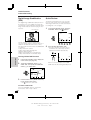
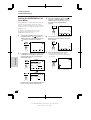
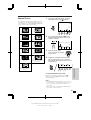
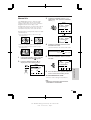
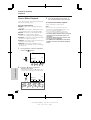
VCR mode
1
AUD I O 1 + 2
0 00 02
PLAY/
REW S T I L L F F
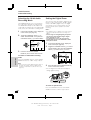
Press the CONTROL switch until
appears.
SP
ST OP
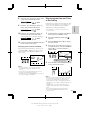
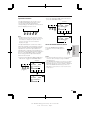
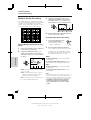
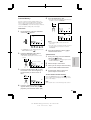
Camera mode
SP
AUD I O 1 + 2
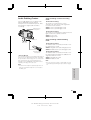
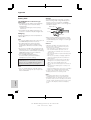
Press the TIME CODE button (
display the time code.
) to
T IME
CODE
Useful Features
2
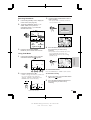
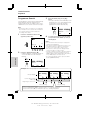
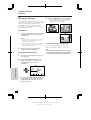
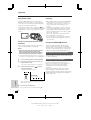
Press the REC START/STOP button to
begin recording.
AUD I O 1 + 2
TC0 05 35
GAMA T IME MEM- RE PB
CODE ORY SE T
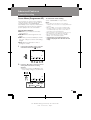
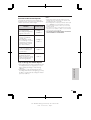
Note:
• The counter reading may differ slightly from the
actual time. This is especially noticeable when
the tape has been rewound or fast forwarded a
number of times, in which case there can be a
difference of several seconds.
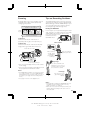
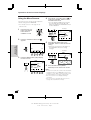
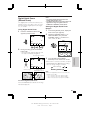
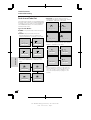
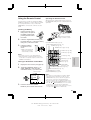
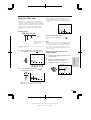
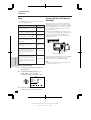
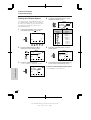
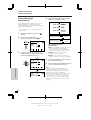
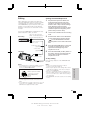
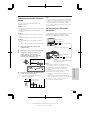
To turn off the tape counter
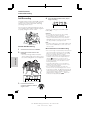
Time code
3
Perform steps 1 to 3 above.
• You can check the recording time with
the tape counter.
GAMA T IME
PB
CODE
2
1
SP
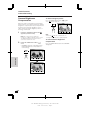
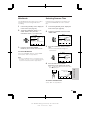
Perform step 1 above for VCR mode, and press
the TIME CODE button.
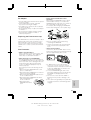
Press the RESET button (A).
• The time code display changes to the
tape counter display, which is set to
“0:00:00”.
RE SET
Tape counter
AUD I O 1 + 2
0 00 00
GAMA T IME MEM- RE PB
CODE ORY SE T
SP
45
VL-SD20S-GB/pp. 042-047; 99/7/28/18:00
G. K . A s s o c i a t e s , To k y o