1
5.5
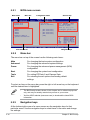
Power menu
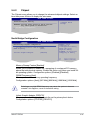
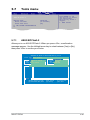
The Power menu items allow you to change the settings for the Advanced
Configuration and Power Interface (ACPI) and the Advanced Power Management
(APM). Select an item then press <Enter> to display the configuration options.
Suspend Mode
Rspost Video on S3 Resume
ACPI 2.0 Support
ACPI APIC support
[Auto]
[No]
[Disabled]
[Enabled]
Select the ACPI state
used for System
Suspend.
APM Configuration
Hardware Monitor
5.5.1
Suspend Mode [Auto]
Allows you to select the Advanced Configuration and Power Interface (ACPI) state
to be used for system suspend. Configuration options: [S1 (POS) Only] [S3 Only]
[Auto]
[S1(POS) Only] - Enables the system to enter the ACPI S1 (Power on Suspend) sleep state. In S1 sleep state, the system appears suspended and stays in a low power mode. The system can be resumed at any time.
[S3 Only] - Enables the system to enter the ACPI S3 (Suspend to RAM) sleep state (default). In S3 sleep state, the system appears to be off and consumes less power than in the S1 state. When signaled by a
wake-up device or event, the system resumes to its working state
exactly where it was left off.
[Auto] - Detected by OS.
5.5.2
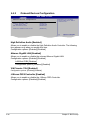
Repost Video on S3 Resume [No]
Allows you to decide whether to invoke VGA BIOS post on S3/STR resume.
Configuration 0ptions: [No] [Yes]
5.5.3
ACPI 2.0 Support [Disabled]
Allows you to add more tables for Advanced Configuration as per ACPI 2.0
specifications. Configuration options: [Disabled] [Enabled]
ASUS T-P5P43
5-25