1
Chapter 5: Creating & Editing Awards & Stickers
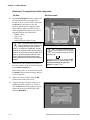
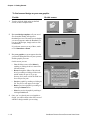
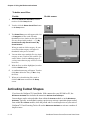
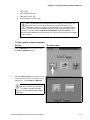
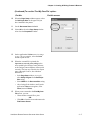
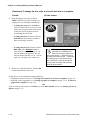
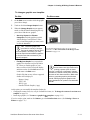
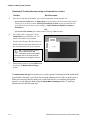
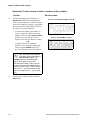
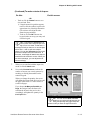
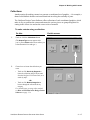
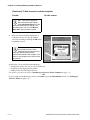
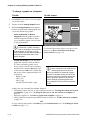
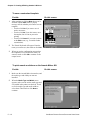
(Continued) To change the font, style, or size of a text item on a template:
Do this:
3.
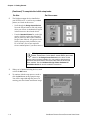
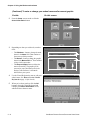
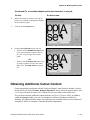
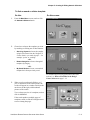
Make the changes you wish, as follows.
(Whenever you make a change, the template
preview will be updated immediately.)
• To change the text font: On the Font list,
touch or click the font you want to use. Font
names in the list appear in the actual typeface
of their font. Use the up/down arrows to
scroll through the entire list of fonts.
• To change the text size: Touch or click the
Font Size plus (+) or minus (-) buttons to
make the text larger or smaller.
• To change the text style: Touch or click the
Bold, Italic, and/or Underline buttons to
create the style you want. The style is “on”
when the button looks pushed in, and “off”
when the button looks like it’s “up.” You can
apply any or all styles to the text.
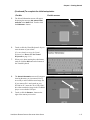
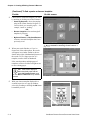
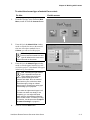
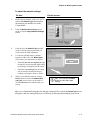
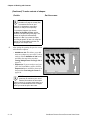
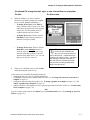
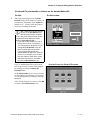
4.
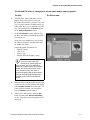
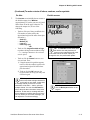
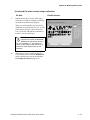
On this screen:
TIP: If your template contains
more than one modifiable text
item, you can select another text
item on this screen — without having to
go back to an earlier screen — and make
any changes to the font of that text as
well. Just touch or click the text whose
font you wish to modify, and follow the
steps of this procedure.
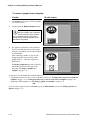
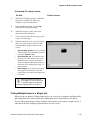
When you’ve finished, touch or click the OK
button at the bottom of the screen.
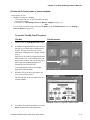
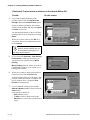
At this point, you can modify the template further by:
• Changing the font, size, or style of another editable text
• Changing the content of this or another editable text item (see To change the content of a text item on a
template: on page 5-5)
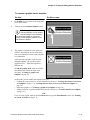
• Changing or removing replaceable graphics (see To change a graphic on a template: on page 5-8, or To
remove a graphic from a template: on page 5-9)
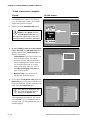
• Adding a name list, if the template uses one, to generated personalized awards or stickers (see To add a name
list to a template: on page 5-10)
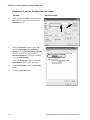
-ORIf you’re ready to print, touch or click Next to go to the Print Preview screen. (See Printing an Award or
Sticker on page 5-11.)
VARIQUEST DESIGN CENTER SOFTWARE USER GUIDE
5–7