1
StudioDock 3i and 4i Quick Start - iPod Playback
Your StudioDock system has many sophisticated features, but if you just want to playback music from your iPod, you can follow the simple steps below to get started.
•Unpack the StudioDock system components and included cables. Be sure to save
the packaging in case you ever move or need to send the units for service.
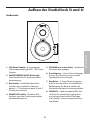
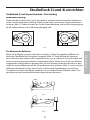
•Set the Studiodock monitors in place near your computer or multi media center. The
active speaker (the one with the front panel volume knob and jacks) is the right side
speaker and the passive speaker (no knobs and jacks) is the left speaker.
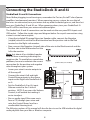
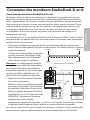
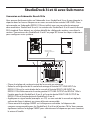
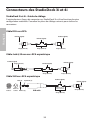
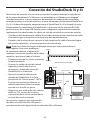
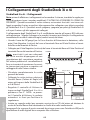
•Locate the included speaker wire and
make the connection from the active
speaker to the passive speaker. Be sure
to check the color code on the wire to
insure the proper phase (polarity). For
more information, see the sections
" StudioDock 3i and 4i Connections"
on page 8 and "StudioDock 3i and 4i
Wiring Guide" on page 15 in this manual.
iPod
Speaker Cable
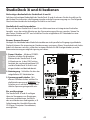
•Check that the rear panel POWER
switch is set to the off position. Then,
plug the supplied power cable into the rear panel inlet, but don’t turn the unit on
just yet.
•If your iPod came with a dock adapter (most do) install it into the iPod dock on top
of the active speaker.
•Next, install your iPod into the StudioDock. Be sure the iPod is seated all the way in
and that it's making a good connection in the dock.
•Now power on your StudioDock system using the rear panel POWER switch but
keep the volume down to start.
•Now press play on you favorite iPod tune and adjust the StudioDock’s front panel
volume control until your reach a comfortable listening level.
For more information, see the section " Operating the StudioDock 3i and 4i" on page 12 in
this manual.
ENGLISH
StudioDock 3i and 4i Quick Start