1
Contents
Audio interface manual
Contents . . . . . . . . . . . . . . . . . . . . . . . . . . . . . . . . . . . 2
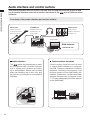
Audio interface and control surface . . . . . . . . . . . . . . . . . . . . 4
Cubase LE Installation overview . . . . . . . . . . . . . . . . . . . . . . 6
Audio interface . . . . . . . . . . . . . . . . . . . . . . . . . . . . . . . . . . . . . . . . 6
Control surface . . . . . . . . . . . . . . . . . . . . . . . . . . . . . . . . . . . . . . . . 6
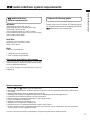
R8 audio interface system requirements . . . . . . . . . . . . . . . . . . 7
Cubase LE Startup Guide . . . . . . . . . . . . . . . . . . . . . . . . . . . . . . . . . . . 7
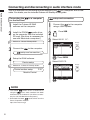
Connecting and disconnecting in audio interface mode . . . . . . . . . . 8
Connecting the R8 to a computer for the first time . . . . . . . . . . . . . . . . . . . . . . . 8
R8 setup and connection . . . . . . . . . . . . . . . . . . . . . . . . . . . . . . . . . . . 8
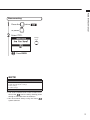
Disconnecting . . . . . . . . . . . . . . . . . . . . . . . . . . . . . . . . . . . . . . . . . 9
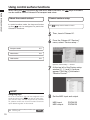
Using control surface functions . . . . . . . . . . . . . . . . . . . . . . 10
About the control surface . . . . . . . . . . . . . . . . . . . . . . . . . . . . . . . . . . 10
Control surface setup . . . . . . . . . . . . . . . . . . . . . . . . . . . . . . . . . . . . 10
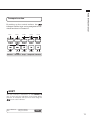
Transport section . . . . . . . . . . . . . . . . . . . . . . . . . . . . . . . . . . . . . . 11
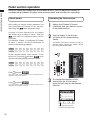
Fader section operation . . . . . . . . . . . . . . . . . . . . . . . . . . 12
About banks . . . . . . . . . . . . . . . . . . . . . . . . . . . . . . . . . . . . . . . . . 12
Operating the fader section . . . . . . . . . . . . . . . . . . . . . . . . . . . . . . . . . . 12
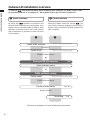
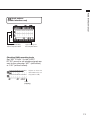
R8 level meters (Audio interface use) . . . . . . . . . . . . . . . . . . . . . . . . . . . . . 13
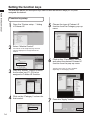
Setting the function keys . . . . . . . . . . . . . . . . . . . . . . . . . . 14
Function key setup . . . . . . . . . . . . . . . . . . . . . . . . . . . . . . . . . . . . . . 14
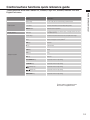
Control surface functions quick reference guide . . . . . . . . . . . . . . 15
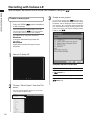
Recording with Cubase LE . . . . . . . . . . . . . . . . . . . . . . . . . 16
Create a new project . . . . . . . . . . . . . . . . . . . . . . . . . . . . . . . . . . . . . 16
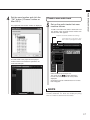
Create a new audio track . . . . . . . . . . . . . . . . . . . . . . . . . . . . . . . . . . . 17
Connect an instrument . . . . . . . . . . . . . . . . . . . . . . . . . . . . . . . . . . . . 18
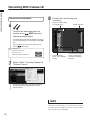
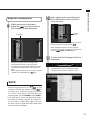
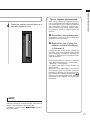
Adjust the recording level . . . . . . . . . . . . . . . . . . . . . . . . . . . . . . . . . . . 19
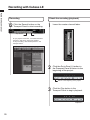
Recording . . . . . . . . . . . . . . . . . . . . . . . . . . . . . . . . . . . . . . . . . . 20
Check the recording (playback) . . . . . . . . . . . . . . . . . . . . . . . . . . . . . . . . 20
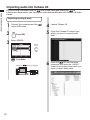
Importing audio into Cubase LE . . . . . . . . . . . . . . . . . . . . . . 22
Importing by drag & drop . . . . . . . . . . . . . . . . . . . . . . . . . . . . . . . . . . . 22
Using the “Import” command . . . . . . . . . . . . . . . . . . . . . . . . . . . . . . . . . 24
2




![[PDF:4.2MB]](http://vs1.manualzilla.com/store/data/005828831_1-fe8cebe621cde38b99682d8c012568df-150x150.png)