1
Downloading MP3 Files from the Internet
Visiosonic has teamed up with www.therecordpool.com web
site to bring you New Unreleased music directly from the hands of
Record Labels in MP3 format or WMA format. You should have
received an email with a free trial membership to The Record Pool
when you registered PCDJ software to obtain your unlock code.
STEP 1. If you have Internet access, open your web
browser and type www.therecordpool.com in the “Address” box
at the top of the screen and press the “Enter” key on your
keyboard. Once you have registered for your free trial of the
record pool, and loged in. The Record Pool web page
comes up, you will see that there are many ways of sorting
to find the type of music you’re looking for.
STEP 2. In the “choose music category” area, click on the
“down arrow” of the dialog box and click on the kind of music
you like. You will find featured artists that are set up for
downloading.
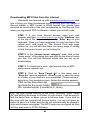
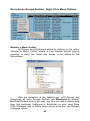
STEP 3. To download a track, right mouse click on MP3
and a menu expands out.
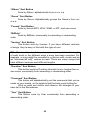
STEP 4. Click on “Save Target As” in this menu and a
“Save As” window expands, allowing you to save the song
to a folder of your choice in your computer. (There can be a
lag in time - five seconds or more - before this window appears).
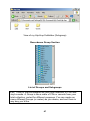
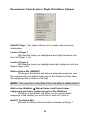
Click on the drop down list
And look for the music folder
We created earlier (Located in C: drive).
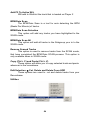
FYI: By right mouse clicking on the song, choosing “Save Target
As” and saving the songs to a folder of your choice, it will be easy to
find the tracks later on when you go to retrieve them. If you click on
the song with the (normal) left mouse button, you are not given an
option to save to a folder, and the file will automatically be played in
your web browser encrypted. The MP3 tracks are encrypted so they
will only play back in PCDJ Software.
44