1
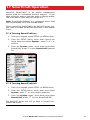
3-2 Chart window
To go to the Chart window
> Chart
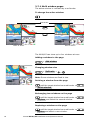
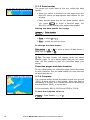
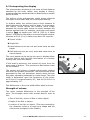
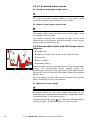
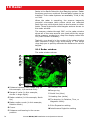
A typical chart window shows:
A
B
K
C
F
D
I
F
J
E
H
G
AData header. To turn the data off or on or to change
what data is shown
BCompass
CChart scale
DBoat position
EBoat track
FBoat course and CDI lines
!
CAUTION
!
WARNING
The built-in world chart
DANGER
does not
show enough
detail for navigation. When
you use
the NX40/45 to
CAUTION
navigate, always use a
chart card which covers
the region.
GDistance and bearing of cursor from boat
HLand
I Sea
J The cursor
KA typical waypoint
Simrad NX40/45 Installation and Operation Manual
21