1
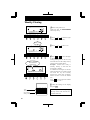
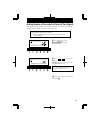
Setting the Pay Period
• The closing date is factory-set at the end of a month (31st).
• The PAY ENDING button stays lit up during its setting operation.
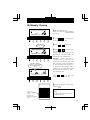
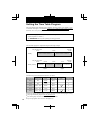
Monthly Closing
Card type
00 Monthly closing
01 Weekly closing
02 Bi-weeky closing
Closing date
12Hr.
SU
MO TU
WE
TH
FR
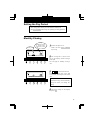
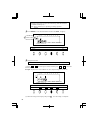
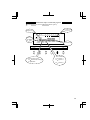
1 Remove the panel cover.
Make sure that PAY ENDING
stays lit up.
SA
1/60
1/100
YEAR MONTH
RED/BLK. EX.ALM
PAY ENDING
DAY
COL.
HOUR
DATE/TIME DAY ADV.TIME
MINUTE
D.S.T
SECOND/CARD
PROGRAM
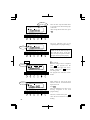
2 The closing date is shown at the
EXT.ALARM
SELECT
SET
12Hr.
SU
MO TU
WE
TH
FR
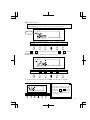
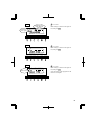
3
or
to select date desired.
Example: If closing date is the 20th
every month, set the digits on the left at
"20".
SA
1/60
1/100
YEAR MONTH
RED/BLK. EX.ALM
PAY ENDING
SELECT
DATE/TIME
DAY
COL.
DAY ADV.TIME
HOUR
MINUTE
D.S.T
SECOND/CARD
PROGRAM
left on the display, and the card type
at the right.
The card type for monthly closing is
"00".
EXT.ALARM
SET
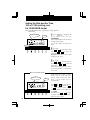
Always select the 31st in the case of
month-end closing, which is normally
factory-set unless you change the
setting.
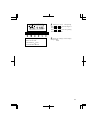
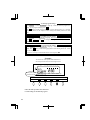
4 Check the settings on the display
and press SET .
9