1
Installing the VoIP V2 Speaker 57
Configure the Speaker Parameters
Autoprovisioned
Audio Files
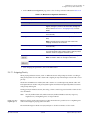
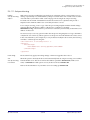
Audio files are stored in non-volatile memory and an autoprovisioned audio file will only have to be
downloaded once for each device. Loading many audio files to the device from the web page could
cause it to appear unresponsive. If this happens, wait until the transfer is complete and then refresh
the page.
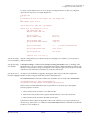
The device uses the file name to determine when to download a new audio file. This means that if
you used autoprovisioning to upload a file and then changed the contents of this file at the TFTP
server, the device will not recognize that the file has changed (because the file name is the same).
Since audio files are stored in non-volatile memory, if autoprovisioning is disabled after they have
been loaded to the board, the audio file settings will not change. You can force a change to the audio
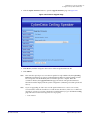
files on the board by clicking Restore Default on the Audio Configuration page or by changing the
autoprovisioning file with “default” set as the file name.
Operations Guide
930274I
CyberData Corporation