1
FOXTEL_F120_New_RDN-2310708:FOXTEL_PVR_opmaak
31-07-2008
Introduction
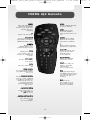
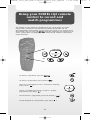
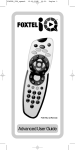
The FOXTEL iQ2 Remote will enable you to:
1. Operate your FOXTEL iQ2 Service
2. Control the main functions of your television
3. Control other pieces of audio/visual equipment connected to your
FOXTEL Service
This Advanced User Guide will provide you with easy-to-understand
instructions on how to use the FOXTEL iQ2 Remote to control your
television/audio/visual device by inputting Device Codes into the
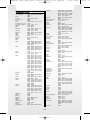
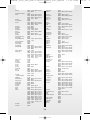
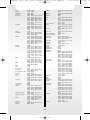
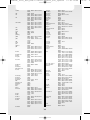
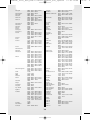
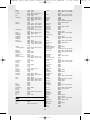
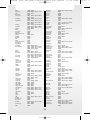
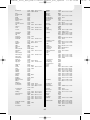
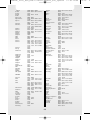
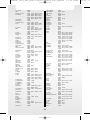
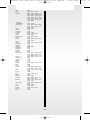
FOXTEL iQ2 Remote. These codes are provided in the back of this Guide. This
will enable the FOXTEL iQ2 Remote to control almost any device!
If your device brand is not included or you are having difficulty
entering the codes, you can "learn" the code into the FOXTEL iQ2 Remote.
Note: For information on using the FOXTEL iQ2 Remote to operate the FOXTEL
Service, refer to the "FOXTEL iQ2 Guide” which is available from
www.foxtel.com.au.
Batteries
The FOXTEL iQ2 Remote requires 2 new AA (LR6, UM3) alkaline batteries, when
the batteries need replacing a message will appear on the FOXTEL Service and a
battery low symbol will be in the i-Search banner.
To change the batteries:
1.
Remove the battery cover by pushing back the catch at the bottom of the
iQ2 Remote and then lift off the cover.
2.
Remove the old batteries
3.
Install two fresh AA (LR6, UM3) alkaline batteries as indicated by the
illustration in the battery compartment. Be sure to match the + and –
marks on the batteries to their respective marks inside the battery
compartment.
4.
Replace the battery cover by inserting the tabs at the top of the battery
cover first, then pushing the cover into place.
• Do not leave flat batteries in your FOXTEL iQ2 Remote.
• Do not mix different battery types, e.g. Alkaline and Manganese.
• Do not mix old and new batteries – replace both batteries at the same time
• Dispose of flat batteries in an environmentally-friendly way
3
16:15
P