1
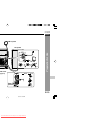
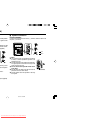
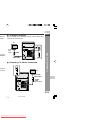
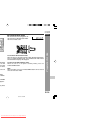
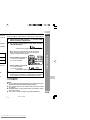
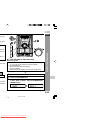
CD-DV650W
DVD MINI
SYSTEM
CD-DV650
MIC
LEVEL
2
MIC
1
MIN
MAX
CD-DV850W
DVD MINI
SYSTEM
CD-DV850
MIC
LEVEL
2
MIC
1
MIN
MAX
72
72
72
SHARP CORPORATION
4/2/07, 6:38 PM
Downloaded From Disc-Player.com Sharp Manuals
ENGLISH
transmission,
hether or not
prohibited by
chnology that
the contents
he contents of
rotection code
WARNINGS:
I When the ON/STAND-BY button is set at STAND-BY position,
mains voltage is still present inside the unit. When the ON/STANDBY button is set at STAND-BY position, the unit may be brought
into operation by the timer mode or remote control.
I This unit contains no user serviceable parts. Never remove covers
unless qualified to do so. This unit contains dangerous voltages,
always remove mains plug from the wall socket before any service
operation and when not in use for a long period.
I To prevent fire or shock hazard, do not expose this appliance to
dripping or splashing. No objects filled with liquids, such as vases,
shall be placed on the apparatus.
I Do not turn the volume on to full at switch on and listen to music at
moderate levels. Excessive sound pressure from earphones and
headphones can cause hearing loss.
CAUTION:
I This product is classified as a CLASS 1 LASER product.
I Use of controls, adjustments or performance of procedures other
than those specified herein may result in hazardous radiation
exposure.
nology that is
nts and other
rporation and
be authorised
me and other
uthorised by
As the laser beam used in this DVD player is harmful to the eyes,
do not attempt to disassemble the cabinet. Refer servicing to
qualified personnel only.
Laser Diode Properties
Material: AIGaAs/InGaAIP
Wavelength: 790 nm/650 nm
Emission Duration: continuous
Laser Output: max. 0.69 mW
CAUTION: VISIBLE AND INVISIBLE LASER RADIATION WHEN
OPEN. DO NOT STARE INTO BEAM OR VIEW DIRECTLY WITH
OPTICAL INSTRUMENTS.
WARNUNG: SICHTBARE UND UNSICHTBARE LASERSTRAHLUNG
WENN GERÄT GEÖFFNET. NICHT IN DIE STRAHLUNG SCHAUEN
ODER DIREKT MIT OPTISCHEN HILFSMITTELN BETRACHTEN.
ATTENTION: RAYONS LASER VISIBLE ET INVISIBLE EN CAS
D'OUVERTURE. NE PAS REGARDER LE FAISCEAU DIRECTEMENT
OU AVEC DES INSTRUMENTS OPTIQUES.
gital Theater
s. “Dolby” and
oratories.
Note:
Audio-visual material may consist of copyrighted works which must
not be recorded without the authority of the owner of the copyright.
Please refer to the relevant laws in your country.
3/21/07, 2:38 PM
Downloaded From Disc-Player.com Sharp Manuals
CD-DV650W
CD-DV850W
Accessories
ase read
r SHARP
ENGLISH
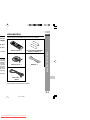
Please confirm that the following accessories are included.
0W (Main
he model
y any right
enerating
istribution
a Internet,
g content
ations and
act discs,
mory cards
uired. For
Remote control × 1
“AA” size battery (UM/SUM-3,
R6, HP-7 or similar) × 2
AM loop aerial × 1
FM aerial × 1
Important Instruction
0W (Main
raunhofer
Video cable × 1
(Yellow)
Note:
Only the above accessories are included.
E-2
3/7/07, 7:18 PM
Downloaded From Disc-Player.com Sharp Manuals
Page
..................... 4
............... 5 - 9
........... 10 - 14
................... 15
H Disc Playback
Page
Video CD ................................................................................ 41
Preparation for video CD playback ..................................... 41
Video CD playback ....................................................... 42 - 43
CD playback .................................................................. 44 - 47
MP3/WMA and JPEG disc ............................................ 48 - 49
H Karaoke
Playing karaoke ............................................................ 50 - 51
................... 16
................... 17
H Radio
Listening to the radio ................................................... 52 - 53
........... 18 - 19
................... 20
H Tape Playback
........... 21 - 23
........... 24 - 25
................... 25
........... 26 - 27
................... 28
........... 29 - 30
H Tape Recording
................... 31
........... 32 - 33
Listening to a cassette tape (TAPE 1) ................................. 54
Listening to a cassette tape (TAPE 2) ......................... 55 - 56
Recording to a cassette tape ....................................... 56 - 61
H Advanced Features
Timer and sleep operation ........................................... 62 - 65
Enhancing your system ............................................... 66 - 67
H References
Troubleshooting chart .................................................. 68 - 69
Maintenance .......................................................................... 70
Specifications ............................................................... 70 - 72
........... 34 - 37
................... 38
................... 39
................... 40
................... 40
3/8/07, 6:34 PM
Downloaded From Disc-Player.com Sharp Manuals
CD-DV650W
CD-DV850W
ventilated
ee space
Warning:
The voltage used must be the same as that specified on this unit.
Using this product with a higher voltage other than that which is
specified is dangerous and may result in a fire or other type of accident
causing damage. SHARP will not be held responsible for any damage
resulting from use of this unit with a voltage other than that which is
specified.
ENGLISH
10 cm (4")
etic fields,
ent (home
oise.
gher than
AC power
ck in, and
.
t from the
res.
all always
n electric
P service
ventilation
, curtains,
The sound level at a given volume setting depends on speaker
efficiency, location and various other factors. It is advisable to avoid
exposure to high volume levels. Do not turn the volume on to full at
switch on and listen to music at moderate levels. Excessive sound
pressure from earphones and headphones can cause hearing loss.
H Care of DVD/Video CD/CD discs
DVD/Video CD/CD discs are fairly resistant to damage, however
mistracking can occur due to an accumulation of dirt on the disc
surface. Follow the guidelines below for maximum enjoyment from
your DVD/Video CD/CD collection and player.
I Do not write on either side of the disc, particularly the non-label
side from which signals are read. Do not mark this surface.
I Keep your discs away from direct sunlight, heat, and excessive
moisture.
I Always hold the DVD/Video CD/CDs by the edges. Fingerprints,
dirt, or water on the DVD/Video CD/CDs can cause noise or
mistracking. If a DVD/Video CD/CD is dirty or does not play
properly, clean it with a soft, dry cloth, wiping straight out from the
centre, along the radius.
NO
General Information
H Volume control
YES
CORRECT
be placed
of battery
e climate.
C - 35°C
E-4
3/8/07, 6:34 PM
Downloaded From Disc-Player.com Sharp Manuals
H Front panel
Reference page
13
14
15
16
17
18
19
20
21
22
23
24
25
28
29
1.
2.
3.
4.
5.
6.
7.
8.
9.
10.
11.
12.
13.
14.
15.
16.
17.
18.
19.
20.
21.
22.
23.
24.
25.
26.
27.
28.
29.
Disc Trays ................................................................................ 20, 42, 44
Timer Set Indicator ............................................................................. 63
On/Stand-by Button ...................................................................... 15, 16
DVD Chapter Skip/DVD/Video CD/CD/MP3/WMA Track Up or
Fast Forward, Tape 2 Fast Forward, Tuner Preset Up,
Time Up Button ........................................................... 17, 33, 44, 53, 55
Clock/Timer Button ....................................................................... 17, 62
Tuning Up Button ................................................................................ 52
Tuning Down Button ........................................................................... 52
DVD Chapter Skip/DVD/Video CD/CD/MP3/WMA Track Down or Fast
Reverse, Tape 2 Rewind, Tuner Preset Down,
Time Down Button ...................................................... 17, 33, 44, 53, 55
Equaliser Mode Select Button ........................................................... 16
Tape 1 Cassette Compartment .......................................................... 54
Headphone Socket ............................................................................. 66
Game/Video Input Sockets ................................................................ 66
Disc Number Select Buttons ................................................. 20, 31, 42
Disc Direct Play Button .................................................... 20, 31, 57, 58
Disc Tray Open/Close Button ................................................ 20, 31, 42
DVD/Video CD/CD/MP3/WMA Play, Tape 1 Play,
Tape 2 Forward Play Button ............................................ 31, 44, 54, 55
Memory/Set Button ........................................................... 17, 47, 53, 62
Tape 2 Record Pause Button ....................................................... 57, 58
DVD/Video CD/CD/MP3/WMA or Tape Stop Button ................... 31, 55
Extra Bass/Demo Mode Button ................................................... 14, 16
Volume Control ............................................................................. 16, 62
Tape 2 Cassette Compartment .......................................................... 55
Microphone Socket 1 .......................................................................... 50
Microphone Socket 2 .......................................................................... 50
Microphone Level Control ................................................................. 50
Tuner (Band) Button ........................................................................... 52
DVD/CD Button ................................................................. 20, 31, 44, 58
V2) Button .................................................................. 50, 54, 55
Tape (1V
Game/Video Button ...................................................................... 50, 66
3/30/07, 2:18 PM
Downloaded From Disc-Player.com Sharp Manuals
CD-DV650W
CD-DV850W
1.
2.
3.
4.
5.
6.
7.
8.
9.
10.
11.
12.
13.
14.
15.
16.
17.
18.
19.
20.
21.
22.
23.
24.
25.
Disc Number Indicators
DVD/Video CD/CD/MP3/WMA Play Indicator
DVD/Video CD/CD/MP3/WMA Pause Indicator
DVD/Video CD/CD/MP3/WMA Repeat Indicator
DVD Indicator
VCD Indicator
CD Indicator
MP3 Indicator
Extra Bass Indicator
Memory Indicator
DVD Angle Indicator
DVD Chapter Indicator
DVD Title Indicator
WMA Indicator
Virtual Surround Indicator
Tape Record Indicator
Timer Recording Indicator
Timer Play Indicator
Sleep Indicator
Tape Forward Play Indicator
FM Stereo Mode Indicator
FM Stereo Receiving Indicator
Daily Timer Indicator
Tuner Receiving Frequency Indicators
Karaoke Mode Indicator
General Information
ENGLISH
H Display
E-6
3/8/07, 6:34 PM
Downloaded From Disc-Player.com Sharp Manuals
nued)
H Rear panel
Reference page
7
8
9
10
11
12
1.
2.
3.
4.
5.
6.
7.
8.
9.
10.
11.
12.
Audio Digital Output Socket .............................................................. 67
S-Video Output Socket ....................................................................... 12
Component Video Out Sockets ......................................................... 13
AC Voltage Selector ............................................................................ 13
Cooling Fan
AC Power Lead ............................................................................. 10, 13
FM 75 Ohms Aerial Terminal ........................................................ 10, 11
FM Aerial Earth Terminal .............................................................. 10, 11
AM Loop Aerial Socket ................................................................. 10, 11
Span Selector Switch ......................................................................... 14
Video Output Socket .................................................................... 12, 67
Speakers Terminals ............................................................................ 11
H Speaker system
1.
2.
3.
4.
4
Tweeter
Woofer
Bass Reflex Duct
Speaker Wire
Speaker grilles are removable:
Make sure nothing comes into contact with the speaker diaphragms
when you remove the speaker grilles.
H Speaker system (CD-DV850W)
4
5
1.
2.
3.
4.
5.
Tweeter
Super Tweeter
Woofer
Bass Reflex Duct
Speaker Wire
Speaker grilles are not removable
3/30/07, 2:19 PM
Downloaded From Disc-Player.com Sharp Manuals
ed)
CD-DV650W
CD-DV850W
ENGLISH
H Remote control
19
20
21
22
23
13.
14.
30 31
4 35
GAME
/VIDEO
38 39
d on the
15.
16.
17.
18.
19.
20.
21.
22.
23.
24.
25.
26.
27.
28.
29.
30.
31.
32.
33.
34.
35.
36.
37.
38.
39.
Remote Control Transmitter ................................................................. 15
Disc Number Select Buttons ..................................................... 20, 31, 42
DVD Top Menu Button ........................................................................ 40
Clock/Timer Button ......................................................................... 17, 62
Direct Search Buttons .................................................................. 47, 48
Clear/Display Button ........................................................................... 39
Enter Button .................................................................................. 21, 24
Cursor Left Button ........................................................................ 24, 47
Memory Button ................................................................... 17, 47, 53, 62
Cursor Down Button ..................................................................... 24, 26
Tape Record Pause Button ...................................................... 57, 58, 59
DVD Chapter Skip/DVD/Video CD/MP3/ WMA Fast Reverse/Video CD/
CD/MP3/WMA track up/Tape Fast Wind and Tuner Preset Down,
Time Down Button .................................................................... 33, 44, 46
DVD/Video CD/CD/MP3/WMA Pause Button ..................................... 33
DVD Chapter Skip/DVD/Video CD/MP3/WMA Fast Forward/Video CD/
CD/MP3/WMA track up/Tape Fast Wind and Tuner Preset Up,
Time Up Button ......................................................................... 33, 44, 46
DVD/Video CD/CD/MP3/WMA/Tape Stop Button ........................... 31, 47
DVD/Video CD/CD/MP3/WMA/Tape Play Button ........................... 31, 47
Shift Button ..................................................................................... 21, 46
Volume Up or Down Buttons ................................................................ 16
On/Stand-by Button ........................................................................ 15, 16
Echo Level Up/Down Buttons ........................................................... 50
DVD Direct Button .............................................................................. 34
DVD Menu Button ............................................................................... 40
Return Button ................................................................................ 21, 34
CD Random Button ............................................................................. 46
Cursor Up Button .......................................................................... 24, 47
Cursor Right Button ..................................................................... 24, 47
DVD/Video CD Slow Button ............................................................... 33
DVD/Video CD/CD/MP3/WMA Repeat Button ................................... 46
DVD Subtitle Button ........................................................................... 40
DVD Angle Button ............................................................................... 34
DVD Zoom Button ............................................................................... 37
DVD/Video CD/CD/MP3/WMA Button ............................................ 20, 31
Tuner (Band) Button ............................................................................. 52
Tape (1 V 2) Button ................................................................. 50, 54, 55
Game/Video Button ........................................................................ 50, 66
Equaliser Mode Select Button .............................................................. 16
Extra Bass Button ................................................................................. 16
DVD 3-D Virtual Surround Button ..................................................... 35
DVD On Screen Button ....................................................................... 28
3/30/07, 2:20 PM
Downloaded From Disc-Player.com Sharp Manuals
General Information
Reference page
1.
2.
3.
4.
5.
6.
7.
8.
9.
10.
11.
12.
E-8
nued)
H Remote control with shift button
Reference page
1.
2.
3.
4.
5.
6.
Karaoke Button ............................................................................. 50, 51
DVD Setup Button ......................................................................... 21, 24
DVD Sound Button ............................................................................. 35
DVD Picture Button ............................................................................ 37
DVD/Video CD/CD A-B Repeat Button .............................................. 38
DVD Gamma Button ........................................................................... 36
3/30/07, 2:20 PM
Downloaded From Disc-Player.com Sharp Manuals
CD-DV650W
CD-DV850W
ENGLISH
AM loop aerial
Preparation for Use
Left speaker
wall socket
page 13)
Black
Red
6
E-10
3/21/07, 2:49 PM
Downloaded From Disc-Player.com Sharp Manuals
d)
H Speaker connection
al and position
t signal can be
FRONT SPEAKERS:
Connect the black wire to the minus (-) terminal, and the red wire to
the plus (+) terminal.
Position the AM
erial on a shelf,
supplied).
Red
6
ad may cause
etter reception.
wall >
Caution:
I Use speakers with an impedance of 6 ohms
or more, as lower impedance speakers can
damage the unit.
I Do not mistake the right and the left channels.
The right speaker is the one on the right side
when you face the unit.
I Do not let the bare speaker wires touch
each other.
I Do not allow any objects to fall into or to be
placed in the bass reflex ducts.
I Do not stand or sit on the speakers. You may
be injured.
(not supplied)
3/21/07, 2:49 PM
Downloaded From Disc-Player.com Sharp Manuals
Black
6
Incorrect
CD-DV650W
CD-DV850W
ENGLISH
H TV/monitor connection
For best
m below.
If the TV/monitor has a video input, connect it to the VIDEO OUT
socket on the rear of the unit.
To video
input
socket
Yellow
hem near
ending on
Yellow
Video cable
H Connecting a TV with an S-video cable
S-VIDEO
OUT
ose to the
TV screen.
TV
Preparation for Use
TV
To S-video
input socket
S-video
cable
(not supplied)
E-12
3/21/07, 2:49 PM
Downloaded From Disc-Player.com Sharp Manuals
d)
deo cable
TV
RED
Main Unit
H Setting the AC voltage selector
Component
video cable
(not
supplied)
Check the setting of the AC voltage selector located on the rear panel
before plugging the unit into a wall socket. If necessary, adjust the
selector to correspond to the AC power voltage used in your area.
Turn the selector with a screwdriver until the appropriate voltage
number appears in the window (110 V, 127 V, 220 V or 230 V - 240
V AC).
H Connecting the AC power lead
cted socket.
and this unit. If
torted.
nt video inputs
with its matching
esigned for the
he images may
After checking all the connections have been made correctly, plug
the AC power lead of this unit into the wall socket. If you plug the unit
first, the unit will enter the demonstration mode (see page 14).
Notes:
I The unit will start the tape initialisation when plugged in to the AC
socket. During this process, initialising sound will be heard and
the unit cannot be turned on. Wait until the process is finished.
I Unplug the AC power lead from the wall socket if the unit will not
be in use for a prolonged period of time.
AC Plug Adaptor
In areas (or countries) where a wall socket as shown in illustration 2
is used, connect the unit using the AC plug adaptor supplied with the
unit, as illustrated. The AC plug adaptor is not included in areas where
the wall socket and AC power plug can be directly connected (see
illustration 1).
3/21/07, 2:49 PM
Downloaded From Disc-Player.com Sharp Manuals
CD-DV650W
CD-DV850W
ENGLISH
H Demonstration mode
The first time the unit is plugged in, the
unit will enter the demonstration mode.
You will see words scroll.
X-BASS
/DEMO
To cancel the demonstration mode:
When the unit is in the power stand-by mode (demonstration mode),
press the X-BASS/DEMO button. The demonstration mode will be
cancelled and the display will disappear.
lished that
a 50 kHz
nd 10 kHz
Hz zones
To return to the demonstration mode:
When the unit is in the power stand-by mode, press the
X-BASS/DEMO button.
n the rear
Note:
When the power is on, the X-BASS/DEMO button can be used to
select the extra bass mode.
Preparation for Use
X-BASS
/DEMO
mode.
s follows.
SS/DEMO
appears.
ing clock,
E-14
3/21/07, 2:49 PM
Downloaded From Disc-Player.com Sharp Manuals
dicated in the
em towards the
Notes concerning use:
I Replace the batteries if the operating distance is reduced or if the
operation becomes erratic. Purchase 2 “AA” size batteries (UM/
SUM-3, R6, HP-7 or similar).
I Periodically clean the transmitter on the remote control and the
sensor on the unit with a soft cloth.
I Exposing the sensor on the unit to strong light may interfere with
operation. Change the lighting or the direction of the unit.
I Keep the remote control away from moisture, heat, shock and
vibrations.
H Test of the remote control
me time.
or long periods
attery leakage.
Check the remote control after checking all the connections have been
made correctly. (See pages 10 - 14).
Point the remote control directly at the remote sensor on the unit.
The remote control can be used within the range shown below:
Press the ON/STAND-BY button. Does the power turn on? Now, you
can enjoy music.
Remote sensor
m battery, etc.).
to malfunction.
not be exposed
e.
e out.
DVD MINI SYSTEM
CD-DV650
0.2 m - 6 m
(8" - 20')
1
MIC
2
MIC LEVEL
MIN
3/21/07, 2:49 PM
Downloaded From Disc-Player.com Sharp Manuals
MAX
CD-DV650W
CD-DV850W
ENGLISH
H Bass Control (X-BASS)
When the power is first turned on, the unit will enter the extra bass
mode which emphasises the bass frequencies, and “X-BASS” will
appear. To cancel the extra bass mode, press the X-BASS/DEMO
(X-BASS) button.
When the EQUALIZER button is pressed, the current mode setting
will be displayed. To change to a different mode, press the
EQUALIZER button repeatedly until the desired sound mode appears.
For Tuner, Tape and other than DVD/VCD disc
No equalisation.
by mode.
he volume.
UM
FLAT
For rock music.
MODE-1
For classical music.
MODE-2
For pop music.
MODE-3
Vocals are enhanced.
MODE-4
or higher,
olume will
decrease.
For DVD/VCD disc only
For jazz.
For Game/Video Mode
The sound is not modified.
MODE-5
Basic Operation
H Equaliser
Bass and treble are emphasised.
Treble is cut a little.
Bass is emphasised.
Vocals and treble are emphasised.
Bass and treble are emphasised
more.
E-16
3/21/07, 2:50 PM
Downloaded From Disc-Player.com Sharp Manuals
5
Press the 5 3 or 2 4 button to adjust the hour and
then press the MEMORY/SET button.
Press the 5 3 or 2 4 button once to advance the time
by 1 hour. Hold it down to advance continuously.
6
display.
wer on.
4 button to
/SET button.
4-hour or 12T button.
Press the 5 3 or 2 4 button to adjust the minutes and
then press the MEMORY/SET button.
Press the 5 3 or 2 4 button once to advance the time by
1 minute. Hold it down to change the time in 5-minutes intervals.
To confirm the time display:
[When the unit is in the stand-by mode]
Press the CLOCK/TIMER button.
The time display will appear for about 10 seconds.
[When the power is on]
Press the CLOCK/TIMER button.
Within 10 seconds, press the 5 3 or 2 4 button to display
the time.
The time display will appear for about 10 seconds.
Note:
The “CLOCK” will appear or time will flash to confirm the time display
when the AC power supply is restored after a power failure or
unplugging the unit. If incorrect, readjust the clock as follows.
To readjust the clock:
Perform “Setting the clock” from step 1. If the “CLOCK” does not
appear in step 3, step 4 (for selecting the 24-hour or 12-hour display)
will be skipped.
To change the 24-hour or 12-hour display:
1 Clear all the programmed contents. [Refer to “Clearing all the
memory (reset)” on page 69 for details.]
2 Perform “Setting the clock” from step 1 onwards.
Note:
The clock can also be set with the remote control.
3/21/07, 2:50 PM
Downloaded From Disc-Player.com Sharp Manuals
CD-DV650W
CD-DV850W
R/CD-RW
R/CD-RW disc
ded in MP3/
A format file
on
3 or 4
ber 3.
areas
ENGLISH
Note 2:
The specific playback functionality for some DVD discs is determined
by the disc manufacturer. Because this system plays disc data in
accordance with the disc manufacturer’s guidelines, some functions
may not be available on some discs. Be sure to read the instructions
provided with the disc.
or
displayed during operation
The “Prohibited” indicator
indicates that such manufacturer-imposed restrictions apply.
Note 3:
This product supports the following modes.
I 2-channel (L/R) PCM audio
I Dolby Digital
I 2-channel MPEG audio
I 5.1 channel MPEG audio
I DTS audio (External decoder is required)
H DVD-R/DVD-RW Playback
I DVD-R disc that has been recorded in Video Mode.
I DVD-RW disc that has been recorded in Video Mode.
I Make sure the DVD-R/DVD-RW disc has been finalised after
recording process before playback on this unit.
I Further information about Video Mode, refer to DVD-R/DVD-RW
recorder operation manual.
Copyright:
Recording and playback of any material may require consent. Please
refer particularly the provisions of the Copyright Act 1956, the Dramatic
and Musical Performers Protection Act 1958, the Performers
Protection Acts 1963 and 1972 and to any subsequent statutory
enactments and orders.
DVD Explanation
marks:
c
E-18
3/21/07, 3:01 PM
Downloaded From Disc-Player.com Sharp Manuals
nued)
-RW
Icons used on DVD discs
o layer 3 format.
sion “.mp3” may
ded in the MP3
Sample Icons
with the “.wma”
rosoft Windows
Number of recorded Type of subtitles Video Disc with multiple
audio tracks
recorded
format camera angles
nt Photographic
g”.
1. English
2. Japanese
1. English
2. Japanese
Display
Region number
(playable area
number)
2
3
Description
DVD discs are programmed with region
numbers indicating countries in which they
can be played. This system can play discs
with region number on the back of the unit.
4
Title, chapter and track
y2
DVDs are divided into “titles” and “chapters”. If the disc has more than one
movie on it, each movie would be a separate “title”. “Chapters” are
subdivisions of titles.
File 2
Example: DVD
Title 1
es only pictures
Playing the disc
normous sound
g headphone.
ard. Select other
Title 2
Chapter 1
Chapter 2
Chapter 3
Chapter 1
Chapter 2
Audio CDs are divided into “tracks”. You can think of a “track” as one
tune on an audio CD.
Example: Audio CD
fit to standard.
may be different
ays indicator
.
Track 1
Track 2
Track 3
Track 4
Track 5
Note:
Numbers identify each title, chapter and track on a disc. Most discs have
these numbers recorded on them.
3/21/07, 3:01 PM
Downloaded From Disc-Player.com Sharp Manuals
VDs)
CD-DV650W
CD-DV850W
ENGLISH
To watch DVD video images on the TV:
1 Turn on the TV.
2 Set the TV to “AV”, “VIDEO”, etc.
3 Turn on the unit and start play.
See page 31 for playing disc.
Note:
There is no audio signal supplied to the TV.
H Loading a DVD (DVDs)
Press the ON/STAND-BY button to turn the power on.
4
Place the DVD on the disc tray 1, label side up.
Press the DVD/CD button.
Press the s 1 button and within 5 seconds, press the OPEN/
CLOSE button to open the disc tray 1.
I Be sure to place 8 cm (3") DVD(s) in the middle of the disc
positions.
DVD
MINI
12 cm (5")
8 cm (3")
SYSTEM
650W
CD-DV
5
Press the OPEN/CLOSE button to close the disc tray.
DVD Explanation
eo cable
pplied)
1
2
3
Caution:
I Do not place two discs in one disc tray.
I Do not play discs with special shapes (heart, octagon, etc.). It
may cause malfunctions.
I Do not push the disc tray whilst it is moving.
I If the power fails whilst the tray is open, wait until the power is
restored.
I If the disc tray is stopped with force, “ER-CD20” will appear on
the display for 3 seconds and the unit will not function. If this occurs,
press the ON/STAND-BY button to enter the power stand-by mode
and then turn the power on again.
I If TV or radio interference occurs during CD operation, move the
unit away from the TV or radio.
I If a disc is damaged, dirty or loaded upside down, the disc will
skip or not play.
E-20
3/21/07, 3:01 PM
Downloaded From Disc-Player.com Sharp Manuals
Used to specify the colour system in accordance with the TV
connected when playing back an NTSC disc.
1
Whilst a disc is stopped, press the SET UP button whilst
pressing down the SHIFT button to display the setup
screen.
2
3
Use the cursor ▲ or ▼ button to select the “Display”.
Press the ENTER button and
then use the cursor ▲ or ▼
button to select “TV MODE”.
Display
TV TYPE:
TV MODE:
TV SCAN:
VOUT:
OFFSET:
4:3 LB
PAL
INTERLACE
CVBS/Y/C
S3S
SELECT
4
SAVE & QUIT SET UP
Use the cursor 2 or 3 button to select “NTSC” or “PAL”.
About the NTSC settings:
Select this setting when you have an NTSC
NTSC:
PAL:
TV or an NTSC-compatible Multi-System TV
connected to the unit.
Select this setting when you have a PAL TV
connected to the unit.
To exit the setup screen and return to the startup screen, press
the SET UP button whilst pressing down the SHIFT button or the
RETURN button.
Notes:
I When you playback the PAL discs, either setting of “PAL” can be
used on a PAL TV or a Multi-System TV.
I This setting is disabled during play operation.
3/21/07, 3:02 PM
Downloaded From Disc-Player.com Sharp Manuals
CD-DV650W
CD-DV850W
ck display
ENGLISH
1
Whilst a disc is stopped, press the SET UP button whilst
pressing down the SHIFT button to display the setup
screen.
2
3
Use the cursor 3 or 4 button to select the “Display”.
ayed when
c.
e disc, you
e you want
Press the ENTER button and then use the cursor 3 or 4
button to select “TV TYPE”.
Display
TV TYPE:
TV MODE:
TV SCAN:
VOUT:
OFFSET:
4:3 LB
PAL
INTERLACE
CVBS/Y/C
S3S
4
e disc, the
ge are cut
al-looking
pan scan
box.
SAVE & QUIT SET UP
Use the cursor 2 or 3 button to select “4:3 LB”, “4:3 PS”
or “16:9”.
To exit the setup screen and return to the startup screen, press
the SET UP button whilst pressing down the SHIFT button or the
RETURN button.
Note:
If you select 16:9 whilst a 4:3 TV is connected, playing a 16:9 disc will
produce a vertically stretched image.
DVD Setting
SELECT
disc, black
e top and
mage.
E-22
3/21/07, 3:02 PM
Downloaded From Disc-Player.com Sharp Manuals
H Changing the video output setting
UP button
display the
1
Whilst a disc is stopped, press the SET UP button
whilst pressing down the SHIFT button to display the
setup screen.
splay setup
2
Use the cursor 3 or 4 button to select Display setup
operation.
cursor 3 or
3
Press the ENTER button and then use the cursor 3 or
4 button to select “VOUT”.
NTERLACE”
4
Use the cursor 1 or 2 button to select “CVBS/Y/C” or
“Pr/Y/Pb”.
Display
isplay
4:3 LB
TV TYPE:
PAL
INTERLACE
CVBS/Y/C
PAL
TV SCAN:
INTERLACE
VOUT:
S3S
SAVE & QUIT SET UP
SELECT
screen, press
IFT button or
resume play.
CVBS/Y/C.
4:3 LB
TV MODE:
CVBS/Y/C
OFFSET:
SAVE & QUIT SET UP
To exit the setup screen and return to the startup screen, press
the SET UP button whilst pressing down the SHIFT button or
the RETURN button.
Notes:
I The progressive scan mode cannot be changed in resume play.
I CVBS/Y/C cannot be selected if TV SCAN is in PROGRESSIVE
mode.
I TV SCAN and VOUT must be set to suitable mode or it can affect
the video quality.
3/21/07, 3:02 PM
Downloaded From Disc-Player.com Sharp Manuals
CD-DV650W
CD-DV850W
ENGLISH
el settings
e parental
ed content
controlled
et you edit
uitable for
to disable
ntrols the
ck from a
1
Whilst a disc is stopped, press the SET UP button
whilst pressing down the SHIFT button to display
the setup screen.
2
Use the cursor 3 or 4 button
to select the “ PARENTAL”.
s that are
ayed back
Parental
ENTER PASSWORD
Enter a number in 4 digits
then press "ENTER".
cannot be
SELECT
cted by a
password,
SAVE & QUIT SET UP
3
Press the ENTER button to display the password
specification screen.
4
Use the 0 - 9 buttons to enter a 4-digit password.
DVD Setting
H Setting the parental level for the first time
I The default password is set as “0000”. Please enter this
ck.
password when the first time you receive this unit.
5
6
Press the ENTER button to select level.
Use the cursor 1, 2 button to change the parental level.
I Level 1: for most restrictive viewing
Level 8: for adult viewing
(The smaller the number, the
greater the level of restriction.)
I When the parental level is set to
“OFF”, DVDs can be played back
regardless of the parental level.
Parental
PARENTAL LEVEL
CHANGE PASSWORD
SELECT
OFF
SAVE & QUIT SET UP
E-24
3/21/07, 3:02 PM
Downloaded From Disc-Player.com Sharp Manuals
Audio setting
button whilst
y the setup
PARENTAL”.
e password
word that was
rrent password
H Setting the Dolby Digital Out
1
Whilst a disc is stopped, press the SET UP button whilst
pressing down the SHIFT button to display the setup
screen.
2
3
Use the cursor 3 or 4 button to select the “DIT/DA Output”.
er the default
ental level.
Press the ENTER button and
then use the cursor 3 or 4
button to select “DOLBY
DIGITAL”.
DIT/DA output
DOLBY DIGITAL
DIT
98kHz LPCM
SELECT
4
STREAM
On
98kHz
SAVE & QUIT SET UP
Use the cursor 2 or 3 button to select “STREAM” or “PCM”.
Use this setting for a digital connection of a
STREAM:
receiver (amplifier) equipped with a Dolby
Digital decoder.
PCM:
Use this setting for a digital connection to the
PCM digital input socket of a DAT or MD, or
for a digital connection to a receiver (amplifier)
that does not have a Dolby Digital decoder.
To exit the setup screen and return to the startup screen, press
the SET UP button whilst pressing down the SHIFT button or the
RETURN button.
3/21/07, 3:02 PM
Downloaded From Disc-Player.com Sharp Manuals
CD-DV650W
CD-DV850W
ENGLISH
nufacturer
nu through
e function
Selecting a language from others
1
es from 9
2
ENGLISH
ENGLISH
ENGLISH
ENGLISH
SAVE & QUIT SET UP
Language
OSD:
AUDIO:
SUBTITLE:
DVD MENU:
SELECT
ENGLISH
OTHERS:_ _ _ _
ENGLISH
ENGLISH
SAVE & QUIT SET UP
Press the ENTER button to set the language code.
To exit the setup screen and return to the startup screen, press
the SET UP button whilst pressing down the SHIFT button.
n whilst
e setup
Language
In step 4 to the left, select
“OTHERS” with the cursor 1 or 2
button, then press Numeric button
to enter the language code (see next
page). Example : Press 6570 to
select Afrikaans.
Notes:
I You cannot open the setup screen whilst a playback operation is
in progress. If a disc is playing, stop playback first.
I If you make a mistake when entering the number, press CLEAR/
DISPLAY button to erase it and then enter a new number.
H OSD language setting
4 button
1
Whilst a disc is stopped, press the SET UP button whilst
pressing down the SHIFT button to display the setup
screen.
or 1 or 2
2
3
Use the cursor 3 or 4 button to select the “Language”.
4
Select the language you want to use
with the cursor 2 or 3 button.
Language
ENGLISH
ENGLISH
ENGLISH
ENGLISH
SAVE & QUIT SET UP
bove to
ngs in
en, press
button.
nformation
ther disc).
DVD Setting
disc menu.
does not
Press the ENTER button and then use the cursor 3 or 4
button to select “OSD”.
Language
OSD:
AUDIO:
SUBTITLE:
DVD MENU:
ENGLISH
ENGLISH
ENGLISH
ENGLISH
Only language below can be set.
ENGLISH
NEDERLANDS
ITALIANO
GERMAN
RUSSIAN
SELECT
SAVE & QUIT SET UP
ESPAÑOL
SVENSKA
DEUTSCH
FRANÇAIS
E-26
3/21/07, 3:02 PM
Downloaded From Disc-Player.com Sharp Manuals
ued)
nguage name
ish
cots gaelic
alician
uarani
ujarati
ausa
ebrew
indi
roatian
ungarian
rmenian
nterlingua
ndonesian
nterlingue
nupiaq
ndonesian)
elandic
alian
Hebrew)
apanese
Yiddish)
avanese
eorgian
azakh
reenlandic
ambodian
annada
orean
ashmiri
urdish
irghiz
atin
ngala
aotian
thuanian
ISO
Code Code
7686 lv
7771 mg
7773 mi
7775 mk
7776 ml
7778 mn
7779 mo
7782 mr
7783 ms
7784 mt
7789 my
7865 na
7869 ne
7876 nl
7879 no
7967 oc
7977 om
7982 or
8065 pa
8076 pl
8083 ps
8084 pt
8185 qu
8277 rm
8278 rn
8279 ro
8285 ru
8287 rw
8365 sa
8368 sd
8371 sg
8372 sh
8373 si
8375 sk
8376 sl
ISO
Code Code Language name
8377 sm
Samoan
Latvian, Lettish
8378 sn
Shona
Malagasy
8379 so
Somali
Maori
8381 sq
Albanian
Macedonian
8382 sr
Serbian
Malayalam
8383 ss
Siswat
Mongolian
8384 st
Sesotho
Moldavian
8385 su
Sundanese
Marathi
8386 sv
Swedish
Malay
8387 sw
Swahili
Maltese
8465 ta
Tamil
Burmese
8469 te
Telugu
Nauruan
8471 tg
Tajik
Nepali
8472 th
Thai
Dutch
8473 ti
Tigrinya
Norwegian
8475 tk
Turkmen
Occitan
8476 tl
Tagalog
(Afan) Oromo
8478 tn
Setswana
Oriya
8479 to
Tonga
Panjabi
8482 tr
Turkish
Polish
8483 ts
Tsonga
Pashto, Pushto
8484 tt
Tatar
Portuguese
8487 tw
Twi
Quechua
Ukrainian
Rhaeto-Romance 8575 uk
8582 ur
Urdu
Kirundi
8590 uz
Uzbek
Romanian
8673 vi
Vietnamese
Russian
8679 vo
Volapük
Kinyarwanda
8779 wo
Wolof
Sanskrit
8872 xh
Xhosa
Sindhi
8973 yi
Yiddish
Sango
8979 yo
Yoruba
Serbo-Croatian
9072 zh
Chinese
Singhalese
9085 zu
Zulu
Slovak
Slovenian
Language name
3/8/07, 9:12 AM
Downloaded From Disc-Player.com Sharp Manuals
CD-DV650W
CD-DV850W
ENGLISH
H DVD mode operation indicators
The following are examples of display indicators that appear during DVD
playback.
.
e display
Play attempted without a disc
DVD
1/5
NO D I S C
se
Pause
001/028
00:03:19/ 00:04:00
Appears when display mode is “on”.
me may
Slow
1
DVD
UNKNOWN
001/028
00:03:19/ 00:04:00
Appears when display mode is “on”.
me
Loading (data being read
from disc)
Fast Forward
DVD
1/5
NOW
D L O A D I N G .A. .
1
001/028
icator
00:03:19/ 00:04:00
DVD Setting
Play attempted with a noncompatible disc
Appears when display mode is “on”.
Stop
Fast Reverse
me
DVD
1
001/028
00:03:19/ 00:04:00
Appears when display mode is “on”.
icator
When resume function can be used
Play
DVD
001/028
00:03:19/ 00:04:00
1/5
8 / 30
01 : 23 : 40
RESUMEC
Appears when display mode is “on”.
E-28
3/8/07, 9:12 AM
Downloaded From Disc-Player.com Sharp Manuals
g of DVD
whilst pressing down the SHIFT button to display the setup screen.
g Menu.
3 or 4 button to select the item.
Description
A language for screen display can be set, such as for initial setting or messages.
A language for audio can be set.
You can specify a language for conversation and narration.
A language for subtitle can be set.
The subtitles are displayed in a specified language.
A language for DVD menus can be set.
Menu screens are displayed in a specified language.
The screen mode should be set according to the connected TV type.
4:3 LB: Select this mode to view in letter box size on a normal screen TV.
4:3 PS: Select this mode to view in pan scan size on a normal screen TV.
16:9: Select this mode to view on a wide screen TV.
Select the correct colour system (TV standard)
PAL : Select this mode for the PAL TV.
NTSC: Select this mode for the NTSC TV.
Select a mode to optimise DVD or video CD images on a TV.
INTERLACE:
Select this for a non-progressive scan TV
(use a video cable, S-video cable or component video cable)
PROGRESSIVE: Select this for a progressive scan TV
(use a component video cable)
This function can be set when VOUT is set Pr/Y/Pb only.
Select the video output mode should be set according to the connected TV type.
CVBS/Y/C: Select this when the unit is connected to a TV with an S-video or
video cable.
Pr/Y/Pb:
Select this when the unit is connected to a TV with a component
video cable.
The On Screen Display can be moved or shifted in 2 direction as below.
X-axis: 0-80
Y-axis : 0-128
3/8/07, 9:12 AM
Downloaded From Disc-Player.com Sharp Manuals
CD-DV650W
CD-DV850W
ENGLISH
Description
A 3D sound can be set when playing a DVD recorded in Dolby Digital (multi channel)
only.
Adjust to a suitable level.
Note: This function invalid when playing a Video CD/MP3/WMA/CD-DA disc.
A Dynamic Range Control can be set when playing a DVD recorded in Dolby Digital
(multi channel) only. For other disc (CD-DA, VCD & MP3/WMA), it is fixed at MAX.
MAX:Dynamic Range Control set to maximum
STD: Dynamic Range Control set to standard
MIN: Dynamic Range Control set to minimum
Off: Dynamic Range Control not setting
The audio processing setting can be reset to a factory condition by pressing the
ENTER button.
Select a digital output signal format
Stream: Select this when connecting the unit to a Dolby Digital/DTS surround amplifier.
PCM: Select this to output in PCM format.
DVD Setting
Select a Virtual Surround System mode to get a virtual surround effects.
You can output a digital signal when playing a DVD/VCD/CD-DA discs.
The digital signal does not output.
If LPCM 48K is selected, PCM sound signals recorded at 96KHz are converted to
48KHz.
Set a 4 digit password to enter parental setting mode.
Set or change a parental setting level.
E-30
3/8/07, 9:12 AM
Downloaded From Disc-Player.com Sharp Manuals
H To play a disc
1
2
3
Press the ON/STAND-BY button to turn the power on.
Press the DVD/CD button to display the startup screen
shown.
Load the disc(s) you want to play.
See page 20 for information about loading discs.
4
Press the 0 button to start playback.
Notes:
I If the disc you are using supports auto start, it starts to play
automatically (even if you do not press the 0 button), as soon as
you close the disc tray.
I The indicator “ UNKNOWN” appears on the display if the disc
you are using is damaged, if you load the disc upside down, or if
the region number of the disc you are using is one that is not
supported by this unit. If the above indicator appears, reload the
disc or replace it with another one.
I A safety feature automatically sets the unit to the power stand-by
mode if you set the volume level too high whilst playing certain
types of discs. If this happens, lower the volume level and restart
playback.
I The unit also can directly power on at CD function by pressing
DVD/CD button or direct playback (if last function is CD) by pressing
0 button during stand-by mode.
To play the desired disc:
Press one of the s 1 - s 5 buttons to select the desired disc and then
press the DIRECT PLAY button.
To stop disc playback:
Press the H button.
3/21/07, 3:05 PM
Downloaded From Disc-Player.com Sharp Manuals
CD-DV650W
CD-DV850W
ENGLISH
H To resume playback after stopping
1
X or ¡
The system stores the point you stopped.
2
pter.
ng of the
again to
e remote
he screen.
scs.
Whilst the disc is playing, press the H button at the point
you want to stop.
To restart play, press the 0 button.
I Play resumes from a point slightly before the point it was
stopped.
I Press the 0 button to resume disc play.
This resume operation does not work in the following cases:
I If you press the H button twice.
I If you press the H button during auto playback.
I If you remove a disc and then load another one.
Notes:
I After you press the H button to stop playback, you can press the
H button again and 0 button to start playback from the beginning
of the disc.
I This operation may not be performed with certain types of discs.
I Resume may not be performed during menu playback.
H Slow-motion play
1
DVD Playback
and other
Whilst a disc is playing, press the SLOW ? button.
Two speeds are available. Each time the button is pressed,
the speed of slow-motion playback changes in the following
sequence:
1 (about
2
1/2)
2 (about
1/8)
Press the 0 button to return to the normal playback.
Notes:
I On some discs, the slow-motion playback functions are disabled.
I Slow-motion playback is disabled on audio CDs.
E-32
3/21/07, 3:05 PM
Downloaded From Disc-Player.com Sharp Manuals
nued)
H Still (Pause) and frame advance
1
Whilst a disc is playing, press the
STILL 60 button.
I This freezes the image on the screen.
I Each press of the STILL 60 button advances the frame in
the still mode.
2
To cancel still picture and return to
normal play, press the 0 button.
Notes:
I You may not be able to use these functions with some discs.
I Frame advance cannot be used with audio CDs.
I This operation performs the audio CD pause function.
H Fast forward/Fast reverse
1
Scanning speed selection
Press and hold down the 4
1
1 PRESET X or ¡ ¢
PRESET W button for more
than 1.5 seconds whilst a disc
Fast scan image appears here
is playing.
I The disc begins fast scan at x 2
speed (1).
I Three speeds are available.
Each time the 4 1
PRESET X or ¡ ¢
PRESET W button is pressed,
the speed of fast scan changes
in the sequence shown on the
right:
I You can also press the 4/1
or ¡/¢ button on the remote
control for the same operation.
2
1 (about X 2)
↓
2 (about X 8)
↓
3 (about X 32)
Press the 0 button to return to normal playback.
Notes:
I On some discs, the fast scan function is disabled.
I On DVD video discs, sound and subtitles are not played back
during the fast scan playback.
I With a DVD video disc, you can search within one title only.
Playback starts from the beginning of the title.
3/21/07, 3:05 PM
Downloaded From Disc-Player.com Sharp Manuals
CD-DV650W
CD-DV850W
ENGLISH
H Direct title skip
Example: Selecting title 5
Press the DIRECT button to
select TITLE SEARCH.
2
Use the 0 - 9 buttons to select
the title number to which you
want to skip.
3
Press the ENTER button.
TITLE SEARCH ___
TITLE SEARCH 05
The image changes to the beginning of the specified title.
Notes:
I The number of titles you can enter depends on that of the titles
recorded on a disc you play.
I The direct title skip function is not performed with discs on which
no titles are recorded.
H Direct chapter skip
Example: Selecting chapter 10
1
Press the DIRECT button twice to select CHAPTER
SEARCH.
2
Use the 0 - 9 buttons to select
the chapter number to which
you want to skip.
CHAPTER SEARCH___
Advanced DVD Features
1
CHAPTER SEARCH 010
3
Press the ENTER button.
The image changes to the beginning of the specified chapter.
Note:
The number of chapters you can enter depends on that of the chapters
recorded on the disc.
E-34
3/21/07, 3:06 PM
Downloaded From Disc-Player.com Sharp Manuals
ntinued)
__ : __
30 : 00
STEP:
1) Angle setting can be changed by pressing ANGLE button on the
remote control.
- Function control will appear on screen.
Note:
I This function can only be used for discs on which scenes shot
from multiple angles have been recorded.
H Audio setting
ded on a disc.
discs on which
unction control
ubtitle
or 3 or 4
lour when the
selected.
subtitles have
icating that the
s, the subtitles
This does not
played.
A number of different methods are used to record audio onto a DVD
video disc, including multi-channels (used for voiceovers in other
languages), DTS, MPEG audio and Linear PCM. Your system provides
a number of different audio modes from which you can choose to suit
the type of disc you are playing.
STEPS:
1) Press SOUND button whilst pressing down the SHIFT on the remote
control.
- Function control screen appear.
2) Each time SHIFT + SOUND button is pressed, the audio format
recorded in the disc will change.
Notes:
I This function can only be used for discs on which the sound has
been recorded in multiple formats.
I With certain types of discs, you can change the audio using the
disc menu (see page 29).
H Virtual Surround
I You can enjoy Virtual Surround with DVD which recorded with
Dolby Digital Sound.
I You also can enjoy Virtual surround with 2 speakers.
STEP:
1) Press SURROUND button on the remote control to change
surround ON/OFF.
Notes:
I Virtual Surround will also function when headphone is in used.
I The Equaliser mode will change to FLAT mode when Virtual
surround is ON.
Caution:
When recording on a cassette tape during virtual sound on mode,
the virtual surround effects will also be recorded.
VD video disc
3/21/07, 3:06 PM
Downloaded From Disc-Player.com Sharp Manuals
CD-DV650W
CD-DV850W
H Gamma setting
ENGLISH
Gamma is an image quality enhancement function that gives a richer
image by brightening the darker and more obscure portions of the
image without altering the brightness of the brighter portions, thereby
making the entire image easier to see.
Use the following procedure to change the setting between “ON” and
“OFF”, and the level for the gamma setting.
1) Press the GAMMA button whilst pressing down the SHIFT button
during playback.
- The Function control screen appear.
2) Every time GAMMA button is pressed, the setting will change as
G+1 → G+2 → G+3 → OFF.
Advanced DVD Features
STEPS:
E-36
3/21/07, 3:06 PM
Downloaded From Disc-Player.com Sharp Manuals
ntinued)
H To zoom an image
mode to bright,
Whilst a disc is playing, press the ZOOM button.
ZOOM indicator
z +1
e SHIFT button
de will change
ARD
I Each press of the ZOOM button cycles through the zoom settings
as follows: +1 → +2 → +3 → +4 → +5.
Note that all of the above zoom factors are approximate only.
I Whilst an image is zoomed, you can press the cursor 1, 2, 3
and 4 button to shift the view and display the part you want.
I Whilst an image is zoomed, you can zoom out the image by
pressing RETURN button. The image can zoom out until -5 for
VCD/DVD and zoom out until -15 for JPEG.
Press the 4 button. Press the 1 button.
Press the
ZOOM
button.
Press the 2 button. Press the 3 button.
I When you press the CLEAR/DISPLAY button, the zoom
operation is cancelled and the image returns to normal size.
Notes:
I An image may become distorted when zoomed.
I Subtitles cannot be zoomed.
3/21/07, 3:06 PM
Downloaded From Disc-Player.com Sharp Manuals
CD-DV650W
CD-DV850W
ENGLISH
H Title repeat
Example: To repeat the title you are currently viewing
Play the title you want to repeat.
Press the
button twice to
repeat the title.
To cancel repeat play, press the
Title
2/5
8 / 30
button again.
Note:
You may not be able to use this function with some discs.
H A-B repeat
1
When playback reaches the
start point of the scene, press
the
button whilst
pressing down the SHIFT
button.
A 2/5
8 / 30
I This displays “ A ” (repeat) indicator.
I This registers the start point (A).
2
ing
When playback reaches the end
point of the scene, press the
button whilst pressing
down the SHIFT button again.
A 2 BB5
8 / 30
Advanced DVD Features
1
2
I This starts A-B repeat from the start point (A) to the end
point (B).
I To cancel A-B repeat, press the A B button whilst pressing
down the SHIFT button again. This clears the “ A B ”
indicator from the display.
Notes:
I A-B repeat cannot be used with the multi-angle function (see page
35).
I You may not be able to use this function with some discs.
E-38
3/21/07, 3:06 PM
Downloaded From Disc-Player.com Sharp Manuals
ack in the order
med)
Notes:
I Direct search button [1] to [0] can be used to select the title and
chapter.
I Disc without title or chapter registered cannot be programmed.
I To continue programme into same title or chapter, use direct search
button [1] to [0] to select and press ENTER button.
I Programme cannot be executed during playback or in pause mode.
I To discontinue the programme, press MEMORY/SET (MEMORY)
button.
I To play the same programme again, press MEMORY/SET
(MEMORY) button and then press PLAY button.
I Chapter from different title cannot be programme at the same time.
apter
R is pressed.
3 or 4 button
ea and press
dded after last
MEMORY/SET
whilst in the
3/21/07, 3:06 PM
Downloaded From Disc-Player.com Sharp Manuals
u
e title you
Setting parameters using the
disc menu
CD-DV650W
CD-DV850W
ENGLISH
Some DVDs include a disc menu that you can use to select subtitle
set, audio channel, and DTS or MPEG audio. You can also turn disc
menu on and off.
H To turn on subtitling (example)
1
Whilst the disc is stopped, press the MENU button to
display the disc menu.
2
Use the cursor 3, 4, 1 or 2 button to select the subtitle
item on the disc menu.
3
Press the ENTER button to display the subtitle language
selection screen.
en played
4
Use the cursor 3, 4, 1 or 2 button to select the desired
subtitle language.
utton to
5
title you
selected
menu”.
g appears
.
The actual
c you are
Press the ENTER button to register your selection and
display the subtitles in the language you have set.
Repeat the above procedure to make other settings (audio
channel, DTS, MPEG audio, etc.).
Advanced DVD Features
This function can be performed with only discs that have been played
once, totally or partially.
Notes:
I The procedure shown here provides only general steps. The actual
procedure for using the disc menu depends on the disc you are
using. See the disc jacket for details.
I The disc menu does not appear immediately after you load a disc.
It appears only if the disc has been played once, totally or partially.
I During playback, you can also press the SUB TITLE button on the
remote control for the same operation in steps 1 - 3.
ad a disc.
r partially.
E-40
3/21/07, 3:06 PM
Downloaded From Disc-Player.com Sharp Manuals
Preparation for video CD playback
of MDs and the
playback of up
watch from the
H Selecting the video output format
Video CD is recorded in PAL or NTSC format.
Select the video output format (NTSC or PAL) according to your TV
or VCR.
Refer page 21 (TV output setting).
ets.
m (5")
e
al
. 74 min)
on 2.0). (P.B.C.
ding on the disc.
ures can be
perations as
shown above
P.B.C. CDs
ayed on the
interactive
other software
(menu play
ay high reso
res.
played.
3/21/07, 3:07 PM
Downloaded From Disc-Player.com Sharp Manuals
CD-DV650W
CD-DV850W
ENGLISH
Playback control:
Video CDs that support “Playback control” can display still pictures.
This function can be used with video CD software (video CDs with
playback control) that have a playback method recorded on them. You
can select items you want to watch from the menu displayed on the TV
screen, or you can show still pictures.
Turn on the TV and set the input selector to “VCR”.
H Playback
1
2
3
Press the ON/STAND-BY button to turn the power on.
4
Place discs on the disc tray, label side up.
Press the s 1 button and within 5 seconds, press the
OPEN/CLOSE button to open the disc tray 1.
I Be sure to place 8 cm (3") discs in the middle of the disc
positions.
12 cm (5")
5
6
8 cm (3")
Disc Playback
Press the DVD/CD button.
Press the OPEN/CLOSE button to close the disc tray.
To select the disc you want to listen to first, press one of
the s 1 - s 5 buttons and within 5 seconds, press 0 button
to start playback.
I Playback will begin from track 1 on the disc you have
selected to play. After that disc finishes playing, the next
disc will automatically start playback.
I When the last track on the fifth disc has finished playing,
the CD player will automatically stop.
I When there is no disc in one of the disc 1 - 5 trays, that
tray will be skipped and the next disc will begin to play.
E-42
3/21/07, 3:07 PM
Downloaded From Disc-Player.com Sharp Manuals
)
.
0 button.
sc and within 5
s and within 5
back according
“next”, “return”
pending on the
n “auto pause”
the screen will
use signal” has
ed back, there
another video
Caution:
I Do not place two discs in one disc tray.
I Do not play discs of special shapes (heart, octagon, etc.). It may
cause malfunctions.
I Do not push the disc tray whilst it is moving.
I Do not move the disc tray by hand. This may cause malfunctions.
I If the power fails whilst the tray is open, wait until the power is
restored.
I If the disc tray is stopped with force, “ER-CD20” will appear on the
display for 3 seconds and the unit will not function. If this occurs,
press the ON/STAND-BY button to enter the power stand-by mode
and then turn the power on again.
I If TV or radio interference occurs during CD operation, move the
unit away from the TV or radio.
I If a disc is damaged, dirty, or loaded upside down, the disc will
skip or not play back.
H To play without activating the playback control
function (Video CD with P.B.C. only)
You can play a video CD with P.B.C. without activating the playback
control function.
In this case, the menu screen will not appear, and the disc will be
played in the same way as a video CD without P.B.C.
I Default setting for VCD is P.B.C. OFF.
After finish VCD TOC reading, when play key is pressed
it will start play the VCD in P.B.C. OFF mode.
I To turn to P.B.C. ON mode, press TOP MENU button in remote
control whilst in stop or playback mode.
I “5 3 PRESET X” and “2 4 PRESET W” button is invalid
during STOP whilst VCD disc in P.B.C ON mode.
Notes:
I The P.B.C. function also can be cancelled whilst in the playback
mode by pressing TOP MENU button in remote control.
I Some video CDs with P.B.C. cannot be played back when the
P.B.C. mode is off.
3/21/07, 3:07 PM
Downloaded From Disc-Player.com Sharp Manuals
CD-DV650W
CD-DV850W
but cannot
due to the
ENGLISH
H CD playback
1
2
3
Press the ON/STAND-BY button to turn the power on.
4
Place the CD on the disc tray 1, label side up.
Press the DVD/CD button.
Press the s 1 button and within 5 seconds, press the
OPEN/CLOSE button to open the disc tray 1.
I Be sure to place 8 cm (3") discs in the middle of the disc
positions.
5
8 cm (3")
Press the OPEN/CLOSE button to close the disc tray 1.
Total number of tracks
on the CD whose
number is flashing
“
Disc Playback
12 cm (5")
Total playing time of
the CD whose number
is flashing
” will appear.
6
You can place discs on the trays 2 - 5 by following steps
3 - 5.
7
Press the 0 button to start playback.
CD play indicator
E-44
3/21/07, 3:07 PM
Downloaded From Disc-Player.com Sharp Manuals
ack (continued)
After that disc
ay.
D player stops
the empty tray
sc and within 5
hin 5 seconds,
it turns on.
e unit turns on
e unit turns on
TAPE/TUNER/
k
es1-s5
ss 0 button
H To locate the beginning of a track
To move to the beginning of the next track:
Press the 2 4 PRESET W button for less than 1.5 seconds
during playback.
I You can skip to any track by pressing the 2 4 PRESET W
button repeatedly until the desired track number appears.
To restart the track being played:
Press the 5 3 PRESET X button for less than 1.5 seconds
during playback.
I You can skip to any track by pressing the 5 3 PRESET X
button repeatedly until the desired track number appears.
Notes:
I You can locate the beginning of a track on a single disc only.
I The 5/3 or 2/4 button on the remote control allows you
the same operation.
H To locate the desired portion
For fast forward:
Press and hold down the 2 4 PRESET W button for more
than 1.5 seconds during playback.
For fast reverse:
Press and hold down the 5 3 PRESET X button for more
than 1.5 seconds during playback.
I Three speeds are available. Each time the 5 3 PRESET
X or 2 4 PRESET W button is pressed, the speed of fast
scan changes in the following sequence:
1 (about
2)
2 (about
8)
3 (about
32)
PRESET W
s playback
button on the
sing the 0 - 9
ontrol.
ected track is
arted.
Notes:
I Normal playback will resume when the 0 button is pressed.
I You can locate the desired portion on a single disc only.
I When the end of the last track is reached during fast forward, CD
will go to next CD and start playback. When the beginning of the
first track is reached during fast reverse, the unit will enter the
playback mode.
I The 5/3 or 2/4 button on the remote control allows you
the same operation.
3/21/07, 3:08 PM
Downloaded From Disc-Player.com Sharp Manuals
CD-DV650W
CD-DV850W
I In random play, the CD player will select and play tracks
automatically.
(You cannot select the order of the tracks.)
I The DVD, MP3 and WMA disc will be skipped and random
playback will be disabled.
I This function is invalid for WMA, MP3 and DVD discs.
I Repeat play cannot function during random play.
I To random play all disc press ALL PLAY button instead of pressing
DIRECT PLAY button.
Caution:
After using repeat or random play, be sure to press the ■ button.
Otherwise, the disc(s) will play continuously.
ENGLISH
CD playback can be repeated according to below sequence.
Press the
button repeatedly on the remote control.
All disc repeat
omatically.
Normal playback
Track repeat
Disc repeat
To cancel repeat play:
Press the button repeatedly to extinguish the “ ”.
Note : WMA, MP3 and DVD discs will be skipped for All disc repeat
mode.
H A-B repeat
1
When play reaches the start point of sound, press the
button whilst pressing down the SHIFT button.
I This displays “A ” (repeat) indicator.
I This registers the start point (A).
main unit.
2
ng random
operation.
utton does
ning of the
Disc Playback
H Repeat play
When play reaches the end point of sound, press the
button whilst pressing down the SHIFT button again.
I This starts A-B repeat from the start point (A) to the end
point (B).
I To cancel A-B repeat, press the A B button whilst pressing
down the SHIFT button again. This clears the “A
B”
indicator from the display.
Notes:
I This function also valid for WMA and MP3 discs.
I Random play cannot function during repeat play.
E-46
3/21/07, 3:08 PM
Downloaded From Disc-Player.com Sharp Manuals
4
o 99, you can
you like.
Repeat steps 2 - 3 for other tracks. Up to 32 tracks can be
programmed.
If you make a mistake, the programmed tracks can be cleared
by pressing the cursor 3 or 4 to go to unwanted number, then
press CLEAR/DISPLAY button.
Track select condition
Select disc
5
Press the 0 button to start playback.
Adding tracks to the programme:
Programme setting has been previously stored.
Follow steps 1 - 3 to add tracks. The new tracks will be stored after
the last track of the original programme.
To clear the programmed selections:
1. Whilst in the stop mode, press the MEMORY/SET (MEMORY) button.
2. Select the track to be erased, by pressing cursor 3 or 4.
3. Press the CLEAR/DISPLAY button.
MORY/SET
the desired
esired track
Notes:
I If there is no disc to select the disc number or there is a DVD disc
or MP3 disc, the disc selection will be prohibited.
I Opening the disc tray automatically cancels the programmed
sequence.
I Even if you press the ON/STAND-BY button to enter the stand-by
mode, the programmed selections will not be cleared.
I During programme playback, random play is not possible.
I Once programmed, the contents will be memorised. When the
unit is stopped and then the 0 button is pressed, however, normal
CD playback will be resumed. To play back the memorised
programme, press the 0 button after press the MEMORY/SET
(MEMORY) button.
I To exit the programming procedure halfway through, press the
MEMORY/SET (MEMORY) button.
I This function is invalid for WMA and MP3 discs.
I If STOP button is pressed whilst in programme input mode, all
programmed tracks will be cleared.
I Programme mode cannot be entered whilst in repeat mode.
3/21/07, 3:08 PM
Downloaded From Disc-Player.com Sharp Manuals
CD-DV650W
CD-DV850W
er to read
20 to 90
H Direct search of the track MP3/WMA and JPEG
By using the direct search buttons, the desired tracks can be played.
1
Whilst in the stop mode, press the s 1 - s 5 button and 0
button to select the desired disc.
2
Use the direct search buttons on the remote control to
select the desired file.
d.
may differ
ENGLISH
P3/WMA,
Selected track number before press ENTER button
r 3 or 4
A.For example, to choose 13
1 Press the “1” button once.
2 Press the “3” button.
button.
B.For example, to choose 30
1 Press the “3” button.
2 Press the “0” button.
Selected file number after press ENTER button
press the
ton.
ile.
3
Disc Playback
I The direct search buttons allow you to select all file.
When selecting number 10 or more, press directly the
number in sequence order directly.
Press the ENTER button to start playback.
Playback of the selected track is started. When the end of last
file is reached, the next disc will automatically be started.
To stop playback:
Press the ■ button.
Notes:
I The selected file can be started simply by pressing the direct search
buttons followed by ENTER button during playback.
I A file number higher than the number of files on the disc cannot
be selected.
I If ENTER button is not pressed after direct search buttons, the file
will not be selected.
I This system is unable to support any protected WMA files.
3/21/07, 3:08 PM
Downloaded From Disc-Player.com Sharp Manuals
E-48
tinued)
revious file,
older.
playback
d portion.
Notes:
I Sometimes, the system does not follow the arrangement of the
song as per recorded on that specific MP3/WMA, JPEG disc.
I It can detect up to 8 layers of folder in an MP3 disc.
I This unit can playback a multi-session disc. If the first session is
an Audio CD format, then, it will judge it as an Audio CD and will
play the tracks of that format only.
I Noise may be heard during playback of an MP3 disc which
recorded at a very high speed.
I During stop or playback of an MP3/WMA disc, the file name of
currently selected track can be displayed in OSD by pressing
TOP MENU button in remote control.
I During stop of an MP3 disc, the file properties of currently selected
track can be displayed in OSD by pressing SUB TITLE button in
remote control.
t as below:
AT
OFF
3/21/07, 3:08 PM
Downloaded From Disc-Player.com Sharp Manuals
CD-DV650W
CD-DV850W
cs, radio,
eparately
1
Set the MIC LEVEL control to MIN to protect the speakers from
shock noise and to avoid disturbing noises.
2
Connect the microphone(s) to the MIC 1 or MIC 2 socket or both
sockets for enjoying duets.
ENGLISH
I Use a microphone with a 6.3 mm (1/4") plug, an impedance of 600
ohms.
I Use a standard plug adaptor when using a microphone with a 3.5 mm
(1/8") diameter plug.
Press the ON/STAND-BY button to turn the power on.
5
6
Adjust the volume of the audio source using the VOLUME control.
7
Press the ECHO + or – button on the remote control to increase
or decrease the microphone echo.
Press the DVD/CD, TUNER (BAND), TAPE (1 V 2) or GAME/VIDEO
button to select the audio source and play it.
To control the volume of both microphones, turn the MIC LEVEL
control towards MAX to increase and towards MIN to decrease.
Notes:
I When you sing too loud through the microphone, your voice may be distorted
depending on the devices connected. If this happens, lower the microphone
volume.
I If an extremely sensitive microphone is used, howling may be generated.
I Unidirectional microphone is more appropriate for vocal use.
I The volume of both microphones is set simultaneously. It is recommended to
use microphones of the same sensibility.
Karaoke
2
3
4
If squealing occurs:
I Reduce the microphone volume.
I Change the direction of the microphone.
I Reduce the volume of the main unit.
I Move the microphone away from the speakers.
I Keep microphones away from each other.
Caution:
I When not using the microphone, remove it from the MIC socket.
I When connecting or disconnecting the microphone, set the MIC LEVEL control
to MIN.
I When using only one microphone, unplug the other.
3/21/07, 3:09 PM
Downloaded From Disc-Player.com Sharp Manuals
E-50
ANGUAGE
g the STEREO,
des.
right channels
ANCEL
are played.
ayed.
played.
will appear.
ange the disc,
on is changed
Notes:
I Use discs recorded in stereo. The function will not work with mono
sources.
I With some discs and tapes the original vocals may still be heard.
Notes on sound multiplexed karaoke discs:
Sound multiplexed karaoke discs are discs on which the main vocal
and the BGM (Background music) have been recorded on one of the
two channels and only the BGM on the other.
I The function will not work properly with discs which do not belong
to this group.
I Discs on which vocal has been recorded on the left channel and
music on the right may not play properly.
H Recording of mixed sound to a cassette tape
You can record mixed sound from the microphone and CD, TUNER,
TAPE 1 or GAME/VIDEO.
1. Perform steps 1 - 3 in “Playing karaoke” on page 50.
2. Press the DVD/CD, TUNER (BAND), TAPE (1 V 2) or GAME/
VIDEO button to select the audio source.
3. To record mixed sound from TAPE 1, press the TAPE (1 V 2)
button and select “TAPE 1”.
4. Load a cassette into the TAPE 2 cassette compartment with side
A facing you.
5. Perform steps 5 - 7 in “Playing karaoke” on page 50.
6. Press the I6 button.
7. Press the 0 button to start recording.
ocal and music
ode as desired.
H Recording of the microphone signals only to a
to karaoke
1. Perform step 1 above.
2. Press the TAPE (1 V 2) button until “TAPE 2” appears on the
display.
3. Perform steps 3 - 7 above.
lly for karaoke
n vocal.
cassette tape
ressing down
“V -CANCEL”
3/21/07, 3:09 PM
Downloaded From Disc-Player.com Sharp Manuals
CD-DV650W
CD-DV850W
ENGLISH
H Tuning
1
2
Press the ON/STAND-BY button to turn the power on.
3
Press the TUNING (X or W) button to tune in to the desired
station.
Press the TUNER (BAND) button repeatedly to select the
desired frequency band (FM or AM).
Manual tuning:
Press the TUNING button as many times as required to tune
in to the desired station.
Notes:
I When radio interference occurs, auto scan tuning may stop
automatically at that point.
I Auto scan tuning will skip weak signal stations.
I To stop the auto tuning, press the TUNING button again.
Radio
Auto tuning:
When the TUNING button is pressed for more than 0.5
seconds, scanning will start automatically and the tuner will
stop at the first receivable broadcast station.
To receive an FM stereo transmission:
Press the TUNER (BAND) button to display the “ST” indicator.
I “j” will appear when an FM broadcast is in stereo.
FM stereo mode indicator
s on.
: The unit
ns on and
R/GAME).
FM stereo receiving indicator
I If the FM reception is weak, press the TUNER (BAND) button to
extinguish the “ST” indicator. The reception changes to monaural,
and the sound becomes clearer.
E-52
3/21/07, 3:09 PM
Downloaded From Disc-Player.com Sharp Manuals
ed)
H To scan the preset stations
recall them at
to enter the
The stations saved in memory can be scanned automatically. (Preset
memory scan)
1. Press the PRESET (X or W) button for more than 0.5 seconds.
The preset number will flash and the programmed stations will be
tuned in sequentially, for 5 seconds each.
2. Press the PRESET (X or W) button again when the desired station
is located.
W) button to
g with preset
DVD MINI SYSTEM
CD-DV650
T (MEMORY)
go out before
rom step 2.
to change a
on previously
H To erase entire preset memory
for a few hours
sconnected.
0.5 seconds to
1. Press the ON/STAND-BY button to enter the stand-by mode.
2. Whilst pressing down the I6 button and the X-BASS/DEMO
button, press the TUNING W button until “TUNER CL” appears.
X-BASS
/DEMO
3/21/07, 3:09 PM
Downloaded From Disc-Player.com Sharp Manuals
(TAPE 1)
CD-DV650W
CD-DV850W
ENGLISH
Tape playback
1
2
3
Press the ON/STAND-BY button to turn the power on.
4
Load a cassette into the TAPE 1
cassette compartment with the
side to be played facing towards
you.
Press the TAPE (1 V 2) button to select TAPE 1.
TAPE 1
5
Press the 0 button to start playback.
To stop playback:
Press the H (H) button.
Tape Playback
Open the cassette door by pushing the area marked “7”.
Note:
You cannot fast forward or rewind the cassette in the TAPE 1
compartment.
Auto power on function:
When you press any of the following buttons, the unit turns on.
I TAPE (1 V 2) button (main unit and remote control): The unit
turns on and the “TAPE” function is activated.
I 0 button (main unit and remote control): The unit turns on and
playback of the last function starts (DVD/CD/TAPE/TUNER/
GAME).
E-54
3/21/07, 3:10 PM
Downloaded From Disc-Player.com Sharp Manuals
e (TAPE 2)
4
Load a cassette into the TAPE 2
cassette compartment with side A
facing you.
TAPE 2
5
Press the 0 button to start playback.
To stop playback:
Press the H (H) button.
Fast forward/rewind:
To advance the tape, press the 2 4 PRESETW (2 / 4) button.
To rewind it, press the 5 3 PRESET X (5 / 3) button.
Caution:
I To remove the cassette, press the H (H) button, and then open
the compartment.
I Before changing from one tape operation to another, press the H
(H) button.
I If a power failure occurs during tape operation, the tape head will
remain engaged with the tape and the cassette door will not open.
In this case, wait until the power is restored.
wer on.
.
arked “7”.
3/21/07, 3:10 PM
Downloaded From Disc-Player.com Sharp Manuals
Recording to a cassette tape
CD-DV650W
CD-DV850W
ENGLISH
e stop
layback,
or fast
playback
Erase-prevention tab of cassette tapes:
I When recording on a cassette tape, make sure that the eraseprevention tabs are not removed. Cassettes have removable
tabs that prevent accidental recording or erasing.
I To protect the recorded sound, remove the tab after recording.
Cover the tab hole with adhesive tape to record on the tape
without the tab.
Side A
Tab for side B
Tab for side A
Tape Recording
on
Before recording:
I When recording important selections, make a preliminary test
to ensure that the desired material is properly recorded.
I SHARP is not liable for damage or loss of your recording arising
from malfunction of this unit.
I The volume and sound controls can be adjusted with no effect
on the recorded signal (Variable Sound Monitor).
I For recording, use only normal tapes. Do not use metal or
CrO2 tapes.
open the
ess the H
head will
not open.
E-56
3/28/07, 11:37 AM
Downloaded From Disc-Player.com Sharp Manuals
continued)
H Recording from a DVD (DVDs)
1
2
Press the ON/STAND-BY button to turn the power on.
Load a cassette into the TAPE 2 cassette compartment with
the side A facing you.
Wind past the leader of the tape, on which recording cannot
be performed.
3
4
Press the DVD/CD button and load the desired disc.
5
Press the 0 button to start DVD playback.
Press one of the s 1 - s 5 buttons to select the disc to be
recorded.
If the disc you are using supports auto start, it starts to play
automatically (even if you do not press the 0 button), as soon
as you close the disc tray.
6
Press the I6 button.
Recording will be paused.
7
When DVD playback reaches the desired point, press the
0 button to start recording.
To stop recording:
Press the ■ button.
I It will stop the tape only. Another press of the ■ button will stop
DVD playback.
I Even when the DVD playback is finished, the tape will not stop. To
stop the tape, press the ■ button.
3/21/07, 3:11 PM
Downloaded From Disc-Player.com Sharp Manuals
CD-DV650W
CD-DV850W
H Recording from MP3/WMA disc
ENGLISH
You can record 5 CDs continuously.
1
2
Press the ON/STAND-BY button to turn the power on.
Load a cassette into the TAPE 2 cassette compartment with
the side A facing you.
Wind past the leader of the tape, on which recording cannot
be performed.
3
4
Press the DVD/CD button and load the desired disc.
5
Press the I6 button.
Recording will be paused.
6
Select the desired track number by pressing the Direct
Search (0 – 9) buttons on the remote control.
7
Press the 0 button to start recording.
Tape Recording
Press one of the s 1 - s 5 buttons to select the disc to be
recorded and press PLAY button to start playback.
To stop recording:
Press the ■ button 2 times.
The CD and tape will stop.
E-58
3/21/07, 3:11 PM
Downloaded From Disc-Player.com Sharp Manuals
continued)
H Recording from a CD (CDs)
You can record the desired CD using the DIRECT PLAY button.
1
2
3
Press the ON/STAND-BY button to turn the power on.
Press the DVD/CD button.
Load a cassette into the TAPE 2 cassette compartment with
the side A facing you.
Wind past the leader of the tape, on which recording cannot
be performed.
4
Press the I6 button.
Recording will be paused.
5
Press one of the s 1 - s 5 buttons to select the desired
disc.
6
Within 5 seconds, press the DIRECT PLAY button to start
recording.
Will disappear after short whilst display
I Recording starts from side A.
I Recording is started from the selected CD. When the
playback of the last track is finished or the end of the tape
is reached, the CD and the cassette will stop automatically.
I CD playback will start approximately 7 seconds after the
tape starts.
To stop recording:
Press the ■ button.
The CD and tape will stop.
3/21/07, 3:11 PM
Downloaded From Disc-Player.com Sharp Manuals
CD-DV650W
CD-DV850W
page 59.
g.
H Recording from the radio
1
2
ENGLISH
Tune in to the desired station. (See page 52.)
Load a cassette into the TAPE 2 cassette compartment with
side A facing you.
Wind past the leader of the tape, on which recording cannot be
performed.
3
Press the I6 button.
Recording will be paused.
Press the 0 button to start recording.
To interrupt recording:
Press the I6 button.
To resume recording, press the same recording button you pressed
in step 4. Other buttons do not allow resuming.
To stop recording:
Press the H button.
Note:
If you hear a whistling noise whilst recording an AM station, move the
AM loop aerial.
Tape Recording
4
H Erasing recorded tapes
1. Press the TAPE button.
2. Follow steps 2-5 in “Recording from the radio”.
E-60
3/21/07, 3:11 PM
Downloaded From Disc-Player.com Sharp Manuals
continued)
H
wer on.
E 1 cassette
E 2 cassette
same length
Erasing recorded tapes
1. Load the tape to be erased into the TAPE 2 cassette compartment
with the side to be erased facing towards you.
2. Press the TAPE (1 V 2) button until “TAPE 2” appears on the
display.
3. Press the I6 button.
4. Press the 0 button to start erasing.
Note:
Make sure that the TAPE 1 is not in use.
3/21/07, 3:11 PM
Downloaded From Disc-Player.com Sharp Manuals
CD-DV650W
CD-DV850W
ENGLISH
CD, tuner,
he preset
DVD MINI SYSTEM
CD-DV650
LY
amme on
1
MIC
2
MIC LEVEL
MIN
MAX
orks at
H Timer playback or timer recording
Before setting timer:
mme, and
1. Check that the clock is set to the correct time (refer to page
17). If it is not set, you cannot use the timer function.
2. For timer playback:
Load a cassette or discs to be played.
For timer recording:
Load a cassette for recording in the cassette compartment.
]
Stop
, the once
e between
1
2
3
Advanced Features
works for
Press the ON/STAND-BY button to turn the power on.
Press the CLOCK/TIMER button.
Within 10 seconds, press the 4 1 or ¡ ¢ button
to select “ONCE” or “DAILY”, and press the MEMORY/SET
(MEMORY) button.
Set the unit to the correct time if “ONCE” or “DAILY” does not appear.
Continued to the next page
E-62
3/30/07, 2:22 PM
Downloaded From Disc-Player.com Sharp Manuals
ntinued)
4 button to
he MEMORY/
8
9
Set the time to finish as in steps 6 and 7 above.
Switch input with the 5 3 or 2 4 button, and then
press the MEMORY/SET (MEMORY) button.
To select the timer playback source: DVD/CD, TUNER,TAPE 1
or TAPE 2.
To select the timer recording source: TUNER.
I When you select the tuner, select a station by pressing the
5 3 or 2 4 button, and then press the MEMORY/
SET (MEMORY) button.
I If a station has not been programmed, “NO P.SET” will be
displayed and timer setting will be cancelled.
ct “PLAY” or
Y) button.
Red
10
Adjust the volume using the VOLUME control, and then press
the MEMORY/SET (MEMORY) button.
Do not turn the volume up too high.
the hour and
n.
11
Press the ON/STAND-BY button to enter the power stand-by
mode.
The “TIMER” indicator lights up and the unit is ready for timer
playback or timer recording.
g in the daily
the minutes
button.
DVD MINI SYSTEM
CD-DV650
3/21/07, 3:12 PM
Downloaded From Disc-Player.com Sharp Manuals
nued)
radually
ore your
l enter
y. It will
ncel the
her unit
n step 9.
matically,
Checking the timer setting in the timer stand-by mode:
1. Press the CLOCK/TIMER button.
2. Within 10 seconds, press the 5 3 or 2 4 button to select
“ONCE” or “DAILY”, and press the MEMORY/SET (MEMORY)
button.
3. Within 10 seconds, press the 5 3 or 2 4 button to select
“ONCE CAL” or “DAILY CAL”, and press the MEMORY/SET
(MEMORY) button.
The unit returns to the timer stand-by mode after displaying the
settings in order.
Cancelling the timer setting in the timer stand-by mode:
1. Press the CLOCK/TIMER button.
2. Within 10 seconds, press the 5 3 or 2 4 button to select
“ONCE” or “DAILY”, and press the MEMORY/SET (MEMORY)
button.
3. Within 10 seconds, press the 5 3 or 2 4 button to select
“ONCE OFF” or “DAILY OFF”, and press the MEMORY/SET
(MEMORY) button. Timer will be cancelled (the setting will not be
cancelled).
Reusing the memorised timer setting:
The timer setting will be memorised once it is entered. To reuse the
same setting, perform the following operations.
1. Turn the power on and press the CLOCK/TIMER button.
2. Within 10 seconds, press the 5 3 or 2 4 button to select
“ONCE” or “DAILY”, and press the MEMORY/SET (MEMORY)
button.
3. Within 10 seconds, press the 5 3 or 2 4 button to select
“ONCE ON” or “DAILY ON”, and press the MEMORY/SET
(MEMORY) button.
4. Press the ON/STAND-BY button to enter the power stand-by mode.
ENGLISH
Advanced Features
ding will
CD-DV650W
CD-DV850W
Note:
The timer can also be set with the remote control.
E-64
3/21/07, 3:12 PM
Downloaded From Disc-Player.com Sharp Manuals
ntinued)
be turned off
To cancel the sleep operation:
Press the ON/STAND-BY button whilst “SLEEP” is indicated.
To cancel the sleep operation without setting the system to the standby mode, proceed as follows.
1. Whilst “SLEEP” is indicated, press the CLOCK/TIMER button.
2. Within 10 seconds, press the 5 3 or 2 4 button to select
“SLEEP OFF”, and press the MEMORY/SET (MEMORY) button.
H To use timer and sleep operation together
Sleep and timer playback:
For example, you can fall asleep listening to the radio and wake up to
CD in the next morning.
he time.
Sleep and timer recording:
For example, you can fall asleep listening to the CD and record radio
programmes whilst sleeping.
1. Set the sleep time (see left, steps 1 - 5).
2. Whilst the sleep timer is set, set the timer playback or recording
(steps 2 - 10, pages 62 - 63).
Sleep timer setting
Timer playback or
recording setting
End time
utomatically
1 minute - 3 hours
Desired time
ore the sleep
Sleep operation will
automatically stop
MER button.
button to select
0 seconds.
s displayed by
teps 4 - 5).
Timer playback or recording
start time
Caution:
When using the cassette deck, be sure the tape length is long enough
to perform both functions. If you want to sleep and wake up listening
to a tape, and the length of the tape is shorter than the sleep timer
setting, timer playback will not be possible.
3/21/07, 3:12 PM
Downloaded From Disc-Player.com Sharp Manuals
CD-DV650W
CD-DV850W
mercially
H Listening to playback sounds of Game, VCR,
ENGLISH
DVD, etc.
1. Connect a video game system, VCR, DVD, etc. to the front
GAME INPUT (VIDEO, AUDIO L and R) sockets.
2. Connect a TV to the rear VIDEO OUT socket.
Switch the TV input to auxiliary.
Red
You can enjoy sounds from the supplied speakers and images
on the TV.
Note:
To prevent noise interference, place the unit away from the television.
Auto power on function:
When you press any of the following buttons, the unit turns on.
I GAME/VIDEO button (main unit and remote control): The unit turns
on and “GAME” function is activated.
I 0 button (main unit and remote control): The unit turns on and
playback of the last function starts (DVD/CD/TAPE/TUNER/GAME).
H To record on a tape from Game, VCR etc.
1.
2.
3.
4.
5.
Insert a cassette in the TAPE 2 cassette compartment.
Press the GAME/VIDEO button.
Press the I6 button.
Press the 0 button.
Play the game system, VCR, etc.
Advanced Features
3. Press the ON/STAND-BY button to turn the power on.
4. Press the GAME/VIDEO button.
5. Play the connected equipment.
H Headphones
I Do not turn the volume on to full at switch on and listen to music at
moderate levels. Excessive sound pressure from earphones and
headphones can cause hearing loss.
I Before plugging in or unplugging the headphones, reduce the volume.
I Be sure your headphones have a 3.5 mm (1/8") diameter plug
and are between 16 ohms and 50 ohms impedance. The
recommended impedance is 32 ohms.
I Plugging in the headphones disconnects the speakers
automatically. Adjust the volume using the VOLUME control.
3/21/07, 3:12 PM
Downloaded From Disc-Player.com Sharp Manuals
E-66
nued)
units
ercially available leads.
Optical digital lead
(not supplied)
MD recorder, DTS/MPEG audio
processor or amplifier
TV
To the digital input
socket
To video input
socket
Yellow
Video cable
Yellow
3/21/07, 3:12 PM
Downloaded From Disc-Player.com Sharp Manuals
CD-DV650W
CD-DV850W
7.)
y mode
it. (Refer
ed?
”, “R-CH”
ong
re the left
roperly?
correctly?
ther
for many
H
Possible cause
Symptom
● No image from the
DVD video appears
on the screen of a
connected device.
● Make sure the channel of the connected
TV is set to VIDEO or AV.
● Make sure video cables are connected
correctly.
● Playback does not
start.
● Playback stops in the
middle or is not
performed properly.
● Is the disc loaded upside down?
● Does the disc dissatisfy the standards?
● Is the disc distorted or scratched?
● Playback sounds are
skipped, or stopped
in the middle of a
track.
● Is the unit located near excessive
vibrations?
● Is the disc very dirty?
● Has condensation formed inside the unit?
H
Video CD
Symptom
Possible cause
● The picture is not
displayed during
playback.
● Is the TV unplugged?
● Is the unit connected improperly?
● Is the input selector on the TV set to other
than “VCR”?
● Is the unit being played without selecting
video CD?
● The picture quality
is poor, or it is
distorted.
● Is the disc very dirty?
H
Remote control
Symptom
omputer?
placed
m the
ENGLISH
DVD/CD player
References
out calling
check the
ice centre.
Possible cause
● The remote control
does not operate.
● Is the AC power lead of the unit
unplugged?
● Is the battery polarity wrong?
● Are the batteries dead?
● Is the distance or angle incorrect?
● Does the remote control sensor receive
strong light?
3/30/07, 2:28 PM
Downloaded From Disc-Player.com Sharp Manuals
E-68
ued)
H Before transporting the unit
emoved?
al or CrO2
Remove all CDs from the unit. Make sure there is no CD in the disc
tray. Then, set the unit to the power stand-by mode. Carrying the unit
with discs left inside can damage the unit.
H Clearing all the memory (reset)
1. Press the ON/STAND-BY button to enter the power stand-by mode.
2. Whilst pressing down the I6 button and the X-BASS/DEMO
button, press the TUNING X button until “CLEAR AL” appears.
rs, or heads
ng playback,
with the tape.
nt forcibly.
.
X-BASS
/DEMO
Caution:
This operation will erase all data stored in memory including clock,
timer settings, tuner preset and CD programme.
L-CH”, “R-CH”
al interference
normal supply
orrectly, it may
H Condensation
Sudden temperature changes, storage or operation in an extremely
humid environment may cause condensation inside the cabinet (CD
pickup, tape heads, etc.) or on the transmitter on the remote control.
Condensation can cause the unit to malfunction. If this happens, leave
the power on with no disc (or cassette) in the unit until normal playback
is possible (about 1 hour). Wipe off any condensation on the transmitter
with a soft cloth before operating the unit.
wer on again.
on, unplug and
he memory by
3/21/07, 2:43 PM
Downloaded From Disc-Player.com Sharp Manuals
Specifications
ound and
ened with
hol.
unit which
As part of our policy of continuous improvement, SHARP reserves
the right to make design and specification changes for product
improvement without prior notice. The performance specification
figures indicated are nominal values of production units. There may
be some deviations from these values in individual units.
CD-DV650W
CD-DV850W
ENGLISH
Main Unit
Power source
AC 110/127/220/230 ~ 240 V, 50/60 Hz
Power consumption
110 W
Dimensions
Width: 260 mm (10-1/4")
Height: 330 mm (13")
Depth: 326 mm (12-7/8")
Weight
7.4 kg (16.3 lbs.)
H General (CD-DV850W)
ck head
become
arts once
mmercial
structions
eventative
performed
ntact your
uted soap
er, etc.). It
lfunctions.
Power source
AC 110/127/220/230 ~ 240 V, 50/60 Hz
Power consumption
140 W
Dimensions
Width: 260 mm (10-1/4")
Height: 330 mm (13")
Depth: 326 mm (12-7/8")
Weight
8.9 kg (19.6 lbs.)
References
H General (CD-DV650W)
H Amplifier (CD-DV650W)
Output power
Speakers:
MPO: 190 W (95 W + 95 W) (10 % T.H.D.)
RMS: 100 W (50 W + 50 W) (10 % T.H.D.)
RMS: 76 W (38 W + 38 W) (0.9 % T.H.D.)
Output terminals
Speakers: 6 ohms
Headphones: 16 - 50 ohms
(recommended: 32 ohms)
Audio digital out: optical
Input terminals
Game/auxiliary (Audio Input): 500 mV/47 k
ohms
Microphone 1/2: 1 mV/600 ohms
E-70
3/28/07, 11:42 AM
Downloaded From Disc-Player.com Sharp Manuals
H Cassette deck
(10 % T.H.D.)
(10 % T.H.D.)
(0.9 % T.H.D.)
Frequency
response
50 - 14,000 Hz (normal tape)
Signal/noise ratio
50 dB (recording/playback)
Wow and flutter
0.3 % (WRMS)
H Tuner
Frequency range
:
FM: 88 - 108 MHz
AM: 531 - 1,602 kHz
hms
s
audio
3, WMA
1
nector x 1
3
es
pling)/
pling)
r PCM DVD)
o:
3/30/07, 2:28 PM
Downloaded From Disc-Player.com Sharp Manuals
CD-DV650W
CD-DV850W
H Speaker (CD-DV850W)
3-way type speaker system
Supert Tweeter
5 cm (2") tweeter
16 cm (6-5/16") woofer
Maximum input
power
300 W
Rated input power
150 W
Impedance
6 ohms
Dimensions
Width: 200 mm (7-7/8")
Height: 330 mm (13")
Depth: 231 mm (9-1/8")
Weight
3.6 kg (7.9 lbs.)/each
References
Type
ENGLISH
E-72
3/21/07, 2:43 PM
Downloaded From Disc-Player.com Sharp Manuals
UP
CD-DV650W/CD-DV850W
DVD MINI SYSTEM
DOWN
Downloaded From Disc-Player.com Sharp Manuals