1
Gigaset C470/C475 / Grossbritannien / A31008-M1902-L101-1-7619 / appendix.fm / 24.9.08
Appendix
Appendix
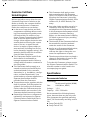
The keys of a handset do not respond when
pressed.
¤ Wipe the base station, charging cradle
and the handset with a damp cloth (do
not use solvent) or an antistatic cloth.
Never use a dry cloth. This can cause a
build up of static.
Contact with liquid
"Base station x" flashes on the display.
1. The handset is outside the range of the
base station.
Move the handset closer to the base station.
¥
The base station's range is reduced because
eco mode is activated.
Deactivate eco mode (page 13) or
reduce the distance between the handset and the base station.
¥
!
If the handset has come into contact with
liquid:
1. Switch the handset off and remove
the batteries immediately.
2. Allow the liquid to drain from the handset.
3. Pat all parts dry, then place the handset
with the battery compartment open
and the keypad facing down in a dry,
warm place for at least 72 hours
(not in a microwave, oven etc.).
4. Do not switch on the handset again
until it is completely dry.
When it has fully dried out, you will normally be able to use it again.
2. The handset has been deregistered.
Register the handset (page 40).
¥
3. The base station is not turned on.
Check the base station's mains adapter
(page 8).
¥
Base Search flashes in the display.
No base station turned on or in range.
Move the handset closer to the base station.
Check the base station's mains adapter
(page 8).
¥
¥
Handset does not ring.
1. The ringer tone is switched off.
Activate the ringer tone (page 47).
¥
Questions and answers
2. Call diversion set to All Calls.
Deactivate call diversion (page 18).
If you have any questions about using
your phone, visit us at
www.gigaset.com/customercare
at any time. The table below contains a list
of common problems and possible solutions.
You cannot hear a ringer/dialling tone from
the fixed network.
The display is blank.
1. The handset is not turned on.
Press and hold the end call key a.
¥
Version 4, 16.09.2005
The keypad lock is activated.
Press and hold the hash key #
(page 11).
¥
Care
2. The battery is flat.
Charge or replace the batteries
(page 8).
¥
¥
The phone cord supplied has not been used or
has been replaced by a new cord with the
wrong jack connections.
Please always use the phone cord supplied
or ensure that the jack connections are correct when purchasing from a retailer
(page 8).
¥
Error tone sounds after system PIN prompt.
You have entered the wrong system PIN.
Reset the system PIN to 0000 (page 49).
¥
Forgetting the system PIN.
¥
Reset the system PIN to 0000 (page 49).
53