1
Timer and sleep operation (Remote control only)
■
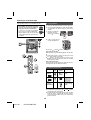
Timer playback
Before setting timer:
● Check that the clock is set to the correct time (refer to
page 8). If it is not set, you cannot use the timer
function.
● For timer playback: Plug in USB or load discs or dock
iPod to be played.
CD
USB
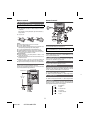
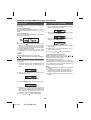
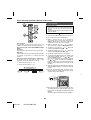
1 Press the ON/STAND-BY button to turn the power on.
2 Press and hold the CLOCK/TIMER button.
3 Within 10 seconds, press the
or
button to
select “ONCE SET” or “DAILY SET”, and press the
MEMORY button. Set the clock to the correct time if
“ONCE SET” or “DAILY SET” does not appear.
Timer playback:
The unit turns on and plays the desired source (CD,
TUNER, USB, iPod, AUDIO IN, TAPE) at a preset time.
4 Within 10 seconds, press the
or
button to
select “TIMER SET”, and press the MEMORY button.
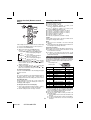
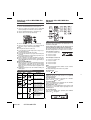
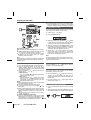
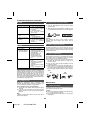
This unit has 2 types of timer: ONCE TIMER and DAILY
TIMER.
Once timer:
Once timer play works for one time only at a preset time.
5 To adjust the hour, press the
6 To adjust the minutes, press the
button and
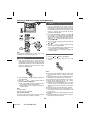
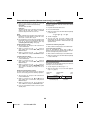
8 To select the timer playback source (CD, TUNER, USB,
iPod, TAPE or AUDIO IN), press the
or
button.
Press the MEMORY button.
When you select the tuner, select a station by pressing
the
or
button, and then press the MEMORY
button. If a station has not been programmed, “NO
PRESET” will be displayed and timer setting will be
cancelled.
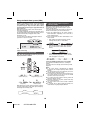
1 Set the daily timer (pages 21 - 22).
2 Set the once timer (pages 21 - 22).
9 Adjust the volume using the VOLUME control, and then
press the MEMORY button. Do not turn the volume up
too high.
1 minute or more
Start
or
7 Set the time to finish as in steps 5 and 6 above.
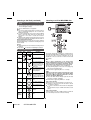
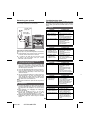
Using the once timer and daily timer in combination:
For example, use the once timer to listen a radio
programme, and use the daily timer to wake up.
Stop
button and
then press the MEMORY button.
Daily timer:
Daily timer play works at the same preset time every day.
For example, set the timer as a wake-up call every
morning.
Daily timer
or
then press the MEMORY button.
Once timer
Start
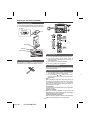
10 Press the ON/STAND-BY button to enter the power
stand-by mode. The “TIMER” indicator lights up and
the unit is ready for timer playback.
Stop
M I NI CO M P O NE NT SY S T E M
CD-DH790
FUNCTION
ON/STAND-BY
VOL
PUSH
OPEN
AUDIO IN
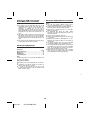
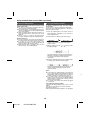
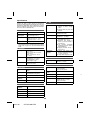
11 When the preset time is reached, playback will start.
The volume will increase gradually until it reaches the
preset volume. The “ ” indicator will blink during timer
playback.
The “DAILY” indicator will blink during timer playback.
21
04/1/28
CD-DH790NH EN
1
2
3
4
5
6
7
1
2