1
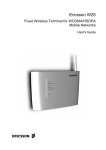
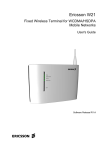
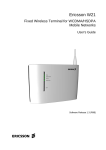
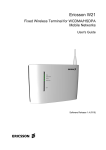
Ericsson W25
Fixed Wireless Terminal for WCDMA/HSDPA
Mobile Networks
User's Guide
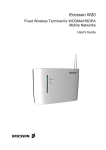
Ericsson W25
Fixed Wireless Terminal for WCDMA/HSDPA
Mobile Networks
User's Guide
.
Copyright
© Ericsson AB 2007 - All Rights Reserved
Disclaimer
No part of this document may be reproduced in any form without the written
permission of the copyright owner.
The contents of this document are subject to revision without notice due to
continued progress in methodology, design and manufacturing. Ericsson shall
have no liability for any error or damage of any kind resulting from the use of
this document.
Trademark List
Firefox
®
Firefox is a registered trademark of Mozilla Foundation.
Internet Explorer
®
Internet Explorer is a registered trademark of Microsoft Corporation.
®
MSN Messenger is a registered trademark of Microsoft Corporation.
MSN Messenger
®
Opera is a registered trademark of Opera Software ASA.
®
Safari is a registered trademark of Apple Computer, Inc.
Opera
Safari
®
Windows
Windows is a registered trademark of Microsoft Corporation.
All other brand and product names are trademarks or registered trademarks of
their respective holders.
ii
5/1551-CRH 102 167 Uen Rev C 2007-04-25
.
Contents
1
Introduction
1
1.1
Structure of this Guide
1
1.2
Product Overview
2
1.2.1
Indicators and Connectors
3
2
Battery
5
2.1
Installation of the Battery
5
2.2
Battery Function
5
3
Telephony and Fax
6
3.1
SIM Authentication
6
3.2
Information Tones
7
4
Configuration and Management
9
4.1
Accessing Internal Web Pages
9
4.2
Overview Page
10
4.2.1
Changing Password
11
4.2.2
Alarms
11
4.2.3
Network Information
12
4.3
Configuration Wizard
13
4.3.1
Internet Access
14
4.3.2
Wireless LAN Access
17
4.4
Internet
25
4.4.1
Traffic Statistics
27
4.4.2
Authentication
27
4.5
LAN
30
4.5.1
DHCP Server
31
4.5.2
Traffic Statistics
32
4.5.3
Port Status
32
4.6
Wireless LAN
33
5/1551-CRH 102 167 Uen Rev C 2007-04-25
iii
Contents
iv
4.6.1
Connected Devices
37
4.6.2
Whitelist
37
4.7
NAT
39
4.7.1
UPnP IGD
39
4.7.2
Application Level Gateways
40
4.7.3
Port Forwarding
40
4.8
Sharing
43
4.8.1
File Sharing
44
4.8.2
Printer Sharing
44
4.9
System
46
4.9.1
Configuration Backup and Restore
46
4.9.2
Restart
47
4.9.3
Software Update
47
4.9.4
Factory Reset
49
4.10
Event Log
49
5
PC Configuration
51
5.1
IP Settings
51
5.1.1
Obtaining IP Settings Automatically
51
5.1.2
Configuring Static IP Address
53
5.2
Wireless LAN Settings
53
5.2.1
Siting the Wireless PC
53
5.2.2
Installing the Wireless LAN Interface
53
5.2.3
Configuring PC Access to the Ericsson W25
54
5.3
Sharing Settings
54
5.3.1
Checking Workgroup Settings
55
5.3.2
Accessing a Shared USB Mass Storage Device
56
5.3.3
Setting Up a Connection to a Storage Device
56
5.3.4
Accessing a Shared Printer
57
6
Trouble-Shooting
69
6.1
No Access to Ericsson W25 Web Pages
70
6.2
No Internet Access
70
5/1551-CRH 102 167 Uen Rev C 2007-04-25
Contents
6.3
Slow or Intermittent Internet Connection
71
6.4
No Access to a Certain Internet Application
71
6.5
Telephony Service not Working
72
6.6
Fax Service not Working
72
6.7
No LAN Connection
73
6.8
No Wireless LAN Connection
73
6.9
Slow or Intermittent Wireless LAN Connection
74
6.10
No Access to Shared Files or Network Printer
75
6.10.1
USB Printer error
75
Glossary
5/1551-CRH 102 167 Uen Rev PA15 2007-04-25
76
v
Introduction
1
Introduction
This chapter describes the structure of this guide and gives a brief product
overview.
1.1
Structure of this Guide
This User’s Guide contains information that is needed to configure and
manage the Ericsson W25 Fixed Wireless Terminal (FWT). The following
chapters are included:
•
Chapter 1 – “Introduction” – provides information about this guide and
gives a brief product overview.
•
Chapter 2 – “Battery” – includes information about how to handle
battery installation and charging.
•
Chapter 3 – “Telephony and Fax” – includes information about the
telephony and fax function. It also includes instructions on how to enter
the SIM authentication codes via a telephone handset.
•
Chapter 4 – “Configuration and Management” – provides detailed
information about how to perform configuration and management of the
Ericsson W25.
•
Chapter 5 – “PC Configuration” – gives instructions for configuring your
computers to work with the Ericsson W25.
•
Chapter 6 – “Trouble-Shooting” – tells you how to solve a number of
issues that could occur during installation, configuration, and use of the
Ericsson W25.
•
The Glossary includes abbreviations and explanations to technical
terms used in this guide.
5/1551-CRH 102 167 Uen Rev C 2007-04-25
1
Introduction
1.2
Product Overview
The Ericsson W25 FWT is an advanced small office and home router with
wireless Internet access. The key benefits of the product are:
•
Wireless Broadband Services at Reliable High Speed
The Ericsson W25 uses WCDMA/HSDPA radio access to provide highspeed data capabilities to the local network.
•
Broad range of Voice Services
The Ericsson W25 includes voice capabilities accessed over standard
analog telephone line interfaces. Network services such as Prepaid
Subscription, CLIP, Call Waiting, Call Barring, Call Forwarding, and
Multiparty Conference Calls are supported.
•
Fax
The Ericsson W25 has a fax functions over IP (T.38) using packet
switched connection. Connect an ordinary fax to the Phone/Fax outlet
on the back of the unit and the fax will work without further
configurations. The operator needs to support a fax function over IP.
•
Advanced Networking
The Ericsson W25 supports an advanced local network setup. It
provides IP routing, Ethernet switching, DHCP service, and NAT.
•
File and Printer Sharing
Network storage and printing are supported through USB connection of
up to two mass storage devices and one printer at the same time.
•
Local Wireless Access with High-level Security
The Ericsson W25 is a WLAN access point for the wireless local
network including WEP, WPA, and WPA2 with pre-shared keys for
WLAN security.
Figure 1
2
Example of Ericsson W25 Network Connections
5/1551-CRH 102 167 Uen Rev C 2007-04-25
Introduction
For more information about the Ericsson W25, see
www.ericsson.com/fwt
1.2.1
Indicators and Connectors
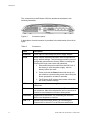
The Ericsson W25 is equipped with six status indicators located on the front
panel of the unit. A general description of each indicator is provided in the
following table (from top to bottom):
Table 1
Front Panel Indicators
Text
Status
Description
Power
Green
Mains powered.
Red
Battery powered.
Unlit
Power is off.
Green
Connection to a UMTS network.
Red
Connection to a GSM network.
Flashing
Searching for a connection.
Unlit
No connection to the mobile network.
Green
Connection to Internet established.
Unlit
No Internet connection.
Green
The Wireless LAN is active.
Unlit
The Wireless LAN is inactive.
Message Waiting
Flashing
Unlit
New voice mail message(s) received.
No new voice mail messages.
Alarm
Red
Various error conditions specified on the
W25 Overview web page.
No error.
Mobile Network
Internet
Wireless LAN
Unlit
The Ethernet LAN connectors (LAN1- LAN4) on the connectors’ panel
have two built-in indicators each.
The left indicator shows the speed of data traffic between the Ericsson W25
and the connected client. If the speed is 100 Mbps, the indicator is green.
When the indicator is unlit, the speed is 10 Mbps.
The indicator to the right is green when a LAN connection is established
and flashes to show data traffic activity.
5/1551-CRH 102 167 Uen Rev C 2007-04-25
3
Introduction
The connectors on the Ericsson W25 are positioned as shown in the
following illustration:
Figure 2
Connectors panel
A description of each connector is provided in the table below (from left to
right):
Table 2
Connectors
Label
Description
10-28 VDC
Power input for connecting the power supply adapter.
Reset
Button used to restore the Ericsson W25 configuration to
factory default settings. The following procedure resets all
configurable values back to factory default, including the
Ericsson W25 login user name and password.
1. Disconnect the power cable from the W25 unit. If
the battery is used as power supply, remove
battery before the reset.
2. Press and hold the Reset button with the tip of a
pen and then reconnect the power cable. Keep the
button pressed for at least 20 seconds.
3. The Ericsson W25 restarts and comes online with
the factory default settings.
4
USB
USB connectors, for connecting Ericsson the W25 to a
USB printer.
Phone
Telephone connector, for connecting the Ericsson W25 to
one telephone. Max three telephones can be connected in
a series to avoid telephone functions interruptions.
Phone/Fax
Telephone/Fax connector, for connecting the Ericsson
W25 to one telephone or one fax.
LAN 1 - 4
Ethernet LAN connectors (RJ45), for connecting the
Ericsson W25 to client PCs or an Ethernet switch/hub.
5/1551-CRH 102 167 Uen Rev C 2007-04-25
Battery
2
Battery
The Ericsson W25 can be fitted with a rechargeable battery to provide
redundancy in case of a power failure. When main powered, the Ericsson
W25 will keep the battery charged.
Note:
2.1
The battery is not fully charged when delivered. The charging time
for an empty battery is about 4 hours. The battery will not charge if
the environment temperature is above 40 degrees Celsius, due to
over heating protection.
Installation of the Battery
The battery is available as an accessory and is facilitated within the unit.
Insert the battery into the battery compartment and connect the battery
cable into the unit's connector.
2.2
Battery Function
If a power failure occurs the unit will automatically switch over to battery
operation. In order to extend the battery time only voice services will be
available. Data services, such as USB, Ethernet and Wireless LAN
functions will be unavailable. Power indicator is red when powered by
battery.
The unit’s stand by time is up to 8 hours if no telephone calls are made.
Talk time is up to 3 hours. Battery time depends on mobile network signal
strength, battery age, and environmental temperature.
5/1551-CRH 102 167 Uen Rev C 2007-04-25
5
Telephony and Fax
3
Telephony and Fax
The Ericsson W25 can be connected to a telephone and/or a fax via the
Phone or Phone/fax outlet on the back of the Ericsson W25 unit. The
telephony and the fax will work without any further configurations. The
operator needs to support a fax function over IP.
If you experience problems see the trouble shooting sections 6.5 –
“Telephony Service not Working” or 6.6 – “Fax Service not Working”.
Note:
3.1
Allow approximately two minutes for the W25 startup.
SIM Authentication
The service provider provides you with a SIM card. This SIM card contains
information about the subscription and is normally protected by a PIN
(Personal Identification Number) and a PUK (Personal Unblock Key) code.
Note:
Emergency calls (i.e. 112 or 911) can always be made, even
without a SIM card or the correct PIN code.
Normally, you have to enter the PIN to activate the Ericsson W25 Internet
and voice services. In some cases however, authentication is not required
and it is possible to use the services without entering any PIN.
Follow the instructions in the Quick Installation Guide and insert the SIM
card into the Ericsson W25. When the installation is finished, you can either
enter the PIN via a phone connected to the Ericsson W25, or via the
Ericsson W25 internal web pages (see section 4.3.1 – “Internet Access” or
4.4.2 – “Authentication”).
Follow the steps below to enter the PIN using a phone connected to the
Ericsson W25. The “PIN required” and “PUK required” tones are described
in Table 3 – “Information Tones” on the next page.
1. Pick up the telephone handset. If you hear the dial tone, you do not
need to enter any PIN. If you hear the specific “PIN required” tone,
proceed to step 2.
2. Dial * <PIN> #
If the PIN is correct, you will hear the normal dial tone, which indicates
6
5/1551-CRH 102 167 Uen Rev C 2007-04-25
Telephony and Fax
that the voice service is activated and that it is possible to make phone
calls.
If the PIN is incorrect, you will hear the “PIN required” tone again.
Repeat step 2.
Note:
If three attempts have been made with an incorrect PIN, the SIM
card is blocked and you will hear a new tone, indicating that the
PUK is required to unblock the SIM card.
To unblock the SIM card, dial the following sequence:
*
<PUK> * <new PIN> * <new PIN> #
If the PUK is correct and the new PIN codes agree, you will hear the normal
dial tone, which indicates that the voice service is activated and that it is
possible to make phone calls. Remember the new PIN for future use.
If the PUK is incorrect or the new PIN codes do not agree, you will hear the
“PUK required” tone again. Repeat the “unblock SIM card” sequence
above.
Note:
3.2
If ten attempts have been made with an incorrect PUK, the SIM
card is permanently blocked and a new SIM card is required.
Contact your service provider.
Information Tones
The Ericsson W25 generates information tones in your telephone handset,
thus providing the same characteristics as the one given by the traditional
fixed line network.
The following table describes the nature of the unique information tones
you will get when using the Ericsson W25.
5/1551-CRH 102 167 Uen Rev C 2007-04-25
7
Telephony and Fax
Table 3
Information Tones
Name
Nature
Description
PIN required
––––– 50 ––––– 50
200
200
Repeating 200 ms tone
at regular 50 ms
intervals.
PUK required
–– 50 –– 50
50
50
Repeating 50 ms tone
at regular 50 ms
intervals.
8
SIM authentication is
required to enable the voice
service.
The SIM card is blocked.
The PUK and a new PIN are
required to unblock the SIM
card.
5/1551-CRH 102 167 Uen Rev C 2007-04-25
Configuration and Management
4
Configuration and Management
Follow the instructions in the Quick Installation Guide to install the
Ericsson W25. When the installation is finished, the Ericsson W25 internal
web pages are available for configuration and status control. This chapter
provides detailed information about configuration and management of the
Ericsson W25 using the web pages.
The Ericsson W25 web user interface is available in four languages;
English, German, Spanish and French. Click on corresponding country flag
on the left hand in the web user interface to change to preferred language.
The Ericsson W25 supports the following web browsers:
4.1
•
Internet Explorer® 5.0 or higher
•
Safari® 1.3 or higher
•
Firefox® 1.0 or higher
•
Opera® 8 or higher
Accessing Internal Web Pages
Start a web browser and type http://192.168.1.1 in the Address (URL)
field. The Ericsson W25 User login page is displayed.
Note:
If you change the Ericsson W25 internal IP address, you have to
use the new address to access the web pages.
Figure 3
User Login page
5/1551-CRH 102 167 Uen Rev C 2007-04-25
9
Configuration and Management
The default login user name and password are both “user”. You are
recommended to change the password, see section 4.2.1 – “Changing
Password”.
Type user in both the User name and Password fields. Click Log In .
The Overview page is displayed:
Figure 4
Overview page
The left-hand menu includes configuration topics described one by one in
the following sections.
Apart from the links menu to the left, each web page includes a Logout
button to make it possible to log out whenever it is desired.
If the web pages are not used for 15 minutes, you are automatically logged
out. This is preceded by a notification, displayed on top of the page one
minute before the logout.
4.2
Overview Page
The Overview page includes the possibility to change password, the
entrance to the Configuration Wizard (see section 4.3 – “Configuration
Wizard”) alarm information, and basic network information.
10
5/1551-CRH 102 167 Uen Rev C 2007-04-25
Configuration and Management
4.2.1
Changing Password
The default Ericsson W25 login password is “user”. You are recommended
to change the default password.
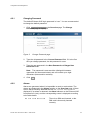
1. Click Change Password on the Overview page. The Change
Password page is displayed:
Figure 5
Change Password page
2. Type the old password in the Current Password field. If it is the first
time you change password, the old password is user.
3. Type the new password in the New Password and Retype New
Password fields.
Note: The password is case-sensitive (distinguish between
uppercase and lowercase letters) and can include up to eight
characters (letters and/or numbers).
4. Click OK .
4.2.2
Alarms
Alarms are generated when it is impossible to send or receive data. The
alarms are displayed in the Alarms section on the Overview page. If there
are no alarms currently detected the text "No alarms detected" is
displayed. If an alarm is detected, the Alarm indicator on the Ericsson W25
front panel is lit (red), and the corresponding cause is displayed according
to the table below:
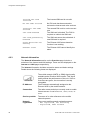
No SIM card detected
5/1551-CRH 102 167 Uen Rev C 2007-04-25
There is no SIM card inserted, or the
SIM card is incorrectly inserted
correctly.
11
Configuration and Management
4.2.3
Invalid SIM card
inserted
The inserted SIM card is not valid
No PIN code entered
No PIN code has been entered to
activate the Internet and voice services.
Incorrect PIN code
entered
The entered PIN code is not the correct
one.
SIM card blocked
The SIM card is blocked. The PUK is
required to unblock the SIM card.
SIM card permanently
blocked
The SIM card cannot be unblocked. A
new SIM card is required.
Alarm detection not
working
The Ericsson W25 alarm detection
function is not working.
Unknown alarm
The Ericsson W25 cannot identify the
alarm.
Network Information
The Network Information section on the Overview page includes a
selection of the Internet and LAN settings. These are also displayed on the
Internet and LAN pages respectively.
The Internet information includes connection status and basic settings.
Details about the following items are displayed:
The mobile network (UMTS or GSM) signal quality
available at the Ericsson W25 location. This signal
quality affects the performance of the unit. If two or
more bars are green, the connection is usually
acceptable.
12
IP Address
The IP address automatically assigned to the
Ericsson W25 by the mobile network.
Connection
The radio access technique currently used to enable
Internet access. It can be HSDPA, UMTS, EDGE, or
GPRS.
Service provider
The name of or other reference to the mobile
network operator.
Network
registration
The current mobile network registration status:
- Not registered, not searching
- Registered, home network
5/1551-CRH 102 167 Uen Rev C 2007-04-25
Configuration and Management
-
Searching
Registration denied
Unknown
Roaming
Limited Service
The LAN (Local Area Network) section includes information about the
following item:
W25 IP Address
4.3
The LAN IP address of the Ericsson W25.
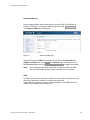
Configuration Wizard
The Configuration Wizard guides you step by step through the basic setup
of the mobile network connection and optionally for the Wireless LAN
access point.
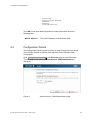
Click Configuration Wizard… on the Overview page to start the wizard.
The first page of the wizard; Internet Access: SIM Authentication is
displayed:
Figure 6
5/1551-CRH 102 167 Uen Rev C 2007-04-25
Internet Access: SIM Authentication page
13
Configuration and Management
4.3.1
Internet Access
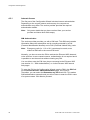
The first part of the Configuration Wizard includes Internet authentication.
Depending on the current Internet service setup, the requests on
authentication may differ. The service provider provides the required
authentication details.
Note:
Only enter details that you have received from your service
provider and leave other fields empty.
SIM Authentication
The service provider provides you with a SIM card. This SIM card contains
information about the subscription and is normally protected by a PIN
(Personal Identification Number) and a PUK (Personal Unblock Key) code.
Note:
Emergency calls (i.e. 112 or 911) can always be made, even
without a SIM card or the correct PIN code.
Normally, you have to enter the PIN to activate the Ericsson W25 data and
voice services. In some cases however, authentication is not required and it
is possible to use the services without entering any PIN.
You can either enter the PIN via a phone connected to the Ericsson W25
(see section 3.1– “SIM Authentication”) or via the Ericsson W25 internal
web pages.
To enter the PIN via the Configuration Wizard, type the PIN in the PIN field
on the Internet Access: SIM Authentication page, see Figure 6.
Thereafter, you can select the Remember my PIN check box. This makes
SIM authentication automatic and you will not have to enter the PIN in case
of a system restart. Click Next to proceed.
14
5/1551-CRH 102 167 Uen Rev C 2007-04-25
Configuration and Management
Unblock SIM card
If three attempts have been made with an incorrect PIN, the SIM card is
blocked. The PUK is required to unblock the card. Click Unblock SIM .
The Unblock SIM page is displayed:
Figure 7
Unblock SIM page
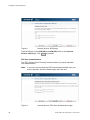
Type the PUK in the PUK field and type a new PIN in the New PIN and
Retype new PIN fields. Click OK . The Internet page is displayed. Go to
the Overview page and click Configuration Wizard… to restart the wizard.
Note:
If ten attempts have been made with an incorrect PUK, the SIM
card is permanently blocked, and a new SIM card is required.
APN
An APN (Access Point Name) is a reference to the Internet access point on
the service provider’s network. It usually has the format
<name.service_provider.country>. Different APNs for the GSM (2G) and
UMTS (3G) networks may be required.
5/1551-CRH 102 167 Uen Rev C 2007-04-25
15
Configuration and Management
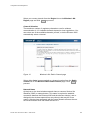
Figure 8
Internet Access: APN page
Type the APN(s) in the APN (2G) and APN (3G) fields on the Internet
Access: APN page. Click Next to proceed.
PPP User Authentication
The PPP (Point-to-Point Protocol) Internet mode may require individual
user authentication.
Note:
If you have not received any PPP Authentication details from your
service provider, leave the fields empty and click next.
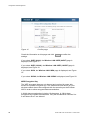
Figure 9
16
Internet Access: PPP User Authentication page
5/1551-CRH 102 167 Uen Rev C 2007-04-25
Configuration and Management
Type the PPP user name and PPP password fields on the Internet
Access: PPP User Authentication page. Click Next to proceed.
4.3.2
Wireless LAN Access
The second part of the Configuration Wizard includes configuration of the
Wireless LAN (WLAN). A Wireless LAN is a local network that
communicates through wireless connections.
Note:
The wireless setup typically requires configuration of both the
Ericsson W25 and the wireless clients. For more information about
configuring wireless clients, see 5.2 – “Wireless LAN Settings”.
Access Point
The Ericsson W25 is a WLAN Access Point (AP) for the local network
providing the wireless client(s) with Internet and LAN access.
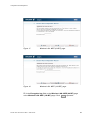
Figure 10
Wireless LAN: WLAN Access Point page
To enable connection of one or more wireless devices to the Ericsson W25,
select the Enable WLAN check box on the Wireless LAN: WLAN Access
Point page and click Next to proceed. The Wireless LAN: Region page
is displayed, see Figure 12.
Note:
The WLAN interface will not be activated until the complete
configuration details are entered.
5/1551-CRH 102 167 Uen Rev C 2007-04-25
17
Configuration and Management
If you are not going to set up any Wireless LAN, just click Next on the
Wireless LAN: WLAN Access Point page. The last page of the wizard,
where you can review and confirm your settings, is displayed:
Figure 11
Confirm page
Confirm the settings by clicking Finish .
Region
To make sure the Ericsson W25 operates on correct radio frequencies
according to local regulations, you have to state in which region you reside.
After this you cannot select any radio channel that would be against the
regulations.
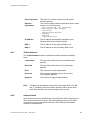
Figure 12
18
Wireless LAN: Region page
5/1551-CRH 102 167 Uen Rev C 2007-04-25
Configuration and Management
Select your country domain from the Region list on the Wireless LAN:
Region page and click Next to proceed.
Channel Selection
The maximum number of regulatory channels to use for wireless
communication is 13. Available channels depend on local regulations. You
can select one of the available channels yourself, or let the Ericsson W25
automatically select a channel.
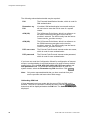
Figure 13
Wireless LAN: Radio Channel page
Select either Auto (recommended) or a channel number from the Radio
channel list on the Wireless LAN: Radio Channel page. Click Next to
proceed.
Network Name
All devices on the local wireless network share a common Service Set
IDentifier (SSID) or network name. This name is required to establish
connection between the Ericsson W25 and the wireless client(s), and to
distinguish the wireless network from any other(s) that may be in use
nearby. Only devices configured with the same network name as the one
set on the Ericsson W25 can obtain access to it.
5/1551-CRH 102 167 Uen Rev C 2007-04-25
19
Configuration and Management
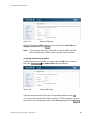
Figure 14
Wireless LAN: Network Name (SSID) page
The network name is case-sensitive (distinguish between uppercase and
lowercase letters) and can be changed to any combination of numbers (0 –
9), letters (a – z), and hyphens (-) with a maximum length of 32 characters.
Type the new name in the Network name (SSID) field on the Wireless
LAN: Network Name (SSID) page.
If the SSID broadcast option is enabled, your local wireless device(s) will
find the network name when scanning the air. If the option is disabled, the
network name is hidden and has to be manually provided to the wireless
device(s). To disable network name broadcast, clear the Enable SSID
broadcast check box on the Wireless LAN: Network Name (SSID) page.
Click Next to proceed.
Authentication
The wireless data transmissions can be protected from potential intruders
and eavesdroppers through standard authentication and encryption
methods. Authentication is used to restrict access to the wireless network.
Encryption is the translation of data into a form that cannot be easily
understood by unauthorized users. The encrypted data can only be sent
and received by users with access to a private encryption key.
WEP (Wired Equivalent Privacy) is considered to be a low security option.
WEP encrypted data is translated into blocks of either 64 bits length or 128
bits length.
WPA (Wi-Fi Protected Access) and its successor WPA2 are the most
reliable security options. WPA encryption uses the Temporal Key Integrity
Protocol (TKIP) while WPA2 encryption follows the Advanced Encryption
20
5/1551-CRH 102 167 Uen Rev C 2007-04-25
Configuration and Management
Standard (AES). AES offers a higher level of security and is approved for
sensitive corporate and government data transmission.
Figure 15
Note:
Wireless LAN: Authentication page
Make sure that the operating system(s) and Wireless LAN
interface(s) of the wireless client(s) support the selected
authentication method.
Select one of the authentication methods from the Authentication list on
the Wireless LAN: Authentication page. Click Next to proceed.
If you select None, the last page of the wizard, where you can review and
confirm your settings, is displayed:
5/1551-CRH 102 167 Uen Rev C 2007-04-25
21
Configuration and Management
Figure 16
Confirm page
Check the information on this page and click Finish to confirm the
settings.
If you select WEP (64 bit), the Wireless LAN: WEP (64 BIT) page is
displayed, see Figure 17.
If you select WEP (128 bit), the Wireless LAN: WEP (128 BIT) page is
displayed, see Figure 18.
If you select WPA, the Wireless LAN: WPA page is displayed, see Figure
19.
If you select WPA2, the Wireless LAN: WPA2 is displayed, see Figure 20.
WEP Encryption Key
The WEP encrypted data can only be sent and received by users with
access to a private encryption key. This means that each device on your
wireless network has to be configured with the same key as the Ericsson
W25 in order to allow encrypted data transmissions.
A 64-bit data encryption key includes 10 characters. A 128-bit data
encryption key includes 26 characters. Only the hexadecimal numbers 0 to
9 and letters A to F are allowed.
22
5/1551-CRH 102 167 Uen Rev C 2007-04-25
Configuration and Management
Figure 17
Wireless LAN: WEP (64 BIT) page
Figure 18
Wireless LAN: WEP (128 BIT) page
Fill in the Encryption key field on the Wireless LAN: WEP (64 BIT) page
or the Wireless LAN: WEP (128 BIT) page. Click Next to proceed.
5/1551-CRH 102 167 Uen Rev C 2007-04-25
23
Configuration and Management
WPA/WPA2 Passphrase
WPA and WPA2 authentication and encryption require a passphrase. Each
device on your wireless network has to be configured with the same
passphrase as the Ericsson W25. The encryption master key is derived
from the passphrase and the network name (SSID) of the device.
Figure 19
Wireless LAN: WPA page
Figure 20
Wireless LAN: WPA2 page
On the Wireless LAN: WPA or Wireless LAN: WPA2 page, type a unique
passphrase in the Passphrase field. A WPA or WPA2 passphrase is case
sensitive and consists of between 8 and 63 optional characters. It is
24
5/1551-CRH 102 167 Uen Rev C 2007-04-25
Configuration and Management
recommended that the passphrase contains at least 20 characters. Click
Next to proceed.
Confirming Settings
On the last page of the Configuration Wizard, the Internet and Wireless
LAN settings are displayed:
Figure 21
Confirm page
Confirm the settings by clicking Finish .
4.4
Internet
The Ericsson W25 connects to the Internet through mobile (radio)
communication using the UMTS (3G) network. If the UMTS network is not
available, the GSM (2G) network is used as fall-back. Connection details
are displayed on the Internet page:
5/1551-CRH 102 167 Uen Rev C 2007-04-25
25
Configuration and Management
Figure 22
Internet page
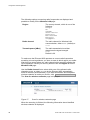
The following information is displayed on the Internet page:
The mobile network (UMTS or GSM) signal quality
available at the Ericsson W25 location. This signal
quality affects the performance of the unit. If two or
more bars are green, the connection is usually
acceptable.
26
Link Status
The Internet access status, either Up or Down.
If the link is up, connection is established.
Mode
The protocol used for the Internet data traffic:
PPP (Point-to-Point Protocol).
Connection
The radio access technique currently used to enable
Internet access. It can be HSDPA, UMTS, EDGE, or
GPRS.
5/1551-CRH 102 167 Uen Rev C 2007-04-25
Configuration and Management
4.4.1
Service provider
The name of, or other reference to the mobile
network operator.
Network
registration
The current mobile network registration status, which
can be one of the following:
- Not registered, not searching
- Registered, home network
- Searching
- Registration denied
- Unknown
- Roaming
- Limited Service
IP Address
The IP address automatically assigned to the
Ericsson W25 by the mobile network.
DNS 1
The IP address to the primary DNS server.
DNS 2
The IP address to the secondary DNS server.
Traffic Statistics
The Traffic Statistics section includes information about the following
items:
Transmitted
The total size (and number) of transmitted data
packets.
Received
The total size (and number) of received data
packets.
Error
The number of invalid data packets.
Overruns
The number of packets lost due to too many
incoming data packets.
Dropped
The number of dropped data packets.
Note:
4.4.2
The data size and packet counters have the upper limits of 4 GiB
and 232 packets (more than 4 billion packets). When these limits
have been reached, the counters wrap around to zero.
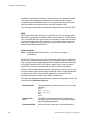
Authentication
Internet access requires authentication of the Ericsson W25. Depending on
the current Internet service setup, the authentication requests may differ.
Your service provider provides the Ericsson W25 SIM card and details
needed for authentication.
5/1551-CRH 102 167 Uen Rev C 2007-04-25
27
Configuration and Management
The following authentication details may be required:
PIN
The Personal Identification Number, which is used for
SIM authentication.
Remember my
PIN
If enabled, SIM authentication is automatic and you
will not have to enter the PIN in case of a system
restart.
APN (3G)
The 3G Access Point Name, which is a reference to
the UMTS Internet access point on the service
provider’s network. The APN usually has the format
<name.service_provider.country>.
APN (2G)
The 2G Access Point Name, which is a reference to
the GSM Internet access point on the service
provider’s network. The APN usually has the format
<name.service_provider.country>.
PPP user name
The Point-to-Point Protocol Internet mode user name,
which is used for user authentication.
PPP password
The Point-to-Point Protocol Internet mode password,
which is used for user authentication.
If you have not used the Configuration Wizard for configuration of Internet
access, or authentication is required because of a reset to factory default
configuration, fill in the PIN, APN (2G), APN (3G), PPP user name, and
PPP password fields. For automatic SIM authentication in case of a
system restart, select the Remember my PIN check box. Click Apply .
Note:
Only enter requested details that you have received from your
service provider and leave other fields empty.
Unblocking SIM Card
If three attempts have been made with the wrong PIN, the SIM card is
blocked. The PUK is required to unblock the card. Click the Unblock SIM
button that will be displayed beside the PIN field. The Unblock SIM page is
displayed:
28
5/1551-CRH 102 167 Uen Rev C 2007-04-25
Configuration and Management
Figure 23
Unblock SIM page
Type the PUK in the PUK field and type a new PIN in the New PIN and
Retype new PIN fields. Click OK .
Note:
If ten attempts have been made with an incorrect PUK, the SIM
card is permanently blocked, and a new SIM card is required.
Changing Authentication Details
If SIM authentication is verified, you cannot edit the PIN field. To change
PIN, click Change PIN . The Change PIN page is displayed:
Figure 24
Change PIN page
Type the current and new PIN in the corresponding fields and click OK .
If you want to change the APN, PPP user name, or PPP password, type the
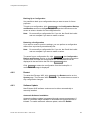
new value in the corresponding field on the Internet page and click Apply .
5/1551-CRH 102 167 Uen Rev C 2007-04-25
29
Configuration and Management
4.5
LAN
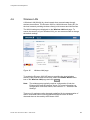
The LAN (Local Area Network) configuration includes the details of the
connections between the Ericsson W25 and other local devices.
Figure 25
LAN page
The following information and configuration options are displayed on top of
the LAN page:
30
W25 IP address
The LAN IP address of the Ericsson W25.
Subnet mask
The subnet mask, which determines the range of IP
addresses on the subnet.
5/1551-CRH 102 167 Uen Rev C 2007-04-25
Configuration and Management
If you want to change the W25 IP address, make sure that the new address
is not included in the DHCP server IP address range, displayed in the
DHCP Server section. The default range is 192.168.1.2 – 192.168.1.100.
Before you change the W25 IP address or subnet mask you also have to
make sure that the DHCP server IP address range is included in the new
subnet. If you want to change the subnet not to include the DHCP IP
address range, you first have to disable the DHCP server.
If port forwarding is configured, those settings have to be removed before
changing the W25 IP address or subnet mask. For information, see section
4.7.3 – “Port Forwarding”.
To change the W25 IP address or subnet mask, type the new value in the
corresponding field and click Apply to save the settings.
Note:
4.5.1
If you change the LAN IP address while connected to the Ericsson
W25 web pages through a web browser, you will be disconnected.
You have to redirect the web browser to the new address in order
to confirm the new settings. Type the new LAN IP address in the
Address (URL) field and press the key.
DHCP Server
The Ericsson W25 incorporates a DHCP (Dynamic Host Configuration
Protocol) server that assigns dynamic IP addresses to local clients. The IP
addresses are collected from a predefined range of available addresses.
The default address range is suitable for most local networks.
The DHCP server uses the concept of a "lease”, that is the amount of time
that a given IP address will be valid for a specific device. If the lease time
expires and the device is still connected, the lease is automatically
renewed.
The following configuration options are displayed in the DHCP server
section on the LAN page:
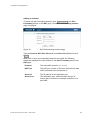
Enable DHCP server
If this check box is selected the DHCP server is
working, otherwise it is turned off.
IP address range
from
The first IP address in a range of IP addresses
that can be assigned to the LAN clients.
IP address range to
The last IP address in a range of IP addresses
that can be assigned to the LAN clients.
Lease Time [sec]
The IP address lease time; a value between 60
and 2147483647 seconds.
5/1551-CRH 102 167 Uen Rev C 2007-04-25
31
Configuration and Management
To disable the DHCP server, clear the Enable DHCP server check box.
Note:
If you want to configure your connected devices with static
addresses, make sure that the addresses are outside the DHCP
server IP address range.
To change the range of available addresses, change the IP addresses in
the IP address range from and IP address range to fields.
Note:
- The DHCP server IP address range has to be on the same subnet
as the Ericsson W25 LAN IP address.
- The IP address range must not include the Ericsson W25 IP
address.
- If port forwarding is configured, those settings have to be
removed before changing the DHCP server IP address range. For
information, see section 4.7.3 – “Port Forwarding”.
In the Lease time [sec] field, enter the time (in seconds) you want the LAN
device to lease the IP address before it is reassigned.
Click Apply to save the settings.
4.5.2
Traffic Statistics
The following information is displayed in the Traffic Statistics section on
the LAN page:
Transmitted
The total size (and number) of transmitted data
packets on the LAN.
Received
The total size (and number) of received data packets
on the LAN.
Note:
4.5.3
The data size and packet counters have the upper limits of 4 GiB
and 232 packets (more than 4 billion packets). When these limits
have been reached, the counters wrap around to zero.
Port Status
The Port Status table shows the connection(s) to the LAN (1 - 4) ports on
the Ericsson W25 unit. The status for each port is green (connection) or red
(no connection).
32
5/1551-CRH 102 167 Uen Rev C 2007-04-25
Configuration and Management
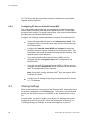
4.6
Wireless LAN
A Wireless LAN (WLAN) is a local network that communicates through
wireless connections. The Ericsson W25 is a WLAN Access Point (AP) for
the local network providing wireless client(s) with Internet and LAN access.
The WLAN settings are displayed on the Wireless LAN web page. To
ensure the security of your Wireless LAN, you are recommended to change
the default settings.
Figure 26
Wireless LAN page
To enable the Ericsson W25 AP features providing the local wireless
device(s) with Internet and LAN access, select the Enable WLAN check
box on the Wireless LAN page and click Apply .
Note:
The wireless setup typically requires configuration of both the
Ericsson W25 and the wireless clients. For more information on
configuration of wireless clients, see section 5.2 – “Wireless LAN
Settings”.
There are 13 regulatory radio channels predefined for the transportation of
data in a Wireless LAN. Local regulations determine which of these
channels that can be used by the Ericsson W25.
5/1551-CRH 102 167 Uen Rev C 2007-04-25
33
Configuration and Management
The following settings concerning radio frequencies are displayed and
possible to modify on the Wireless LAN page:
Region
The country domain, which is one of the
following:
Europe
US
Canada
South Africa
Australia
New Zeeland
Malaysia
Singapore
Radio channel
The radio channel for Wireless LAN
communication, either Auto (default) or
1-13.
Transmit power [dBm]
The radio transmission level that
determines the signal strength:
0-20
Default is 20.
To make sure the Ericsson W25 operates on correct radio frequencies
according to local regulations, you have to state in which region you reside.
After this you cannot select any radio channel which would be against the
local regulations. Select your country domain from the Region list on the
Wireless LAN page.
Use the Radio channel list to select which one of the allowed radio
channels to use, or select Auto to let the Ericsson W25 automatically
select a channel (recommended). If you want information about adjacent
wireless networks to make your choice, click Scan for wireless networks .
The Scan for wireless networks page is displayed:
Figure 27
Scan for wireless networks page
When the scanning is finished, the following information about identified
wireless networks is displayed:
34
5/1551-CRH 102 167 Uen Rev C 2007-04-25
Configuration and Management
MAC Address
The MAC address of the access point of
the wireless network.
Network Name
The name of the wireless network.
Channel
The radio channel used by the wireless
network.
RSSI
The radio signal strength.
Use this information to decide which channel to use for the Ericsson W25
wireless network. Click Back to return to the Wireless LAN page where
you can select this channel.
To avoid interference with other wireless networks, the transmit power level
can be reduced. If you want to change the transmit power level according
to your specific conditions, select an appropriate level from the Transmit
power [dBm] list.
All devices on the local wireless network share a common Service Set
IDentifier (SSID) or network name. This name is required to establish
connection between the Ericsson W25 and other wireless device(s) and to
distinguish the wireless network from any other(s) that may be in use
nearby. It ensures that only devices configured with the same network
name as the one set on the Ericsson W25 can obtain access to it.
The following settings concerning the network name are displayed and can
be modified on the Wireless LAN page:
Network name (SSID)
The name of the wireless network.
Enable SSID broadcast
If this check box is selected the network
name will be broadcasted.
The network name is case-sensitive (distinguish between uppercase and
lowercase letters) and can be changed to any combination of numbers (0 –
9), letters (a – z), and hyphens (-) with a maximum length of 32 characters.
Type the new name in the Network name (SSID) field.
If the SSID broadcast option is enabled, the local wireless client(s) will find
the network name when scanning the air. If the option is disabled, the name
is hidden and has to be manually provided to the wireless client(s).
To disable network name broadcasting, clear the Enable SSID broadcast
check box on the Wireless LAN page.
The wireless data transmissions can be protected from potential intruders
and eavesdroppers through standard authentication and encryption
5/1551-CRH 102 167 Uen Rev C 2007-04-25
35
Configuration and Management
methods. Authentication is used to restrict access to the wireless network.
Encryption is the translation of data into a form that cannot be easily
understood by unauthorized users. The encrypted data can only be sent
and received by users with access to a private encryption key.
The following authentication methods are supported by the Ericsson W25:
WEP
WEP (Wired Equivalent Privacy) is considered to be a low security option.
The data is encrypted into blocks of either 64 bits length or 128 bits length.
The encrypted data can only be sent and received by users with access to
a private encryption key. Each device on your wireless network has to be
manually configured with the same key as the Ericsson W25 in order to
allow encrypted data transmissions.
WPA and WPA2
Note:
Windows 2000 Service Pack 1, 2 & 3 does not support
WPA/WPA2.
WPA (Wi-Fi Protected Access) and its successor WPA2 are considered to
be the most reliable security options. WPA encryption uses the Temporal
Key Integrity Protocol (TKIP) while WPA2 encryption follows the Advanced
Encryption Standard (AES). AES offers a higher level of security and is
approved for sensitive corporate and government data transmission.
WPA and WPA2 authentication require a passphrase. Each device on your
wireless network has to be manually configured with the same passphrase
as the Ericsson W25. The encryption master key is derived from the
passphrase and the network name (SSID) of the device.
The following Wireless LAN authentication details are displayed and can be
modified on the Wireless LAN page:
36
Authentication
The authentication method, which can be one of the
following:
None
WEP (64 bit)
WEP (128 bit)
WPA
WPA2
Passphrase /
Key
The WEP 64-bit data encryption or 128-bit data
encryption key or the WPA or WPA2 authentication
and encryption passphrase.
Enable whitelist
If this check box is selected, only wireless device
5/1551-CRH 102 167 Uen Rev C 2007-04-25
Configuration and Management
Authentication
The authentication method, which can be one of the
following:
None
WEP (64 bit)
WEP (128 bit)
WPA
WPA2
added to the whitelist are allowed to access the
Ericsson W25.
Select an authentication method from the Authentication list.
Note:
Make sure that the operating system(s) and Wireless LAN
interface(s) of the wireless client(s) support the selected
authentication method.
If you have selected WEP (64 bit) or WEP (128 bit), type the key for
encryption in the Passphrase / Key field. A 64-bit data encryption key
includes 10 characters. A 128-bit data encryption key includes 26
characters. Only the hexadecimal numbers 0 to 9 and letters A to F are
allowed.
If you have selected WPA or WPA2, type the passphrase for authentication
and encryption in the Passphrase / Key field. A WPA or WPA2 passphrase
is case sensitive and consists of between 8 and 63 optional characters. For
security reasons, you are recommended to use a passphrase that contains
at least 20 characters. The passphrase is case sensitive.
Click Apply to save the settings.
4.6.1
Connected Devices
The Connected Devices list includes the MAC (Media Access Control)
addresses of all wireless devices currently connected to the Ericsson W25.
To find out about the MAC address of a PC using Microsoft Windows, open
a command prompt and type ipconfig /all. A list of system properties
is displayed. The MAC address is found on the Physical Address row.
4.6.2
Whitelist
The Whitelist is a list of up to 20 WLAN client MAC addresses that are
allowed to access the Ericsson W25. A MAC address is the unique
hardware number of a device. It has the form of xx:xx:xx:xx:xx:xx, where x
is a hexadecimal number 0 to 9 or letter A to F.
5/1551-CRH 102 167 Uen Rev C 2007-04-25
37
Configuration and Management
To add a client to the whitelist, copy a MAC address from the Connected
Devices list or type the client’s MAC address in the Whitelist field on the
Wireless LAN page and click Add . Click Apply to save the settings.
38
5/1551-CRH 102 167 Uen Rev C 2007-04-25
Configuration and Management
4.7
NAT
The Network Address Translation (NAT) service provides the LAN devices
with Internet access. All communication from the LAN to the Internet
appears to come from the IP address of the Ericsson W25. In this way,
details about the local devices remain private and it is not possible to
access a local device directly from the Internet.
Figure 28
4.7.1
NAT page
UPnP IGD
The Ericsson W25 supports the Universal Plug and Play (UPnP) Internet
Gateway Device (IGD) standard. UPnP IGD is used to provide automatic
port forwarding allowing communication between certain Internet
applications and the local network. When UPnP IGD is enabled, programs
®
like MSN Messenger and most network enabled games are allowed to
pass the NAT service.
To disable UPnP IGD, clear the Enable UPnP IGD check box on the NAT
page and click Apply .
5/1551-CRH 102 167 Uen Rev C 2007-04-25
39
Configuration and Management
4.7.2
Application Level Gateways
From a security perspective, certain Internet applications, for example FTP
applications that open additional ports upon transfer, are especially
problematic to handle. An Application Level Gateway (ALG) provides a
translation and transportation service for such a specific application.
Incoming data packets are checked against existing NAT and packet
filtering rules, IP addresses are evaluated and a detailed packet analysis is
performed. If necessary, the contents of a packet are modified and if a
secondary port is required, the ALG will open one. The Ericsson W25
includes ALG support for the following applications:
Table 4
ALG Supported Applications
Application
Protocol
Port
number
File Transfer Protocol (FTP)
TCP
21
Trivial File Transfer Protocol (TFTP)
UDP
69
The ALG for each application does not require additional configuration. The
supported ALGs can be enabled and disabled individually. To disable an
ALG, clear the corresponding check box on the NAT page and click
Apply .
4.7.3
Port Forwarding
Port forwarding is used to allow an external user to access a service
residing on a server connected to the LAN (to cross NAT-border). It
enables access to servers on the LAN from Internet (e.g. Web server) and
also enables applications to work from the LAN (e.g. games, voice and
chat) to the Internet.
When a computer on the Internet sends data to the public IP address of
Ericsson W25, it needs to know what to do with the data. Port Forwarding
tells Ericsson W25 which computer on the local area network to send the
data to.
Note:
40
Port forwarding requires a public IP address of the Ericsson W25.
The Ericsson W25 IP address is displayed on the Internet page. A
private IP address usually begins with 10, 172, or 192. In this
case, no incoming access from the Internet is allowed. For more
information on public and private IP addresses, contact your
service provider.
5/1551-CRH 102 167 Uen Rev C 2007-04-25
Configuration and Management
Adding an Instance
To add a new port forwarding instance, click Add instance in the Port
Forwarding section on the NAT page. The Add Portforwarding Instance
page is displayed:
Figure 29
Add Portforwarding Instance page
Type the Protocol, NAT Port, Server IP, and Server Port fields and click
Apply .
When one or more port forwarding instances are added, the following
details are displayed for each instance in the Port Forwarding table on the
NAT page:
Protocol
The data traffic protocol; UDP or TCP.
NAT Port
The NAT port number on Ericsson W25 that the data
traffic is allowed to be transported on.
Server IP
The IP address of the destination unit.
Server Port
The destination port, which identifies the type of
service that is directed, for example web service on
port 8080.
5/1551-CRH 102 167 Uen Rev C 2007-04-25
41
Configuration and Management
Example – Port Forwarding
In the following example, port forwarding is used to allow incoming access
(from WAN) to an internal web server (on LAN/WLAN). The TCP protocol is
used for data traffic. NAT port 80 on Ericsson W 25 is open and the
destination computer on the LAN has appointed the Server port (8080) and
the Server IP address (192.168.1.101).
Figure 30
Example – Port forwarding
Below are some examples of common applications and corresponding
Server Port they use for network access. The NAT port has often the same
value as the Server value. Exceptions are made when the same
applications are used on many clients on the LAN/WLAN, where each
Server IP value needs to be unique and differ from the NAT port value.
42
Application
Server Port
MSN Messenger®
6901
Unreal Tournament 2004®
7777, 7778, 7787, 28902
NetMeeting®
1720, 1503
Quake III®
27669 (+1 for each player)
5/1551-CRH 102 167 Uen Rev C 2007-04-25
Configuration and Management
Note: If multiple ports or port ranges are required, create a new port entry
for each port or port range.
Editing an Instance
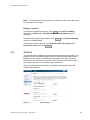
To edit a port forwarding instance, click Edit in the Port Forwarding
section on the NAT page. The Edit Portforwarding Instance page is
displayed.
To delete a port forwarding instance, click Delete in the Port Forwarding
section on the NAT page.
Change one or more value(s) in the Protocol, NAT Port, Server IP, or
Server Port field(s) and click Apply .
4.8
Sharing
The Ericsson W25 supports local network storage and printing sharing. It is
possible to have two USB storage devices or a USB storage device and a
USB printer connected to the Ericsson W25 at the same time. When an
external hub is connected, the Ericsson W25 supports connection of up to
two storage devices and one printer at the same time.
The printer can be accessed from all computers connected to the local
network (WLAN/LAN).
Figure 31
5/1551-CRH 102 167 Uen Rev C 2007-04-25
Sharing page
43
Configuration and Management
To access a shared file on the USB memory stick or a printer from a PC on
your LAN, you need the following information, displayed on the Sharing
page.
Host name
The name of the Ericsson W25 on the local network.
Workgroup
The name of the group of devices sharing the same
resources on the local network.
To change the host name or workgroup, type the new name in the
corresponding field and click Apply .
For information about setting up a connection from a PC to a shared
device, follow the instruction in section 5.3.3 – “Setting Up a Connection to
a Storage Device” or section 5.3.4 – “Accessing a Shared Printer”.
4.8.1
File Sharing
The Ericsson W25 supports USB connection of up to two mass storage
devices at the same time. The included files are shared with all devices on
the local network (LAN/WLAN). All local users have full access to the
shared files. To access shared files from a PC using Windows 2000 or XP,
follow the instructions in section 5.3.2- “Accessing a Shared USB Mass
Storage Device”.
Note:
If the mass storage device contains more than one partition, only
the first partition is shared.
Information about file sharing device(s) is displayed on the Sharing page:
Storage device
The manufacturer name of the device.
Share name
The name of the shared resource on your local
network.
To give a file sharing device a specific name, type this name in the
corresponding Share name field and click Apply .
4.8.2
Printer Sharing
Information about the shared printer is displayed on the Sharing page:
44
Printer
The manufacturer name of the printer.
Share name
The name used to identify the printer from
another computer over the network.
5/1551-CRH 102 167 Uen Rev C 2007-04-25
Configuration and Management
To give your network printer a specific name, type this name in the Share
name field and click Apply . If a share name has more than 12 characters
or has embedded spaces, the share will not be visible to Windows 95, 98 or
ME (Windows Millennium) clients.
The share name is used to access the printer from a PC. To access a
shared printer from a PC using Windows 2000 or XP, follow the instructions
in section 5.3.4- “Accessing a Shared Printer”.
5/1551-CRH 102 167 Uen Rev C 2007-04-25
45
Configuration and Management
4.9
System
The System page includes system information and management functions,
used to update and restore the Ericsson W25.
Figure 32
4.9.1
System page
Configuration Backup and Restore
The Ericsson W25 configuration can be restored to factory default settings,
see section 4.9.4 – “Factory Reset”, or to any previous configuration locally
stored in a backup file.
46
5/1551-CRH 102 167 Uen Rev C 2007-04-25
Configuration and Management
Backing Up a Configuration
It is possible to back up a configuration that you want to save for future
purposes.
To back up a configuration, click Back Up… in the Configuration Backup
and Restore section on the System page. Follow the instructions on the
screen to select a location for the configuration file.
Note:
Do not modify a configuration file. If you do, the file will be invalid
and not accepted if you want to make a restore.
Restoring a Configuration
If you wish to revert to previous settings, you can perform a configuration
restore from a previously stored backup file.
Note:
Do not modify a configuration file. If you do, the file will be invalid
and not accepted if you want to make a restore.
To restore from a configuration file, click Browse… in the Configuration
Backup and Restore section on the System page. Follow the instructions
on the screen to locate the configuration file. The selected file will be
displayed in the text field to the left of the Browse… button.
Click Restore to restore the configuration from the backup file. A
confirmation message is displayed.
4.9.2
Restart
To restart the Ericsson W25, click Restart in the Restart section on the
System page. The Ericsson W25 is restarted. The restart does not result in
any configuration changes.
4.9.3
Software Update
New Ericsson W25 software versions can be either automatically or
manually installed.
Automatic Software Installation
Automatic software update is supported through remote management. If
there is a software image available for download the upgrade process is
initiated. To enable automatic software update, select the Enable
5/1551-CRH 102 167 Uen Rev C 2007-04-25
47
Configuration and Management
automatic software update check box and choose an appropriate interval
from the Update poll interval [days] list. Click Apply to save the settings.
Installing new Software from File
If your service provider provides a new software version for your Ericsson
W25, you are recommended to upgrade the Ericsson W25.
To check for new software versions, click Check in the Software Update
section on the System page. The following page is displayed:
Figure 33
Results from a check for software updates page
Click For a description of the update please follow this link to get
information about the software version or click Yes to install the new
version. If you click Yes the update is initiated and the following page is
displayed:
Figure 34
Software Update initiated page
The information on this page is updated every tenth second. When the
upgrade is finished, click Restart to restart the Ericsson W25.
To install new software from a local file, make sure that the new software
file is available on your PC. Then click Browse… in the Software Update
48
5/1551-CRH 102 167 Uen Rev C 2007-04-25
Configuration and Management
section. Follow the instructions on the screen to locate the configuration
file. The selected file will be displayed in the Update the system with new
software field.
Click Install to upgrade the Ericsson W25 with the new software version.
The Software Update page is displayed and updated every tenth second
during the upgrade. See the information and Figure 33 above.
4.9.4
Factory Reset
The Ericsson W25 configuration can be reset to factory default settings or
to any previous configuration locally stored in a backup file, see section
4.9.1 – “Configuration Backup and Restore”.
To reset the configuration to factory default settings, click Reset in the
Factory Reset section.
4.10
Event Log
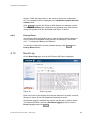
On the Event Log page, a list of the Ericsson W25 logs is displayed:
Figure 35
Event Log page
Each row in the log list displays the time and date when an alarm occurred,
the type of alarm, and a brief statement indicating its cause.
If persistent logging is enabled, the logs will remain after a system restart.
To enable this feature, select the Persistent logging check box on the
Event Log page and click Apply .
5/1551-CRH 102 167 Uen Rev C 2007-04-25
49
Configuration and Management
To view only a selection of the logs in the list, select a filter level from the
Display list. Available log levels are Alarm and All. The Alarm log level
corresponds with the Alarm indicator on the Ericsson W25 unit and the
information in the Alarms section on the Overview page.
Click Refresh to update the list with new information. The most recent logs
are listed at the bottom of the list.
Note:
50
If the actual time is not available, the timestamp is set to “Jan 1
00:00:00” when the Ericsson W25 is restarted. This will change to
actual time when available.
5/1551-CRH 102 167 Uen Rev C 2007-04-25
PC Configuration
5
PC Configuration
The connection to the Ericsson W25 may require specific PC configuration.
This chapter includes instructions on how to configure Internet Protocol (IP)
settings as well as establish wireless connection(s) with the Ericsson W25.
The descriptions include examples from Windows XP and 2000. If you use
another operating system, refer to the system documentation or online
help.
5.1
IP Settings
The Ericsson W25 automatically assigns the IP settings to your PC(s). You
only need to configure the PC(s) according to the instructions below to
accept the information. In some cases however, you may want to configure
IP settings manually. See section 5.1.2 – “Configuring Static IP Address”.
If you have connected your LAN PC(s) to the Ericsson W25, follow the
instructions that correspond to the operating system installed on your PC in
the following sub-sections.
If you want to allow wireless PCs to access your device, you also have to
follow the instructions in section 5.2 – “Wireless LAN Settings”.
5.1.1
Obtaining IP Settings Automatically
Follow the instructions that correspond to the operating system installed on
your PC.
Windows XP
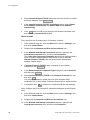
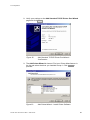
1
In the Windows task bar, click the Start button, and then click Control
Panel. The Control Panel window is displayed.
2
If you are using Category View, Click Network and Internet
Connections and then Network Connections. If you are using
Classic View, double-click Network Connections. The Network
Connections window is displayed.
3
Double-click the icon corresponding to your network interface card
(NIC). This icon is usually labeled Local Area Connection. The Local
Area Connection Properties window is displayed with a list of
currently installed network items.
5/1551-CRH 102 167 Uen Rev C 2007-04-25
51
PC Configuration
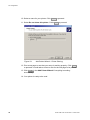
4
Select Internet Protocol TCP/IP and ensure that the check box beside
the text is selected. Click Properties .
5
In the Internet Protocol (TCP/IP) Properties window, select Obtain
an IP address automatically and Obtain DNS server address
automatically.
6
Click OK twice to confirm your changes and close the windows, and
then close the Control Panel window.
Windows 2000
First, check for the IP protocol and, if necessary, install it:
1. In the Windows task bar, click the Start button, point to Settings, and
then click Control Panel.
2. Double-click the Network and Dial-up Connections icon.
3. In the Network and Dial-up Connections window, right-click the
Local Area Connection icon, and then click Properties.
The Local Area Connection Properties dialog box is displayed with a
list of currently installed network components. If the list includes
Internet Protocol (TCP/IP), then the protocol has already been
enabled. Skip to step 11.
4. If Internet Protocol (TCP/IP) does not display as an installed
component, click Install… .
5. In the Select Network Component Type dialog box, select Protocol,
and then click Add… .
6. Select Internet Protocol (TCP/IP) in the Network Protocols list, and
then click OK .
You may be prompted to install files from your Windows 2000
installation CD or other media. Follow the instructions to install the files.
7. If prompted, click OK to restart your computer with the new settings.
Next, configure the PCs to accept IP information assigned by the Ericsson
W25:
8. In the Windows task bar, click the Start button, point to Settings, and
then click Control Panel.
9. Double-click the Network and Dial-up Connections icon.
10. In the Network and Dial-up Connections window, right-click the
Local Area Connection icon, and then click Properties.
52
5/1551-CRH 102 167 Uen Rev C 2007-04-25
PC Configuration
11. Select Internet Protocol TCP/IP and ensure that the check box beside
the text is selected. Click Properties .
12. In the Internet Protocol (TCP/IP) Properties dialog box, click the
Obtain an IP address automatically option button. Also click the Obtain
DNS server address automatically option button.
13. Click OK twice to confirm your changes and close the windows, and
then close the Control Panel window.
5.1.2
Configuring Static IP Address
Most users need not to configure static IP settings. Automatic configuration
is appropriate in most cases.
For information about static IP configuration, see the operating system
documentation or online help.
Note:
5.2
Make sure that the IP address of the client is on the same subnet
as the Ericsson W25. The IP address range of the Ericsson W25
subnet is displayed on the LAN page.
Wireless LAN Settings
This section provides a general description of what is required to make your
wireless devices work with the Ericsson W25.
Before you follow the instructions below, you need to configure the
Ericsson W25 Wireless LAN settings, see section 4.6 – “Wireless LAN”.
5.2.1
Siting the Wireless PC
The coverage of the Wireless LAN depends on a number of factors,
including the distance between the Ericsson W25 and the PC and the
occurrence of obstacles, such as walls and electrical equipment.
Guidelines on siting the hardware components of your wireless network are
provided by your Wireless LAN interface provider.
5.2.2
Installing the Wireless LAN Interface
Each PC on your Wireless LAN must be fitted with a Wireless LAN
interface, such as a wireless network card. You also have to install the
corresponding driver files for your particular Wireless LAN interface on your
5/1551-CRH 102 167 Uen Rev C 2007-04-25
53
PC Configuration
PC. The driver files and instructions on how to install them are provided
together with the interface.
5.2.3
Configuring PC Access to the Ericsson W25
The configuration steps below will vary depending on both the operating
system and the Wireless LAN interface installed on the PC. These steps
provide a basic outline. For specific instructions, refer to the documentation
provided with your Wireless LAN interface.
Configure the following wireless parameters on each of the wireless PCs:
−
Set the Wireless LAN interface to use infrastructure mode. This
configures the PCs to access each other and the Internet through
the Ericsson W25.
−
Configure the network name (SSID) and channel to match the
network name and channel configured on the Ericsson W25. This
information can usually be obtained through WLAN scanning. The
network name is case sensitive.
−
If you are using Wired Equivalent Privacy (WEP) security,
configure the same encryption key that is configured on the
Ericsson W25.
−
If you are using Wi-Fi Protected Access (WPA or WPA2) security,
configure the same passphrase that is configured on the Ericsson
W25. The passphrase is case sensitive.
®
Note: Computers running Windows 2000 does not support WPA
or WPA2 encryption.
−
5.3
Configure the IP settings using the procedure described in section
5.1– “IP Settings”.
Sharing Settings
When a shared device is connected to the Ericsson W25, information about
the device is displayed on the Sharing page. To be able to use the shared
device you also have to set up a connection to the shared device on your
PC.
In some cases, you have to make sure that your PC belongs to the same
workgroup as the Ericsson W25. Follow the instructions in section 5.3.1 –
“Checking Workgroup Settings” to check the workgroup on your PC.
54
5/1551-CRH 102 167 Uen Rev C 2007-04-25
PC Configuration
5.3.1
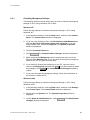
Checking Workgroup Settings
The following sections include instructions on how to check the workgroup
settings on a PC using Windows XP or 2000.
Windows XP
Follow the steps below to check the workgroup settings on a PC using
Windows XP:
1. In the Windows task bar, click the Start button, and then click Control
Panel. The Control Panel window is displayed.
2. If you are using Category View, click Performance and Maintenance
and then See basic information about your computer. If you are
using Classic View, double-click System. The System Properties
window is displayed.
3. Click the Computer Name tab.
4. Click Change… . The Computer Name Changes window is displayed.
5. Make sure that the Workgroup name is exactly the same as on the
Ericsson W25 Sharing page. If not, you have to change the workgroup
either on the PC or on the Ericsson W25.
6. If you decide to change the workgroup on the PC, type the correct
name in the Workgroup field and click OK . If you do not want to make
any changes, click Cancel . The Computer Name Changes window is
closed.
7. If you have changed the workgroup settings, follow the instructions on
the screen to restart the PC.
Windows 2000
Follow the steps below to check the workgroup settings on a PC using
Windows 2000:
1. In the Windows task bar, click the Start button, and then click Settings
and Control Panel. The Control Panel window is displayed.
2. Double-click the System icon. The System Properties window is
displayed.
3. On the Network Identification tab, click Properties . The Identification
Changes window is displayed.
5/1551-CRH 102 167 Uen Rev C 2007-04-25
55
PC Configuration
4. Make sure that Workgroup is selected in the Member of section and
that the name of the workgroup is exactly the same as on the Ericsson
W25 Sharing page. If not, select the Workgroup option and type the
name in the field. If there is already a workgroup name, although not
the same as on the Ericsson W25, you have to change the workgroup
either on the PC or on the Ericsson W25.
5. If you have made any changes, click OK . Otherwise, click Cancel . The
Identification Changes window is closed.
6. If you have changed the workgroup settings, follow the instructions on
the screen to restart the PC.
5.3.2
Accessing a Shared USB Mass Storage Device
To access a USB mass storage device from a PC using Windows 2000 or
XP, follow the steps below:
1. In the Windows task bar, click the Start button, and then click Run….
2. Type \\<host name>\<share Name> in the Open field. The Host
name and Share name are displayed on the Ericsson W25 Sharing
page. Click OK .
3. The shared resource is displayed. Double-click on the shared file to
open it.
5.3.3
Setting Up a Connection to a Storage Device
The following sections include instructions on how to set up a connection to
a mass storage device from a PC using Windows XP or 2000. The Storage
device will be displayed in the My Computer window as a new partition.
Windows XP
Follow the steps below to set up a connection to a shared storage device
from a PC using Windows XP:
1. In the Windows task bar, click the Start button, and then click My
Computer. The My Computer window is displayed.
2. From the Tools menu, select Map Network Drive…. The My
Network Drive window is displayed.
3. Select a drive that is not already used from the Drive drop-down
menu.
56
5/1551-CRH 102 167 Uen Rev C 2007-04-25
PC Configuration
4. In the Folder text field, type \\<host_name>\<share_name>.
You find the host name and share name on the Sharing page.
5. Click Finish . The Map Network Drive window is closed. The device
is displayed in the My Computer window as a new partition.
Windows 2000
Follow the steps below to set up a connection to a shared storage device
from a PC using Windows 2000:
4. Right-click the My Computer icon and select Map Network Drive...
The Map Network Drive window is displayed.
5. Select a drive that is not already used from the Drive drop-down menu.
6. In the Folder text field, type \\<host_name>\<share_name>. You
find the host name and share name on the Sharing page.
7. Click Finish . The Map Network Drive window is closed. The device is
displayed in the My Computer window as a new partition.
5.3.4
Accessing a Shared Printer
If you connect an USB printer directly into your PC, the printer device type
and brand will normally be automatically detected and a printer driver
assigned and installed. This is not the case when using a network shared
USB printer connected to your Ericsson W25.
Install the correct printer driver compatible with the PCs operating system.
The printer driver is found either on the discs that were shipped with your
printer or by downloading it from the manufacturers web page.
The Ericsson W25 supports two protocols for printing: Samba and RAW.
The protocol that is used may vary depending on printer and manufacturer.
It also affects how to access the printer via the Ericsson W25.
5.3.4.1
Printer Supporting the Samba Protocol
Windows XP (similar user interface in windows 2000)
1. Connect the printer to the Ericsson W25.
2. In the Windows task bar, click the Start button, select Run….
3. Enter \\fwt in the Open field and press enter. The shared printer is
displayed. Right click on the printer and select Connect...
5/1551-CRH 102 167 Uen Rev C 2007-04-25
57
PC Configuration
Figure 36
Printer connected to the Ericsson W25 is identified.
4. If you don’t have the correct printer drivers installed a pop up window
will appear. Click OK .
Figure 37
Printer driver dialog.
5. Select printer driver in the drop-down list or select Have disk… .
Figure 38
58
Add Printer Wizard – select manufacturer and model.
5/1551-CRH 102 167 Uen Rev C 2007-04-25
PC Configuration
6. Your computer will try to connect to the shared printer. This could take
a few minutes.
7. Print a test page to verify that your printer is connected properly. In the
Windows task bar, click the Start button, and select Printers and
Faxes. Your shared printer will be displayed as <printer name> on
fwt. Right-click on your printer and select properties. Under the
General tab select Print Test Page .
Figure 39
5.3.4.2
Printer properties.
Printer Supporting the RAW Protocol
Windows XP
To establish a connection and access a shared printer from a PC using
Windows XP, follow the steps below:
1. In the Windows task bar, click the Start button, select Printers and
Faxes. A new window appears with all the printers connected to the
PC.
2. Select Add a printer. The wizard Add Printer Wizard appears. Click
Next > to proceed.
5/1551-CRH 102 167 Uen Rev C 2007-04-25
59
PC Configuration
3. Select Local printer attached to this computer and click Next > to
proceed.
Figure 40
Add Printer Wizard – Local or Network Printer.
4. Select Create a new port. In the drop-down list choose Standard
TCP/IP Port. Click Next > to proceed. The new wizard Add Standard
TCP/IP Printer Port Wizard appears. Follow the instructions and click
Next > to proceed.
Figure 41
60
Add Printer Wizard – Select a Printer Port.
5/1551-CRH 102 167 Uen Rev C 2007-04-25
PC Configuration
5. Enter the IP address of your Ericsson W25 and a port name.
Click Next > to proceed.
Figure 42
Add Standard TCPI/IP Printer Port Wizard – Add Port.
6. Select the Custom check-box and click on Settings… .
7. Select Raw as Protocol Type and set the Port Number to 9100 under
Raw Settings. Click OK and in the Add Standard TCP/IP Printer Port
Wizard click Next > to proceed.
Figure 43
5/1551-CRH 102 167 Uen Rev C 2007-04-25
Configure Standard TCP/IP Port Monitor.
61
PC Configuration
Figure 44
Add Standard TCPI/IP Printer Port Wizard – Additional
Port Information required.
8. Verify your settings on the Add Standard TCP/IP Printer Port Wizard
page and click Finish .
Figure 45
62
Add Standard TCPI/IP Printer Port Wizard –
Confirmation.
5/1551-CRH 102 167 Uen Rev C 2007-04-25
PC Configuration
9. The Add Printer Wizard is showed. Find your Printer Manufacturer in
the list and select the driver you installed in step 1. Click Next > to
proceed.
Figure 46
Add Printer Wizard – Install Printer Software.
10. Enter a name for your printer. Click Next > to proceed.
11. Select Do not share this printer option. Click Next > to proceed.
12. Print a test page to see that your printer setup is working properly. Click
Next> to proceed. It could take a minute or two for the test page to be
printed.
13. Click Finish in the Add Printer Wizard if everything is working
successfully.
14. Your printer is ready to be used.
Windows 2000
To establish a connection and access a shared printer from a PC using
Windows 2000, follow the steps below:
5/1551-CRH 102 167 Uen Rev C 2007-04-25
63
PC Configuration
1. In the Windows task bar, click the Start button, select Settings >
Printers. A new window appears with all the printers connected to the
PC.
2. Select Add a printer. The wizard Add Printer Wizard appears. Click
Next > to proceed.
3. Select Local printer attached to this computer and click Next > to
proceed.
Figure 47
Add Printer Wizard – Local or Network Printer.
4. Select Create a new port. In the drop-down list select Standard
TCP/IP Port. Click Next > . The new wizard Add Standard TCP/IP
Printer Port Wizard appears. Follow the instructions and click Next >
to proceed.
64
5/1551-CRH 102 167 Uen Rev C 2007-04-25
PC Configuration
Figure 48
Add Printer Wizard – Select the Printer Port.
5. Enter the IP address of your Ericsson W25 and a port name.
Click Next > to proceed.
Figure 49
Add Standard TCPI/IP Printer Port Wizard – Add Port.
6. Select the Custom check-box and click on Settings… .
5/1551-CRH 102 167 Uen Rev C 2007-04-25
65
PC Configuration
7. Select Raw as Protocol Type and set the Port Number to 9100 under
Raw Settings. Click OK and in the Add Standard TCP/IP Printer Port
Wizard click Next > to proceed.
66
Figure 50
Configure Standard TCP/IP Port Monitor.
Figure 51
Add Standard TCPI/IP Printer Port Wizard – Additional
Port Information required.
5/1551-CRH 102 167 Uen Rev C 2007-04-25
PC Configuration
8. Verify your settings on the Add Standard TCP/IP Printer Port Wizard
page and click Finish .
Figure 52
Add Standard TCPI/IP Printer Port Wizard –
Confirmation.
9. The Add Printer Wizard is showed. Find your Printer Manufacturer in
the list and select the driver you installed in step 1. Click Next > to
proceed.
Figure 53
5/1551-CRH 102 167 Uen Rev C 2007-04-25
Add Printer Wizard – Install Printer Software.
67
PC Configuration
10. Select a name for your printer. Click Next > to proceed.
11. Select Do not share this printer. Click Next > to proceed.
Figure 54
Add Printer Wizard – Printer Sharing.
12. Print a test page to see that your setup is working properly. Click Next>
to proceed. It could take a minute or two for the test page to be printed.
13. Click Finish in the Add Printer Wizard if everything is working
successfully.
14. Your printer is ready to be used.
68
5/1551-CRH 102 167 Uen Rev C 2007-04-25
Trouble-Shooting
6
Trouble-Shooting
This chapter describes how to solve a number of issues that could occur
during installation, configuration, and use of the Ericsson W25. More
information is available at www.ericsson.com/fwt.
Before you try any of the methods described in this chapter, make sure that
the connected cables are securely inserted and that the Power indicator on
the Ericsson W25 is green.
If none of the suggested methods solve your problem, you are
recommended to:
1. Restart the Ericsson W25.
2. Reset the Ericsson W25 to factory default configuration and re-install
the unit.
3. Contact your service provider.
To restart the Ericsson W25, click Restart on the System web page. If you
cannot access the Ericsson W25 web pages, remove the power cable to
disconnect the Ericsson W25 from power and wait a moment before
reconnecting the cable.
To reset the settings to factory default, disconnect the Ericsson W25 from
power by removing the power cable. If the battery is used as power supply,
please remove the battery before the reset. Then use a tip of a pen to press
the Reset button while reconnecting the power cable. Keep the Reset
button pressed for at least 20 seconds.
The factory default configuration contains the original settings of your
Ericsson W25. When you install your Ericsson W25 and access the web
pages for the first time, the configuration file contains the factory default
configuration.
Note:
A reset to factory default configuration cannot be undone. If you
reset the Ericsson W25 to default configuration, all your previous
configuration changes are replaced. If you have previously
changed the user name and password, the User Login page will
be displayed. You have to login to the web pages with the default
user name and password (user in both fields).
5/1551-CRH 102 167 Uen Rev C 2007-04-25
69
Trouble-Shooting
6.1
No Access to Ericsson W25 Web Pages
If you cannot access the Ericsson W25 internal web pages, take the
following actions to identify and solve the problem:
6.2
•
Check that the PC is configured to obtain an IP address automatically
using DHCP. If not, change the PC TCP/IP settings. For instructions,
see section 5.1.1 – “Obtaining IP Settings Automatically” or the manual
of your operating system.
•
If the Ericsson W25 IP address has been changed and you do not
know the current IP address, use the Reset button to reset the
Ericsson W25 to factory default configuration (see above). This will set
the IP address to 192.168.1.1 and the web page address to
http://192.168.1.1.
•
Make sure you are using the correct login details. If the default
password has been changed and you do not know the current
password, use the Reset button to reset the Ericsson W25 to factory
default configuration (see above). This will reset the login details to
default values. The default user name and password are “user”.
•
If the PC is connected to the Ericsson W25 via an Ethernet cable,
check that at least one of the corresponding LAN connector indicators
is illuminated. If not, make sure that the cable is properly connected or
try with another Ethernet cable.
•
If you are using a wireless PC, make sure that the Wireless LAN
indicator on the front panel of the Ericsson W25 unit is illuminated. If
not, connect an Ethernet cable between the PC and the Ericsson W25
to establish a connection. The wired connection is required for the
initial Wireless LAN configuration of the Ericsson W25.
No Internet Access
If you cannot access the Internet from any of your local devices, take the
following actions to identify and solve the problem:
70
•
On the Internet page, make sure that the Link status is Up and that an
IP address is defined.
•
Make sure that the GSM/UMTS antenna is properly connected and
tightened to the Ericsson W25 antenna connector.
•
Check the Alarm indicator on the front panel of the Ericsson W25 unit.
If it is red, see the information in the Alarms section on the Overview
page.
5/1551-CRH 102 167 Uen Rev C 2007-04-25
Trouble-Shooting
6.3
•
On the Internet page, check that the PIN field is filled in and that there
is no error message beside this field. If there is a message saying
Insert SIM, verify that a valid SIM card is correctly inserted and then
retype the PIN code on the Internet page. If the message says Set
PIN, only retype the PIN code. If the SIM blocked message is
displayed, the PUK is required to unblock the card.
•
On the Internet page, check that the APN is correctly entered in the
APN (3G) and APN (2G) fields according to the information from your
service provider.
•
On the Internet page, verify that the mobile network signal quality
indicator displays at least one bar. If not, move the Ericsson W25 or
attach an external antenna (indoor window or outdoor roof mounted).
External antennas are available as accessories to the Ericsson W25.
•
Make sure that the LAN or WLAN connection is established. For
trouble-shooting, see section 6.7 – “No LAN Connection” or 6.8 – “No
Wireless LAN Connection”.
Slow or Intermittent Internet Connection
If your Internet connection is unacceptable slow or regularly dropping, take
the following actions to identify and solve the problem:
6.4
•
On the Internet page, verify that the Connection is HSDPA or UMTS. If
not, move the Ericsson W25 or attach an external antenna (indoor
window or outdoor roof mounted). External antennas are available as
accessories to the Ericsson W25. Verify with your operator that HSDPA
is available.
•
On the Internet page, verify that the mobile network signal quality
indicator displays at least two bars. If not, try to move the Ericsson W25
or attach an external antenna.
No Access to a Certain Internet Application
If you cannot access a certain Internet application or specific type of data,
take the following actions to identify and solve the problem:
•
If the application uses FTP or TFTP, check the NAT page to make sure
that the ALG supporting the Internet application is enabled.
•
If the application requires UPnP IDG, check that UPnP IDG is enabled
on the NAT page.
5/1551-CRH 102 167 Uen Rev C 2007-04-25
71
Trouble-Shooting
6.5
Telephony Service not Working
If you cannot make or receive a call from a Phone connected to the
Ericsson W25, take the following actions to identify and solve the problem:
•
Make sure that the phone is working, for example by connecting it to a
fixed line telephone network (PSTN). The phone has to be of a
standard touch tone type (with DTMF keypad support).
Note:
6.6
Some old phones have a keypad, although they do not support
DTMF. These phones are consequently not supported by the
Ericsson W25.
•
Connect the phone directly to the Phone connector on the Ericsson
W25. Verify that a dial tone is heard when picking up the handset. If
not, replace the handset and restart the Ericsson W25. Allow some two
minutes for the startup and then listen for the information tone again.
•
If an information tone other than the dial tone is heard when lifting the
handset verify that the SIM card is correctly inserted, re-enter the PIN,
or enter the PUK and a new PIN to unlock the SIM card. The method to
use depends on the type of information tone. For information about
tones, see section 3.2 – “Information Tones”.
Fax Service not Working
If you cannot send or receive a fax connected to the Ericsson W25, take
the following actions to identify and solve the problem:
72
•
Connect a phone to the Phone/Fax connector on the Ericsson W25.
Verify that a dial tone is heard. If not, the data service may be out of
order. Check that Ericsson W25 has received an IP address. The data
service is a prerequisite for the fax service, see section 6.2 – “No
Internet Access” for trouble shooting the data service.
•
Make sure that the fax is working, for example by connecting it to a
fixed line telephone network (PSTN).
•
Make sure that the fax is not out of ink or toner or has paper feed
problems.
•
Messages regarding fax status and failures are shown on the fax.
•
Contact your Service Provider if problems remain.
5/1551-CRH 102 167 Uen Rev C 2007-04-25
Trouble-Shooting
6.7
No LAN Connection
If you cannot access the local network from a PC that is connected to one
of the LAN ports on the Ericsson W25, or to an Ethernet switch or hub that
is connected to the Ericsson W25, take the following actions to identify and
solve the problem:
6.8
•
Check that at least on of the LAN connector indicator is green. If not,
check that the Ethernet cable(s) is properly connected.
•
Check that the PC is configured to obtain IP address automatically
using DHCP. If not, change the PC TCP/IP settings. For instructions,
see section 5.1.1 – “Obtaining IP Settings Automatically” or refer to the
manual of your operating system.
No Wireless LAN Connection
If you cannot access the local network from a wireless device, take the
following actions to identify and solve the problem:
•
Check that the Wireless LAN indicator on front panel of the Ericsson
W25 unit is illuminated. If not, connect an Ethernet cable between the
PC and the Ericsson W25 to establish a connection. The wired
connection is required for the initial Wireless LAN configuration of the
Ericsson W25.
•
Verify that the Wireless LAN interface installed on the wireless client is
active.
•
Move the Ericsson W25 to another location. Make sure that the mobile
network signal is still acceptable before finalizing the installation.
•
Check that the Transmit power [dBm] on the Wireless LAN page is
configured in accordance with your requirements on wireless network
coverage. The maximum transmit power value is “20”.
•
Configure the Ericsson W25 Wireless LAN authentication method to
Open. This will verify if the Wireless LAN connection is working without
encryption. If so, the problem is related to the security settings. See the
information below to get help to identify the problem.
•
Verify that the operating system and Wireless LAN interface of the
client supports the Ericsson W25 authentication and encryption method
(WEP 64-bit, WEP 128-bit, WPA, or WPA2). The Ericsson W25
security settings are displayed on the Wireless LAN web page. If the
security method is not supported, configure the Ericsson W25 to use
another method.
5/1551-CRH 102 167 Uen Rev C 2007-04-25
73
Trouble-Shooting
6.9
•
Verify that the network name (SSID) on the Ericsson W25 and the
wireless client are the same. Note that the network name is casesensitive.
•
If you are using WEP, make sure that the encryption key length (64-bit
or 128-bit) is the same on the Ericsson W25 and the wireless client.
•
If you are using WEP, make sure that the wireless client is configured
with the same encryption key as the Ericsson W25. Check that the
encryption key consists of hexadecimal characters only.
•
If you are using WPA or WPA2, make sure that the passphrase is the
same on the Ericsson W25 and the wireless client. Note that the
passphrase is case sensitive.
•
If Whitelist is enabled, make sure that the wireless client is included on
this list.
•
If the wireless client uses a static IP address, make sure that this IP
address is on the same subnet as the Ericsson W25. For instructions
on how to check the client’s IP address, see the operating system
documentation or online help. TheW25 IP address and subnet mask is
displayed on the LAN page.
•
Make sure that your Ericsson W25 network does not use the same
radio channel as other wireless devices in the premises, for example
security systems. The radio channel is displayed on the Wireless LAN
page. To avoid interference, let the Ericsson W25 select a channel
automatically (Auto) or manually change the radio channel currently
used.
•
Keep the Ericsson W25 away from electrical devices that disturb the
radio signals, for example microwave ovens.
Slow or Intermittent Wireless LAN Connection
If your wireless connections to the local network are unacceptable slow or
regularly dropping, take the following actions to identify and solve the
problem:
74
•
Move the Ericsson W25 to another location. Make sure that the mobile
network signal is still acceptable before finalizing the installation.
•
Make sure that your Ericsson W25 network does not use the same
radio channel as other wireless devices in the premises, for example
security systems. The radio channel is displayed on the Wireless LAN
page. To avoid interference, let the Ericsson W25 select a channel
5/1551-CRH 102 167 Uen Rev C 2007-04-25
automatically (Auto) or manually change the radio channel currently
used.
6.10
•
Keep the Ericsson W25 away from electrical devices that disturb the
radio frequency signals, for example microwave ovens.
•
Check that the Transmit power [dBm] on the Wireless LAN page is
configured in accordance with your requirements on wireless network
coverage. The maximum (default) value is “20”.
No Access to Shared Files or Network Printer
If you cannot access a shared storage device or network printer connected
to the one of the USB connectors of the Ericsson W25, take the following
action to identify and solve the problem:
6.10.1
•
Restart Ericsson W25.
•
Disconnect the USB device from the Ericsson W25, and then reconnect
it.
•
Make sure that the PC belongs to the same workgroup as the Ericsson
W25. For instructions, see section 5.3.1. The Ericsson W25 workgroup
is displayed on the Sharing web page.
•
If you have problems accessing a network printer, make sure that the
printer drivers are correctly installed on the PC.
USB Printer error
Make sure that the printer is not out of ink or toner or has paper feed
problems.
Messages regarding printing status and failures from a shared printer used
through the Ericsson W25 may not always be reported back correctly to the
computer, please check the printers status lamps for error conditions.
5/1551-CRH 102 167 Uen Rev C 2007-04-25
75
Glossary
Glossary
2G
The second generation wireless
communications technology, introducing
digital voice encoding. Low speed data
services are supported.
3G
The third-generation wireless
communications technology. 3G includes
enhanced voice, data, and video capabilities,
improved availability, broad bandwith and
high speed.
ALG
Application Layer Gateway.
An ALG provides a translation and
transportation service for an Internet
application. If necessary, the contents of a
data packet are modified and if a secondary
port is required, the ALG will open one.
AES
Advanced Encryption Standard.
An encryption method used by WPA2. AES
offers a high level of security and is approved
for sensitive corporate and government data
transmission.
AP
Access point.
An Internet device that seamlessly connects
wired and wireless networks. Access points
attached to a wired network support the
creation of multiple radio cells that enable
roaming throughout a facility.
APN
Access Point Name.
A reference to the Internet access point of an
Service provider.
76
Authentication
The process to verify the identity of a user
requesting network access.
Broadcasting
To simultaneously send the same message to
multiple recipients.
CDMA
Code Division Multiple Access.
A general term describing mobile air interface
technologies based on “spread spectrum”
digital radio access methods, offering benefits
including increased capacity, quality and
security. CDMA is fundamental to 3G mobile
systems.
Channel
A channel determines the radio frequency
used by an access point to pass data traffic to
wireless clients. Available channels depend
on region specific regulations.
CLIP
Calling Line Identity Presentation.
A service that provides a called party the
calling line identity,for example the phone
number, of the caller.
DHCP
Dynamic Host Configuration Protocol.
A protocol used to provide a framework for
passing configuration information on a
TCP/IP network.
DHCP server
Dynamic Host Configuration Protocol server.
A configuration server, capable of configuring
network devices with a variety of information
required for their operation.
5/1551-CRH 102 167 Uen Rev C 2007-04-25
Glossary
DNS
Domain Name System (or Service).
The way that Internet domain names are
located and translated into IP addresses.
DTMF
Dual Tone Multi Frequency.
The telephone signaling method used for
dialling, tele-banquing and so on.
EDGE
Enhanced Data rates for Global Evolution.
A technology that gives GSM the capacity to
handle services for the third generation of
mobile telephony. EDGE provides three times
the data capacity of GPRS.
Encryption
The translation of data into a form that cannot
be easily understood by unauthorized users.
Data passing between an access point and
network clients can use encryption to protect
from interception and eavesdropping.
Encryption key
A sequence of characters used for data
encryption. The encrypted data can only be
sent and received by users with access to the
encryption key.
Ethernet
The most common LAN technology, used in
both wired and wireless networks. An
Ethernet LAN typically uses coaxial cables or
special grades of twisted pair wires.
FTP
File Transfer Protocol.
A protocol for exchanging files over the
Internet. FTP is most commonly used to
download and upload files from and to
servers.
FWT
Fixed Wireless Terminal.
A terminal providing residential and small
office users with broadband services like
high-speed data, voice, and fax connectivity.
Internet access is provided through the
mobile communications network.
Gateway
A network point that acts as an entrance to
another network.
GPRS
General Packet Radio Service.
A packet-based mobile communications
system building on GSM. Advantages over
standard GSM include higher data
transmission speeds, more efficient use of
radio resources and continuous connection to
the network to facilitate more advanced nonvoice services.
GSM
Global System for Mobile Communication.
The second generation mobile system
originally developed in Europe. GSM is
oriented to voice and circuit mode data.
Host
A device (usually a computer) connected to a
network.
HSDPA
High Speed Downlink Packet Access.
The new standardized evolution of WCDMA
that will enable downlink speeds of up to 14
Mbps.
IGD
Internet Gateway Device.
See UPnP IGD.
IMEI
International Mobile Equipment Identity.
The IMEI number of a mobile device is a 15
digit unique code that is used to identify the
device on a network.
5/1551-CRH 102 167 Uen Rev C 2007-04-25
77
Glossary
IP
Internet Protocol.
A part of a suite of protocols that effectively
defines the Internet as we know it. Specifies
addressing and control information for routing
data packets over networks.
IP address
The address of a host on the Internet,
consisting of four numbers, each from 0 to
255, separated by periods, for example
192.168.1.1. An IP address consists of a
network ID that identifies the particular
network the host belongs to, and a host ID
uniquely identifying the host itself on that
network. A network mask is used to define
the network ID and the host ID.
LAN
Local Area Network.
A computer network limited to the immediate
area, such as a home, office, or small
building.
Lease time
The amount of time that an dynamically
assigned IP address will be valid for a specific
device.
MAC address
Media Access Control address.
The permanent hardware address of a device
assigned by its manufacturer. MAC
addresses are expressed as six pairs of
hexadecimal characters (0-9 and A-F), with
each pair separated by colons. For example:
1a:2b:23:5b:66:9a
Mass Storage
Various techniques and devices used to store
large amounts of data. An example of a mass
storage device is a hard disk.
78
NAT
Network Address Translation.
A service performed by many routers that
translates a network’s IP address into a
private IP address for each device on the
LAN. Only the router and the LAN know these
addresses; the outside world sees only the
public IP address when talking to a computer
on the LAN.
Network mask
A sequence of bits applied to an IP address
to select the network ID while ignoring the
host ID. Bits set to 1 mean “select this bit”
while bits set to 0 mean “ignore this bit”. For
example, if the network mask 255.255.255.0
is applied to the IP address 100.10.50.1, the
network ID is 100.10.50, and the host ID is 1.
See also subnet mask.
Packet
The units of data transmitted on a network.
Each packet contains a payload (the data),
plus overhead information such as where it
came from (source address) and where it will
go (destination address).
Passphrase
A secret password used for WPA and WPA2
wireless data encryption. The encryption is
based on a WPA master key that is derived
from the passphrase and the network name
(SSID).
PC
Personal Computer.
A computer designed for use by one person
at a time.
PIN
Personal Identification Number.
A secret code used for individual access to
for example computer networks. Generally, a
PIN is made up of 4 to 10 digits.
5/1551-CRH 102 167 Uen Rev C 2007-04-25
Glossary
PPP
Point-to-Point Protocol.
A protocol for serial data transmission that is
used to carry IP (and other protocol) data
between the service provider and your
computer.
Routing
The forwarding of data between a local
network and the Internet on the most efficient
route, based on the data’s destination IP
address and current network conditions. A
device that performs routing is called a router.
Private IP Address
A private IP Address is typically assigned to a
client on a LAN (Local Area Network) and is
not used outside the LAN. Private IP
addresses are typically used when multiple
computers share the same Internet
connection.
RSSI
Received Signal Strength Indicator.
The RSSI is an indicator of the strength of the
received radio signal.
Protocol
A set of rules governing the transmission of
data. In order for a data transmission to work,
both ends of the connection have to follow the
rules of the protocol.
PSTN
Public Switched Telephone Network.
The traditional, wired telephone network
designed primarily for voice traffic.
Public IP Address
A public IP address is a globally unique
number that identifies a device on the
Internet. Anyone on the Internet can connect
to the device using the public address.
PUK
Personal Unblocking Key.
A secret code made up of 8 to 10 digits. The
PUK is used to reactivate a SIM card that has
been blocked.
Roaming
The movement between microcells in a radio
network. Roaming service is used to provide
network access independent of where the
user resides and what service provider that is
running the network.
5/1551-CRH 102 167 Uen Rev C 2007-04-25
SIM
Subscriber Identity Module.
The “smart card” required by all mobile
customers to operate their phones. Carries
authentication, billing and information about
the individual subscriber, as well as address
book and other personalized information.
SSID
Service Set Identifier.
A unique network name that differentiates
one wireless device from another. Wireless
PCs configured with the same SSID can
access the same network.
Subnet
A portion of a network. The subnet is
distinguished from the larger network by a
subnet mask that selects some of the
computers of the network and excludes all
others. The subnet’s devices remain
physically connected to the rest of the
network, but they are treated as though they
were on a separate network.
Subnet mask
A mask that defines a subnet. See also
Network mask.
Switching
Routing data traffic by setting up temporary
connections between two or more network
points. This will take the data toward its
intended destination.
79
Glossary
TCP
Transmission Control Protocol.
See TCP/IP.
TCP/IP
Transmission Control Protocol / Internet
Protocol.
The basic protocols used on the Internet.
TCP is responsible for dividing data up into
packets for delivery and reassembling them
at the destination. IP is responsible for
delivering the packets from source to
destination. When TCP and IP are bundled
with higher-level applications such as HTTP,
FTP, Telnet, and so on, TCP/IP refers to this
whole suite of protocols.
TFTP
Trivial File Transfer Protocol.
A TCP/IP protocol commonly used for
software downloads.
TKIP
Temporal Key Integrity Protocol.
A protocol used for WPA data encryption. It
ensures that a unique master key is
generated for each packet, supports message
integrity and sequencing rules, and supports
re-keying mechanisms. TKIP avoids the
problems of WEP static keys by dynamically
changing data encryption keys.
UDP
User Datagram Protocol.
A connection-less transport service that
dispenses with the reliability services
provided by TCP. UDP gives applications a
direct interface with IP and the ability to
address a particular application process
running on a host via a port number, without
setting up a connection session.
UPnP
Universal Plug and Play.
A networking architecture that provides
compatibility among networking equipment,
software, or between equipment and
software.
80
UPnP IGD
UPnP Internet Gateway Device.
A standard used by UPnP aware clients, such
as MSN Messenger, to work properly from
behind a NAT.
UMTS
Universal Mobile Telecommunications
Service.
A 3G wireless system that delivers highbandwidth data and voice services to mobile
users. UMTS has an air interface based on
WCDMA and a core network based on the
General Packet Radio Service (GPRS).
URL
Uniform Resource Locator.
The address of a resource on the Internet.
USB
Universal Serial Bus.
An interface for connecting peripherals such
as storage devices and printers to a host.
WAN
Wide Area Network.
A network of computers that covers a large
geographical distance. With respect to the
Ericsson W25, WAN refers to the Internet.
WCDMA
Wideband CDMA.
The radio access technology for wideband
wireless access supporting 3G services. It
allows very high speed multimedia services
like wireless Internet access and
videoconferencing. WCDMA is also known as
CDMA DS (Direct Sequence).
WEP
Wired Equivalent Privacy.
A method for data encryption on wireless
networks. Data is encrypted into blocks of
either 64 bits length or 128 bits length. The
encrypted data can only be sent and received
by users with access to a private encryption
key.
5/1551-CRH 102 167 Uen Rev C 2007-04-25
Glossary
Wireless
A common term used to describe
telecommunications in which radio waves
(rather than some form of wire) carry the
signal over part or all of the communication
path.
WLAN
Wireless Local Area Network.
A WLAN is a network in which a mobile user
can connect to a LAN through a wireless
(radio) connection. The IEEE 802.11 standard
specifies the technologies for Wireless LANs.
WPA
Wi-Fi Protected Access.
An authentication and encryption standard for
wireless networks. WPA addresses the
security limitations of WEP, providing a
stronger data encryption method; TKIP. WPA
data encryption is based on a WPA master
key. The master key is derived from the
passphrase and the network name (SSID) of
the device.
WPA2
Wi-Fi Protected Access 2.
An enhanced version of WPA. For data
encryption, WPA2 uses AES instead of TKIP.
5/1551-CRH 102 167 Uen Rev C 2007-04-25
81
Ericsson Enterprise AB
www.ericsson.com
© Ericsson AB 2007 - All Rights Reserved
5/1551-CRH 102 167 Uen Rev C 2007-04-25