1
Issue
10.03.C
EVS Multicam Version 10.01 – Operating Manual
EVS Broadcast Equipment SA – July 2010
6.
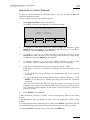
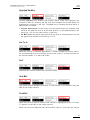
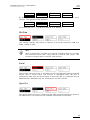
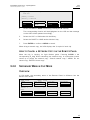
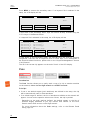
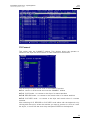
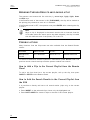
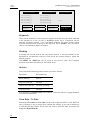
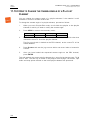
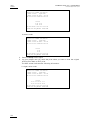
Press the C key to specify whether to search for the LTC (LTC), the userdefined timecode type (USER) or whatever TC type (LTC+USER).
Press several times the C soft key to select the requested value.
7.
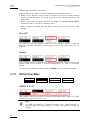
Press the D key to specify whether to search only for local clips (Srch Loc )
or on the entire XNet Network (Srch Net).
Press several times the D key to select the requested value.
8.
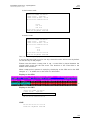
Press ENTER to launch the search.
R ESULTS
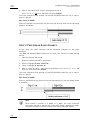
If matching clips are found, the Remote Panel will automatically be in Browse
mode (the BROWSE key is red), allowing the operator to quickly view the frame of
each clip corresponding to the requested timecode by rotating the jog dial.
To be able to jog inside a clip, disable the Browse mode by pressing on the
BROWSE key and move the jog dial. To return to the Browse mode inside the
search results, press the BROWSE key again.
Search results are reset when going by to LIVE mode, or when a new search is
performed.
E XAMPLES
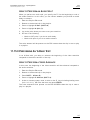
• You have loaded the picture of an interesting event, and you want to see all
clips that contain that same event. Call the Sort ->TC function, select the
network/local search option and launch the search. Move the jog dial and you
will see the same event on the same timecode from all available camera angles
that have been clipped.
• You know the timecode of a particular event and you want to see all clips
containing that event. Call the Sort ->TC function, edit the timecode to the
desired value, select the network/local search option and press ENTER: you will
obtain the same result as above if the timecode belongs to the same type as the
one previously mentioned.
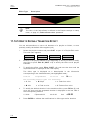
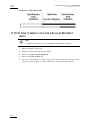
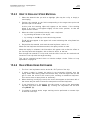
9.2.10 HOW TO SHORTEN A CLIP
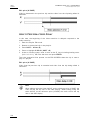
To shorten a clip, proceed as follows:
50
1.
Recall the desired clip by pressing the corresponding F_ key.
2.
Move the jog dial to browse the clip and reach to the desired Short IN point.
3.
Press the IN key to mark a new Short IN point. The new Short IN point is
instantly saved.
4.
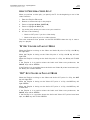
Move the jog dial to reach the desired Short OUT point.
5.
Press the OUT key to mark a new Short OUT point. The new Short OUT
point is instantly saved.