1
©
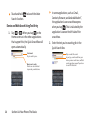
3. Tap
to search for the entered text.
– or –
If what you want to search for appears in
the suggestions list, tap that item to
conduct the search.
To search different by type:
©
Tap
> All, Web, Apps, or Contacts.
To search using voice command:
©
Touch and hold
.
Tap
from the Quick Search Box.
When you stop speaking, Google Search by Voice
analyzes your speech and displays the results of
your search.
Touchscreen Navigation
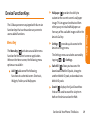
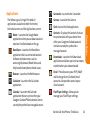
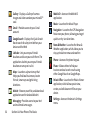
The LG Marquee is a touch-sensitive device which
allows you to not only select an on-screen option
with a single touch, but to easily scroll through
long lists. Simply slide up and down through the
display with your fingertip. Your touchscreen
provides an excellent way to interact with and
use your Android phone. With the touch of your
finger, you can access available applications,
make menu selections, and access data saved to
your device. The following terms are used for
describing the different available actions using
the touchscreen:
– or –
Section 1A: Your Phone: The Basics
25
Phone Basics
You can use the Search preferences to
configure some aspects of Google Web
search (for example, whether it makes
suggestions below the Quick Search Box as
you type), and what device features you
want to include in searches. Tap
>
Search settings.