1
SPECIAL FUNCTIONS
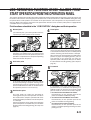
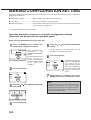
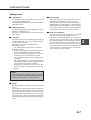
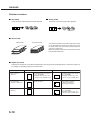
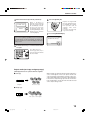
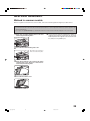
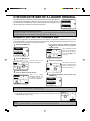
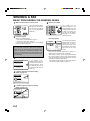
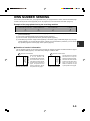
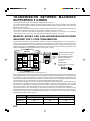
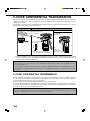
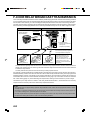
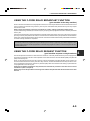
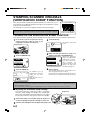
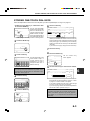
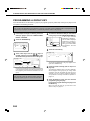
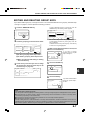
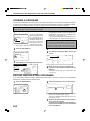
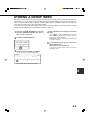
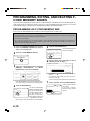
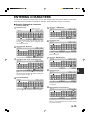
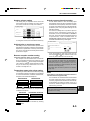
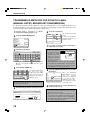
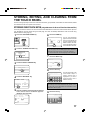
Pamphlet copy
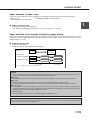
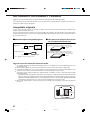
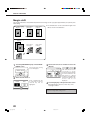
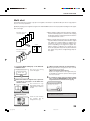
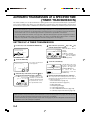
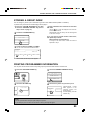
The pamphlet copy function is used to arrange copies in proper order for eventual center-stapling and folding into a
booklet. Two original pages are copied onto each side of copy paper. Four pages are, therefore, copied onto one sheet.
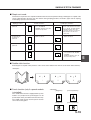
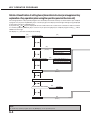
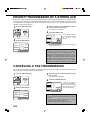
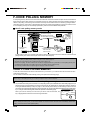
[Example] Copying eight originals in the pamphlet copy mode
Originals (one-sided)
Finished copies are
folded in two.
Left binding
For left to
right turning
1
●
●
2
3
●
4
5
6
First page
7
8
●
Originals (two-sided)
2
4
6
●
8
Right binding
For right to
left turning
1
3
5
7
First page
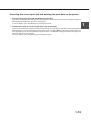
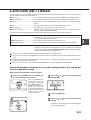
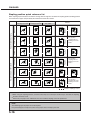
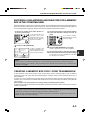
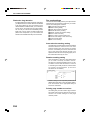
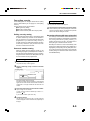
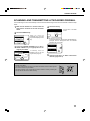
Scan the originals from the first page to the last page.
The order of copying will be automatically adjusted by
the machine.
Either left binding (right to left turning) or right binding
(left to right turning) can be selected.
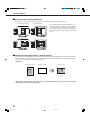
Four originals will be copied onto one sheet. Blank
pages may be automatically produced at the end
depending on the number of the originals.
When using this function, a duplex module must be
installed.
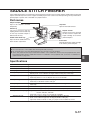
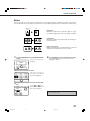
If a saddle stitch finisher is installed, copies can be
stapled in two positions along the center of copies
and folded at the center.
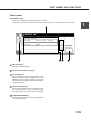
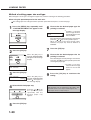
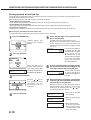
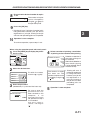
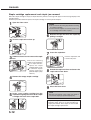
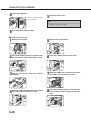
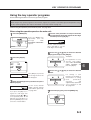
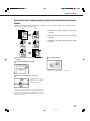
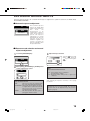
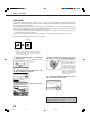
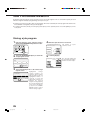
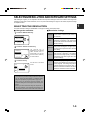
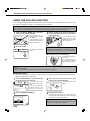
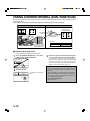
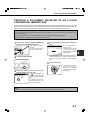
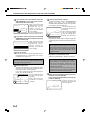
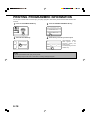
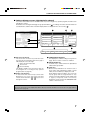
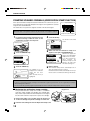
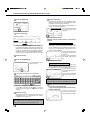
the [PAMPHLET COPY] key on the
1 Touch
SPECIAL MODES screen.
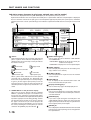
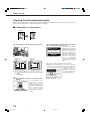
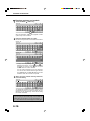
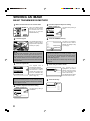
that the desired paper size has been
6 Ensure
automatically selected based on the original size.
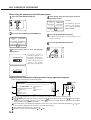
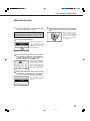
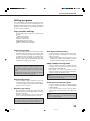
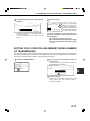
The pamphlet copy setting
screen will appear.
To select another size
paper, select the desired
size and touch the [AUTO
IMAGE]
key.
The
appropriate copy ratio will
be selected automatically
based on the original size
and the paper size. (See
steps 2 and 3 on page 16.)
PAMPHLET COPY
the type of originals to be copied: 12 Designate
sided or 2-sided.
ORIGINAL
1-SIDED
2-SIDED
AUTO 11 X 17
PAPER SELECT
100%
COPY RATIO
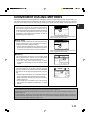
all other desired settings such as exposure
7 Make
or the number of copies, and press the [START]
key.
using the automatic document feeder:]
8 [When
Copying will start after all originals have been scanned.
(The next step is not needed.)
[When using the document glass:]
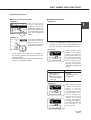
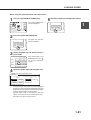
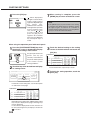
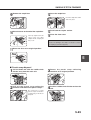
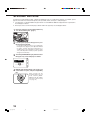
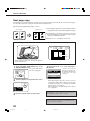
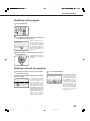
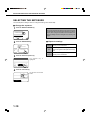
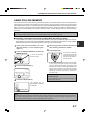
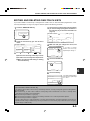
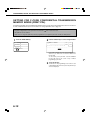
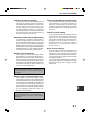
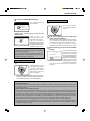
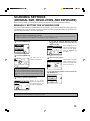
the binding position (left binding or right
3 Select
binding) and touch the [OK] key.
CANCEL
LEFT
BINDING
OK
RIGHT
BINDING
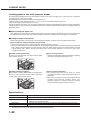
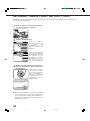
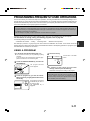
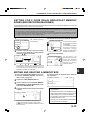
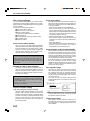
Replace the original with the next original and press
the [START] key. Repeat this operation until all originals
have been scanned.
the [READ-END] key. (only if the document
9 Touch
glass is used)
PLACE NEXT ORIGINAL. PRESS [START].
WHEN FINISHED, PRESS [READ-END].
4 Touch the [OK] key on the special modes screen.
from the first page to the last page from
5 Copy
either the document feeder or the document
glass.
READ-END
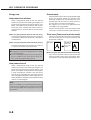
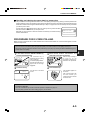
When the pamphlet copy function is set, the twosided copying mode will be automatically selected
and cannot be changed.
To cancel the pamphlet copy function, touch the [CANCEL]
key on the pamphlet copy setting screen.
23
copy-2_Ep.P65
23
2/04/01, 19:18