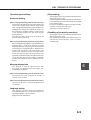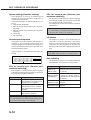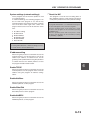
1
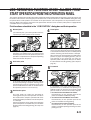
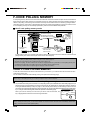
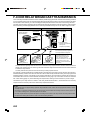
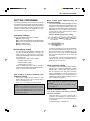
TRANSMISSION AND RECEPTION USING THE POLLING FUNCTION
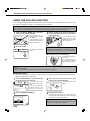
USING THE POLLING FUNCTION
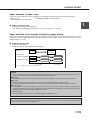
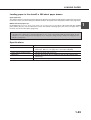
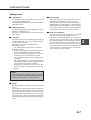
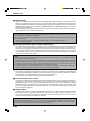
A document should not be loaded in the machine when the following operation is performed. When used in conjunction
with the timer transmission function, only one polling job can be stored.
NOTE
If the other machine has a polling security function (refer to page 3-8), use the key operator program to program your own fax number
(refer to page 8-4), and ask the operator of the other machine to appropriately program your fax number in that machine.
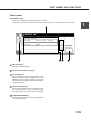
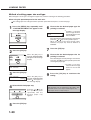
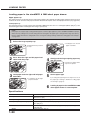
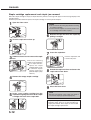
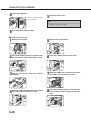
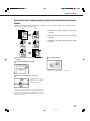
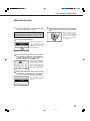
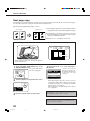
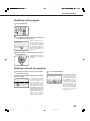
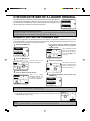
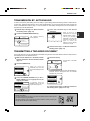
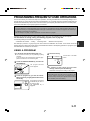
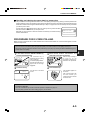
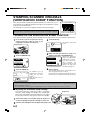
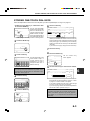
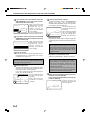
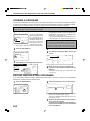
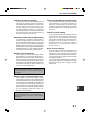
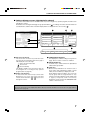
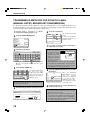
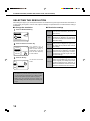
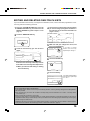
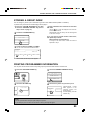
the SPECIAL MODES key in fax mode,
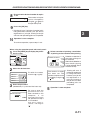
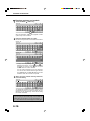
1 Touch
and then touch the POLLING key.
SPECIAL MODES
STANDARD
RESOLUTION
POLLING
DUAL PAGE
SCAN
EXPOSURE
You will return to the initial
screen.
REDIAL
(refer to page 2-5).
The POLLING key is
highlighted and the polling
icon appears.
To cancel polling, touch the
POLLING key once again to
cancel the selection.
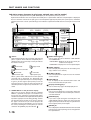
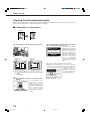
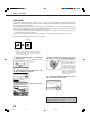
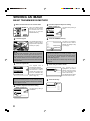
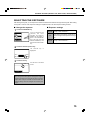
2 Touch the OK key.
AKER
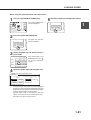
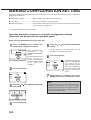
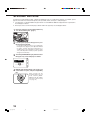
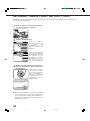
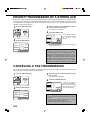
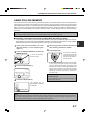
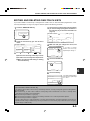
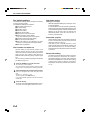
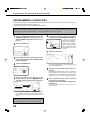
the number of the other fax machine or
3 Dial
touch an auto-dial key (one-touch or group key)
OK
SPE
CORPO.TPS
If you are performing serial
polling, touch the NEXT
ADDRESS key and repeat
this step. (Page 3-3)
SHARP GROUP
NOTE
When performing serial polling, an auto-dial key that includes
a sub-address or passcode (page 4-2) cannot be selected.
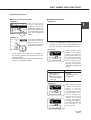
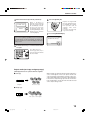
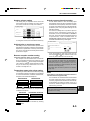
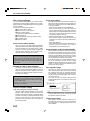
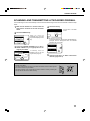
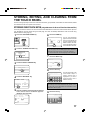
you have finished entering
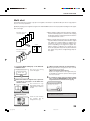
4 When
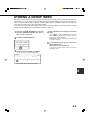
destination(s), press the START key.
the
JOB STORED appears in
the screen.
Your machine prints the
document after receiving it
from the sending machine.
NOTE
• To cancel the operation
Press the JOB STATUS key and then cancel the operation as explained on page 2-6.
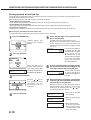
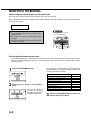
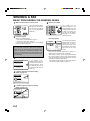
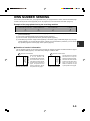
■ Manual polling
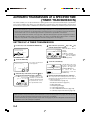
A document should not be loaded in the machine when the following operation is performed. Manual polling is
begun on the signal of the other party.
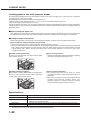
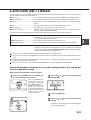
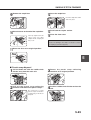
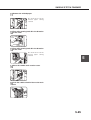
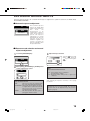
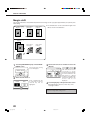
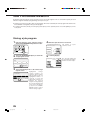
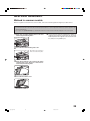
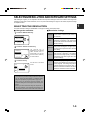
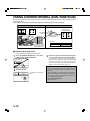
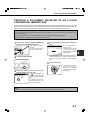
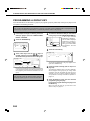
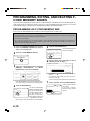
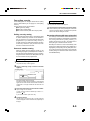
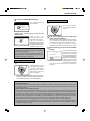
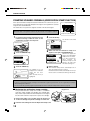
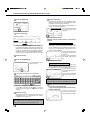
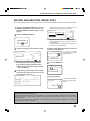
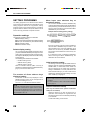
the SPEAKER key in fax mode, and dial
1 Touch
the number of the other machine.
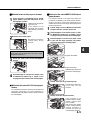
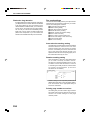
you hear the fax tone from the other
3 When
machine, press the POLLING key.
A one-touch key or the
RE REDIAL key can also be
used.
ADDR If you have connected an
DIRE extension phone to the
machine, you can lift the
SUB
extension phone and then dial.
POLLING appears in the
display.
SPEAKER
AX MEMORY:100%
AUTO RECEPTION
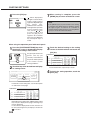
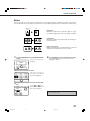
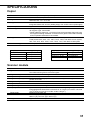
2 Touch the SPECIAL MODES key.
SPECIAL MODES
STANDARD
RESOLUTION
3-6
ER
POLLING
L PAGE
SCAN
EXPOSURE
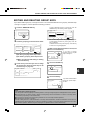
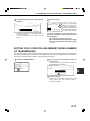
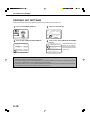
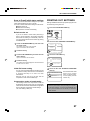
reception begins.
4 Polling
If you lifted an extension phone to dial, replace the
extension phone.Your machine prints the document after
receiving it from the sending machine.
NOTE
Serial polling cannot be performed manually. When polling
reception ends, repeat steps 1 through 4.