1
69
150MT10P LMT
Go to cover page
GENERAL PRODUCT SPECIFICATION
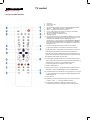
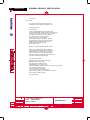
timer. Hold down for 5 seconds to permanently display the programme number on the
screen. The volume level and the smart control adjustments are then displayed each time
they are used.
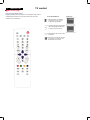
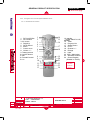
23. Alternate channel: To access the previously viewed program
24. Close caption: Closed caption selection. (disable in EE/WE/AP/CN)
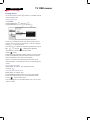
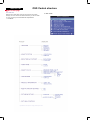
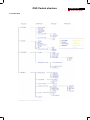
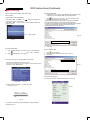
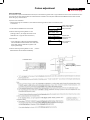
3.2.4.3 TV OSD control function
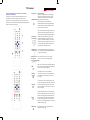
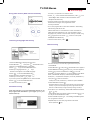
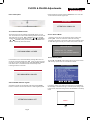
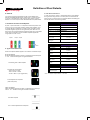
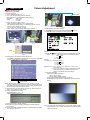
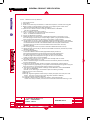
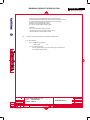
Auto install
For Europe:
The first time you switch on the television,
use the auto store function in the OSD to start the tuning.
The operation takes several minutes.
A display shows the search status and the
number of programs found. When it has
finished the menu disappears.
To exit or interrupt the search, press the menu key.
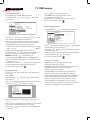
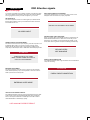
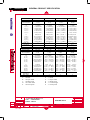
1. If the transmitter or the cable network
broadcasts the automatic sort signal, the
programs will be correctly numbered.
2 If not, the programs found will be
numbered in descending order starting at 99,
98, 97, etc.
Use the SORT menu to renumber them.
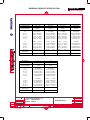
Some transmitters or cable networks broadcast
their own sort parameters (region, language, etc.).
Where this is the case, make your choice using the
Up down keys and confirm with right key.
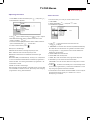
For Nafta:
Select the tuner mode in OSD menu for cable, antenna or auto select.
Use the auto program function to search channel.
15"TFT XGA LCD Monitor / TV
TYPE
: 150MT10P/00C
BRAND : PHILIPS
2001-10-02
K C Chien
8639 000 11717
36
2001-10-02
590
11