1
Power Image Configurator
To see displayed results, Microsoft® Notepad, a word processor/editing
program, or PowerView (page 9-6) is recommended. For additional
information on interpreting your read results, please contact Datalogic
using the website address listed on the back page of this manual.
Power Image Configurator
Power Image Configurator provides the ability to configure an imaging
device by connecting the imager to the COM port of a PC. Power
Image Configurator allows you to download updates to a imager’s firmware, change programmed parameters, and create and print programming bar codes. This enables one expert user to establish the
configuration settings for all the devices your company uses, then save
these configuration files for others. A configuration file can be e-mailed
or, if you prefer, an expert user can create a bar code (or series of bar
codes) which contains all the customized programming parameters, and
mail or fax the bar code(s) to any location. Users in other locations can
scan the bar code(s) to load in the customized parameters.
To communicate with an imager, Power Image Configurator requires
that the PC have at least one available serial communication port and an
RS-232 cable to connect the port to the device. A power supply, which
plugs into the cable, is also required.
Power Image Configurator Operations
The Power Image Configurator program performs the following operations:
•
Displays all configuration data, and saves the information to a file
on your PC.
•
Configures the device to meet your specific requirements. Power
Image Configurator has all the programming parameters that are
available via programming bar codes in this Product Reference
Guide.
•
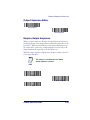
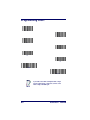
Creates and prints a clone bar code which contains the program
and configuration data from one device. This bar code can then
be used to program additional devices with the same parameters.
Product Reference Guide
9-3