1
Battery Check
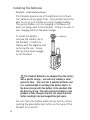
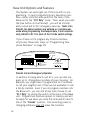
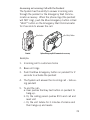
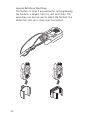
To check the status of the Pendants battery, Press and
Release the Gray button at the back of the Pendant. A
voice announcement will announce one of the following
messages:
Battery is ok-Check the battery condition twice a month.
Battery is low-The battery should be replaced within the
next week.
Replace battery now-The battery should be replaced
immediately.
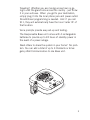
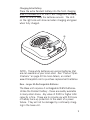
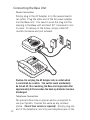
To replace the battery - simply exchange the battery in
the Pendant with the battery that has been charging in
the Base unit.
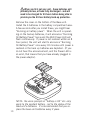
Note: If there is no response after pressing the button
for one second or more, the battery is dead and must be
replaced immediately.
Li-ion 10440
Grey Button
31