1
- Operation 4.2
Receiving calls
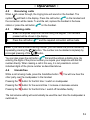
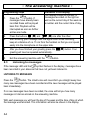
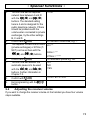
When a call comes through, the ringing tone will sound on the handset. The
will flash in the display. Press the call button
on the handset and
symbol
the connection will be made. To end the call, replace the handset in the base
station or press the call button
4.3
1.
2.
on the handset.
Making calls
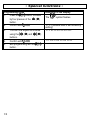
Enter the required telephone number using the keypad. The numbers
pressed will be shown in the display.
Press the call button
and the required connection will be made.
Note: If you have entered a wrong number, you can delete the phone number by
repeatedly pressing the
button. The number can be deleted completely by
prolonged pressing of the
button.
You can also press the call button
first and thus obtain a dialling tone. By
entering the digits of the phone number you require your telephone will dial the
number directly. When making a call in this way, it is not possible to correct
individual digits of the phone number as described above.
4.4
Handsfree
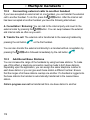
While a call is being made, press the handsfree button
other party over the loudspeaker in the handset.
. You will now hear the
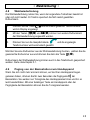
Pressing the
button for the first time = switch on loudspeaker
Pressing the
button for the second time = increase or decrease volume
Pressing the
button for the third time = switch off handsfree facility
The last volume setting will automatically be used the next time the loudspeaker is
switched on.
51